
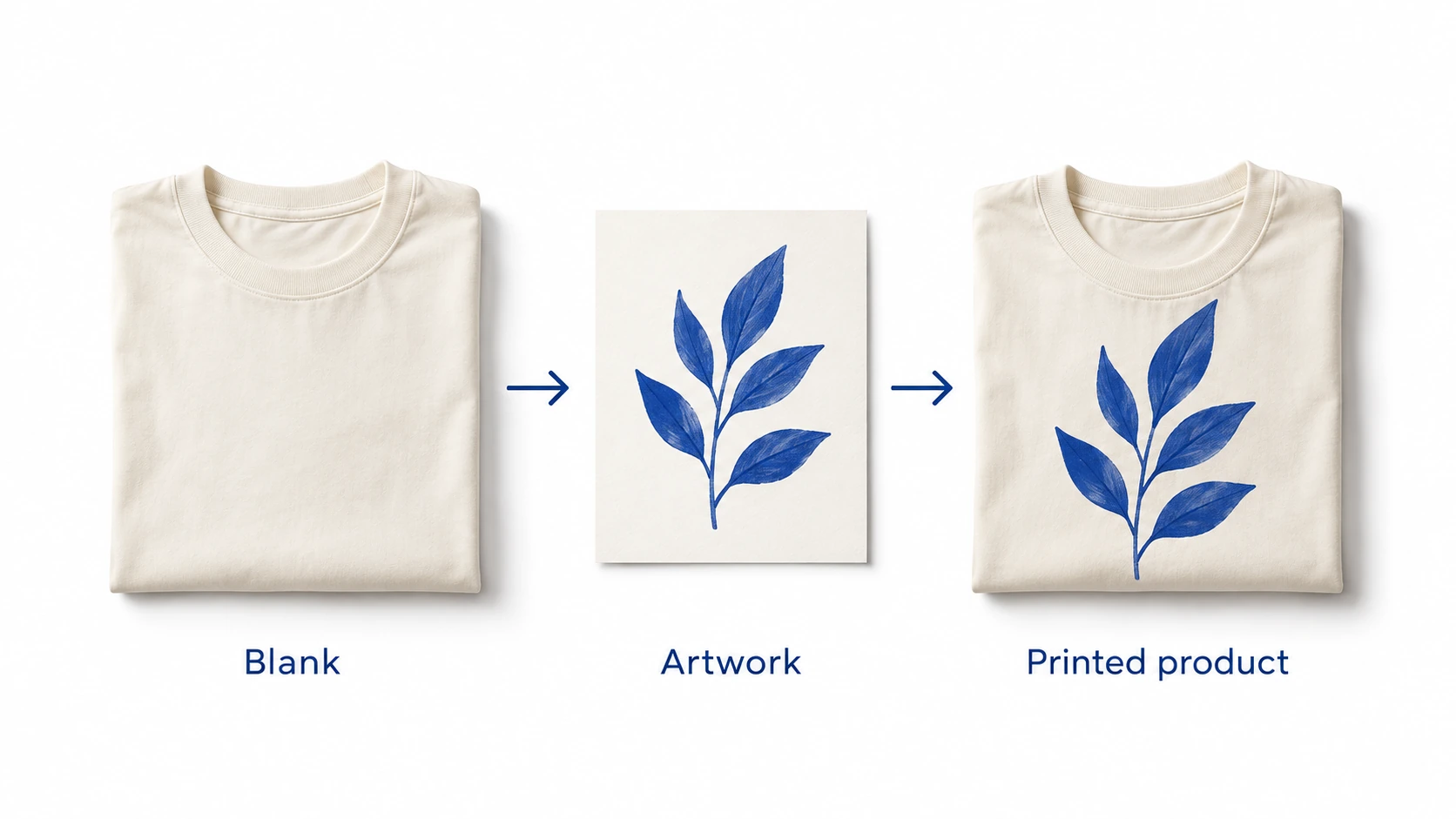
Print-on-demand dropshipping means producing or decorating a product after an order is placed, then shipping it directly to the buyer. You choose the product, design and retail offer. A fulfillment provider prints or makes the item and dispatches it. You remain responsible for the storefront, the customer promise and resolving problems with the sale.
The design can be yours, such as artwork used on every tote bag, or supplied through a customer personalization process, such as a name added to a mug. Those are different workflows. A store does not need to accept individual customer designs to use print on demand.
The attraction is avoiding a large purchase of finished, printed stock. The tradeoff is that each paid order still has to pass through production. Before advertising a product, establish what will be made, how it will be checked, what the complete order costs and what happens if it arrives late or wrong.
01
Understand what changes with print on demand
In a typical catalog dropshipping order, the supplier picks an existing item and sends it to the customer. In print on demand, an order also triggers a production or decoration step. A blank shirt may already exist, but the selected artwork still needs to be applied to the correct size and color.
That makes the print file and product mapping part of the order specification. A correct delivery address will not rescue a shirt printed with an outdated design. Conversely, a perfect file cannot make an unavailable blank ready for production. The broader dropshipping explanation covers the merchant and supplier relationship; POD adds these design and manufacturing decisions.
Compare it with buying printed stock
Print on demand: you can test a small range without committing to a large quantity of finished goods. Repeated orders may carry a higher production cost, and delivery includes making the item. Available products, print areas, branding and production locations depend on the provider and specific configuration.
Preprinted inventory: you commit money before sales and need somewhere to keep the products. In exchange, an already-produced item can go straight into fulfillment when available, and a larger production run may offer a different unit cost. Unsold sizes, designs and colors remain your exposure.
Neither approach creates demand. A good use of POD is a focused offer whose design, audience or purpose gives someone a reason to buy. It is less compelling when the only difference from many other sellers is another generic mockup on the same blank product.
The production model also does not remove product safety, intellectual-property or selling obligations. Check the actual item and intended market. A provider accepting a file is not a legal opinion on your right to sell the artwork.
02
Choose one product and a reason to buy it
Start with a product you can explain and inspect. A tote for a particular hobby group, a poster with original illustration or a shirt for an established community gives the design a job. Define the buyer, use and expected price before adding a large catalog of unrelated products.
Different products create different checks:
- Apparel: garment measurements, fabric, color, print placement, care information and the size-selection experience.
- Mugs and other drinkware: the intended use, print area, handle orientation, care claims and protective packaging.
- Posters and wall art: final dimensions, crop, paper or substrate, finish, framing options and shipping protection.
- Bags and accessories: usable dimensions, closures, print or embroidery area and how the product looks when filled or worn.
Use the product-selection guide to assess the underlying item as well as its design. An attractive image does not establish that the mug is suitable for every advertised use or that the bag can carry a claimed load.
Select a provider for the exact configuration
Printful and Printify are examples of services that connect product design with fulfillment, but a brand-level comparison is only a starting point. Request the exact blank, decoration method, supported destinations, production estimate, shipping service and total charge for the product you intend to sell.
Printful describes separate customer and merchant transactions in its on-demand workflow: the buyer pays your retail price, while Printful charges you for its services. Do not assume that the payment processor has already paid out the customer’s money when the production charge becomes due.
Ask what happens if the chosen blank or production route becomes unavailable. Can another item or facility be used, and does that change fit, color, cost or delivery? Decide which substitutions require your approval. A substitute that looks close in a catalog may not match the sample shown on your product page.
03
Prepare artwork for the product, not just the mockup
A design file that looks sharp on a laptop can print poorly when enlarged or placed on a different material. Work from the current product template and the provider’s instructions for the selected technique. Confirm the printable area, resolution at final size, accepted format, color profile and any safe-area or seam requirements.
For example, Printful’s graphics and embroidery guidance distinguishes requirements by printing method and directs sellers to product-specific templates. Do not turn one suggested DPI value or file format into a rule for every poster, shirt, embroidery design and all-over print.
Keep the editable source and the production export separately. Give each approved export a version and associate it with the right product and placement. If a front print changes, confirm whether the back print, sleeve or label also needs review. A file named “final-new” offers little protection when several people or integrations can select it.
Confirm rights before using the design commercially
Check artwork, fonts, photographs and other elements used in the design. Permission for a website graphic may not include printing that graphic on products for sale. Save the applicable license and any limitations on merchandise, quantities, territories or modification.
The same review applies when an image comes from a shared library or an AI tool. Its origin alone does not settle rights in visible characters, marks or other protected material. The copyright and trademark checklist explains how to separate the physical product, creative assets and store claims.
Customer-uploaded artwork needs its own process. State the content you accept, collect the information needed to produce it and decide who reviews questionable submissions. Do not promise to print any uploaded image simply because the customer paid for the order.
04
Approve samples and build an accurate product page
Order the combination you plan to sell: the actual product, color, print method, artwork version and important placements. Inspect the result against a written specification, rather than deciding only whether the parcel looks attractive when opened.
For a shirt, compare the garment measurements with the listing, inspect placement while the item is laid flat and worn, and check whether small lettering remains readable. If you conduct a care or wash check, record the method and the sample involved. Do not claim that an informal sample check establishes a universal durability result.
For a poster, inspect the intended size and crop; a small sample does not fully answer a large-format question. For a mug, inspect the printed result from both sides and review the packaging that protected it. Keep evidence of what you actually checked. The sample-approval guide covers recording failures and retesting a correction.
Separate a mockup from product evidence
Use mockups to communicate a design, but check whether they accurately represent scale, placement and the selected variant. Include real photographs of your approved sample where available. If a visual is a mockup or conceptual illustration, present it accordingly rather than suggesting it is a photograph of a delivered customer order.
Describe materials, measurements, included components, care information and delivery terms using supported facts. Avoid silently showing an accessory or frame that is not included. For apparel, make the size information easy to find before checkout; a provider’s handling of wrong-size orders does not solve a confusing size guide.
Sample-order programs also have provider-specific conditions. Printful’s sample guidance describes eligibility and allowances. Verify what your account can order before planning a launch around a sample discount or delivery date.
05
Connect the store and control production approval
Treat the store integration as an order route that needs testing. A published product should map to the intended provider product, variant and print file. Check both the visible listing and what the fulfillment service receives when the order arrives.
A useful test follows one order through:
- The customer chooses the size, color and any supported customization.
- Checkout records the correct product, price, delivery address and shipping choice.
- The provider receives the intended variant, quantity and approved artwork.
- The order is approved under the settings you chose and the production charge succeeds.
- Production status, dispatch and tracking are connected back to the customer order.
If using Shopify, the store setup guide covers checkout and order testing. A successful catalog import is only one part of that test. Include a cancellation or correction before production and establish what the system actually permits after release.
Understand when an order becomes a production commitment
Printify’s order-approval documentation describes manual and automatic approval options. It also states that orders use the approval settings active when they were created. Check the applicable store type and integration; do not assume that changing a setting will retroactively hold an existing order.
During a limited launch, inspect the imported order before releasing it if that option is available. Check the file version, product variant, destination and any customer input. Once the workflow is reliable, automatic approval can reduce routine work, but it needs an exception path for missing or questionable data.
Distinguish an order waiting for payment, an artwork problem and a blank-product shortage. Each needs a different correction. Repeatedly resubmitting an uncertain order can create a duplicate production request. Verify the provider’s current order record before trying again.
06
Calculate the full order contribution and cash requirement
The difference between retail price and the blank or printed product price is not your final profit. Include shipping, payment and channel fees, discounts, advertising, seller-funded remedies and the operating costs not allocated to an individual order. Use the actual provider quote for the specific destination and product configuration.
Consider this hypothetical USD example, with tax excluded from both revenue and the listed costs. A customer pays $30. Production costs $14, shipping costs $5, payment and channel fees total $1.20, and acquiring that order costs $6. The remaining contribution is $3.80: $30 − $14 − $5 − $1.20 − $6.
For 50 such orders, revenue is $1,500 and contribution before remakes is $190. Now suppose two replacements are funded by the seller at $19 each, including production and shipping, with no supplier reimbursement. Subtracting $38 leaves $152, or about 10.1% of revenue, before subscriptions, design work, other fixed costs and tax. These are illustrative assumptions, not a provider quote or an expected defect rate.

The example shows why the reason for a remake matters. If the provider made the item incorrectly, a supplier remedy may be available under its terms. If the submitted design or customer selection caused the problem, the economics may differ. Count a reimbursement when it is actually supported; do not assume every replacement will be recovered.
Compare a cheaper product with a better offer
Changing a blank might lower production cost while changing fit or finish. Changing the print method might alter the look. Recalculate the order, but inspect the replacement configuration before treating the saving as equivalent value. The best quote is not automatically the best product for the promise you made.
Likewise, reducing advertising cost is not the same as acquiring the same customers more efficiently. Measure the completed-order result: sales, cancellations, delivery, complaints and remedies. A design that attracts clicks but creates frequent expectation problems may be expensive despite a low cost per visit.
Keep usable cash available for production
Your provider may charge before your storefront payout reaches the bank. Use the cash-flow guide to put production charges, payout dates and possible refunds on a calendar. A profitable-looking order can still be held if the funding method fails.
Set an affordable limit on a launch or promotion. In the example, 50 orders require $950 for production and shipping before considering other charges. Confirm when those payments fall due rather than relying on $1,500 of booked sales as immediately available money.
07
Promise delivery using production and transit together
Production time and shipping time are separate parts of the customer wait. Printful’s fulfillment-time explanation explicitly separates making the product from shipping it. Check the current estimate for the product and production location instead of presenting a general provider average as a guaranteed arrival date.
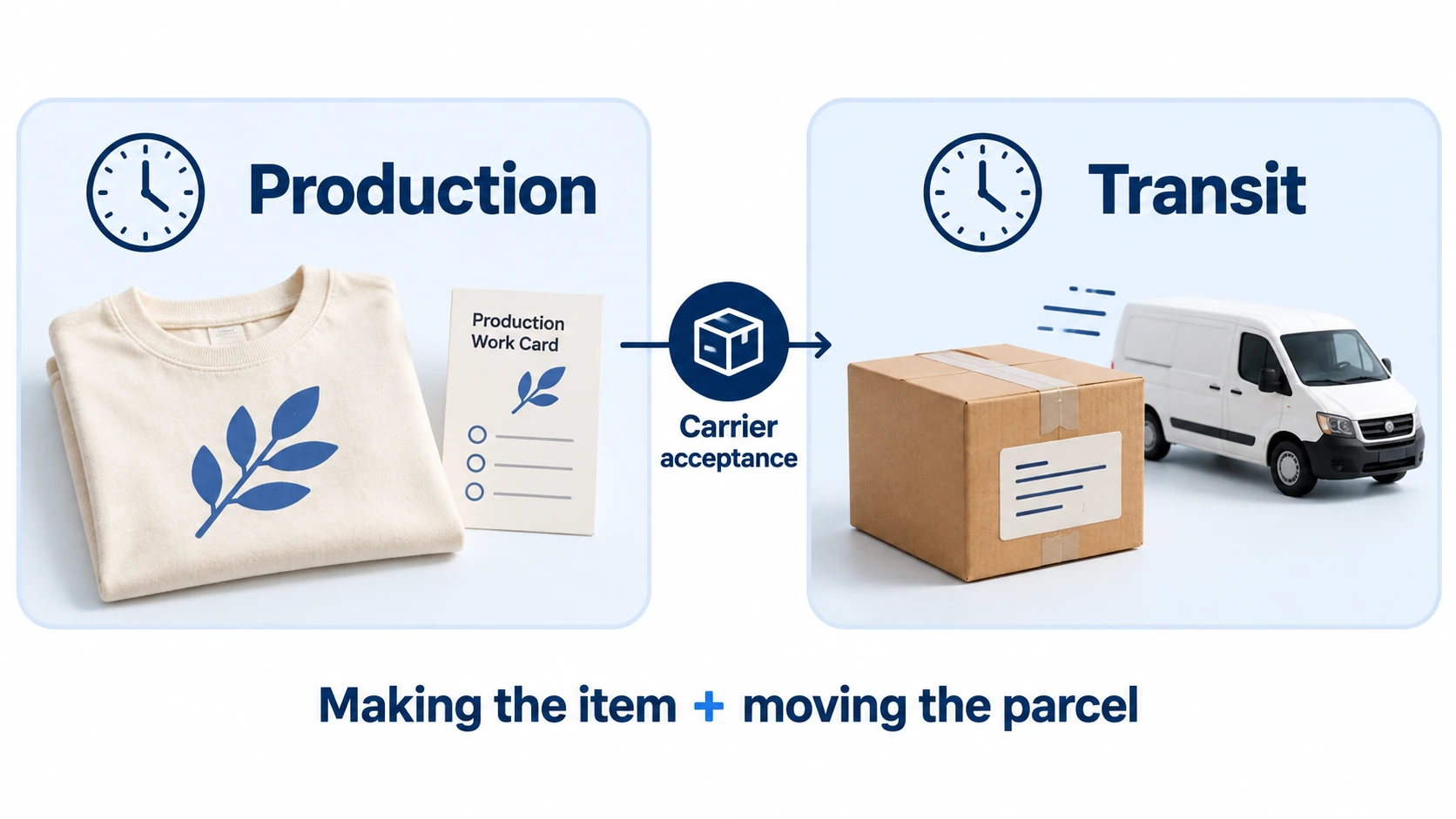
An approval delay, missing file or failed payment can hold the order before the normal route proceeds. Tell the customer about a material issue and provide a realistic next update. Changing the shipping service cannot recover every delay that occurred before the carrier received the parcel.
Keep production status visible to the support team. “The provider received the order,” “production has started” and “the carrier has the parcel” describe different events. Use the corresponding evidence when answering a customer, rather than calling every non-delivered order “in transit.”
Explain split shipments before they surprise the buyer
A cart containing a poster and a shirt may require different production locations or packages. Check the actual provider arrangement, charges and tracking behavior. If items can arrive separately, explain that in the offer and order communication, with tracking tied to the relevant parcel.
This also affects replacements and refunds. An issue with one item should not make the entire order record ambiguous. Keep the item, quantity, production record and tracking reference together so the customer receives an answer about the product they are missing.
08
Decide how you will handle errors, returns and cancellations
Write your customer policy around the markets you serve and the experience you can provide. A print provider’s reimbursement policy is an input to that decision, not a substitute for the merchant’s obligations to the buyer.
For example, Printful’s return and refund guidance distinguishes covered quality problems from buyer’s remorse, wrong size and other circumstances. Read the current terms, claim process and evidence requirements for the service you use. Do not promise a free replacement for every reason on the assumption that the supplier will fund it.
Do not treat every made-after-order item as legally personalized
A shirt selected from a standard design, size and color catalog raises a different question from a product made with the buyer’s unique details. In the EU, the exception for goods made to consumer specifications or clearly personalized is narrow; the European Commission’s Consumer Rights Directive guidance distinguishes standard pre-set choices from qualifying personalization.
Do not use “made to order” as a blanket reason to deny all returns or remedies. Review the applicable market and circumstances, including a defective or incorrectly supplied item. The returns workflow explains how to keep the customer resolution and supplier recovery separate.
For cancellations and design corrections, define what can be changed and when, using the provider’s actual production process. If production has started, first verify the available options. Do not tell the buyer a cancellation succeeded merely because you submitted a request.
09
Launch a small offer and improve from completed orders
Begin with a range you can inspect and support: a small number of products, designs and destinations with known costs and tested order mapping. Before opening sales, have an approved sample, accurate listing, working payment route, production settings and a customer-contact process.
Review the first completed orders by their actual configuration. Look for file holds, wrong variants, production delays, damaged parcels and repeated questions about size or delivery. Keep the denominator visible: a few complaints from a few orders cannot support a reliable general defect rate.
Fix the cause that the evidence supports. If several buyers misunderstand the included size, revise the product page and selection process. If the same file repeatedly produces a poor result, review the artwork or method. If a route is unreliable for one destination, investigate that route before removing a design that sells well elsewhere.
Extend the catalog when the next product can meet the same standard. More listings create more combinations to maintain, especially after a blank, file, provider or production location changes. Keep an approved reference and recheck the affected combination rather than assuming an earlier sample covers the whole business.
10
Frequently asked questions
Is print on demand the same as dropshipping?
Print on demand can use dropshipping fulfillment when the producer sends the finished item directly to your customer. Its distinctive feature is producing or decorating the item after an order. Dropshipping can also involve shipping already-made catalog products without that additional step.
Do customers have to upload their own designs?
No. You can sell a fixed collection of your own designs. Customer personalization is an additional workflow that needs accurate input capture, any required proof approval and correct file-to-order matching. Offer it only when the provider and store process support those steps.
Can I start without buying inventory?
You may avoid buying a bulk run of finished printed goods, but still need money for samples, design work, store costs, production charges and remedies. Check the provider’s particular minimums and payment terms; inventory flexibility does not make the business cost-free.
Is print on demand profitable?
It can generate a positive contribution when the selling price covers production, shipping, fees, acquisition and remedies, with enough left for fixed costs. Calculate from your real order mix. A provider’s catalog margin display or the hypothetical example above cannot establish what your store will earn.
Should I move a successful design into bulk production?
Compare the complete landed and fulfillment cost with the cash tied up in stock, storage, demand by variant and the likelihood of design changes. A proven seller can make a larger run worth evaluating, but a total sales figure may hide slow-moving sizes or colors. Keep POD for combinations where flexibility is more valuable than the potential saving.
For related product and supplier decisions, use the product and supplier section of the dropshipping hub.
