
Print on demand stationery is printed after a customer orders and sent by the print provider. You can sell notebooks, journals or greeting cards without holding every finished design in stock. Choose the exact format, prepare its artwork, inspect a sample and price a complete delivered order before listing it.
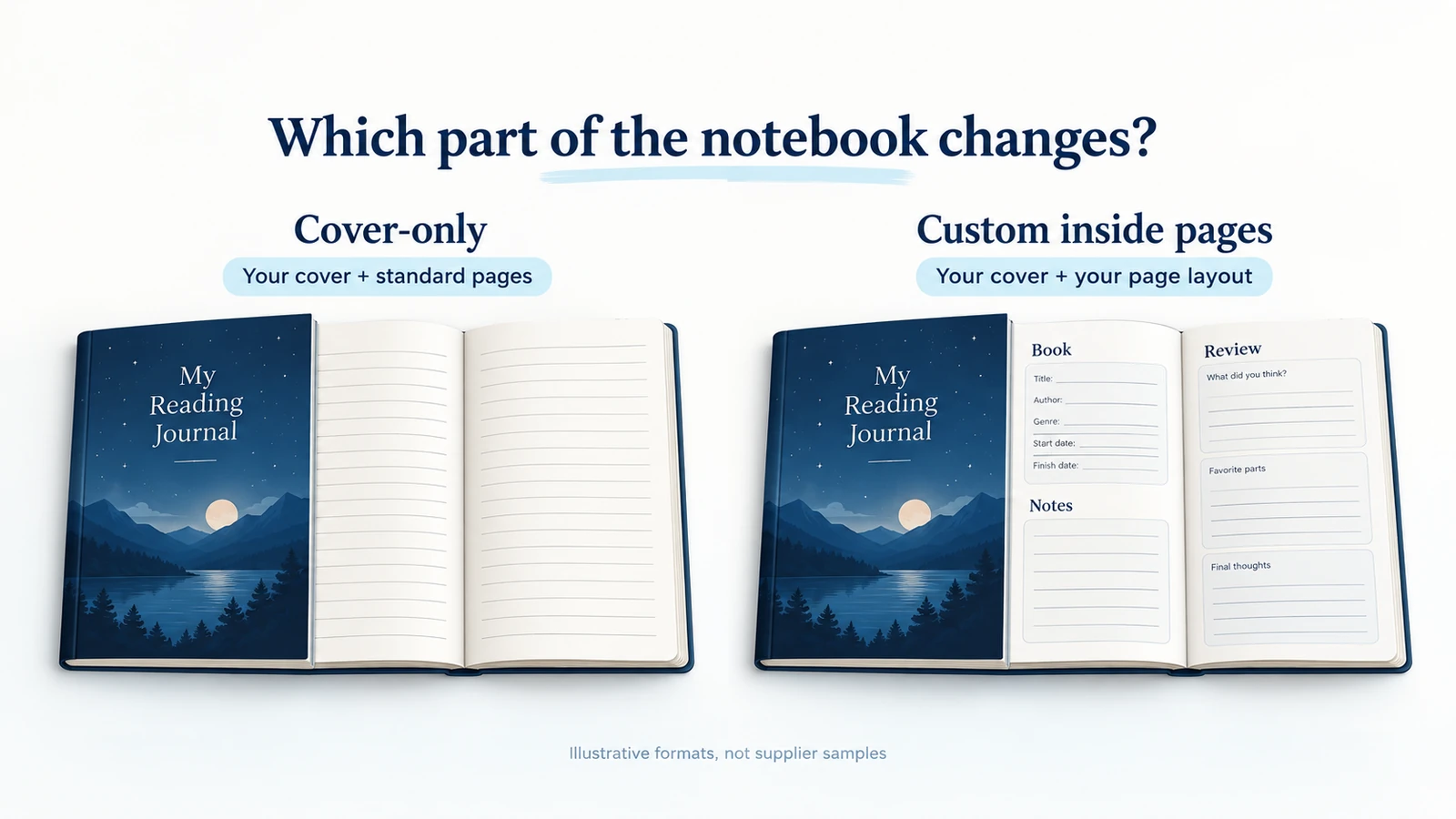
A cover-only notebook can carry your artwork and still arrive with the printer’s standard ruled pages. If your listing promises a book index and review prompts, choose a product that accepts your interior PDF. Check that before designing 120 pages or paying for a sample.
Consider a reading journal with an index and space to review each book. A cover-only notebook cannot make those inside pages; a fully custom format can. We rechecked the particular Prodigi paperback file guide on October 11, 2026; other provider examples retain their September 28 review date. Costs are illustrative, and no sample, printer account or order was tested. The print on demand dropshipping guide covers the wider business model.
Explore this topic
01
Choose the part of the stationery you need to customize
A cover-only notebook can be a good first product when the artwork is what the customer wants. A reading journal with prompts, review boxes and a book index needs custom inside pages. Confirm that capability before spending hours on the design.
| Product choice | What the buyer gets | Relevant documented example |
|---|---|---|
| Cover-only notebook | Your cover with the provider’s blank, ruled or other standard inside pages | Prodigi’s classic hardback lists 128 inside pages on 90 gsm paper |
| Fully custom notebook | Your cover and your own inside-page design | Prodigi’s fully custom paperback lists 120 inside pages on 100 gsm paper |
| Greeting card | A particular folded format, printed areas and envelope arrangement | Printful’s greeting card has product and regional finish details to check |
On a phone, swipe the table sideways to compare every column.
These are examples of different capabilities, not a supplier quality ranking. Printify also lists a blank-page journal with a named print provider. That product’s custom cover does not make its blank interior a custom reading planner. Provider, option and fulfillment location matter even when the storefront calls every item a “journal.”
For a greeting card, check front, back and inside printing, fold direction, writable finish and the included envelope. Printful’s card documentation notes regional envelope differences and recommends a ballpoint pen. Do not promise identical paper feel worldwide or compatibility with every pen from a generic mockup.
Ask the supplier for the exact item code, or SKU, and its file template. Save them with the intended destination. “A5 journal with our design” is still incomplete if it does not say whether the design includes the inside pages.
If you are still comparing production networks or provider responsibilities, use the broader POD supplier comparison. The job here is to select a format that can make the particular stationery you want to sell.
02
Write a finished-product specification before drawing the pages
Our hypothetical journal is for a reader who wants to record books and short reviews by hand. We will use the documented fully custom A5 portrait paperback format for the example. Confirm the actual order code and current template in the provider’s system before submitting a real job.
| Detail | Worked journal specification |
|---|---|
| Finished format | A5 portrait paperback; the file guide specifies 148 × 210 mm |
| Inside paper | 100 gsm, as listed for this fully custom product |
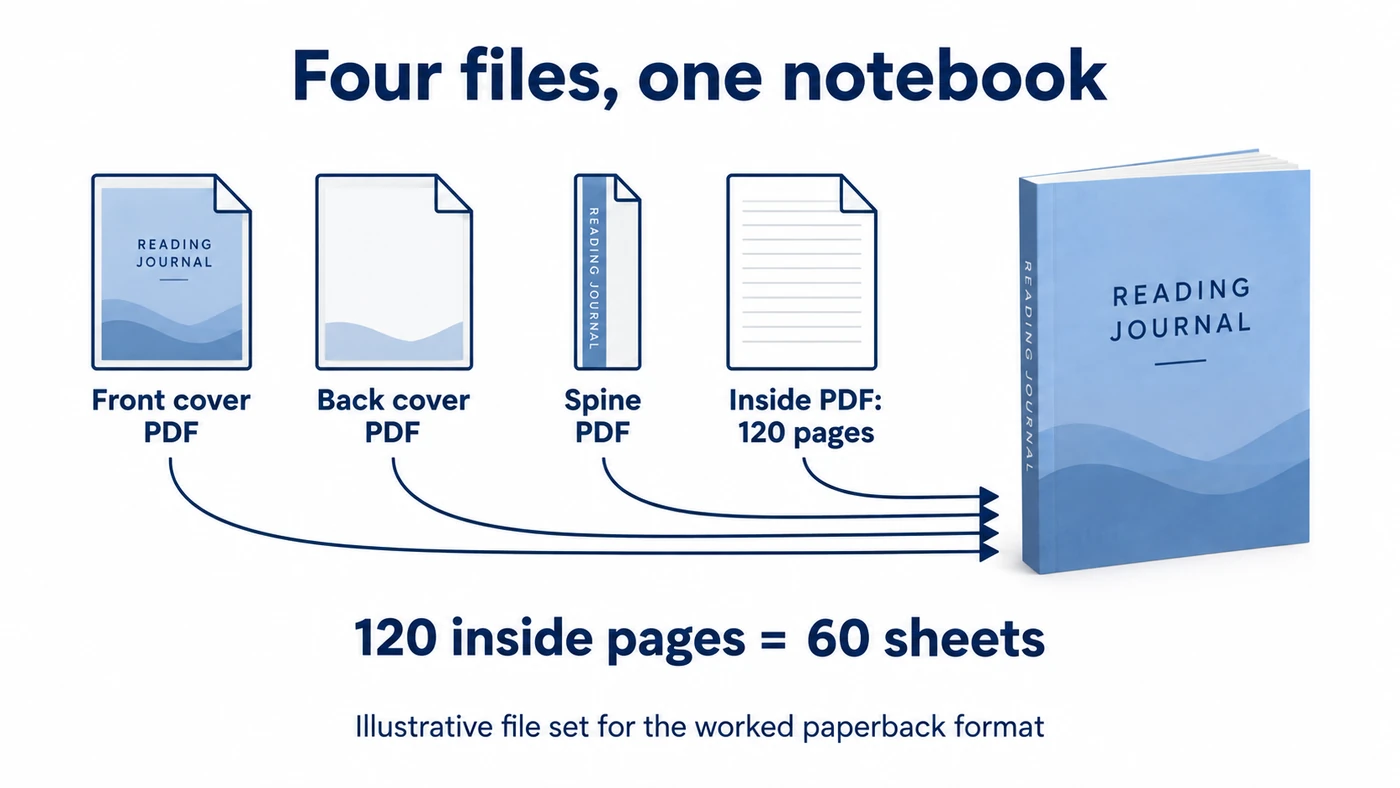
| Inside length | 120 pages, equal to 60 sheets; the cover is separate |
| Page contents | 2 instruction pages, 6 index pages, 100 review pages and 12 notes pages |
| Customization | Front cover, back cover, spine and all 120 inside pages |
| Customer use | Writing book notes by hand; specific pen suitability still needs a sample check |
| Sample to order | This design, size, paper, binding and intended delivery destination |
On a phone, swipe the table sideways to compare every column.
A page is one side of a sheet. A 120-page notebook does not contain 120 sheets. This distinction affects the product description, page design and what the customer thinks they are buying.
The inside layout now has a purpose. The index lets the reader find a review; the review pages need enough writing space; the notes pages serve longer thoughts. Do not shrink the text merely to include more prompts. Print a page at its intended size while designing so you can judge whether the questions and writing areas are usable.
Paper weight cannot predict every pen
Gsm describes paper weight per square meter. It does not tell you whether ink will feather, show through or bleed through. Those are separate observations to make with the pens you intend to recommend. Avoid “fountain-pen friendly” unless you have suitable evidence for that product.
For a card, make the same note in card terms: finished folded size, opening direction, printed panels, blank writing area, paper finish and envelope. A flat pack that the buyer must fold is a different offer from an individually folded card.
03
Prepare the four files for this paperback format
Use the fully custom paperback file guide, rather than assuming the product page’s general upload description is a complete production instruction. Prodigi specifies four separate PDFs for this product:
| Example filename | Contents |
|---|---|
| reading-journal-front.pdf | Front cover artwork |
| reading-journal-back.pdf | Back cover artwork |
| reading-journal-spine.pdf | Spine artwork, using the selected product’s template |
| reading-journal-inside.pdf | All 120 inside pages, in order as individual pages |
On a phone, swipe the table sideways to compare every column.
Check page order, margins and export settings
The filenames above are illustrative. The important point is the separate content, correct dimensions and counted inside pages. A two-page spread puts facing pages beside each other in one design file; this guide asks for individual pages instead.
For the worked journal, inside page 1 begins on the right. Pages 1–2 contain instructions, 3–8 the index, 9–108 the reviews and 109–120 the notes. Check the last page as well as the first. An accidental extra blank page can shift the intended sequence.
The guide leaves the inside covers blank. Keep writing and important text away from the bound edge: it specifies a 15 mm inner margin and 10 mm on the other edges. The inner edge is the left side of odd-numbered pages and the right side of even-numbered pages. Its stated spine width is 6 mm for this product; another notebook needs its own template.
Proof the binding edge on both sides
For this hypothetical A5 journal, pages 9 and 10 are the first two review pages, on opposite sides of the binding. Check the exported interior as individual pages and then in a facing-page view.
Page 9, on the right
Its left edge faces the binding. Keep prompts and writing areas at least 15 mm from that edge; use the documented 10 mm margin at the outer right edge. Check the export kept this layout rather than centering everything by eye.
Page 10, on the left
Its right edge faces the binding, so the 15 mm inner margin changes sides. The outer left edge uses 10 mm. If every page has the larger margin on the left, correct the even-page layout and export again.
These settings follow the particular Prodigi A5 guide, not every printer. Check that the PDF still contains 120 inside pages and that no review text is lost at the bound edge of your own sample. This proposed proof has not been performed on a printed journal.
Use this product’s bleed instruction
Do not add bleed or crop marks to this particular file set. Bleed is artwork extending beyond the cut edge; this guide says the provider handles it. That is not a rule for every printer. StationeryHQ’s greeting-card guide, for example, specifies its own CMYK and bleed requirements.
Confirm the color profile and proof the PDFs
Check the artwork and PDF export settings
Prodigi lists RGB artwork at 300 dpi and separately recommends PDF/X-4 with coated FOGRA39. Your export tool can handle the artwork’s color profile and the PDF’s intended printing conditions as separate settings. Ask Prodigi which conversion and output profile to use for your template and software. Open the exported files and check the color on the printed sample before approving the listing.
Keep the exact approved exports
Open all four exported PDFs. Verify dimensions, fonts, page count and small text, then retain the files that produced the approved sample. A later revision should have its own version so an old cover is not accidentally paired with new inside pages.
04
Order your own design and check what the buyer will use
A stock paper swatch helps you compare materials. It does not show whether your journal’s page order, type size or spine is correct. Prodigi’s sample guidance separates sample products from ordering your own design. For launch approval, use the design and format you intend to sell.
Order one to a destination relevant to your offer and inspect the parcel before discarding it. Note the provider, product code, file versions and order date. Then work through the buyer’s use:
Open and navigate it.
Confirm the cover, first right-hand page, index, review pages and final notes section. Check all pages for missing print, repeats or unexpected blanks.
Read and write in it.
Look at small prompts at normal reading distance. Try the pens you plan to discuss, let the ink dry and inspect the other side. Record the pen and result rather than applying “works with all pens” to one observation.
Use the binding.
Open to a middle review and write near the inner margin. If the question disappears into the bound edge, change its placement or margin before sending the file again.
Inspect its arrival.
Look for bent corners, rubbed covers, creases and moisture damage. Compare the product condition with the protection in the parcel.
For a card, add fold alignment, handwriting on the inside, envelope fit and whether a production code appears on the back. A buyer expecting an unmarked card needs accurate information, not a retouched mockup hiding a required mark.
Tiny print and damaged corners need different fixes
Suppose the sample has the correct paper but tiny review prompts. Enlarging the text or simplifying the layout addresses that problem. If the same layout is readable but the corners arrive crushed, discuss packing and the shipping route with the provider instead. The replacement should be checked for the fault you found.
Save the approved sample details and photographs with the final files. They support your description and comparison when a later order looks different. Approval of this sample is useful evidence for this configuration, not proof that every future unit or production location will be identical.
05
Price a delivered notebook, including mistakes and samples
Ask for one finished notebook sent to your intended destination. Include printing, any handling or packing charges, delivery and applicable charges billed to you. A “from” product price is not necessarily the bill for that order. Separate taxes you collect for an authority from revenue you can keep.
This hypothetical $28 sale shows the calculation. The figures are invented, not a quote from Prodigi, another printer or AIDrop.
| Amount for one order | Worked notebook |
|---|---|
| Selling price | $28 |
| Printing | −$10 |
| Delivery paid by the merchant | −$5 |
| Payment/platform fees | −$1.50 |
| Expected remedy allowance | −$1.50 |
| Money left before acquisition | $10 |
| Cost of attracting the order | −$4 |
| Contribution before overhead and tax | $6 |
On a phone, swipe the table sideways to compare every column.
Now add the sample. If a delivered sample costs $24 and you spread that cost over twenty sales, it adds $1.20 per sale. The $6 contribution becomes $4.80 after that sample allocation, before other overhead and tax. If you sell only five, the sample adds $4.80 per sale and leaves $1.20. You have not changed the printer’s price; fewer sales are sharing the same preparation cost.
The remedy allowance is an expected average, not a cap on the customer’s remedy. One replacement might cost another full print and delivery charge. Keep a way to pay that bill even when reimbursement from the provider is still being considered.
Fund printing before customer payout
Also compare when you pay with when customer payouts become available. In this example, three orders require $45 of print and delivery payments. If those charges fall before payouts, you need that $45 available in advance. It is the same fulfillment cost already included in the table, not an extra expense to subtract twice.
For your real quote, ask whether two notebooks share a delivery charge, whether the order can split between facilities and whether the chosen cover or finish costs extra. Then repeat the calculation with actual charges. A design that looks profitable using only its print cost can leave very little after delivery and finding a buyer.
06
Send the approved version and give the customer a complete delivery promise
Artwork rights and marketplace rules differ
Before submitting production, confirm your right to use the artwork. Canva’s product guidance permits some original designs containing licensed content, with conditions; that does not mean you own copyright in every ingredient. If a printer requires full copyright ownership, check whether your design meets that requirement. For Etsy, its creativity standards also require the seller’s original design and accurate production-partner and shipping information for applicable third-party production.
Run one test order through the route you intend to use. Match the store’s A5 paperback option to the provider’s product code and the approved front, back, spine and interior files. Check the buyer address, payment, selected format and file version before releasing production. If the store and printer are connected, inspect the actual order received by the printer; an advertised integration does not prove your variant and files mapped correctly.
A manual route can work too: StationeryHQ describes placing a paid printer order with the buyer’s shipping address. In either route, record when the printer accepts the job, when production starts and when the carrier actually receives the parcel. Send tracking after carrier handoff, not merely when a label is created.
Promise production and delivery as one timeline
The delivery estimate must cover production plus transit for that product and destination. Ask the printer when changes or cancellation stop being possible. A listing edit will not repair an order already in production. For a personalized card, save the customer’s text and approved proof; if the name prints incorrectly, compare the entry, transferred order and print file to find the fault.
Confirm what appears in the parcel: shipping label, packing slip, invoice, production marks and any envelope. White-label fulfillment does not automatically include your custom gift box. Show the packaging you can actually supply.
Resolve the buyer’s problem while checking the printer’s remedy
When something goes wrong, keep the buyer informed while you seek provider recovery. A missing review section calls for checking the inside PDF and printed sequence; a creased cover calls for product and parcel photos. StationeryHQ’s return policy distinguishes customized-product returns from damage or defects and sets its own reporting conditions. Those supplier terms do not settle every obligation your store has to the buyer.
A printer credit may not fund the buyer refund
Agree the evidence, deadline and replacement or refund route before launch. A credit for future printing may not fund the customer’s refund today. Pause the affected file or format if the problem can recur, correct its cause and check the replacement before increasing sales.
07
Launch one format whose use and cost you understand
Launch a defined reading journal
For the reading journal, a useful first offer is one approved size and interior with a small choice of cover designs. Photograph representative pages, explain the 120-page/60-sheet count and show the finished size. Tell the buyer what they can write, what is included and when the order should arrive.
Start with one sampled card format
For a greeting-card range, begin with a few designs in one sampled fold and finish. Keep the envelope and inside-message information consistent. Add another format when you can describe and fulfill it accurately, rather than assuming the original sample represents every card option.
Keep each new version traceable. A changed paper, print location, binding or file can require a fresh check. For dated stationery, verify the year in both the artwork and actual order option; a calendar’s product-page heading alone is not enough to settle that choice.
If you want a separate physical companion, such as a reading accessory, AIDrop’s product-sourcing service can help compare China-side options and clarify samples, packaging and destination requirements. Send the product idea and specific question through contact. The POD provider remains responsible for confirming its print files, supported order route and production terms.
08
FAQ
Can a cover-only notebook become a custom planner?
Not if the provider supplies fixed blank or ruled inside pages. Choose a fully custom interior product for your own planner questions, dates or page layouts.
Are 120 pages the same as 120 sheets?
No. A sheet has two sides, so 120 inside pages equal 60 sheets. Check whether a provider’s advertised count includes the cover before writing the listing.
Should every stationery PDF include bleed?
Follow the exact product’s current file guide. The Prodigi paperback example requires no added bleed or crop marks; another printer or card format can require them. Do not transfer one product’s settings to another.
Can I use a Canva design for POD stationery?
That depends on the content license, your finished design and the printer’s terms. Permission to use licensed elements does not automatically mean you own all their copyrights or may sell the elements by themselves.
Does printing after purchase mean customers cannot return it?
No universal rule follows from POD. Check the buyer rules that apply, your advertised policy and the supplier’s separate remedy terms. A defect or printing mistake needs a workable response even when ordinary change-of-mind returns are restricted.
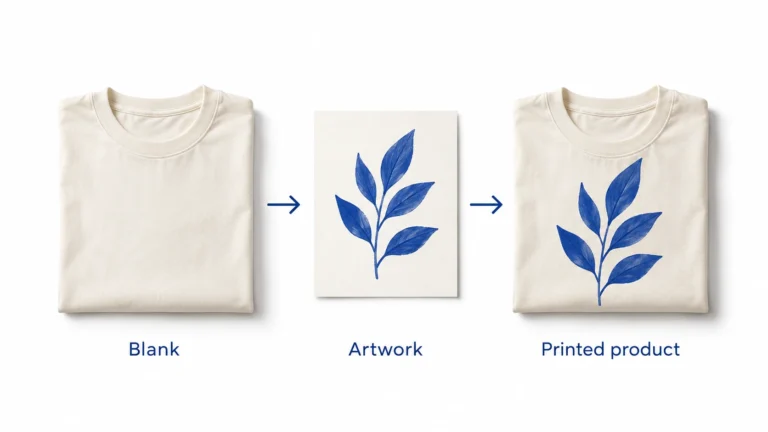
Print on Demand Dropshipping: From Design to a Fulfilled Product
Understand print-on-demand dropshipping, approve designs and samples, calculate full order costs, and manage production, delivery and customer
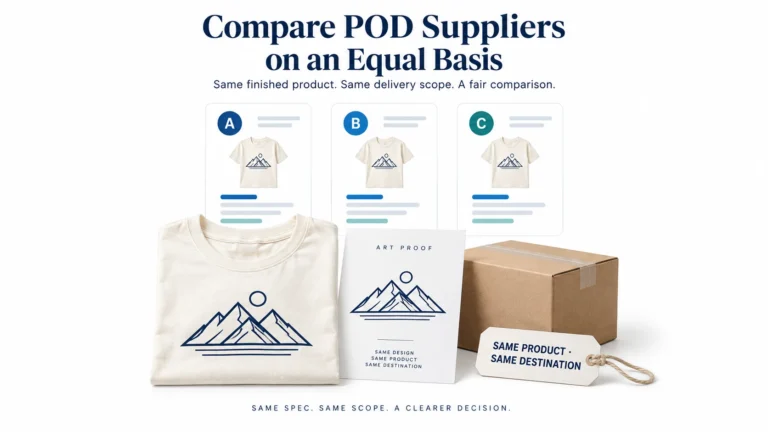
Print on Demand Suppliers: Compare Production, Proofs and Fulfillment
Compare Printful, Printify and Gelato by product, routing, samples, complete order cost, integration and returns before choosing
Print-on-Demand Files and Samples: Approve the Actual Print
Prepare each print file for the exact provider, product and print area, using its current template and