
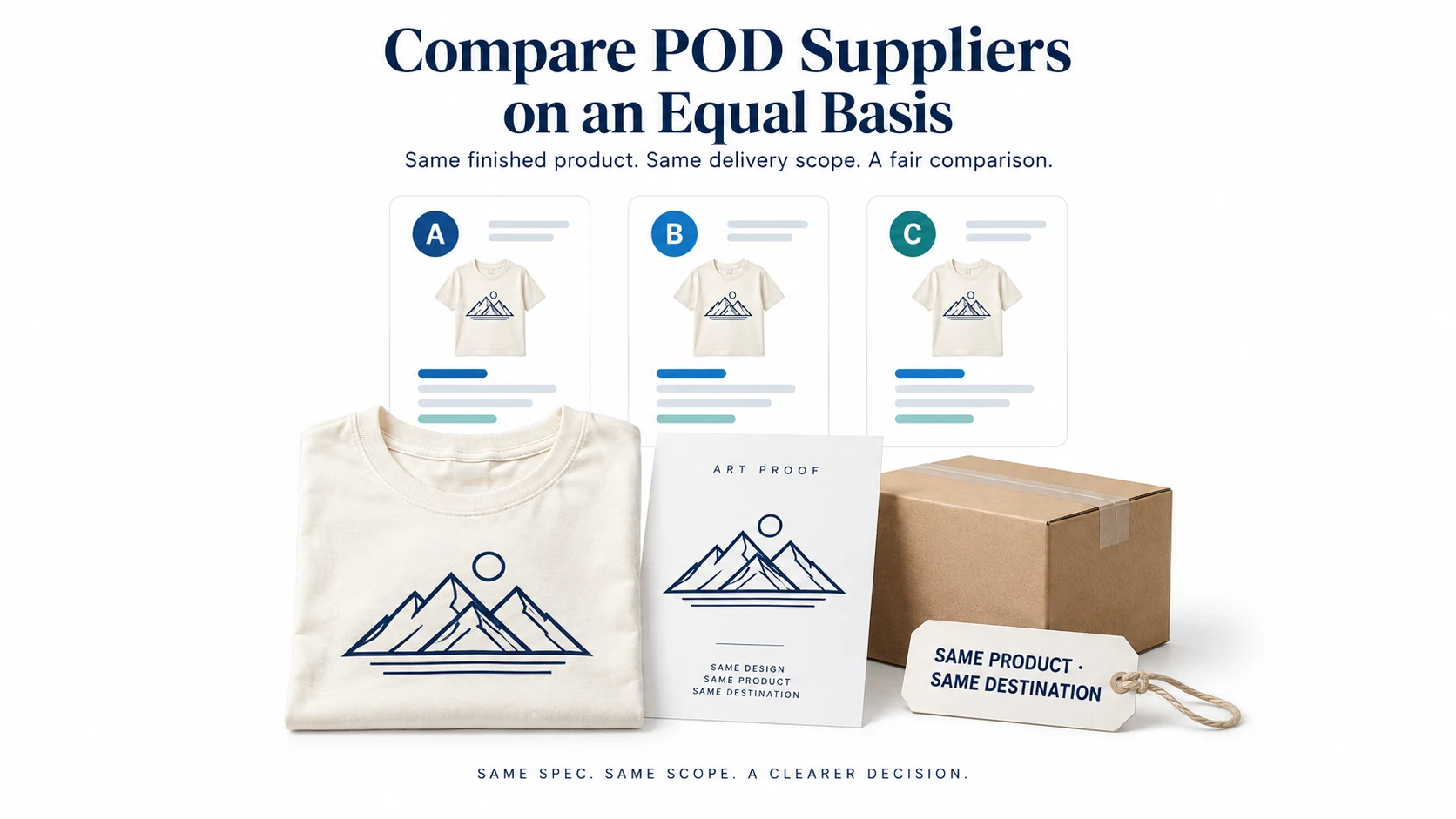
Choose a print-on-demand supplier by comparing the exact product, print method, destination, order controls and failure policy your store needs. Printful, Printify and Gelato are practical candidates, but their fulfillment arrangements differ. A low catalog price or a large production network cannot tell you which will deliver your particular offer most reliably.
This comparison uses the providers’ official documentation reviewed on September 11, 2026. It is not a firsthand product test or a ranked claim about print quality. Use the documented differences to build a shortlist, obtain current quotes and run a controlled sample and integration test before committing customer orders.
01
Start with the product you will actually sell
Define a comparable order before visiting pricing pages. For a shirt, identify the blank model, fabric composition, color, size, print technique, print placement and delivery destination. For a poster, include dimensions, paper finish, frame arrangement and packaging requirements. Products sharing a category name may still be materially different.
The comparison unit is a finished offer: one identified product and design, produced under a stated fulfillment arrangement and delivered to a specified address. Keep that unit unchanged when asking each provider for a quote. If a provider cannot match it, record the difference instead of treating the lower price as an equivalent offer.
Also decide how much production control you need. Some merchants want to select an identifiable print provider. Others prefer automatic routing across a network and accept that the exact facility may vary. Neither arrangement removes the need for samples, sensible delivery terms and exception handling.
The print-on-demand dropshipping guide explains the overall order model. Here, the decision is narrower: which provider arrangement fits your product and what evidence you need before using it.
02
Printful: evaluate the product and its fulfillment conditions
Printful provides store integrations and a catalog of customizable products. Its integration directory includes ecommerce platforms and marketplaces; confirm the current integration for your sales channel and the specific features you need. A supported connection does not mean every product, personalization field or shipping feature behaves identically across channels.
Printful’s fulfillment-time documentation distinguishes production techniques and in-house or partner fulfillment. It gives estimates rather than a delivery guarantee, and fulfillment time excludes shipping. Do not describe every Printful order as coming from one owned factory or use one production average as a promise for every item.
Consider Printful when its specific catalog item and integration fit your offer. Check the supported print areas, size range, stock information and destination estimate together. It is a candidate for an integrated product workflow; that is not evidence that its quote or quality will win every comparison.
Branding needs a separate check. Printful’s custom-packaging page describes product and facility restrictions and fallback to standard white-label packaging. Do not build an offer around a branded package until you confirm the product, packaging type, stock and fulfillment location are eligible.
For testing, check the current sample-order terms in your account. A sample program can reduce testing cost, but eligibility and allowances are provider conditions. The purpose is to inspect your actual artwork on the chosen item, not to collect a discounted product unrelated to the launch.
03
Printify: distinguish a selected provider from network routing
Printify offers access to print providers with different locations, prices, variants, print areas, equipment and additional features. Its explanation of provider differences makes clear why comparing only “Printify versus another platform” is incomplete.
If you select a specific provider, record that provider alongside the product model in your test and cost sheet. Another provider printing the same garment may have different output, shipping charges or options. A sample from one does not establish the result from the other.
Printify also offers automated arrangements. With Printify Choice, the network selects a provider and the specific provider information is not disclosed; it may vary between orders or products. This is a meaningful control difference, not merely a different subscription label.
Consider selected-provider fulfillment when supplier identity matters to your approval process. Compare eligible providers for the particular product and market, and confirm the settings that might switch production after you approve the sample.
Consider network routing when you accept variable production assignment in exchange for its operational approach. Test representative destinations and understand which product features remain consistent when assignment changes. Do not promise a named factory if the selected service does not provide one.
Review Printify’s automatic switching explanation and its separate Choice Upgrade instructions. Printify currently documents Choice Upgrade as enabled by default in store settings. Eligible existing orders can move to the Choice network when the product and print areas match and the savings conditions are met; Standard or Economy shipping and support for selected inserts or gift messages are among the stated conditions. This does not mean every order changes provider.
If keeping an approved provider is essential, inspect your store’s Order settings, disable the Choice Upgrade option and save the change. Review ordinary Order Routing separately: Printify says the two options can be controlled independently. Record both settings and check the fulfillment assignment of subsequent orders; selecting a provider in the catalog alone does not settle these automatic-routing choices.
04
Gelato: assess the network for your products and markets
Gelato connects stores to a distributed production network. Its integration directory lists supported store connections and API options. Confirm the integration’s treatment of variants, personalizations and order updates rather than assuming a logo in a directory answers every workflow question.
Gelato says production assignment depends on factors including product availability, delivery address and current capacity. Its explanation of production-location visibility states that the exact location is not currently displayed. The network’s geographic reach does not guarantee that every variant is made in the buyer’s country.
Consider Gelato when its catalog and distributed production arrangement fit your destination mix. Obtain quotes for the exact items and addresses you plan to serve. If a fixed named facility or country is essential, investigate that requirement before choosing a service whose assignment is automatic.
Gelato’s shipping introduction explains that estimates depend on product, locations, order dimensions and production capacity. It also provides the route to live quotes. Use those current order-level estimates instead of assuming that a large network always means the lowest cost or quickest arrival.
For framed wall art, inspect exactly what the customer receives. Gelato’s poster and frame guide describes combined options where the poster and frame ship together but unmounted. That distinction affects the product description, photographs and customer expectations; “framed poster” is not enough detail for a comparison sheet.
05
Compare a complete quote, including a second item
Ask each shortlisted arrangement for the same single-item order and a realistic two-item basket. Record product and print charges, additional print areas, shipping, taxes or duties shown in the quote, currency and any subscription assumptions. Separate one-time setup costs from costs that recur on every order.
Do not publish a universal cheapest-provider ranking from temporary catalog prices. A plan discount, destination or extra print placement can reverse the result. Printify’s shipping-rate directory illustrates why provider and product details belong in the quote comparison.
In a hypothetical comparison, offer A costs $12 to produce and $5 to ship, while offer B costs $14 and $3 to ship. Both total $17 before any other charges. If a matching second item adds $12 plus $2 shipping under A and $14 plus $1 shipping under B, the two-item totals become $31 and $32 respectively. Neither single-item headline price explains that basket result.
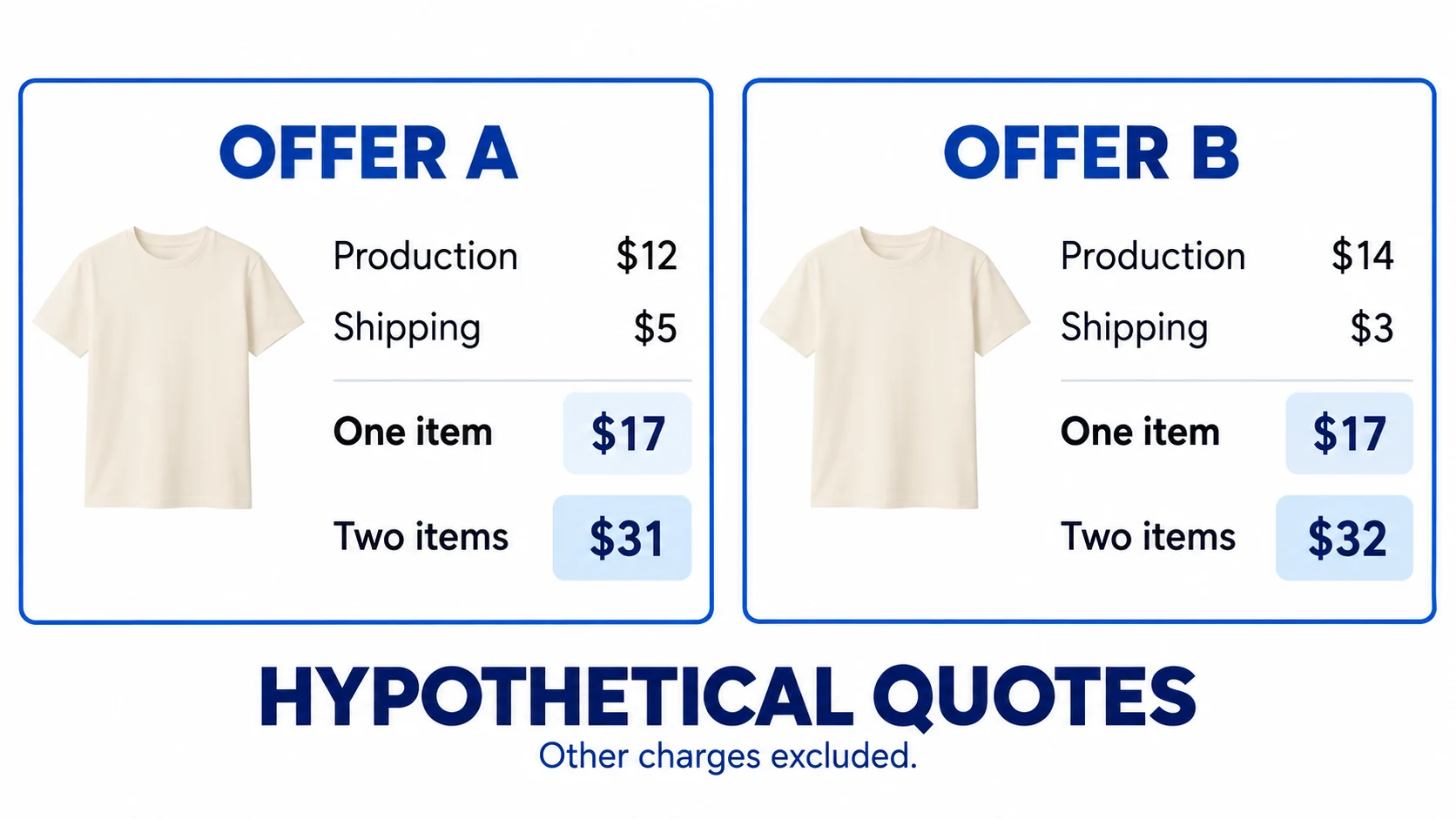
These are invented inputs for arithmetic, not quotes from Printful, Printify or Gelato. A real two-item order might split between facilities or product groups and incur different shipping charges. Obtain the actual basket quote rather than assuming the discounted additional-item rate applies.
Then test whether your selling price leaves room for the rest of the business. If the hypothetical $17 fulfillment charge sits inside a $30 sale, the remaining $13 is not net profit. Payment fees, marketing, customer support, replacements and other applicable costs still need treatment. Use the unit-economics guide for the wider calculation.
For paid plans, estimate the break-even volume using your actual eligible savings. If a hypothetical plan costs $30 per month and saves $1.50 on each eligible order, 20 such orders cover that subscription cost before other differences. Check which products qualify and whether the savings persist; do not spread them across ineligible orders.
06
Test artwork, physical output and packaging separately
A digital mockup checks composition and placement in a representation. A physical sample checks how that file appears on the chosen material and print process. Neither can stand in for the other.
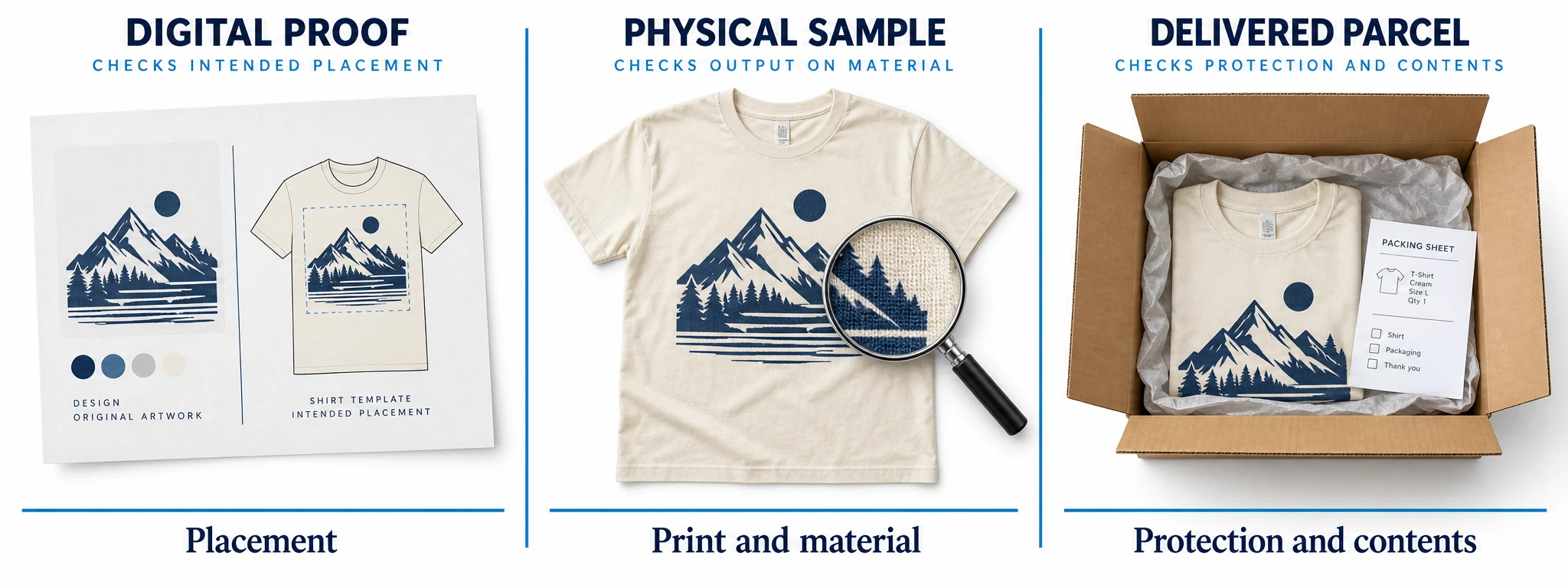
Inspect fine lines, small text, contrast, alignment and the interaction between artwork and substrate. A design that looks clear on a bright screen may lose detail on a dark fabric or textured surface. Choose the print method first, then follow that product’s current file requirements.
Order a sample using the actual design and a representative difficult variant. For clothing, consider the combination where contrast or placement is most demanding. For wall art, inspect the relevant finish, dimensions and edge treatment. Do not infer every color or size from an unrelated promotional sample.
Keep the file version, provider arrangement, product model, variant, order date and inspection notes together. Photograph the sample consistently for your internal comparison. The dropshipping sample workflow explains how to identify the approved reference and avoid treating one sample as proof about every future unit.
Check the parcel as well as the print. Verify the item count, protective packaging, included material and any branding feature on which the offer depends. A good print inside unsuitable protection is still an incomplete fulfillment result.
If routing can change, ask what your sample actually qualifies. You may be approving the product and file while continuing to monitor results across destinations, rather than approving one permanent production line. Recheck after a material, print-method or provider change.
07
Treat returns and reprints as a cost and service decision
Supplier remedies answer what the provider will cover. Your store’s policy and applicable customer rights answer what you owe the buyer. Record both before advertising easy returns or a satisfaction guarantee.
Printful’s refund-policy explanation distinguishes damaged, defective or misprinted orders from buyer’s remorse or customer-selected size and color issues, with specific exceptions. Check the current claim process and evidence requirements rather than promising automatic reimbursement for every complaint.
Printify’s returns guidance likewise distinguishes production errors or damage from change-of-mind and wrong-selection cases. Its store-policy guidance notes that sellers can bear costs when their sales channel requires remedies beyond provider coverage.
Gelato’s quality and return policy describes assessment of quality claims and says it does not provide a return address or accept returns for fulfilled orders. This is a concrete operating difference: do not send customers to an assumed Gelato return warehouse.
For each candidate, record where to report an issue, the relevant deadline, required photographs, available remedy and who pays for reshipping in different cases. Keep wrong-address, damage, misprint, late delivery and unwanted-item cases separate. Their costs and evidence are not interchangeable.
Do not turn “made to order” into a global statement that buyers have no rights. The legal treatment can depend on jurisdiction and whether goods are genuinely personalized, faulty or misdescribed. Your returns workflow should give the service team a usable next step without waiting indefinitely for supplier reimbursement.
08
Prove the store integration before automatic release
Test the path from a store order to the production record and back to the customer’s tracking information. Use a controlled order to verify the exact variant, design file, quantity, address and shipping method. Record which status means received, paid, held, in production and dispatched in that particular integration.
For personalized products, confirm that the customer’s approved details reach the production file. A text field visible in your storefront is not proof that the provider receives it. The personalized-product workflow covers the separate capture and approval decisions.
Ask what can still be changed before production and what happens after release. Test the legitimate cancellation or hold route using the provider’s current instructions; do not promise a customer an edit merely because you can still edit the order in your storefront.
Also inspect failure behavior. What alerts the team to a payment failure, missing file or unavailable variant? If an order seems absent, can you search by the store’s order ID before submitting another? A duplicate production request can create a second charge and parcel rather than repairing the first.
Release automatic processing only after the routine path and foreseeable exceptions are understood. This is an operational recommendation, not a claim that manual approval is mandatory on every platform. Use the settings available for your selected integration.
09
Make the final choice with pass conditions
Write down the non-negotiable requirements before scoring attractive extras. A candidate must support the exact product, required destinations, usable integration and a customer promise you can afford. If it fails one of those, a lower headline price should not rescue the decision.
Then compare the candidates that remain on sample result, complete basket cost, delivery evidence, visibility into production and exception handling. Name the provider configuration you approved: a particular Printify provider or Choice arrangement, the relevant Printful product and conditions, or the Gelato product and destination scope.
Keep a backup only if you have checked it. Reusing the same artwork file with a different print area, blank or process can change the result. A backup that exists only as an account login is not ready to fulfill the promise made by your product page.
Review the decision after enough real orders to observe the important failure types, and after changes in routing, product availability or pricing. Track observations with their scope. A handful of successful orders does not establish a long-term defect rate, but a recurring wrong-variant issue is enough reason to investigate immediately.
10
Frequently asked questions
Which of Printful, Printify and Gelato is best?
There is no defensible universal winner from provider documentation alone. Compare the exact offer and operating arrangement. Product choice, destination, routing control, integration and exception costs can change the result.
Is a free account enough to start testing?
Check each provider’s current plan and sample terms. You still pay relevant product, print and delivery costs unless a specific offer says otherwise. Evaluate a subscription against savings on the orders that actually qualify.
Can I use several suppliers in one store?
Yes as an operating design, provided your integrations and listings support it. Test split shipments, shipping charges, tracking and support responsibilities. Do not imply that a mixed basket always arrives together.
Does local production guarantee local fulfillment?
A network may prioritize nearby production without guaranteeing every product is made in that country. Confirm the service’s routing rules and the product’s availability before making origin or delivery claims.
Can I sell any design that a supplier accepts?
No. Acceptance of an uploaded file does not establish your right to use its artwork, photographs, logos or character. Resolve permissions before publishing; the copyright and trademark guide separates product rights from marketing-asset rights.
