
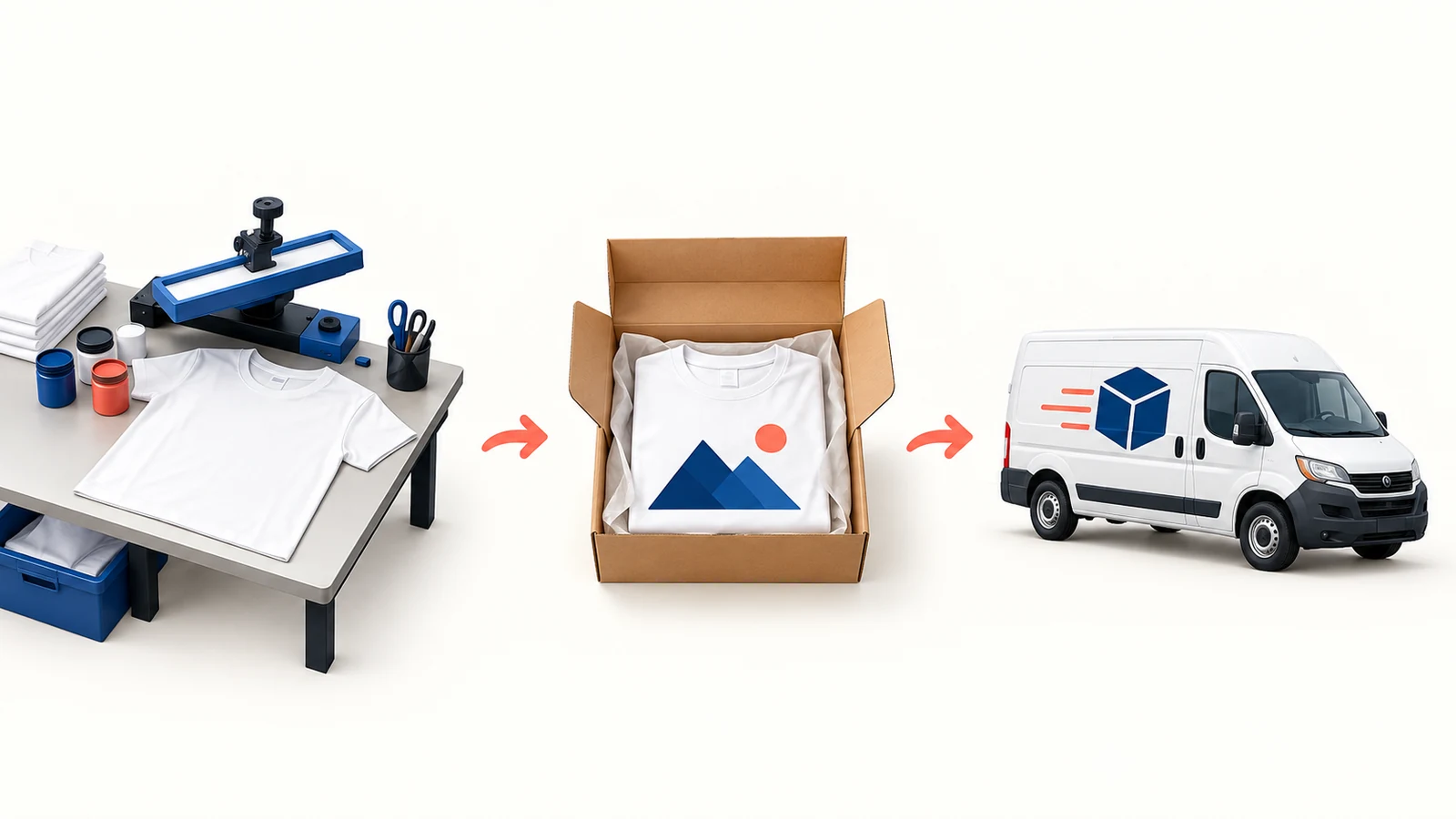
SPOD is now called Spreadconnect. It remains a print-on-demand service for selling decorated merchandise through a connected store; the rebrand itself did not require rebuilding existing integrations. If you are choosing it today, check the production region, selected product and full delivery route before launching.
The most important timing distinction is simple: a shirt produced within 48 hours has not necessarily arrived at the buyer’s door within 48 hours. Production and shipping are different parts of the order.
This guide uses official documentation checked on October 10, 2026. It provides a proposed setup and order test, not results from a store we connected. For the wider model, read our print-on-demand dropshipping guide.
Explore the broader topic: Print on Demand Suppliers: Compare Production, Proofs and Fulfillment.
01
SPOD, Spreadconnect and Spreadshop are different names to sort out
The official rebranding explanation identifies Spreadconnect as the new SPOD name. It also explains the change in communication domains.
For a new Shopify setup, use the current Spreadconnect app listing. Old tutorials may still say SPOD, but a familiar old name does not make an unofficial login page trustworthy.
Spreadshop is a different offering for running a hosted merchandise shop. If your aim is to fulfill products sold in your existing Shopify store, investigate the connector rather than following instructions for a hosted shop.
For an existing connection, inspect its present account and app state before reinstalling anything. A name change alone is not a reason to disconnect products, recreate listings or lose the relationship between store variants and supplier products.
02
Connect Spreadconnect to your Shopify store
For a new setup, create the Spreadconnect account and select the intended Shopify store. The official Shopify guide uses Integration Setup → Shopify → Connect, then sends you to the official app installation. Enter the intended domain and complete authorization.
The resulting Shopify connection should include a Spreadconnect fulfillment service. Check that it belongs to the correct shop before creating products. If you installed only through the app store, the guide provides Apps → Spreadconnect → Settings → Account Information → Go Straight to Spreadconnect to complete the separate provider login.
This is the documented route, not a new installation we performed. For an existing SPOD account, inspect the working connection first; the rebrand alone does not require replacing it.
03
Choose the production region before publishing products
Spreadconnect’s order documentation describes selecting a European or US region during registration. It lists European facilities in Germany, the Czech Republic and Poland, and a US facility in Las Vegas.
Choose based on where your buyers are and what the selected regional catalog offers. A facility in the EU should not be described as a UK warehouse.
Use one representative product to investigate the route:
| Question | What to confirm |
|---|---|
| Is the blank available? | The exact shirt, color and size in the chosen region |
| Can it reach the buyer? | Destination coverage and available shipping service |
| What is charged? | Product, decoration, delivery and any applicable additional amount |
| What can the store promise? | Handling and transit information for that route |
If most of your customers are in one country, begin with that route. Selling worldwide on day one adds more delivery and support questions before you know how the first product performs.
04
Turn 48 hours into a buyer-facing delivery window
The app promotes fast production. Treat the stated production message as production information, not a universal arrival guarantee.
Think of the order as three separate intervals:
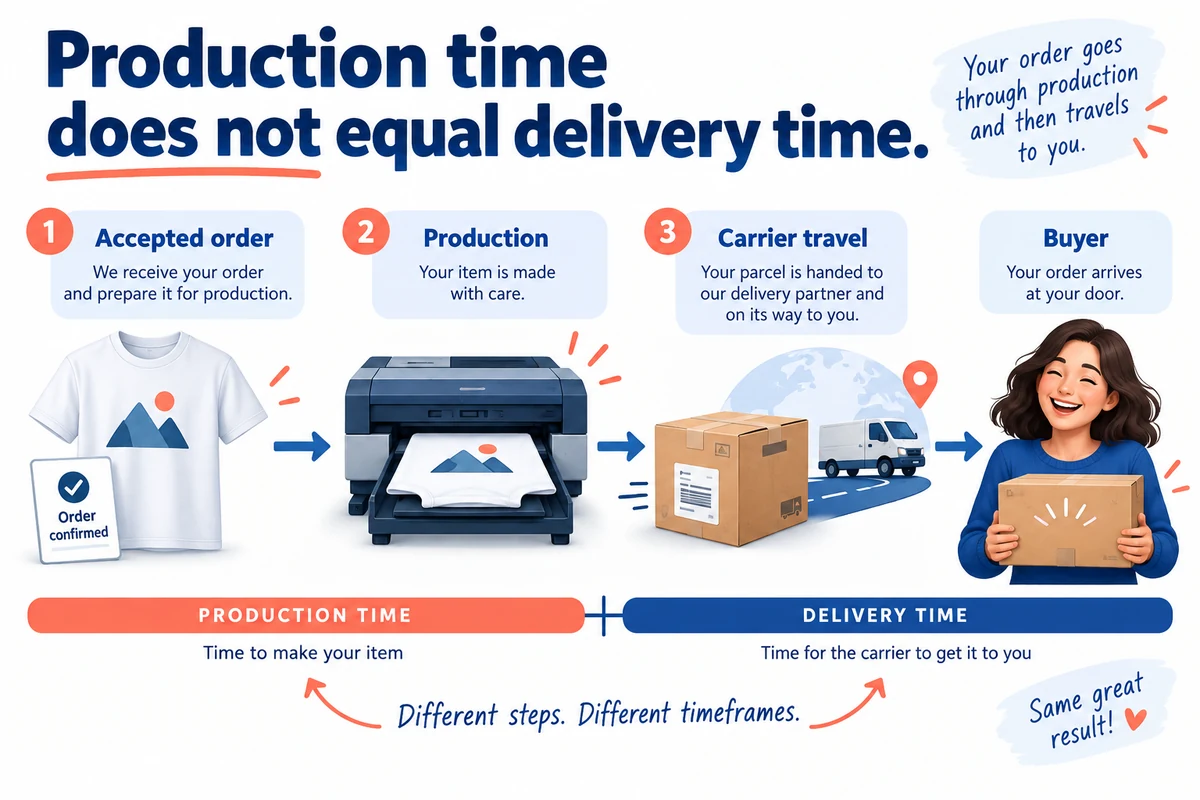
Accepted order → production → carrier travel. A problem before production, a nonworking day or a slower shipping route can change when the buyer receives the shirt.
Here is a hypothetical planning example, not Spreadconnect’s quote:
| Part of the order | Illustrative allowance |
|---|---|
| Order review or correction | Up to 1 business day in your store’s process |
| Production | 2 business days for the example |
| Carrier travel | 3–5 business days for the example route |
| Combined planning window | 6–8 business days |
Replace those inputs with the current service information for your product and destination. Check the calendar when a weekend or holiday falls inside the window.
A helpful product-page statement separates dispatch from arrival. For example: “Made after you order. See the delivery estimate for your address at checkout.” Add a supported range when you have one; do not copy our illustrative numbers into a live promise.
05
Create the first shirt and keep its variants linked
Spreadconnect’s product-creation guide starts at All Your Products → Add Product. Select the Shopify integration for this shirt. Choosing no integration keeps the product out of the connected shop.
- Choose a regional blank, its colors and supported decoration area.
- Add your artwork. Inspect contrast and placement on each color you will offer.
- Continue to Product Details and Pricing, set the description and price, then complete publication to the chosen integration.
- Open the resulting Shopify product and compare every offered size/color with the provider product. Check its intended sales-channel availability.
For an illustrative navy shirt with a white club logo, confirm that navy/medium maps to that same blank and artwork. A correct-looking mockup with an unlinked variant is not ready for a customer order.
Spreadconnect documents manual product-page ordering with an allowance of up to five sample orders per month. That counts orders, not five individual items. Check current sample eligibility and charges in your account.
When the sample arrives, measure the selected size, inspect the print and read its care label. Use the print-file and sample approval guide to keep the approved version identifiable. A manual sample inspects the shirt; the later paid store order also tests the connection.
06
Set shipping rates and decide when to request fulfillment
Match checkout rates to the shipping service
First use the regional Spreadconnect Shipping Calculator for the product and destination. Then open Shopify’s Settings → Shipping and delivery and the profile containing that shirt. Add only the destinations and services the provider supports. Its integration recognizes the service names Standard, Premium and Express; confirm which is available for the chosen route.
Suppose your quote offers Standard and Express. Create those matching rates in the shirt’s profile and use their supported prices or account for any subsidy. Calling a cheaper standard service “Express” does not buy a faster parcel. Your customer shipping charge and Spreadconnect’s bill can also differ.
Choose when to request fulfillment
Next choose when to send the fulfillment request. Shopify’s current order-processing instructions place the global choice under Settings → General → Order processing. Manual review is a sensible initial route for a store with mixed suppliers or orders requiring checks. Automatic fulfillment needs a suitable store-wide arrangement; turning it on also affects other eligible products.
For the first paid order, review the address and linked shirt, submit the request through the connected fulfillment route once, and confirm the corresponding Spreadconnect order. A fulfillment request is not proof that the shirt has shipped.
If the shirt is visible but cannot be bought
Separate availability from shipping. Inspect the variant’s stock and Spreadconnect location, the selected region’s blank availability, and the shipping profile for the address. A country missing from the profile can prevent checkout even when the size is in stock. Avoid enabling sales of an unavailable variant merely to remove a sold-out message.
The useful result is one buyable variant, one supported checkout rate and one matching supplier order. Use the following production and tracking checks to verify what happens after that handoff.
07
Do not edit a shirt after it is already in production
Order status determines whether a change is still possible. Spreadconnect’s documentation permits edits or cancellation before an order enters In Production. Once printing has started, you should not promise that a changed size or address can still be applied.
An unavailable variant needs a controlled correction, not repeated fulfillment requests. For a hypothetical blue medium shirt, use this recovery sequence:
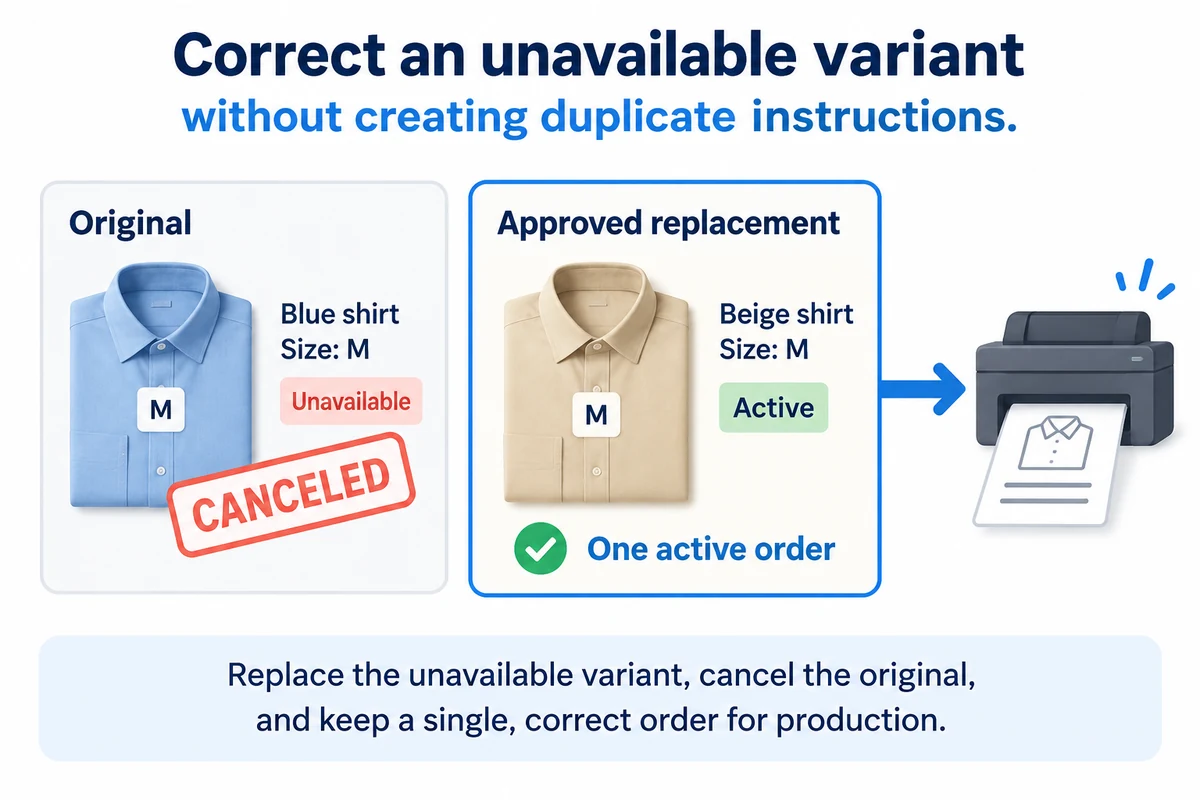
- Check the upstream order and confirm the unavailable item.
- Cancel the supplier instruction where the current state permits it.
- Obtain the buyer’s agreement before changing the color or size.
- Follow the documented store correction process, then request fulfillment once.
Spreadconnect documents a Shopify correction flow that returns the order to an unfulfilled state for editing. Check the current instructions and actual order state before taking that action.
After correction, verify the replacement variant and the new supplier reference. Keep the old reference in your notes so support can distinguish the canceled instruction from the active one.
If production has already begun, contact provider support about the specific order. Changing the Shopify product description or adding an order note does not establish that the production instruction changed.
08
Watch what reaches the buyer
Use a paid store order to test the connection, rather than stopping after a successful product import. A manual sample checks the item; a store order also checks the order route.
| What to match | A correct result |
|---|---|
| Store and provider references | One active supplier order for the paid store order |
| Variant and quantity | The selected size, color and number of shirts |
| Charge and address | The expected supplier bill and supported delivery address |
| Tracking and parcel | The buyer receives usable tracking for the actual shipment |
Do not mark the experiment complete because the store displays “fulfilled.” Open the buyer-facing email and tracking link. Then compare the received parcel with what the product page showed.
If tracking is missing, first check whether production is unfinished, a shipment exists or the connection failed to pass the tracking information. Those situations need different responses.
Record any discrepancy and repeat the affected stage after fixing it. You do not need to recreate an entire catalog to verify a corrected size mapping.
09
Decide whether the service fits your brand
Spreadconnect is worth investigating when its catalog and decoration options fit the merchandise you want to sell. The Shopify listing is free to install, with product and shipping charges applying to orders. Free installation is not a profit margin.
A simple hypothetical shirt calculation makes that visible:
A $28 sale minus $12 production, $5 shipping, $1 payment cost and a $2 remedy allowance leaves $8 before advertising and other overhead.
Your real inputs may differ substantially. Check a one-shirt parcel and a two-shirt parcel rather than assuming shipping scales evenly with quantity.
If you need a particular fabric, custom garment construction or packaging beyond the provider’s offer, compare a sourcing route separately. AIDrop Agent can review the China-side supplier, sample and fulfillment scope. Send the product brief when you have that requirement; support for a Spreadconnect account belongs with Spreadconnect.
10
Spreadconnect questions
Do I need to migrate an existing SPOD integration?
The documented rebrand did not itself require rebuilding integrations. Inspect the current account and official communication before making changes prompted by an old tutorial.
Does the 48-hour message include shipping?
It describes production. Add the applicable order handling and carrier travel when setting a delivery expectation. Use current route information, not a two-day arrival promise.
Can I replace a size after the buyer has paid?
Payment alone does not tell you whether production has begun. Check the provider order state, get the buyer’s agreement and follow the permitted correction flow. Do not promise a change after printing starts.
Should I import every available product?
Begin with the products you can describe, price and inspect properly. Expand after the paid-order test and sample show that the listing, production instruction and buyer experience agree.
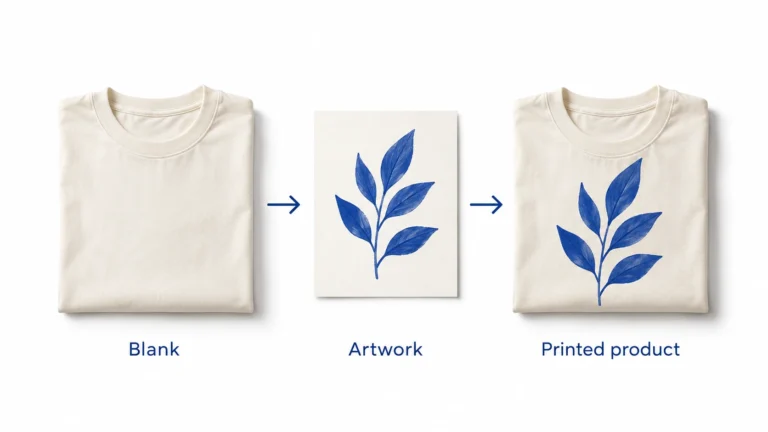
Print on Demand Dropshipping: From Design to a Fulfilled Product
Understand print-on-demand dropshipping, approve designs and samples, calculate full order costs, and manage production, delivery and customer
Print on Demand Suppliers: Compare Production, Proofs and Fulfillment
Compare Printful, Printify and Gelato by product, routing, samples, complete order cost, integration and returns before choosing
Print-on-Demand Files and Samples: Approve the Actual Print
Prepare each print file for the exact provider, product and print area, using its current template and
