
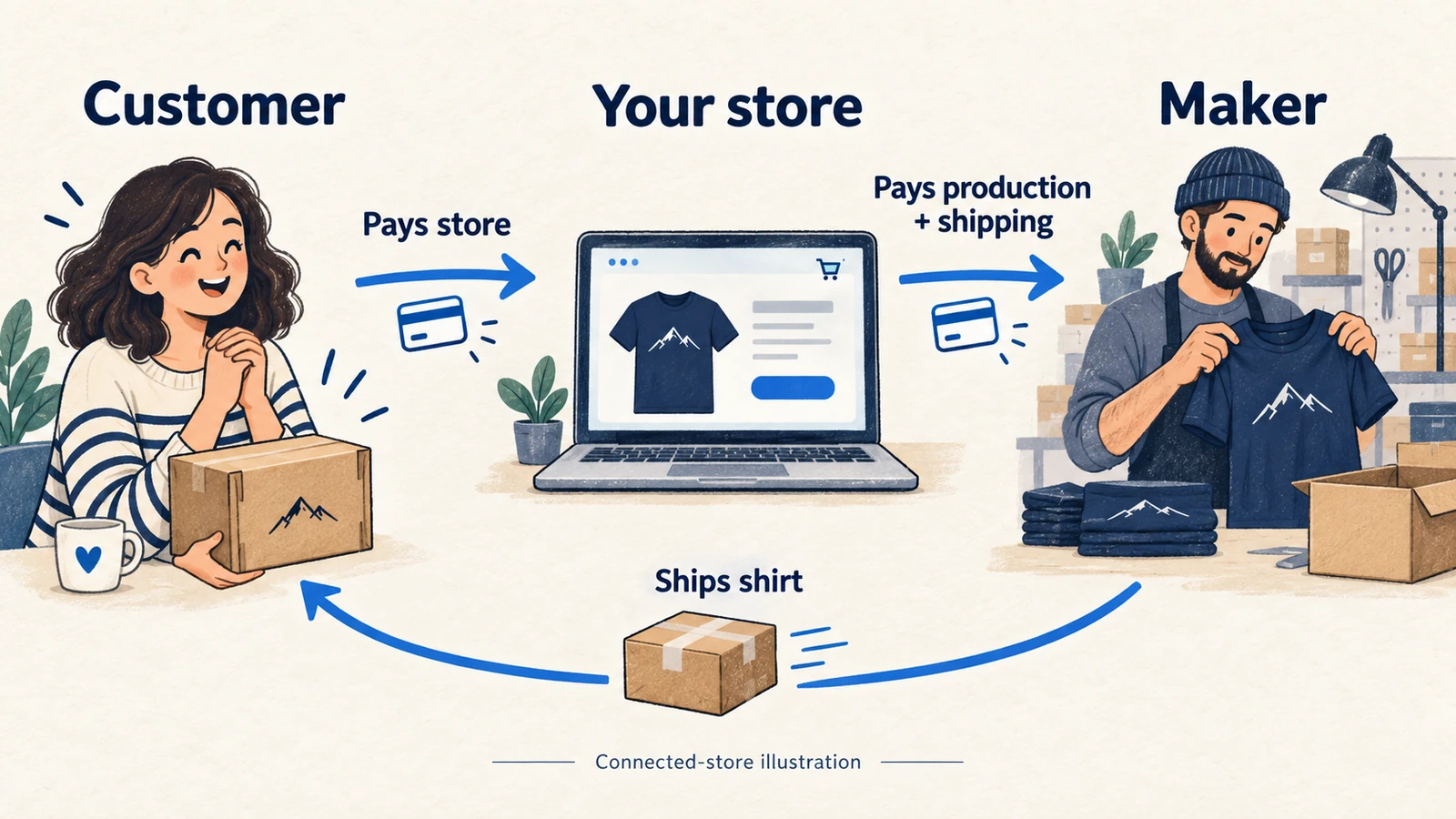
Printful dropshipping lets you sell your design on a T-shirt, mug, poster or another physical product without keeping finished stock yourself. You choose the product, prepare the design and take the sale; Printful makes and ships the order. To start, choose a selling channel, create one exact product, check a physical sample and set up both customer checkout and production payment.
In a connected store, the customer pays you and you pay Printful separately. Its US-only Quick Stores route collects the customer payment itself and later pays eligible earnings to you. That difference determines how much cash you need before the first parcel leaves.
Imagine a small trail-club shop selling a navy shirt with an original mountain drawing. We will use that hypothetical offer to follow product setup, a five-order launch and a refund. The broader print-on-demand guide explains the business model; here, the job is to get this Printful offer ready to sell and keep its orders moving.
The provider details below were checked on September 29, 2026, using public product and help pages. This is a documented operating guide, with illustrative calculations. We have not placed a test order or independently measured Printful’s print quality, delivery reliability or support.
01
Choose where the customer will buy
Printful’s catalog includes printed and embroidered apparel, bags, drinkware and home products. You customize supported blanks rather than ask it to manufacture any object you can imagine. The exact item, size, print area and delivery country still need to be available together.
The official selling-route guide identifies connected platforms such as Shopify, Etsy and WooCommerce, Quick Stores, manual orders and a custom API. A connection transfers orders; the marketplace’s own selling rules still govern your offer.
| Sales route | Customer checkout | Production payment and earnings | Useful starting situation |
|---|---|---|---|
| Connected store or marketplace | Your store collects the sale | Printful charges your billing method or Wallet separately; your store processor controls its payout | You want your own storefront or an eligible marketplace listing |
| Printful Quick Stores | Customer pays through Printful’s checkout | Product and shipping charges are deducted; eligible earnings are paid monthly | You qualify for the US route and want a simple shareable shop |
| Manual order | You arrange the sale and payment elsewhere | You enter and pay for the order in Printful | A small number of orders that you can transfer accurately yourself |
On a phone, swipe the table sideways to compare every column.
Quick Stores currently requires merchants to reside in the United States and have valid US tax residence. Customers need US shipping addresses. This restriction belongs to Quick Stores; it does not make ordinary connected Printful stores US-only. For an overseas customer, check the selected product’s destination and your storefront’s checkout availability.
To receive Quick Stores earnings, open Billing → Quick Stores → Set up payouts, enter the tax and legal details and complete Stripe verification. The two sets of details must match. The dedicated payout page says earnings are processed monthly, orders must be delivered and the balance must be at least USD 25; lower amounts roll over. A checkout today therefore does not mean a bank payout today.
Choose the checkout and payout you can operate
For our trail-club example, an owned Shopify store gives the seller control of its page and checkout. It also leaves the seller responsible for collecting payment, funding Printful and handling the buyer’s questions. Choose Quick Stores only after checking its eligibility and whether its simpler shop suits the offer.
02
Set up one product and a complete first order
Start with one shirt, one design and a few sizes you can describe accurately. Each size-and-color combination is a variant: the customer must be able to select it, and that choice must lead to the same garment in Printful.
For Shopify, follow the current connection instructions:
- Create both accounts and connect them. In Shopify Admin, open Apps and install Printful. Sign in to Printful through the embedded app. A connected Printful Dashboard should appear; a persistent sign-in screen means the connection is incomplete.
- Select the actual product. In Printful, use Stores → Add product or My products → Create product, depending on the account layout. For this example, select Bella+Canvas 3001, navy, the intended sizes and one front print. Check the fabric description for that color and the chosen technique’s file guidelines.
- Upload and position the design. Use artwork you own or have permission to sell. Check the intended print area and file warning, then choose mockups showing the offered front print. Adding a back print or inside label changes the configuration and can change the charge.
- Complete the store page and shipping. Add a clear title, garment description, model-specific size guide, available variants and price. Set the delivery countries and shipping charges for this item. In Shopify Markets, enable the countries you actually plan to serve. Try the buyer’s size selection and checkout address before publishing the link.
- Set production billing and approval. Add a working billing method or fund the Wallet in the correct currency. For the first orders, enable Settings → Store settings → Orders → Manually confirm all imported orders. This gives you a chance to check the garment, artwork and address before Printful charges the order.
- Follow a paid trial through both systems. First inspect the physical product as described below. Then, when ready to test the store connection, place an authorized paid order through the real checkout. Compare the store order with the imported Printful order, confirm it once, and follow the charge and shipment. A store checkout test that never funds production cannot prove the complete route works.
Write down a compact reference for the offer: “Trail shirt v1; Bella+Canvas 3001; navy; size L; front mountain file v3; US destination; approved product and shipping charge.” Save the same information for each offered size. If a paid order is Not Synced, match its variant and design before confirming it; do not manually create a duplicate because the first import seems slow.
Once a routine order has the right mapping, payment and delivery route, you can consider automatic confirmation. Keep unusual personalization or unresolved choices under review. Manual approval buys time to check an order, but you still need to meet the dispatch promise made in your shop.
03
Inspect a shirt before selling the mockup
Order the same blank, color, size and print configuration you plan to offer. A good-looking screen mockup cannot tell you how the shirt fits, whether small lettering is readable or how a dark print looks on navy fabric.
Printful’s sample-order rules currently describe a 20% discount for eligible accounts with connected stores, starting the month after connection. The initial allowance is one order with up to three items, and samples are not for resale. Availability and product limits apply; check Billing → Discounts. If the discount is unavailable, budget for a normal paid order rather than postpone all physical checking or assume the discount.
Use the sample to finish the listing
Compare the received shirt with the reference you saved. Measure it using the supplier’s size-chart method, inspect the front print and photograph the garment in normal light. Record the selected variant, file version, print placement, visible defects and packaging. If you intend to make a wash-performance claim, it needs actual support; an unwashed sample does not establish durability.
Finish the page from the actual sample
Use that information to finish the buyer’s page. Explain the garment, offered print and sizing without describing every sample as representative of every color or future batch. The blank’s manufacturing country and the country where the order is printed are separate facts. Avoid “made locally” unless you can support that statement for the actual offer.
Production time comes before transit
Printful describes fulfillment as generally 2–5 business days for most techniques and facilities, before shipping. Add the selected destination’s transit estimate and account for approval or file holds. Put the resulting estimate on the page; “2–5 days” alone would make the production time look like the whole customer wait.
04
Work out what a sale leaves after all costs
The Shopify app listing shows free installation and an optional Growth plan at USD 24.99 per month, with conditional product discounts and a free-at-USD-12,000-yearly-sales feature. Installing the app for free does not pay for shirts, shipping, your storefront or customer acquisition.
Use the one-shirt price
The public Bella+Canvas 3001 page displayed USD 11.92 with one print and US shipping starting at USD 4.95 when checked. Its USD 10.37 bulk figure applies to the displayed 25-item calculation. It is not the single-piece price. Size, color, technique, extra print areas, destination and tax can change the amount in your actual order.
For pricing, use the amount the buyer pays you against every cost needed to deliver and support that sale. Printful billing follows your store currency; manual orders use the display currency. If your bank or storefront settles in another currency, include conversion charges in your estimate. Keep the provider’s tax charge and any tax you collect from the customer visible rather than count collected tax as earnings.
Here is a hypothetical USD estimate, not a Printful quote. The customer pays $29 including delivery. It assumes no separately collected customer tax; if you collect one, record it outside the $29 sales figure.
- Shirt and one front print — $12.00: Assumed configured product cost
- Shipping — $5.00: Assumed delivery charge
- Supplier tax or other applicable order charge — $1.00: Illustrative amount; use the actual charge
- Payment processing — $1.17: Hypothetical transaction fee
- Advertising — $5.00: Assumed acquisition cost
- Remedy allowance — $1.00: Money budgeted for problems, not a loss already paid
- Store/app overhead allocation — $1.00: A share of the month’s fixed costs
- Total estimated cost — $26.17: Before any other unlisted overhead
- $29 sale less estimated cost — $2.83: Amount left after the listed costs
A normal paid sample at the assumed $18 product, shipping and order-charge total uses another $18. Five successful orders leave $14.15 on the same estimate, so after that first sample the launch is $3.85 below break-even. Later orders can spread the sample cost, but this calculation is too tight to justify a large advertising spend without checking the real numbers.
Use the configured saving, not the maximum
Evaluate Growth with the exact configured discount, rather than the maximum advertised percentage. If it saved a hypothetical $2 on each eligible order, 13 monthly orders would save $26 and exceed the $24.99 fee, before tax or other differences. If your actual saving is smaller, you need more orders. The POD supplier comparison helps compare the same finished offer across providers.
05
Fund production while the payout is still pending
Your store can show a paid sale while the processor has not yet sent the money to your bank. Printful still needs the production charge when you confirm the order. Check your own processor’s settlement schedule, holds and available balance before accepting more orders than you can fund.
In the same hypothetical launch, five $29 sales produce $145 of customer payments. The five Printful charges total $90: $18 per shirt including the assumed shipping and order charge. Processing is $5.85, advertising is $25, the remedy allowance is $5 and the overhead allocation is $5. That leaves the $14.15 estimated remainder calculated above.
Cash moves on different dates. Assume you start with $250 available in the bank and that these store payments reach the bank on day 4. This timing is an illustration, not a promised Printful or Shopify payout.
- Before launch: Starting funds; Bank balance: $250.00
- Day 0: Pay $18 for the sample; Bank balance: $232.00
- Day 1: Pay $90 for five customer orders; Bank balance: $142.00
- Day 2: Pay $25 for advertising; Bank balance: $117.00
- Day 4, assuming no hold or adjustment: Receive $145 less $5.85 processing; Bank balance: $256.15
The $5 remedy allowance and $5 overhead allocation in the pricing estimate have not been paid out in this cash illustration. If you keep that $10 committed, $107 of the day-2 balance is uncommitted. A budget allocation must not be mistaken for a bank withdrawal.

Two earlier orders need separate remedies
Now stress the gap: two other, earlier customer orders need remedies while the new payout is pending. Refund $29 to one buyer and pay $18 to replace another buyer’s shirt. Those are separate orders, not two remedies automatically owed on one sale. If both payments leave this bank account, $117 falls to $70. Any later supplier recovery is still pending and cannot fund today’s refund.
For connected stores, approved Printful refunds normally return to the Wallet. That can fund a later Printful order, but it does not refund your customer automatically. Make the customer refund through the selling platform, then reconcile the provider credit separately. The cash-flow guide shows how to extend this into a dated forecast for your bank, processor and Wallet.
06
Read the status and fix the specific delay
Open the order in Printful’s Orders section and compare it with the store order number. Its status guide separates payment, production and shipment. Use that distinction when answering “Where is my shirt?”
| Status or observation | What to do next |
|---|---|
| Draft or Needs approval | Check the variant, file and address, then confirm the intended order once |
| Failed payment | Read the error, fix funds or billing details, then manually approve/resubmit the existing order |
| Waiting for fulfillment | Payment has been taken; check the current production estimate and any permitted change before work begins |
| Being fulfilled | Production is underway; do not promise a product edit or cancellation that is no longer available |
| Fulfilled | Check shipment tracking; printed and packed does not necessarily mean handed to the carrier |
| Partially fulfilled | Identify the shipped items and each remaining parcel; the customer order may still be incomplete |
On a phone, swipe the table sideways to compare every column.
If the bank still declines the existing order, ask the bank about that decline and give Printful its order number to check the attempted charge. Do not pay for a second copy while the first charge is uncertain.
Retry the existing failed order
Printful’s payment help, rechecked October 11, gives a manual retry path. First read the error and correct its cause: funds, card details, a bank limit or a processor problem.
Retry the same order
Open Dashboard → Orders and select the original Failed order. Confirm its shirt, design, address and reference, then scroll down and choose Confirm order. Continue to checkout and retry its payment. Adding Wallet funds or correcting a card alone does not restart this order.
Check the result before another attempt
Inspect that order’s payment result and production state, together with the corresponding billing entry. Keep the store and Printful references paired. If a bank authorization or error leaves the result unclear, ask about that existing charge before creating or paying for another shirt.
This is an order-payment check, not a retry we performed. A subscription charge has a separate documented 48-hour retry; do not apply that timing to a failed customer production order.
When the received shirt is wrong
For a misprint, defect, damage or lost parcel, collect the order number, exact variant, approved design and clear photographs when the item arrived. Printful’s current refund policy requires quality issues to be reported within 30 days of delivery; for a missing parcel, the window runs from the estimated delivery date. Submit the claim through the Dashboard or Support and confirm whether a remake or refund is approved.
A wrong selection is a different case
A buyer choosing the wrong size or color is treated differently from the supplier sending the wrong item. Printful does not generally fund buyer-remorse or wrong-selection returns. Your customer-facing policy, marketplace rules and applicable consumer rights still need their own remedy. Show a usable size guide before the sale and plan how you would pay for an exchange you offer.
An incorrect address can create a paid reshipment. Confirm the corrected address and available returned parcel before promising it. For Quick Stores, an approved faulty-order refund goes through its buyer-payment route; for a connected store, keep the provider claim and your buyer refund as separate actions.
07
Add branding only when the product route supports it
A packing slip and a stored thank-you card are different services. Printful’s packing-slip settings can add a message and black-and-white logo, with exceptions for backup and partner facilities. A pack-in is a separate physical item stored and picked for the parcel, so it has stock, location and fee requirements.
For compatible orders, the published pack-in limits are 6 × 8 × 1 inches and 55 grams. Printful lists a USD 0.50 picking fee per pack-in and a USD 25 monthly minimum storage charge. Submit the design for approval, create the inbound shipment request and wait for the stock to be received before relying on the insert. Stock removal can cost extra.
See what the insert costs at low volume
At only five eligible orders a month, a $25 minimum storage bill allocates $5 to each order, even before the insert and picking charge. That would exceed the $2.83 estimated remainder in our shirt example. Start with a suitable packing-slip message and revisit physical inserts when the actual order volume and branding terms support them.
Check the actual item and insert stock
The help overview and pack-in setup page describe home-product compatibility differently. Check the exact item and facility before extending the shirt arrangement to a blanket or mug. Missing or nonlocal branding stock does not hold the order: Printful uses standard white-label packaging and does not reroute solely to find your insert. Do not promise a birthday card in every parcel without a supported arrangement.
Keep a second supply route separate
If the trail shop later adds a ready-made accessory sourced in China, AIDrop’s product-sourcing service can help clarify its specification, sample and packing needs. Send the product link, customer destination and the specific accessory or packing question through contact. The Printful shirt order and that separate supply route each need their own confirmed fulfillment plan; adding an accessory does not make it part of the same parcel automatically.
08
Decide whether Printful fits your first offer
Printful is worth considering when you have an original design, a supported product and channel, and enough funds to release customer orders. A small range makes it easier to maintain accurate variants, sample references and delivery information. Its documented integration and billing route can save manual order entry once you have checked that complete route.
It is less suited to an offer that depends on the cheapest possible ready-made item, a guaranteed production country for every sale, or physical inserts in every product category. It also will not remove the need for customer acquisition or refund money. Our illustrative shirt left a small remainder after the listed costs; a different price, product or acquisition cost could change the decision in either direction.
Compare by the control you need
If choosing an individual print provider matters, examine Printify‘s provider options and routing settings. If serving different destinations through a production network matters, examine Gelato’s exact product and print-area capability. Compare the same design, garment, address, delivery service and remedy terms. No provider wins that comparison from a catalog headline or an untested quality claim.
For the trail shop, the useful next step is one configured shirt quote and one physical order, followed by a paid store-to-shipment trial. Keep the range small until the print, charges, variant mapping and customer remedy are clear enough to describe without guessing.
09
Frequently asked questions
Is Printful free to use?
The app is free to install, and a paid Growth plan is optional. Products, shipping and applicable order charges still cost money. Your selling platform, payment processing, samples and advertising can add separate costs.
Can I start without my own website?
Yes. An eligible marketplace route, manual orders or US Quick Stores may suit the sale. Quick Stores currently requires US merchant residence and tax residence, plus US customer shipping addresses. Check the actual route before creating the offer.
Does Printful take the money directly from my customer?
For a normal connected store, the customer pays your shop and Printful charges you separately. Quick Stores has a different checkout and monthly earnings arrangement. Do not apply its payout model to Shopify or Etsy orders.
Can I use Printful outside the United States?
The US-only requirement described here applies to Quick Stores. For ordinary connected-store orders, check the specific product, destination, storefront access and payment arrangement. A product being in the catalog does not establish delivery availability for every country.
Who refunds the buyer when a print is faulty?
In a connected store, handle the buyer’s remedy through your shop and submit the supplier claim separately. An approved Printful refund normally reaches your Wallet. Quick Stores reviews faulty-order claims through its own support and buyer-payment route.
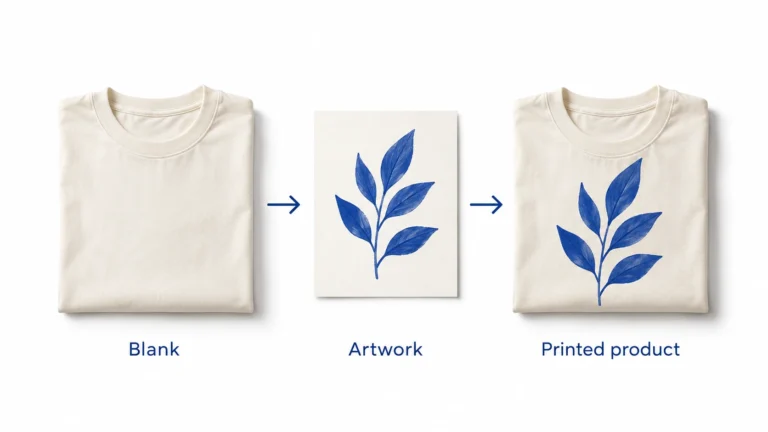
Print on Demand Dropshipping: From Design to a Fulfilled Product
Understand print-on-demand dropshipping, approve designs and samples, calculate full order costs, and manage production, delivery and customer
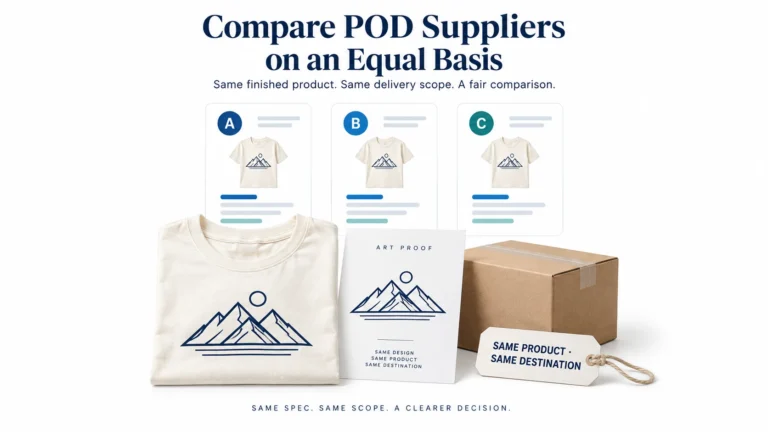
Print on Demand Suppliers: Compare Production, Proofs and Fulfillment
Compare Printful, Printify and Gelato by product, routing, samples, complete order cost, integration and returns before choosing
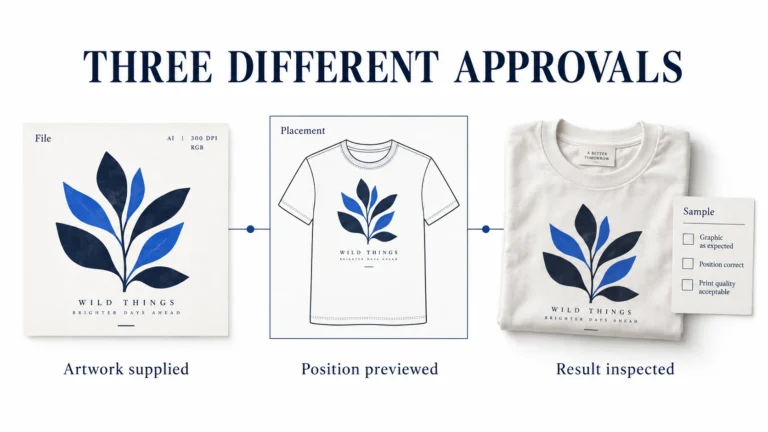
Print-on-Demand Files and Samples: Approve the Actual Print
Prepare each print file for the exact provider, product and print area, using its current template and
