
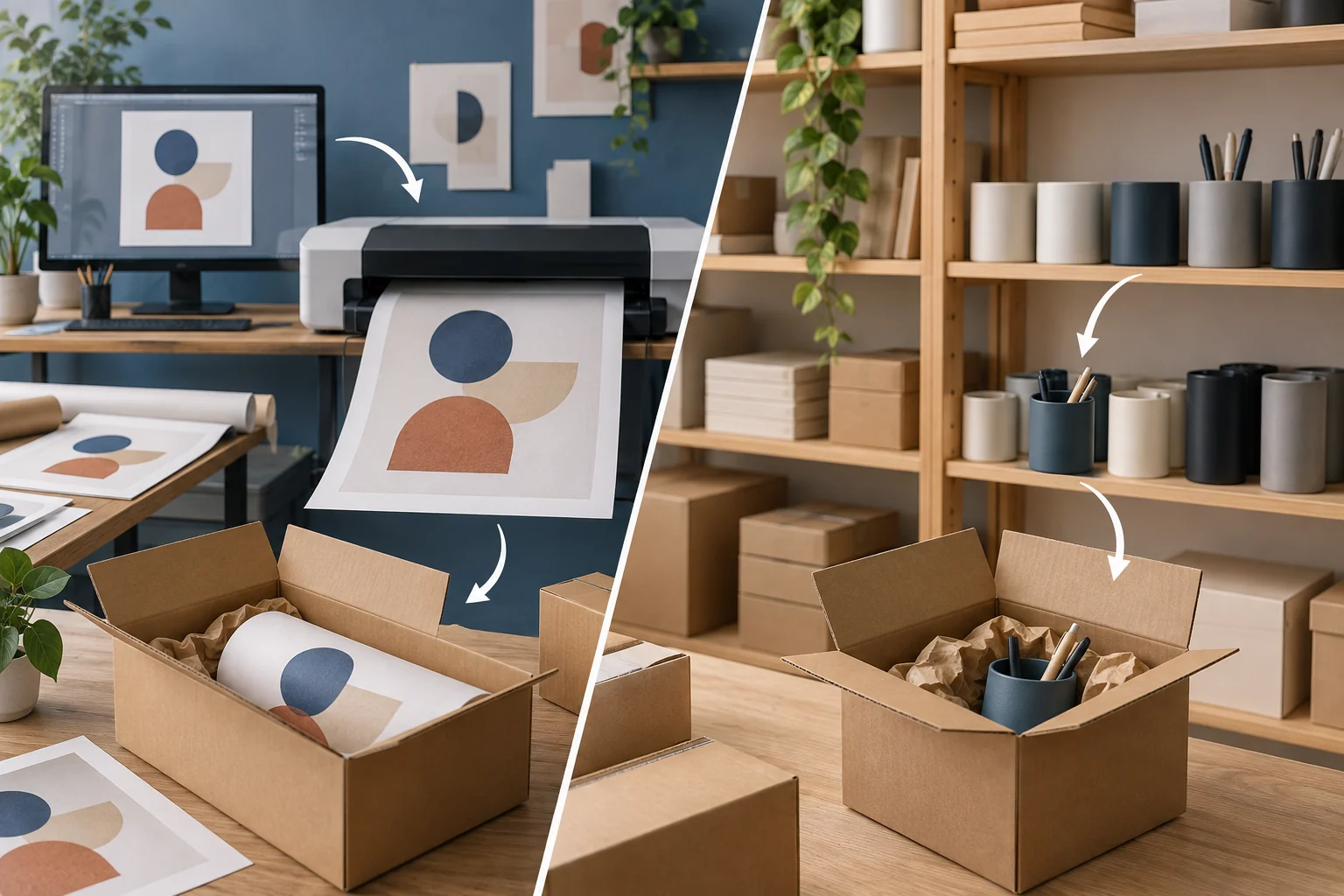
Choose print on demand when the customer is buying your design or personalization. Choose ready-made dropshipping when an existing product does the job and you can confirm its quality, stock and delivery.
Start with the next sale you want to make. If it depends on the buyer getting their name or design right, check the file and sample first. If it depends on getting a specific item from stock, check the variant and its availability before sending shoppers to the listing.
Print on demand, usually shortened to POD, means producing or customizing an item after someone orders it. A supplier might print your illustration on a poster, then pack and ship it. In ready-made dropshipping, the supplier picks an item that is already made.
POD is itself a type of dropshipping in Shopify’s definition. Here, the comparison is between printing after purchase and sending a finished product from stock.
01
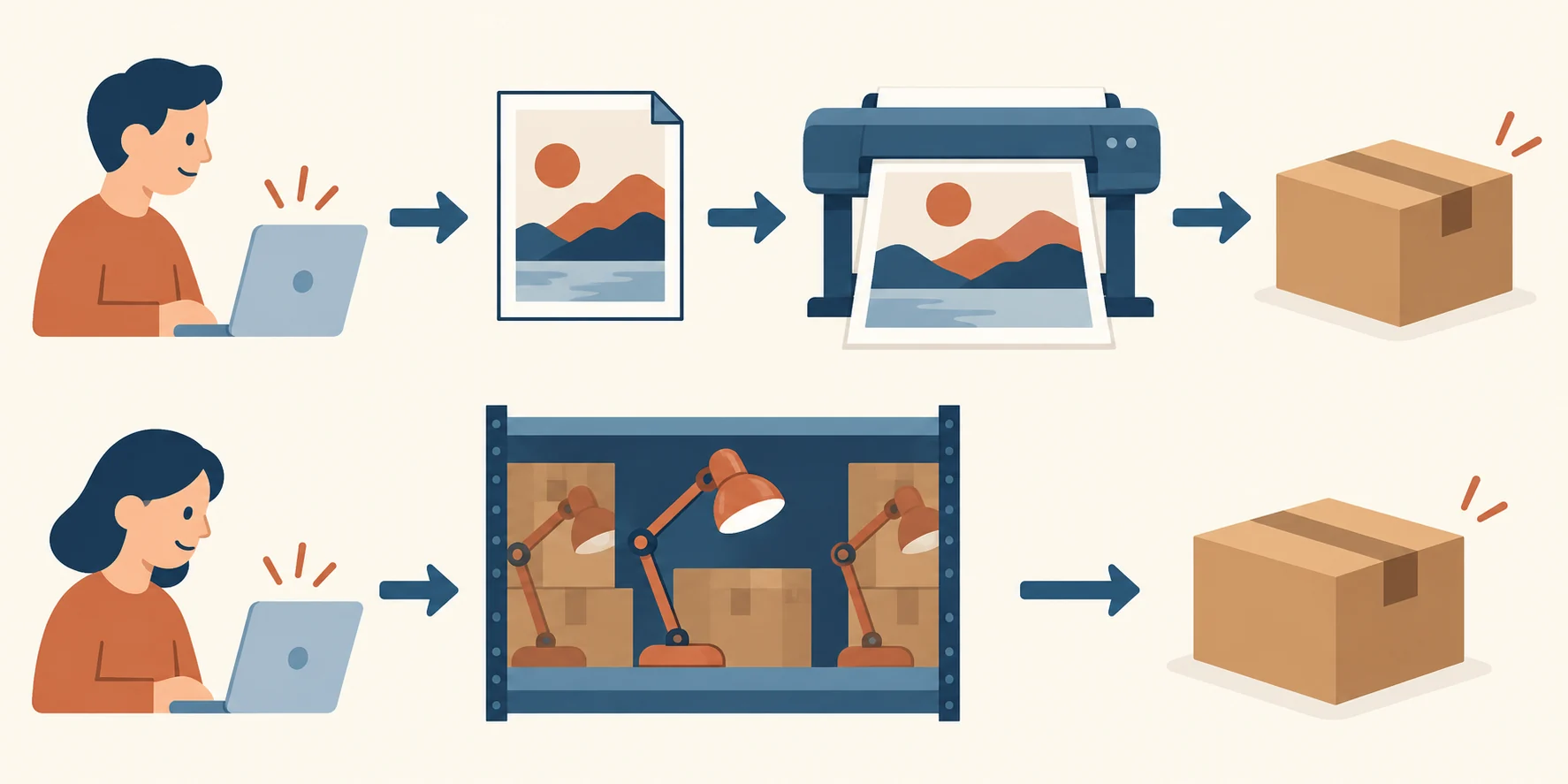
Follow a poster and an accessory into an order
POD: approved file becomes the product
A customer orders your graphic poster in a particular size and finish. The print provider needs the correct artwork file, prints that version and prepares the parcel. If the file cuts off the lettering, the mistake can reach every customer who orders that version.
Ready-made: exact variant is picked
A customer orders a desk accessory from your store. The supplier needs the exact product code and variant, then picks the finished item. A wrong stock count can leave you with a paid order and nothing available to send.
The poster needs a good file and a good printed result. The accessory needs a good finished product and reliable stock information. You still handle the customer’s questions in both cases.
On a phone, swipe across the table to compare the columns.
| What you need to decide | Print on demand | Ready-made dropshipping |
|---|---|---|
| What makes the offer useful | Your artwork or personalization on a blank product. | The features of a finished item you choose. |
| What happens after purchase | The provider produces the chosen design, then packs and ships it. | The supplier picks the stocked variant, then packs and ships it. |
| What you can control most directly | Artwork, file version, placement and choice of product. | Product selection, accurate listing and agreed supplier terms. |
| What a sample should prove | Print, crop, color, material and packing match the offer. | The actual variant, specification and included parts match the offer. |
| What can delay dispatch | File problems or the provider’s production queue. | Missing stock, picking delays or a warehouse transfer. |
| What to check for returns | Who pays for a production mistake or damage, and whether a custom item can be resold. | Which returns the supplier accepts, who approves them and where the item goes. |
These are typical steps; a supplier can combine printing, stored stock and customization. Ask how your exact item moves through an order.
Neither model promises faster delivery. Printing adds work before dispatch, but a stocked product can sit waiting for confirmation or a warehouse transfer.
Ask for the order cutoff, production or picking time, carrier handoff and transit estimate to your customer’s destination. Those answers let you write a delivery window that includes the whole journey.
You also need money to pay the supplier while the customer’s payment is settling. Avoiding a bulk inventory purchase does not remove that gap, sample costs or occasional replacements.
02
Compare the money left from the same sale
A cheaper product is only one part of the calculation. Shipping, replacements and the cost of winning the customer can use up the difference.
Start with the selling price. Subtract the product or print charge, shipping, payment or platform fees, expected replacement costs and customer acquisition cost. Acquisition cost means what you spend to bring in that order—for example, paid advertising.
What remains is the order’s contribution toward your business costs. It is not final profit: you still have overhead and tax to consider.
Here are two hypothetical $35 orders. These are teaching numbers, not provider quotes or results from an AIDrop store.
On a phone, swipe across the table to compare the columns.
| Amount for one order | POD poster | Stocked accessory |
|---|---|---|
| Selling price | $35 | $35 |
| Product or print charge | −$12 | −$9 |
| Shipping paid by the merchant | −$6 | −$8 |
| Payment or platform fees | −$2 | −$2 |
| Allowance for replacements | −$2 | −$3 |
| Money left before acquisition | $13 | $13 |
| Customer acquisition cost | −$8 | −$8 |
| Contribution before overhead and tax | $5 | $5 |
The accessory costs $3 less to buy. Its extra shipping and replacement allowance use up that saving, so both orders leave $5.
Now change one input. If the poster’s print charge rises from $12 to $14, it leaves $3 with everything else unchanged. If the accessory’s shipping rises from $8 to $10, it also leaves $3. A change in the quote can matter more than the name of the business model.
For your own product, replace every number with a written quote or a store cost. Ask whether freight is charged per item or per order, which packaging or customization costs extra, and whether tax or other charges are included. Printful’s pricing explanation separates the product charge from shipping and other applicable costs; another supplier may quote them differently.
The replacement allowance spreads an expected cost across many orders. It does not cap what you will spend on one damaged parcel. A particular replacement might cost much more, so you still need a remedy for that customer.
Finally, ask when the provider charges you and when your customer’s payment reaches your bank. An order can leave $5 on paper while you lack the cash to release it today.
In the poster example, $12 for printing and $6 for freight means $18 to release one order. If five orders arrive before your next payout, you need $90 for those supplier bills alone. Leave separate room for ads, samples and replacements before deciding whether the $5 contribution is enough.
03
Check the item you will actually sell
For POD, check the file and the printed item
First, make sure you have permission to sell the design. Buying an image or finding it online does not automatically give you that permission. Printful’s content policy makes the uploader responsible for having the required rights.
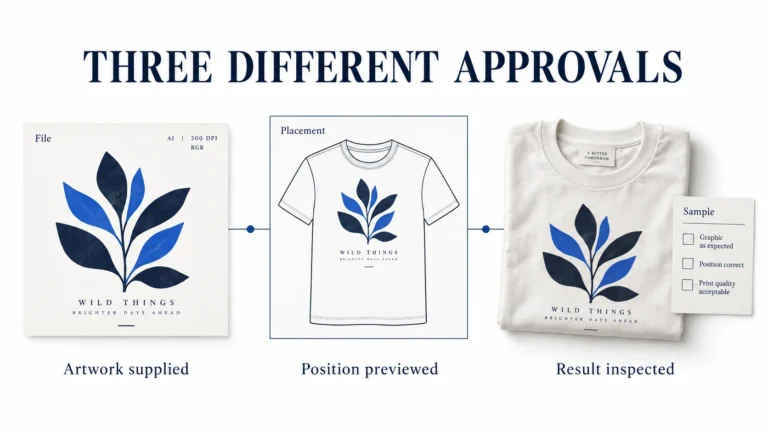
Then order a sample of the size and finish you intend to sell. A mockup shows a possible appearance on screen. It cannot prove the paper feel, exact print color, cropped edge or condition after shipping.
Record the file name and version, product size, finish and approved sample. Look closely at small lettering and borders. If the text sits too close to the edge, check the file against the print template. Use the wall-art file and size checklist to compare a poster crop, a frame opening and a canvas wrap before ordering. If the print looks right but the poster is creased, check the packing and delivery route. Changing the artwork will not fix a weak parcel.
Once you correct a file, confirm that future orders use the new version. Also check any orders already in production; updating the listing does not necessarily change what the provider has started making.
Correct the existing order, not just the listing
Use an own-record label such as POSTER-A4-MATTE and retain the approved file trail-v2. Those are fictional labels, not Printful field names. When a buyer reports the wrong name, compare their entry, approved proof and the file attached to that exact provider order.
- Open Printful Dashboard → Orders → the exact order and check its status. If Change order is available, open it; do not assume a listing edit changes an existing production order.
- For the design, choose Edit, remove the old graphic in Layers and upload the corrected file. Check its placement, then continue through the order steps until the updated-order confirmation appears.
- Record the provider order ID, size/finish and corrected file version beside the store order. If the order is on hold, updating the file alone does not clear it: reply to the notification to request removal of the hold.
These steps follow Printful’s current instructions ; we have not performed this account test. Partner-facility orders cannot be edited after submission. If the change is unavailable because Printful has started fulfillment, ask support whether the wrong print can still be stopped before shipment. The original production charge can remain even if they stop it. Work out the cost of a new print and handle the customer remedy separately.
For a stocked item, check the exact variant
Compare the desk accessory in your hand with the product page. Is it the stated material? Do the dimensions match? Does it include the attachment shown in the photograph? Does the supplier’s product code identify the same variant the customer selects?
Check origin and any required product information where relevant to that item and market. Do not copy an unsupported specification simply because several stores repeat it.
An approved sample is a useful starting point, but later batches can change. Ask whether the supplier will tell you before replacing a component, changing the material or substituting another variant. Agree on how you can pause sales before an unsuitable item ships.
You control what your listing promises. The supplier must confirm that the next item picked will meet that promise. Keep the sample details and exact product code together so a new batch can be checked against them.
04
Plan for two different customer problems
“The poster has the wrong name” and “The accessory arrived with a cracked part” need different checks.
Wrong personalization: trace the file
For the poster, compare the customer’s personalization entry, any approved proof and the file sent to production. Did the customer enter the wrong name, did your store pass it incorrectly, or did the provider print a different file? That decides whom you ask to correct it and who may pay.
If production has not started, a correction might still be possible. Printful’s change and cancellation guidance ties that possibility to the order’s fulfillment state. Confirm your provider’s cutoff before offering to change a paid order.
Physical damage: trace the item and parcel
For the cracked accessory, ask for clear photos of the part and parcel, then check the supplier’s damage claim window. Find out whether the supplier can send a replacement part or needs to replace the whole item. Give the customer an update while approval is being arranged.
A personalized product can be difficult to resell. That does not create a universal “POD items cannot be returned” rule. Printful’s policy distinguishes quality problems from buyer-selected wrong size, color or change of mind.
Its separate Brazil guidance describes a seven-day refund-request right after receipt for orders delivered there. Confirm the applicable destination and provider terms; one general exclusion does not answer every customer’s case.
The supplier’s reimbursement rules also do not settle every obligation your store has to the buyer. Confirm the rules that apply to your product and market when writing the customer policy.
Before launch, write down the return address, evidence required, claim deadline, person who can approve a remedy and when the customer will hear from you.
Customer instructions can be short and friendly. Your own records need enough detail to follow the problem through to a replacement or refund.
05
Choose a small first range you can check
If you are an illustrator, start with one print format and a few sizes you have sampled. You can sell the artwork without committing to a bulk print run, while keeping the file and quality checks manageable.
If you want to sell a useful ready-made accessory, start with a small range whose specifications, stock and delivered cost you can confirm. A large catalog is less helpful when you cannot explain what arrives in the parcel.
A store can use both models. You might offer a custom poster with a ready-made frame accessory. If they leave different facilities, the buyer can receive two parcels on different days.
Suppose the frame arrives first. The customer needs to know the poster is still coming, and support needs its own tracking and dispatch information. Show the separate delivery expectations before checkout.
Price the basket with both shipping charges and allow for problems with either item; one combined payment does not turn two suppliers into one parcel.
For more on producing a design after purchase, see the print on demand dropshipping guide.
Gather four records before listing your first product:
- An approved sample: the file and printed result, or the exact finished variant.
- A delivered-cost quote: all relevant charges to the target destination.
- An order and dispatch plan: cutoff, production or picking steps and carrier handoff.
- Replacement and refund terms: required evidence, approval and customer update arrangements.
Each record answers something a customer will eventually ask: what is it, what will it cost, when does it arrive, and what happens if it is wrong?
For the ready-made accessory side, AIDrop’s product sourcing service can help with China-side supplier comparisons, samples and questions about the exact specification, quality checks and packing.
Send the product link, variants, destination and the decision you need help with through contact.
That gives the sourcing discussion a concrete starting point. POD artwork preparation is a separate task to confirm with your print provider.
06
Common questions about POD and dropshipping
Is print on demand a kind of dropshipping?
Yes, when the provider produces and ships directly to your customer on your behalf. It adds design choices and production after purchase to the fulfillment process.
Which model has a better margin?
There is no dependable winner for every product. Compare the full cost of the same sale and destination. The two $35 examples here each leave $5 despite having different product, shipping and replacement costs.
Can I sell both in one store?
Yes. Keep the product details, costs and delivery expectations clear. A basket split between providers can mean separate parcels, tracking numbers and return arrangements.
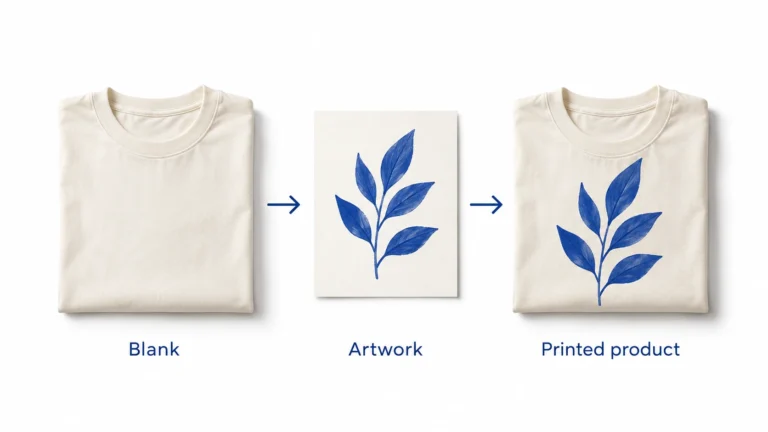
Print on Demand Dropshipping: From Design to a Fulfilled Product
Understand print-on-demand dropshipping, approve designs and samples, calculate full order costs, and manage production, delivery and customer
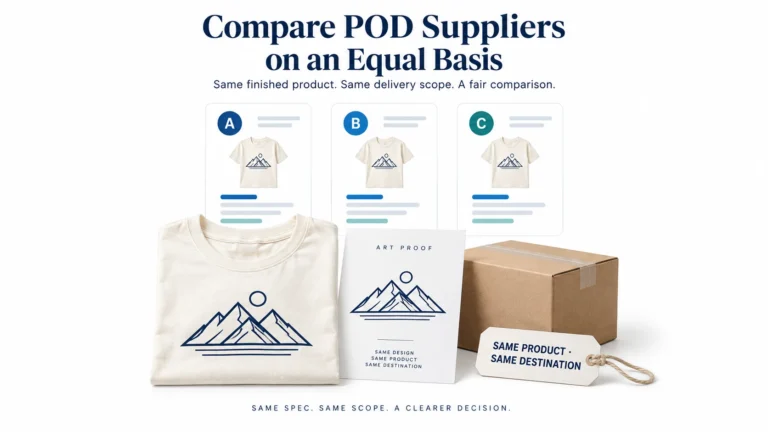
Print on Demand Suppliers: Compare Production, Proofs and Fulfillment
Compare Printful, Printify and Gelato by product, routing, samples, complete order cost, integration and returns before choosing
Print-on-Demand Files and Samples: Approve the Actual Print
Prepare each print file for the exact provider, product and print area, using its current template and