
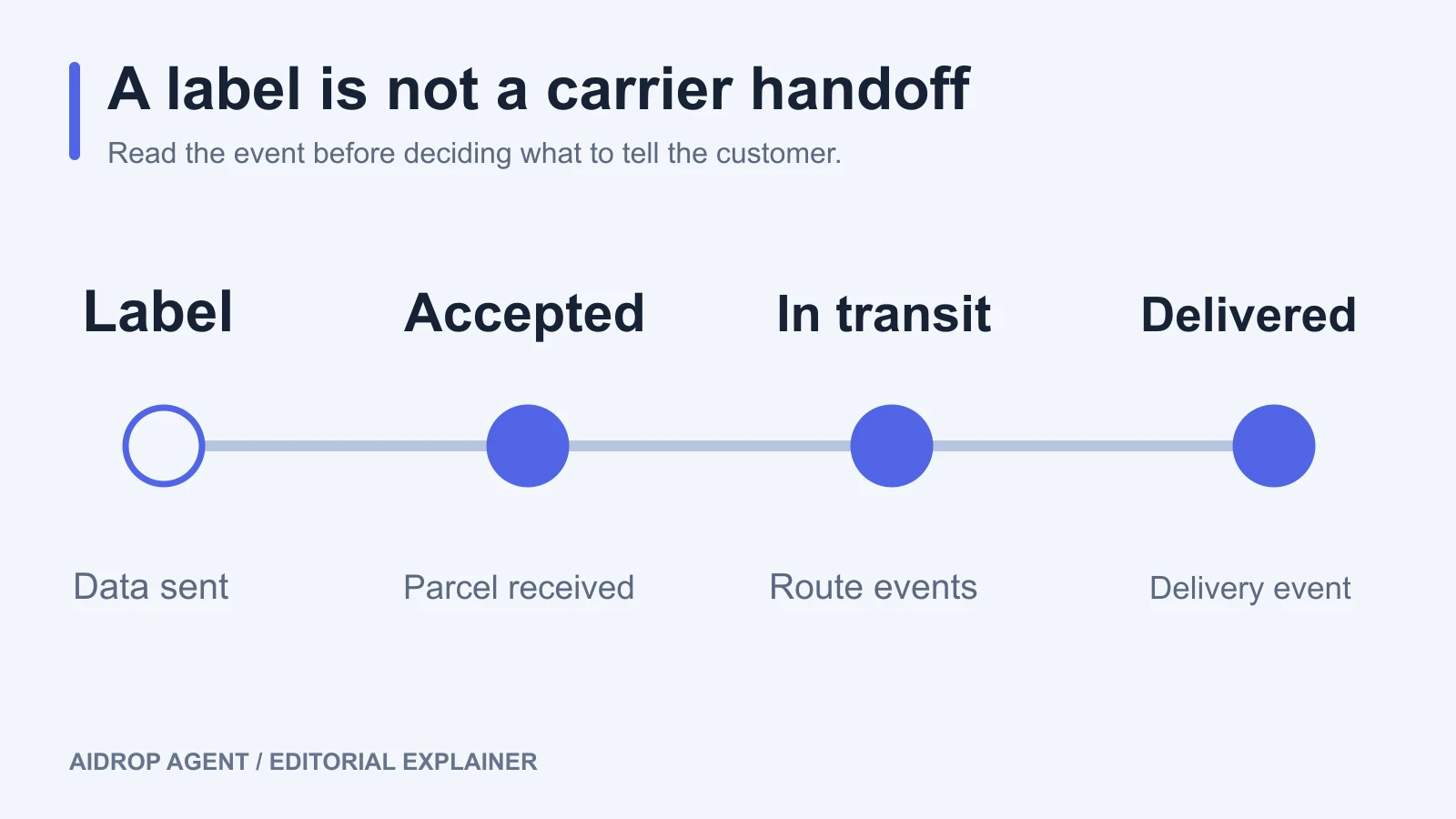
Dropshipping tracking connects each parcel’s tracking number and carrier events to the customer’s order. A useful setup lets the customer follow delivery and lets your team investigate when progress stops. That requires the correct carrier, the items inside each parcel, and a clear distinction between a label being created and a carrier receiving the package.
Those events can appear at different times. Your store might show an order as fulfilled while a carrier still shows that it is waiting for the parcel. Before telling the customer where their order is, check what the underlying event actually confirms.
01
Give every parcel a usable tracking record
Start with the supplier or fulfillment partner that ships the order. Ask for the tracking number, carrier or shipping service, tracking URL, and the items and quantities assigned to that parcel. Keep the supplier’s order reference alongside your store order number so both teams can find the same shipment.
An order number identifies a purchase in your store. A tracking number identifies a shipment in a carrier’s system. They serve different purposes, and one customer order can produce several parcels.
For Shopify, tracking information can be supplied by a fulfillment integration or added to an order manually. If Shopify detects the wrong carrier, select the correct one; if the carrier is not listed, use the carrier’s full tracking URL. Customers can then follow the shipment through the order status page and supported notifications. The exact information returned by a third-party fulfillment service depends on its integration. Shopify’s order-tracking documentation explains these options.
Verify the result from the customer’s side. Open the shipping email or order-status link, check that it leads to the intended parcel, and compare the displayed items with the fulfillment record. A number sitting in the supplier dashboard is not enough if the customer’s link is blank or points to another carrier.
For split orders, attach tracking to each separate shipment. Shopify specifically recommends a tracking number for every shipment so customers can follow separately shipped items in Shop. Shopify’s delivery-tracking guidance covers that distinction.
If you are still working out who sends each record, the broader dropshipping supply-chain overview can help you map the supplier, fulfillment team, carrier, and store responsibilities.
02
Read the event behind the status
Tracking apps often group detailed carrier events under broad labels. Open the event history when the summary does not explain what happened. The operator, location, and event time are more useful than a progress bar on its own.
| Event you see | What the record tells you | What to verify next |
|---|---|---|
| UPS: Label Created | UPS has received shipment and billing information. This event does not confirm UPS possession. | Ask the shipper for the actual handoff record if pickup is overdue. |
| UPS: Shipped/On the Way | UPS reports that it has the shipment and that it is moving through its network. | Read the latest event and current delivery estimate. |
| USPS: shipping-partner event with USPS Awaiting Item | A partner has handled the parcel; USPS has not yet received it. | Check the partner’s record and the planned transfer to USPS. |
| USPS: Shipping Label Created, USPS Awaiting Item | A USPS label exists, but the parcel has not been given to USPS. | Check dispatch with the shipper. |
| Delivered | The named carrier has recorded a delivery event. | Match it to the parcel and items before closing the whole order. |
These are carrier-specific meanings, drawn from UPS tracking-status explanations and USPS tracking-status help. Similar-looking wording from another carrier needs its own interpretation.
A final-mile carrier can be waiting while another operator is moving the parcel. For example, USPS explains that a shipping-partner event means the partner will transfer the package to USPS. That status alone does not establish the parcel’s current country or prove that it has been lost.
An absence of new scans also needs context. UPS notes that long-distance shipments may not receive another scan until they reach a destination hub. FedEx says an in-transit shipment can go more than 24 hours without an update. Neither statement gives every dropshipping parcel a universal waiting period. FedEx’s explanation of tracking gaps is useful when separating a quiet event history from confirmed nonmovement.
03
When tracking stops updating, work from the last confirmed event
Begin with a data check. Copy the number from the supplier’s shipment record, confirm the carrier, and open its tracking page directly. Look for a replacement number, an incorrect carrier match, or a number assigned to a different parcel. If the carrier page has newer events than your store, investigate the tracking import or display rather than asking the warehouse to ship again.
Next, identify the last confirmed handoff. A label-only record calls for different questions from an accepted parcel with a transit delay:
- Before carrier acceptance: Ask fulfillment whether the parcel was packed, when it left, which operator received it, and what handoff evidence is available.
- Between shipping partners: Ask the dispatching provider for the partner reference, latest event, and expected transfer milestone. A final-mile carrier that has not received the parcel may have little more to add.
- After carrier acceptance: Check the carrier’s event details, service alerts, and investigation instructions for that service. Send the shipper the exact event and the customer’s delivery commitment.
Compare the result with two separate expectations: the route’s agreed milestones and the delivery window your customer received. A scan gap can be normal for a route while the customer’s order is already overdue. In that situation, the customer still needs an update and your team still needs a recovery decision.
Set investigation triggers with your provider before you depend on the route. Record what counts as an overdue first acceptance, an overdue transfer, and an overdue delivery for the specific service and destination. Also record who can open a carrier inquiry and what information they need. Use the provider’s agreed terms and actual route evidence; a generic rule such as “wait seven days” can hide a missed dispatch or create an unnecessary escalation.
Keep the investigation in one place: affected parcel and items, last confirmed event, evidence requested, responsible person, and next review time. If the shipping service consistently gives you too little information to support customers, review the route’s tracking and recovery requirements before sending more orders through it.
04
One delivered parcel does not close a two-parcel order
Consider this fictional example. A customer orders a lamp and a set of replacement shades. The supplier ships them separately. The lamp’s tracking number shows delivered; the shades show a shipping-partner event followed by USPS Awaiting Item.
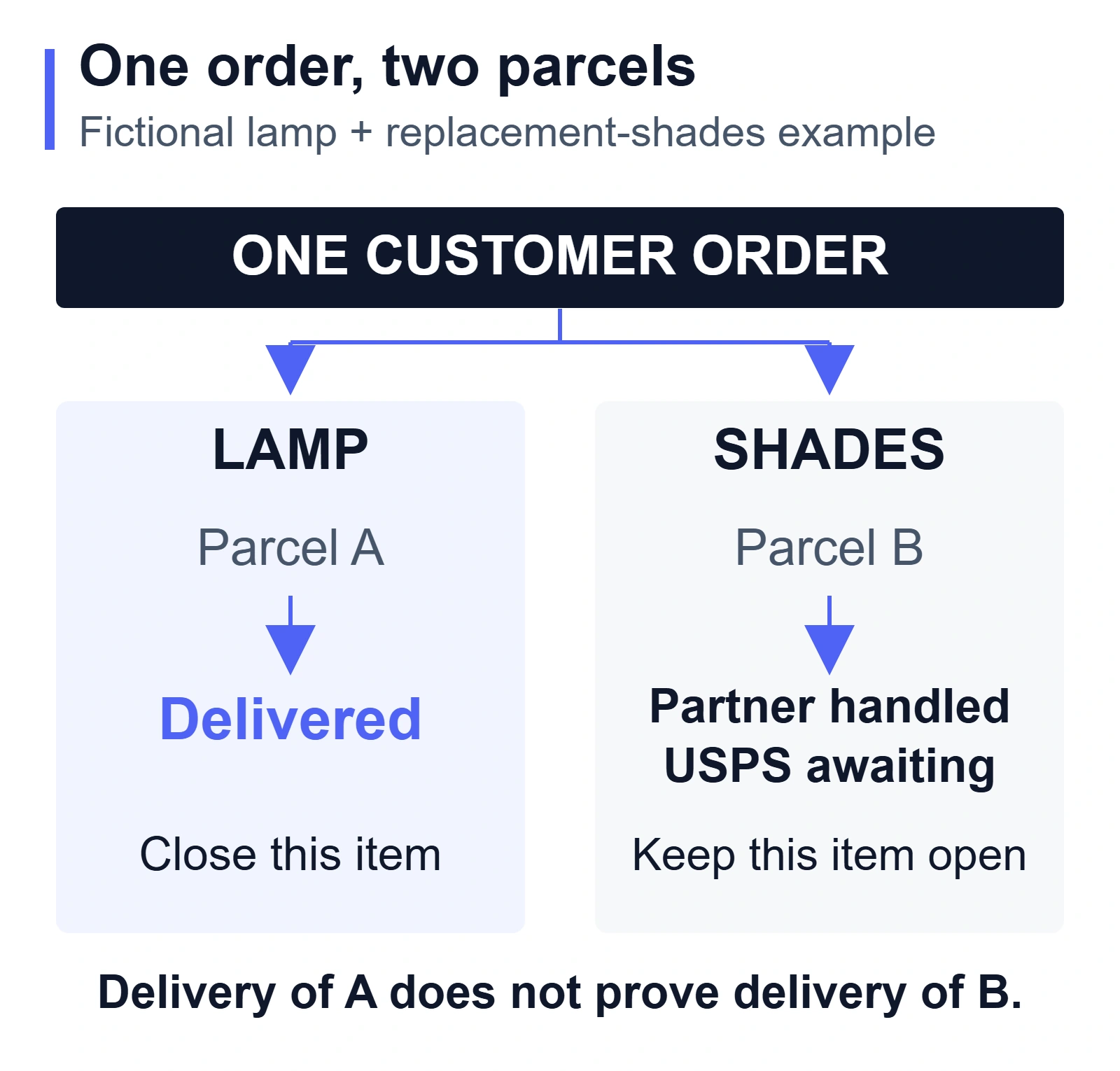
The first task is to match both numbers to the correct items. If the store email shows only the lamp’s number, the customer may reasonably think the shades are missing from a completed delivery. Correct the shipment information and explain that the second item is traveling separately.
For the shades, ask the fulfillment partner for the last partner event and the transfer information. Do not describe the parcel as “at the local post office” based only on the USPS number. Keep the shades open in the order investigation until you have a confirmed result or an agreed remedy.
This example illustrates why item-level tracking matters. A delivered event for the lamp provides no delivery evidence for the shades. It also shows why the customer-facing record and the provider’s parcel record should be checked together.
05
Tell the customer what you can confirm
A useful update explains the latest verified event, what your team is checking, and when the customer will hear from you again. Avoid turning a supplier’s estimate into a promise you cannot support.
For the fictional split order, a message could read:
Your lamp has been delivered. The replacement shades are traveling in a separate parcel. The latest tracking event shows that the shipping partner has handled that parcel, and USPS has not yet received it. We have asked our fulfillment partner to confirm the transfer status. We will email you again tomorrow, even if the carrier record has not changed.
Use the next-day commitment only if your team can meet it; otherwise give the customer a specific follow-up date and time that you can support. Include the correct tracking link. If the promised delivery window has passed, address that directly and explain the next step available under your store’s policy.
An exception such as an address problem, failed delivery, or return to sender needs a decision beyond a tracking explanation. Assign the person who can obtain the missing information or approve the remedy. The returns and exceptions workflow covers that wider recovery responsibility.
06
Choose tracking tools by testing your actual shipments
A branded tracking page can make shipment information easier to find, but its usefulness depends on the underlying carrier data and parcel mapping. Ask a prospective tracking provider to demonstrate an ordinary shipment and a split shipment on the services you actually use.
Check carrier recognition, replacement numbers, the detail retained from the original event, separate item visibility, and which events trigger customer emails. Confirm how your team corrects a wrong carrier without losing the parcel history. For example, 17TRACK’s own dropshipping setup advice emphasizes configuring frequently used carriers; that is a provider-specific setting, not evidence that every number will be matched correctly. 17TRACK’s carrier-selection guidance explains its setup.
Compare the app’s view with the carrier page during the test. Confirm that an exception reaches a person who can act on it. A polished page that repeats an old event will not resolve a missing handoff, and adding another notification source can confuse customers if both tools send the same message.
07
Frequently asked questions
Does a tracking number mean my supplier has shipped the order?
The number alone does not establish a physical handoff. Check the first carrier acceptance event or ask the shipper for handoff evidence. A label can exist before the parcel reaches the named carrier.
How long should I wait when tracking has not updated?
Use the service’s expected milestones, the last confirmed event, and the delivery window promised to the customer. There is no single waiting period that reliably separates normal scan gaps from a dispatch problem across all routes. An overdue promise or an explicit exception requires its own response.
Can a tracking app fix a parcel that is not moving?
It can organize events and help alert your team. It cannot create a carrier scan or move the physical parcel. When the carrier record itself is unchanged, the investigation needs the shipper or operator responsible for the last confirmed handoff.
