
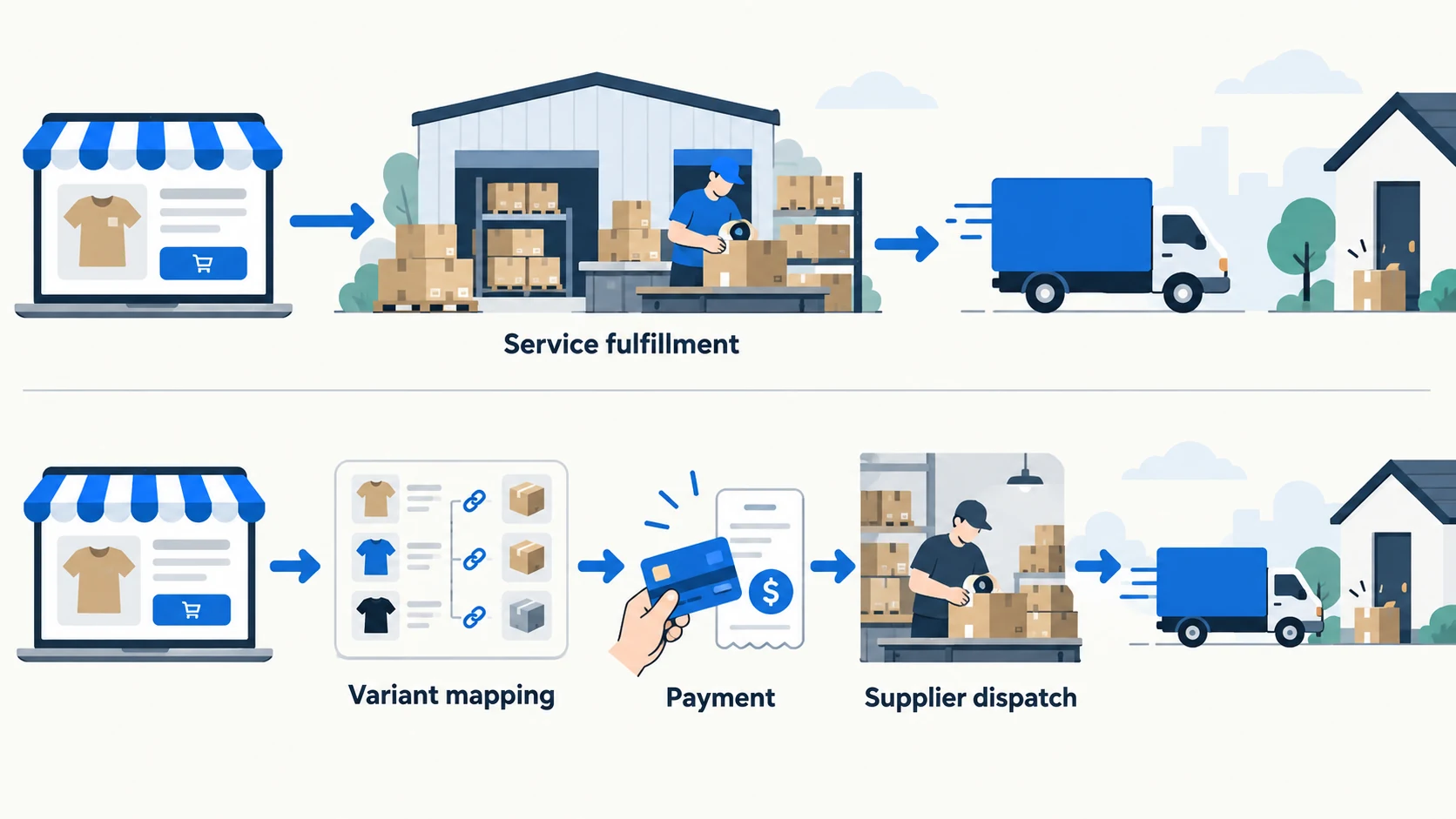
Choose CJdropshipping when you want sourcing, stock or packaging coordinated with fulfillment. Choose DSers when you want to select external suppliers and manage their orders through one tool. In the standard AliExpress route described here, the supplier ships the parcel; DSers connects the store order to that purchase.
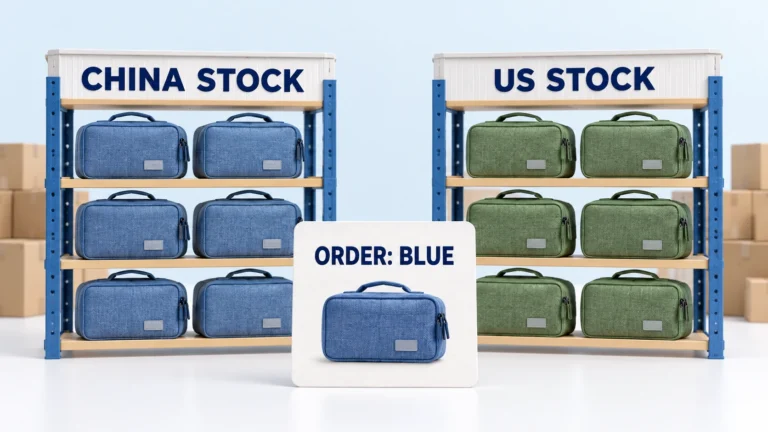
Both choices still depend on the exact product and destination. A free app does not make the order free, and a warehouse claim does not show that your blue variant is stocked there.
The original comparison used official documents checked September 23, 2026; selected pricing, mapping and payment documents were rechecked on October 10. There was no matched order test or merchant-account inspection, so this is a comparison of documented routes rather than a measured performance ranking.
Explore the broader topic: CJdropshipping Review: Costs, Warehouses, Quality and Fulfillment Fit.
01
Start with the handoff, not the feature list
For a quick CJdropshipping vs DSers comparison, start with the job you need help doing:
| Your question | CJdropshipping route | DSers route |
|---|---|---|
| Where does the product come from? | CJ catalog or an agreed sourcing request | An external source selected through a supported connection |
| Who prepares and ships it? | CJ fulfillment for the agreed item and stock arrangement | The selected supplier in the AliExpress example |
| Where do I pay? | CJ order checkout or the authorized arrangement | AliExpress checkout after placing the supplier order through DSers |
| What about branding or stocked goods? | Confirm the specific packaging, inventory and service charges | Agree the physical service with the supplier; the app connection alone does not provide it |
| How do I judge delivery? | Confirm stock, processing and route for the destination | Confirm the supplier’s stock, processing and selected shipping method |
Imagine a customer buys a blue desk organizer. The store’s blue variant must map to the right physical item, that item must be paid for or allocated, and a supplier must hand a parcel to a carrier. A synced order can still be unpaid or unshipped.
CJ — product and parcel: Its getting-started workflow connects store items to CJ items and requires payment for fulfillment. CJ can also source, stock and provide extra fulfillment services. If you supply your own goods, ownership and fees change.
DSers — mapping and supplier order: Its supported-channel guide covers AliExpress, Alibaba and 1688 Dropshipping. For a typical AliExpress path, DSers maps the store variant, places the supplier order and later syncs status and tracking. The external supplier ships. Workflows vary by channel.
The automation guide shows why order sync, supplier payment and carrier handoff need separate checks.
02
What you are paying for
Compare a delivered order, not two software plan prices. CJ’s membership page shows a free core tier, yet a CJ order still has product and eligible shipping charges. Private stock, packaging or special fulfillment may add fees; the CJ pricing guide separates those cases.
DSers’ pricing page lists Basic Free, Advanced $19.90, Pro $49.90 and Enterprise $499.90 monthly. Features and store/product limits vary. The chosen supplier charges separately for product and shipping. In the AliExpress path, the merchant places the order through DSers and pays it on AliExpress, per the payment guide.
| Compare | Include in the order estimate |
|---|---|
| CJ fulfillment | Exact variant, eligible route and applicable packaging or stocked-goods work. Add optional membership only if used. |
| DSers supplier path | Supplier’s final checkout product and shipping, plus any paid DSers plan allocated over completed orders. |
A $19.90 optional plan is about $0.40 across 50 completed orders or $0.10 across 200. That is not a DSers shipping quote. The CJ fee explainer likewise describes charges; it is not a checkout tutorial. Payment processing, ads and replacement losses also remain outside either platform’s advertised plan price.
Compare one item at the same destination
Suppose both routes quote an approved blue organizer, the same quantity and the same customer’s address. These amounts are fictional, not live supplier prices:
| Cost for one completed order | CJ example | Supplier through DSers example |
|---|---|---|
| Product | $12.00 | $8.50 |
| Shipping | $6.00 | $10.00 |
| Optional app allocation | $0 in this example | $19.90 ÷ 50 orders ≈ $0.40 |
| Subtotal | $18.00 | $18.90, rounded |
The lower product price does not win this cost comparison because shipping changes the result. The DSers Basic plan would remove the optional $0.40 here; it would not change the supplier’s $18.50 product-and-shipping charge.
This subtotal excludes taxes, payment fees, returns and any extra service not quoted. It also assumes the products match. If the cheaper listing uses a different organizer or an unsuitable delivery route, ask for a comparable quote before choosing it.
03
Mapping determines which physical variant is bought
DSers’ mapping guide requires each store variant to point to a matching supplier variant. It allows a seller to change a default source for orders that have not been placed. A mapping change does not rewrite an already placed supplier order.
Before placement: If blue is unavailable at Supplier A, verify Supplier B’s blue item and change the mapping for new or still-unplaced orders. Confirm the route and price again.
After placement: Find the existing Supplier A order first. Cancel, pay or resolve it explicitly before buying from B, or one customer order may create two supplier purchases.
Two orders at the cutover: imagine a merchant moving one approved blue organizer from an AliExpress supplier through DSers to CJ. These identifiers and states are fictional records, not interface field names or orders we inspected.
| Store order at the changeover | Existing supplier purchase | What to do |
|---|---|---|
| 1042: not placed upstream | None, after checking the linked AliExpress account | Verify the approved CJ variant, warehouse and quote. Release through the new route once and save its provider order ID. |
| 1043: already placed | AX9001 on AliExpress; unpaid | Hold the new route. Find and resolve or cancel AX9001 before authorizing a replacement. |
Keep the last old-route order and first new-route order in the record. A delayed status response is a reason to look up the existing purchase, not evidence that it vanished.
That timing matters. Keep the store order ID, supplier order ID, payment state and physical variant together until the exception closes. A new provider ID and successful payment still need supplier acceptance and a real carrier event.

In CJ, check that the linked store SKU points to the correct CJ variant and available warehouse stock. Test blue and green separately; if both map to one provider SKU, pause automatic release. The inventory guide covers stock and replenishment controls.
04
Placing an order is not paying for it
For the AliExpress path, DSers’ order guide separates placing a supplier order from paying it on AliExpress. Its bulk-order guide says displayed prices are references; supplier checkout controls the final payment. Alibaba and 1688 Dropshipping can have different steps, so verify the active channel.
Try the AliExpress order sequence once
For a controlled order, follow the documented DSers placement and payment guide:
- Confirm the variant mapping and the supplier’s shipping method, then use Place Order in DSers.
- Save the supplier order ID. Use Make Payment, then complete Pay Now in the linked AliExpress account.
- Check that payment succeeded on that supplier purchase. Later, inspect shipment and tracking at the source as well as in your store.
If the unpaid order is missing on AliExpress, first check which account DSers used. Logging into another account can hide the purchase; placing it again risks duplication. If tracking is missing, check whether the supplier has actually shipped before trying another sync.
Follow five states for every order:
- Mapped: store SKU points to the approved physical variant.
- Placed: a supplier order ID exists, but payment may still be due.
- Paid and accepted: the supplier can prepare the order; check stock or rejection.
- Carrier accepted: first physical scan exists, beyond a generated label.
- Delivered or exception: verify outcome and assign the refund or resend owner.
CJ’s getting-started guide likewise requires merchant payment before CJ processing. If the store says “fulfilled” while the provider order is unpaid, investigate that handoff. Keep one ledger of store order, exact SKU, provider order, paid amount, dispatch event and exception owner.
05
Who chooses the supplier, warehouse and package?
With DSers, the seller chooses and can remap suppliers across supported channels; DSers’ comparison page describes mapping, bulk orders and tracking sync. A replacement supplier may change the item, pack, origin or return terms. Sample and approve it before moving live orders.
CJ can coordinate sourcing, warehouse stock and optional packaging. The seller still approves the sample and pack. Its service-fee schedule shows why merchant-owned goods or overseas stock can add charges beyond catalog fulfillment. Confirm who owns and has allocated the stock before promising domestic dispatch.
Compare the approved variant, actual stock location, eligible route, complete delivered cost and recovery terms. Either route might have nearby stock; neither platform name proves it. The supplier evaluation guide gives the checks to apply to the physical source.
06
Shipping and tracking: verify the event that matters
DSers can sync supplier tracking when it becomes available; its order-status guide explicitly notes that forcing a sync cannot make an unshipped supplier order ship sooner. Check the underlying supplier order if tracking is missing. Its mapping guide also makes clear that different order states require different intervention.
CJ shows available shipping options for product, warehouse and destination through its shipping calculation process. An estimated route is not the same as an accepted parcel. For a new product, confirm procurement time, warehouse handling and carrier travel separately.
If a customer asks where an order is, answer with the latest verified physical event: paid but awaiting preparation, prepared with a label, accepted by a carrier, in transit or delivered. Do not promise “shipped” merely because either dashboard displays a tracking number. Our shipment tracking guide shows how to communicate these states and act on a stalled parcel.
07
Can the two tools be used at the same store?
Yes, for different SKUs with one order owner each. Do not assume a native CJ-to-DSers supplier connection: DSers documents supported supplier and partner apps, but that alone does not verify this pairing or your plan’s access. Confirm any proposed integration in both live accounts.
If you move a SKU from one path to the other:
- Mark the last customer order handled by the old path and the first for the new one.
- Reconcile open supplier orders, payments, prepaid stock and returns before changing automatic purchase rules.
- Map both variants again, then test one order without letting both services place it.
DSers can remain the route for externally selected suppliers while CJ handles products needing its sourcing, stock or packaging. Keep the owner recorded on each SKU so an exception goes to the right operator.
08
Run a controlled decision test
Use one product with two variants and one destination. Keep the result as a short operating record:
- Approve the item. Record dimensions, material, included pieces and the sample version. A cheaper alternative that differs materially is a new product decision.
- Get both delivered quotes. For CJ, include product, warehouse, eligible shipping and applicable special service. For the DSers route, include app plan allocation plus the chosen supplier’s final product and shipping checkout.
- Map blue and green separately. Check the physical supplier code and stock location; never rely on a shared product title.
- Place and pay for a sample order. Confirm that the supplier accepted it. Save the provider order ID and receipt.
- Read the actual carrier trail. Note dispatch and first acceptance, then compare the received item and package to the approved sample.
- Test one failure response. Ask where a wrong-color claim goes, what evidence is required and who refunds or resends. Align the store’s customer promise with a recovery path you can actually execute.
Choose CJ when its sourcing, stock or packaging service solves your product’s problem at a workable delivered cost. Choose DSers when selecting suppliers and managing their orders is the harder job.
The choice can differ by SKU. Record the route and reason for each one so an order exception reaches the right person.
09
Frequently asked questions
Is CJ a supplier inside DSers?
Do not assume that pairing. This comparison describes two fulfillment paths. DSers documenting supplier or partner connections does not establish a native CJ connection for your account; confirm any proposed pairing with both services.
Does a paid customer order automatically pay the supplier?
No. In the standard AliExpress path described here, DSers creates the supplier order and the merchant completes payment on AliExpress. CJ also requires its fulfillment payment. Check the provider order and payment result separately from the store’s receipt.
Can I move an order after it was placed on AliExpress?
A new default mapping does not alter the existing purchase. Find its order ID, payment and physical state; resolve or cancel it through the supported process before arranging a replacement. Record the decision so two providers cannot ship the same customer purchase.

Dropshipping Automation Software: Compare Tools, Costs and Workflows
Compare dropshipping software by supplier fit, pricing, stock updates and order handling. Build a workable setup with
CJdropshipping Review: Costs, Warehouses, Quality and Fulfillment Fit
CJdropshipping is a practical option for sellers who want sourcing, store connections, packaging and fulfillment in one

AutoDS Review: Evaluate the Automation You Would Actually Use
AutoDS can reduce listing and order work, but its value depends on your sales channel, tier, add-ons
