
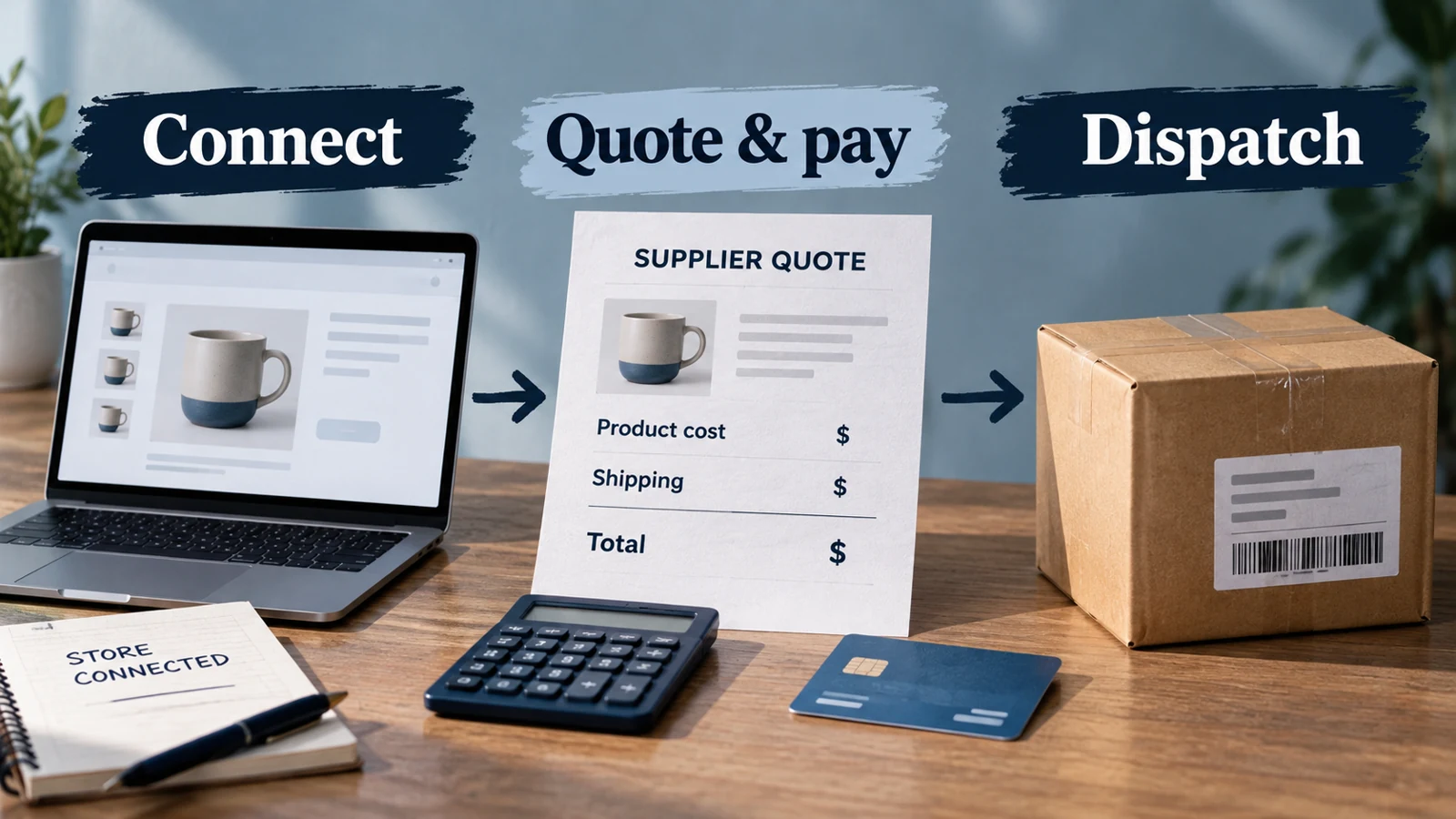
Wiio helps you source products in China and get customer orders packed and shipped. Its store connection moves product, order, inventory and tracking information between the systems. You sell to the customer; you pay Wiio for the goods and fulfillment covered by your agreement.
That can be useful when you want someone to coordinate the supply side instead of buying each item yourself. The practical question is whether Wiio can supply your product, in your packing, to your customer’s destination at a workable total cost.
Start with one complete quote and one small order. That gives you something useful to judge: the item, the parcel, the bill and the help you receive along the way.
01
What Wiio takes off your hands
Wiio’s Shopify integration brings sourcing and fulfillment together with product and order synchronization. Think of the work in three parts:
- Before a sale: identify a product, arrange its quote and prepare the store listing.
- After a sale: purchase or release the agreed goods and arrange packing and shipping.
- After dispatch: send tracking back and handle any supply or shipment issue.
Your work continues on the customer side. You choose the offer, set the selling price, attract buyers and answer their questions. For example, Wiio may ship a cable pouch, while your product page explains whether it holds a charger and what its dimensions are.
This division matters when something changes. If the sourced pouch has a different closure, you need to decide whether it still matches your offer before it reaches customers. A store connection can move the product data; it cannot make that buying decision for you.
02
When Wiio is worth trying
Wiio is worth investigating if you have a product in mind and want a China-side sourcing and fulfillment relationship. Its listed branding options can also be relevant when plain supplier packaging is no longer suitable for your store.
A useful candidate is a product you can describe clearly and expect to sell repeatedly. You can explain its material, dimensions, variants and intended packing, then compare the proposed item with that description.
If you mainly want to browse products with immediately visible delivered prices, find out how much quotation work your chosen Wiio route needs first. If you require domestic stock or a fixed arrival date, obtain the actual stock location and service for that item. Those needs affect the provider choice more than the app’s install price.
The China-agent comparison helps with that wider decision. Here, the next step is finding out what Wiio would actually supply.
03
Get a complete price for the product you want to sell
A useful quote answers a whole order. It connects the selected item to its quantity, packing, destination and shipping charge.
Here is a short request you can adapt:
Please quote the black cable pouch in the attached reference, one pouch per pack. Include its dimensions and material, packing and shipping to the supplied US address. Please also quote a basket containing that pouch and the small cable organizer in the second reference. Identify any substitute before purchasing it.
Send the reference images and actual address through the provider’s authorized channel. When the reply arrives, compare the proposed item with the reference, then read the price lines.
Why a mixed basket can look cheaper than it is
Use this illustrative quote, with the pouch as item A and the organizer as item B:
| Quoted line | Amount |
|---|---|
| Pouch A | $18 |
| Organizer B | $6 |
| Shipping quoted for A only | $5 |
The sheet adds up to $29, but the organizer’s shipping is unanswered. It is an unfinished quote, not a $29 delivered order.
If the completed reply instead quotes $8 to ship both items, the usable product-and-freight total becomes $18 + $6 + $8 = $32. You can now compare it with another offer for the same basket and destination.

Ask one focused follow-up: “Does the $8 cover both items in the agreed packing, and will they travel together?” If they need separate parcels, price both and explain the split to the buyer. The split-shipment guide works through that choice.
Wiio’s January 2024 manual describes a Partially Quoted state for issues such as an unavailable item or missing product link. Its labels may differ in a current account, but the problem is straightforward: complete the missing product or route before approving the order.
04
Understand the free and paid plans
The Shopify app listing, checked October 16, 2026, lists these USD options:
| Plan | Subscription | Relevant listed features |
|---|---|---|
| Free | Free to install | Limited product imports |
| Pro | $19.99/month | Unlimited imports, custom branding, member discounts and an ICMS-related service |
| Plus | $45.99/month | Pro features, a Top 100 selection, an “up to 10% lower” offer and customs/tax-related features |
For a small trial, use Free if its allowance covers the products you need. Consider Pro when an actual import limit or branding requirement stops the work. Plus adds $26 a month; ask which saving or service applies to your proposed orders before paying that difference.
A discount advertised as “up to” is not the saving on every product. Likewise, regional tax features do not establish worldwide DDP delivery. Get the terms for the destination on your quote.
Product and shipping charges remain separate from the subscription, and external charges may be billed outside Shopify. When comparing providers, put the subscription beside the actual order cost. The quote-comparison worksheet helps keep the comparison consistent.
05
Connect the listing and follow the first order
Use the current authorized Shopify app route to connect the intended store. Wiio’s older application manual explains the quotation, shipping-choice and payment sequence; use the current app for installation rather than an old unlisted-app tutorial.
For the first product, work through the handoff in order:
- Open the imported listing. Select the intended color or size and compare its image, pack quantity and reference with the quote.
- Set the customer offer. Enter a selling price that covers the complete order and write delivery information for the actual route.
- Use a sample or controlled purchase. Keep the store order number beside the Wiio purchase reference.
- Inspect the provider purchase. Match the item, quantity, address, shipping method and payment result.
- Follow the parcel. Match its contents and tracking with the items bought.
You should be able to trace the black pouch from the store variant to the paid provider purchase and the parcel containing it. If the reference changes halfway through, resolve that change before adding more products.
What to do when only part of the order ships
Suppose the purchase contains the pouch and organizer, but the parcel contains only the pouch. Mark the organizer as outstanding, find its expected dispatch and tell the buyer which item has left. A tracking number for one parcel should not close the whole basket.

If a payment attempt times out, look for its existing purchase and charge before retrying. If the order is present but unpaid, complete that payment process. If it is paid but waiting, ask what work is outstanding. These are different problems with different next steps.
Once you understand the first order, review automatic-processing and default-shipping settings. Use defaults for the destinations and parcel types they were chosen for; revisit them when you add a product that needs different packing or a second shipment.
06
Deal with a delay, cancellation or return
| The order problem | The next useful action |
|---|---|
| Delivery is delayed | Find whether the item is awaiting sourcing, being prepared, waiting for collection or with the carrier. Tell the buyer what is waiting and when they will hear next. A label alone is not collection. |
| The buyer wants to cancel | Ask whether supplier work can still stop, and retain the response. Canceling the Shopify order does not itself stop a purchase already being processed. |
| The item is wrong or damaged | Keep the order reference and useful photographs. Obtain instructions for that claim before sending anything back. A change-of-mind return may need different treatment. |
Wiio’s public return page describes a 14-day application window, unused-item conditions, a personalized-item exclusion and inspection before a refund decision. Obtain the authorized address and instructions for the actual purchase before sending anything back.
Track the agreed next action through to its result. Your customer’s remedy and any credit you seek from Wiio are connected tasks; one need not finish at the same moment as the other.
If you are comparing a China-side alternative, send AIDrop Agent the same product references, basket and destinations. Ask for the product, packing and shipping separately. That produces a comparison of equivalent work instead of two unrelated headline prices.
07
Wiio dropshipping questions
Is Wiio free to use?
The app has a free-install option, alongside paid subscriptions. You still pay for goods and shipping. A trial budget should include the actual product, parcel and any selected paid feature.
Do I have to buy a batch before starting?
Ask which arrangement applies to the product: buying per order, reserving stock or owning a batch. Customization can have a different minimum from an ordinary stock item. Fund the arrangement you have agreed, rather than assuming every product works the same way.
Are customer orders paid to Wiio automatically?
Order synchronization and provider payment are separate settings and events. Inspect the current account’s payment/release controls and the first provider purchase before relying on automatic processing.
Can I upload a CSV order file?
The public 2024 manual describes an Excel template and distinguishes it from CSV. Get the current supported template from Wiio; changing a filename does not change its columns or format.
Does this explain how reliable Wiio will be for my store?
It explains the public service and a way to assess a first product and route. It is not a hands-on performance rating. Judge the actual quote, sample, order and support response before expanding the commitment.
CJdropshipping Review: Costs, Warehouses, Quality and Fulfillment Fit
CJdropshipping is a practical option for sellers who want sourcing, store connections, packaging and fulfillment in one

CJdropshipping vs DSers: Who Sources, Pays and Ships the Order?
CJdropshipping can source and physically fulfill an order; DSers maps a store product to supported external suppliers

AutoDS Review: Evaluate the Automation You Would Actually Use
AutoDS can reduce listing and order work, but its value depends on your sales channel, tier, add-ons
