
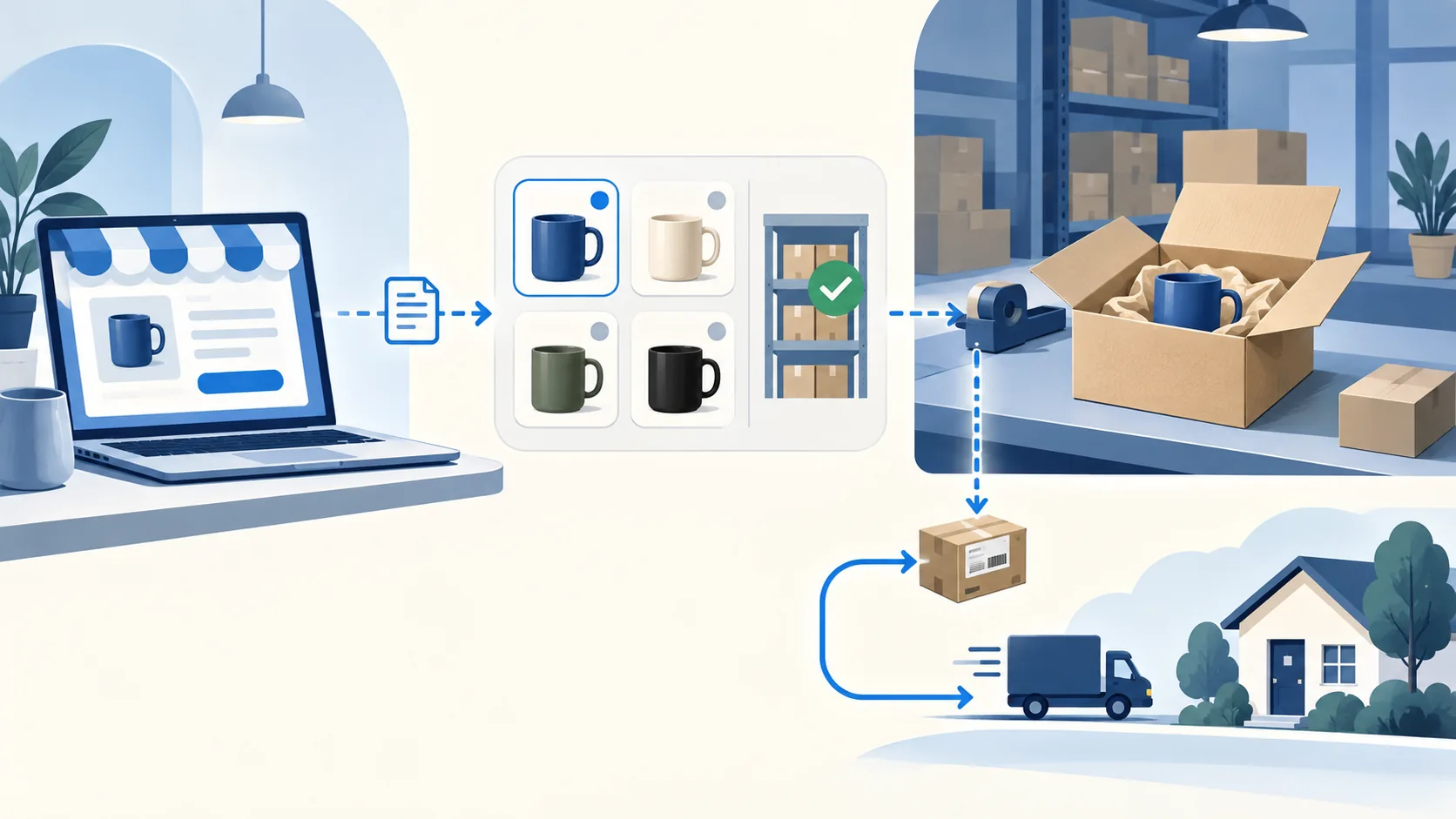
BigCommerce can run the storefront for dropshipping. It holds the product listing, checkout and order record; a separate supplier accepts, packs and ships the item. Before importing a catalog, prove that one paid order for one exact variant reaches that supplier and that shipment or rejection comes back to the store.
The steps below separate a platform capability from what your chosen app and supplier actually do. BigCommerce features and prices were checked against its public information on September 23, 2026; the order tests are a proposed merchant check, not results from our own store.
Explore the broader topic: Best Dropshipping Platforms: Choose Where You Will Sell.
Explore this topic
01
Decide whether BigCommerce fits your store
Good fit: you want a hosted store with its own catalog, checkout and order records, and you can test a supplier connection separately. A stocked catalog and supplier-fulfilled products can share a store when each SKU has a named fulfillment owner.
Pause the plan: if you intend to import thousands of unfamiliar products before choosing who ships them, you cannot yet price or promise delivery. BigCommerce’s dropshipping explanation assigns fulfillment to a third party, and its supplier guide describes supplier selection. Neither establishes that a listed app covers your exact SKU and destination.
Before choosing a plan, fill in this five-line handoff for one SKU:
- Variant: store SKU ↔ supplier SKU, including option values such as size or color.
- Stock: source of saleable quantity, refresh interval and what happens when the feed is late.
- Order: receiving system, acceptance signal and visible rejection queue.
- Shipment: service owner, cutoff, carrier and tracking return field.
- Recovery: who may cancel, replace or refund and which return address applies.
If stock and order acceptance have no owner, defer launch. The store platforms and operating data guide puts this choice in the wider operating model.
02
Map one order before choosing an app
Follow one real variant to a destination you plan to serve:
Listing → checkout → paid order → supplier acceptance → pick and pack → shipment → tracking update → delivery or exception.
BigCommerce’s Orders documentation describes shipping addresses, statuses and shipment records with item, carrier and tracking fields. Your integration still has to populate the right order. At each handoff, compare the store record with the supplier’s acknowledgement rather than inferring success from a checkout confirmation.
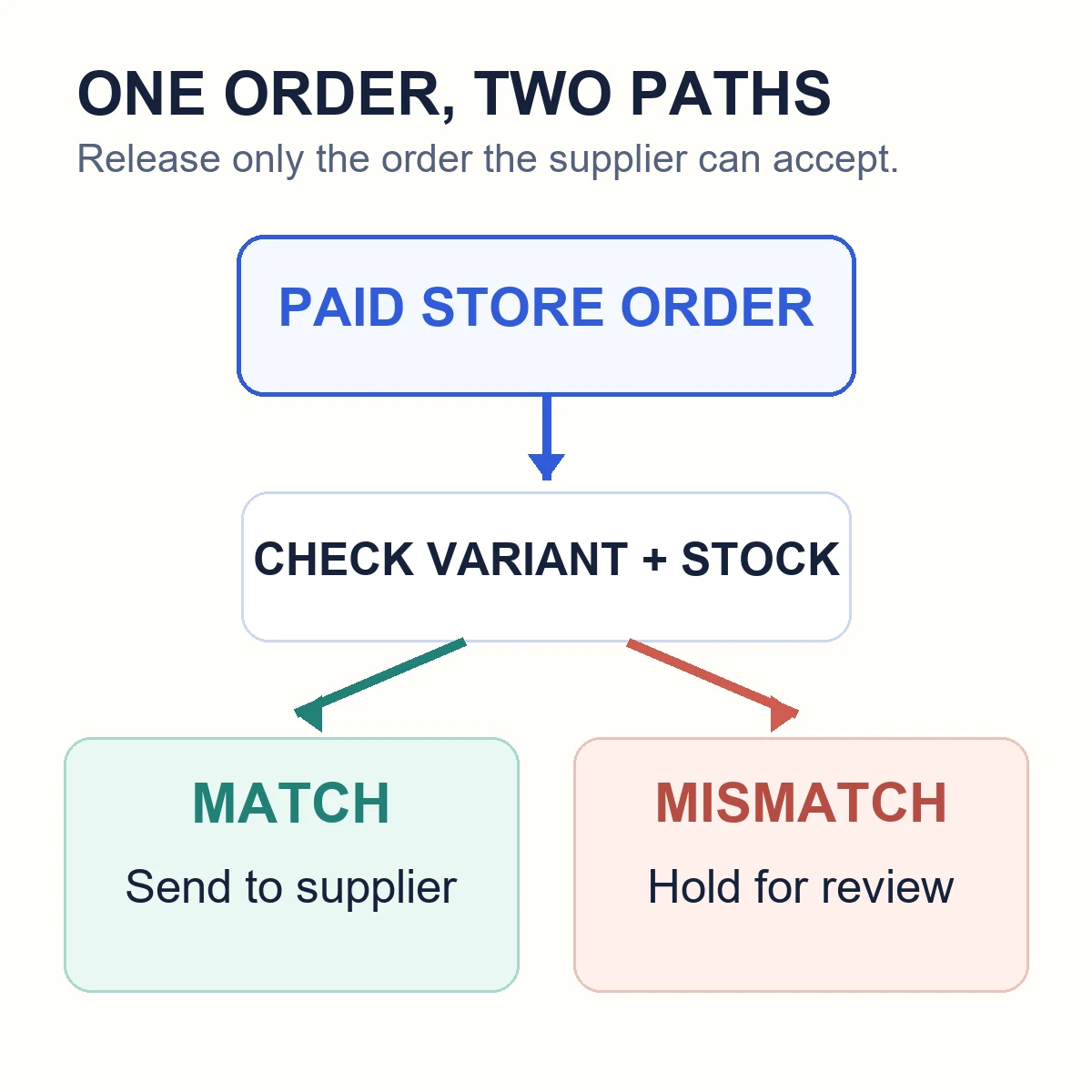
At the checkout handoff, decide which orders can be sent automatically. Release only when payment, mapped supplier SKU, supported destination and current stock all pass. Hold an unmatched variant, address problem, payment/fraud hold or unapproved supplier price change in a visible exception queue. The expected result is either supplier accepted order X or order X held with a reason and owner; “API call sent” is not enough.
Then test a mixed cart. BigCommerce can represent separate shipments for subsets of an order, but your app and suppliers must return the matching item-level tracking. If they cannot, tell customers before checkout that parcels may arrive separately and keep the handoff manual until it is fixed.
Example: one accepted order and one visible hold
Use this fictional handoff record to tell the connector owner what you need to inspect. It is not a BigCommerce screen or a transaction we performed. Assume the navy tray and test destination were approved before checkout.
On a phone, swipe sideways to compare all columns.
| Field | Store record | Supplier record |
|---|---|---|
| Order reference | BC-1042, paid | F-871, accepted; store reference BC-1042 |
| Variant | TRAY-NV-1, one navy tray | SUP-41-NV, the approved one-piece navy item |
| Quantity | 1 | 1 |
| Destination | US ZIP 10001, approved test address | The same full approved test address |
Now try the controlled exception: BC-1043 contains a green tray, but only the navy supplier variant is approved. The expected output is HOLD — no approved green mapping, with a named owner and no supplier purchase. Confirm the correct green item or offer the applicable cancellation; do not substitute navy silently or send a dispatch notification.
For BC-1042, save the relationship between the two order IDs, then reconcile the dispatched item, carrier and tracking with that same line. For BC-1043, find the held record and its owner. If the connector shows only “sent” or leaves the rejected order invisible, keep the handoff supervised until it is corrected.
03
Choose a source, then verify the connection
Choose the relationship first: network app (catalog and participating suppliers), direct supplier (agreed file, app or API handoff), or sourcing/fulfillment partner (purchasing and physical operations). BigCommerce remains the checkout and customer record in each case. The app name tells you little until you know who accepts the order and owns the parcel.
BigCommerce’s supplier guide and app marketplace show available connections. Before connecting one to a production store, ask the provider for documentation covering the exact product, destination, order fields, carrier output and return path. A marketplace listing is not evidence of current stock or lane coverage.
Inspect the data exchange for one trial SKU:
- Catalog mapping: Match store SKU, supplier SKU and option values. Change one supplier variant and confirm the store does not leave it orderable by mistake.
- Inventory feed: Identify whether the number is saleable quantity or a delayed warehouse snapshot. Force a late update and check whether the storefront oversells.
- Cost control: Change the supplier quote in a test record. Check whether retail price stays put and someone sees the margin change.
- Order release: Send a paid test order; compare address, exact variant, quantity and delivery option on both sides, then find the supplier acceptance ID.
- Tracking and recovery: Return a carrier and tracking number to the correct order item. Reject a second test order and find the exception, owner and refund/correction path.
BigCommerce has inventory APIs for location-aware quantities. They do not establish that an app reserves supplier stock at checkout. Ask for the app’s refresh interval and failure behavior; keep a buffer or hold order release when those answers are uncertain.
04
Build a small catalog you can stand behind
Publish only the variants you can identify and fulfill. Obtain a sample or reliable product evidence, map option names exactly, and secure rights to the images and copy. Check destination-market requirements for claims about size, material, electrical use or safety before listing. A mass import magnifies mismatched variants and copied promises.
On the product page, separate what arrives (variant, dimensions, included parts) from how it arrives (destination, service and supported estimate). Use the return address and conditions your chosen supplier route can honor; do not copy a marketplace policy.
If two suppliers carry an item, define which one receives the first order and when the fallback activates. Do not add their stock together unless the router can allocate a specific order and reconcile its shipment. For supplier selection beyond the connector, use the dropshipping supplier comparison.
05
Price the delivered order, not just the product
BigCommerce’s US pricing page showed these month-to-month prices when checked September 23, 2026:
- Core: $39 per month
- Growth: $105 per month
- Scale: $399 per month
Annual billing shows lower monthly equivalents. The 2026 plan update renamed Standard, Plus and Pro. Recheck the price, plan threshold and payment setup for your market before committing.
Keep three cost decisions separate:
- Order contribution: customer payment − product − handling/app − destination shipping − payment charges − acquisition − expected return cost.
- Monthly overhead: allocate the store plan and app subscriptions across a realistic order volume, rather than hiding them in the product price.
- Payment-provider treatment: check whether your provider is in BigCommerce’s Embedded list. Its 2026 update describes an Open Payment Provider fee on eligible orders using certain providers, at plan-dependent rates; this is separate from processing charges.
If customers pay shipping separately, show that revenue and the carrier charge as different lines. Do not rely on an older review’s “no transaction fees” claim without checking your provider’s current classification.
Illustrative order, not a quote: $45 customer payment − $18 product − $8 shipping − $2 handling − $2 payment = $15 before advertising, returns, app subscriptions, plan allocation and any applicable provider fee. Change the destination or weight and the result may change. Use the profit-margin guide for the full order calculation.
06
Test shipping and the first exception
Use two authorized tests before launch:
- Normal order: Pay or simulate payment for an exact variant and destination. Record the BigCommerce order ID, supplier acceptance ID, dispatched item, carrier, tracking and customer notification. Pass only if those records agree.
- Rejected order: Make a variant unavailable or use another controlled rejection. Pass only if the order is held visibly, an owner can correct or cancel it, and the customer does not receive a false shipment message.
Agree on how quickly the supplier acknowledges an order and whom you contact when it stalls. Define whether its quoted delivery time starts at payment, dispatch or carrier pickup. A generated tracking number can precede the first carrier scan; customer messages must use the actual event.
Set the return destination before taking orders. Record who pays freight for wrong, damaged and unwanted items, what evidence triggers a replacement, and who may approve a refund. BigCommerce can record the transaction; the supplier agreement and store promise determine the remedy.
07
How to dropship on BigCommerce: your first week
- Select one offer. Choose one buyer need, variant and destination.
- Confirm the source. Get a product quote, evidence or sample, shipping lane, return path and stock-update interval.
- Configure the store. Set product options, payment, shipping zones, taxes where relevant and customer-facing policies; verify current plan terms.
- Map the SKU. Match store and supplier variants and decide which system controls each field.
- Run both tests above. Reconcile a fulfilled order and a deliberate rejection, including customer messages.
- Expand gradually. Add another SKU only when you can explain the first one’s stock, charges, statuses and exception path.
If you already have a store elsewhere, compare migration work and integration coverage before changing customer URLs. The Shopify dropshipping guide covers that alternative platform; supplier and order responsibility still require a test.
08
Where BigCommerce is strong, and where it will not help
BigCommerce can represent the catalog, order and shipment records needed for a supplier-fulfilled store. Its order API and webhook documentation expose ways to move status changes between systems. A merchant with multiple sources may value that structure, provided the chosen connection actually writes and reads the fields used by the team.
Treat failures at their source: a wrong variant calls for mapping repair; missing stock needs a feed or supplier fix; poor product quality needs product or supplier review; late delivery needs a lane or fulfillment change. A new storefront app will not correct all four.
Use BigCommerce when you want it as the storefront and can reconcile a fulfilled order and a rejected one. Defer catalog expansion if stock, supplier acceptance or recovery has no owner. The store section of our hub compares the wider operating choices.
If you are considering a China-side sourcing or fulfillment partner, send AIDrop one SKU for a scope review: variant, destination, packed dimensions and the handoff your store needs. Confirm the BigCommerce connection with its provider separately; a physical fulfillment quote does not verify the connector.
09
Frequently asked questions
Does BigCommerce have dropshipping built in?
BigCommerce supports a store that sells supplier-fulfilled products, but the platform does not supply every product or fulfill the parcel by itself. You need a supplier and a tested manual or integrated order path.
Which BigCommerce dropshipping app should I use?
Choose after you know the product, destination and supplier arrangement. Test one SKU for variant mapping, current stock, price changes, order transfer, tracking and a rejected order. An app’s catalog size is not enough to answer the question.
Can I combine stocked items and dropshipped items in one store?
Yes, as an operating design, provided you identify the fulfillment owner for every SKU and set realistic split-shipment and return expectations. Test a mixed cart before launch.
Does BigCommerce automatically tell the supplier about every order?
Only if your chosen app or integration is configured to do so and the order meets its conditions. Otherwise your team needs a manual handoff. Check the actual status, error queue and supplier acknowledgement.
Is BigCommerce cheaper than Shopify for dropshipping?
There is no reliable answer from subscription prices alone. Compare your actual BigCommerce plan, payment-provider treatment, apps and product/order charges against the equivalent Shopify stack. The supplier, shipping lane and acquisition cost may matter more than the storefront fee.

BigCommerce Dropshipping Apps and Integrations: Compare the Order Connection
Choose a BigCommerce app by supplier fit and the full path from product data to payment, supplier

Etsy Dropshipping: What You Can Sell and How to Fulfill It
Check Etsy dropshipping rules, eligible supplies, production partners, listing details and the real costs of fulfilling an
Shopify vs WooCommerce for Dropshipping: Which Fits Your Team?
Compare Shopify and WooCommerce for dropshipping: hosting, maintenance, supplier integrations, operating costs, and the best fit for
