
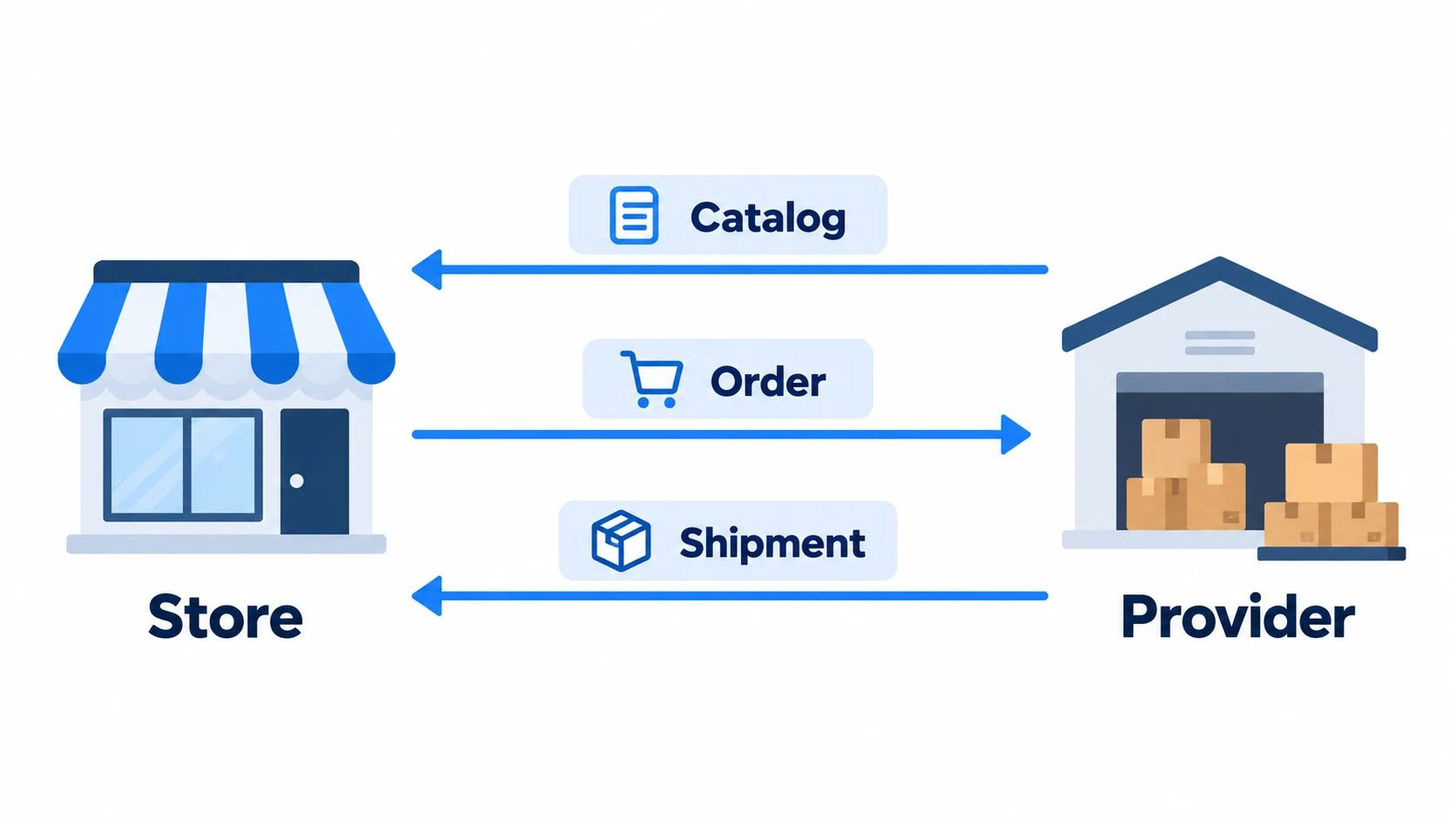
A dropshipping API lets your software exchange product, availability, order and shipment information with a supplier or fulfillment service. Compare CJ for catalog and fulfillment, Printful for print on demand, Wholesale2B for custom-store or white-label catalog access, and Dropday for order routing. Choose the service you need before choosing the connection.
You can see what one API returns without submitting an order. The example below reads one public Printful product, then explains how its identifiers connect to the provider and order work your store needs.
| API | Main job |
|---|---|
| CJ | Supplier catalog and fulfillment |
| Printful | Print-on-demand products and production |
| Wholesale2B | Custom-store or white-label catalog access |
| Dropday | Forwarding orders to a supplier you already use |
01
Try a read-only product request
The following Python 3 example uses Requests. It reads a public catalog response and selects the Aqua/M option. It sends no customer information, creates no order and makes no purchase.
This is a v1 catalog request, not a production-order example.
Install the dependency with python -m pip install requests. Save the code as catalog_check.py, then run python catalog_check.py:
Show the Python example
import json
import requests

base = "https://api.printful.com"
url = base + "/products/71"
reply = requests.get(url, timeout=20)
reply.raise_for_status()
data = reply.json()["result"]

matches = [
    v for v in data["variants"]
    if v["color"] == "Aqua"
    and v["size"] == "M"
]
if not matches:
    message = "Aqua/M is absent."
    raise SystemExit(message)

variant = matches[0]
product_id = data["product"]["id"]
answer = {
    "product_id": product_id,
    "variant_id": variant["id"],
    "color": variant["color"],
    "size": variant["size"],
}
print(json.dumps(answer, indent=2))
When this exact request was checked again on October 21, 2026, it returned HTTP 200 and these selected values:
{
  "product_id": 71,
  "variant_id": 4022,
  "color": "Aqua",
  "size": "M"
}
That result proves you can read the public item data and select a specific variant at that time. It does not prove that your account can create an order, that the variant is reserved, or that a finished printed shirt can be delivered to your customer for a particular price.
If the request fails
If the option is absent, the script stops with a clear message. If the request fails before that, record the HTTP error and inspect the current v1 API documentation. A 403 response concerns access or request restrictions; it does not tell you that Aqua/M is absent. Check the permitted connection and endpoint before changing the product mapping. Do not “fix” a failed read by inventing an identifier or repeatedly submitting an order.
Read the product and variant identifiers
A product can describe a shirt model. A variant identifies an option within that model, such as one color and size. Your own store SKU is a third identifier that you control.
In the public Printful catalog response rechecked on October 21, 2026, product 71 was the Bella + Canvas 3001 shirt family. The Aqua, size M option had variant 4022. Sending “71” where a request requires the chosen variant would not communicate the same item.

These numbers are a dated catalog observation, not a promise that the item will remain available. Printful’s catalog documentation also explains that variant availability can differ by region.
For your own store, a small mapping record could look like this:
| Field | Example or purpose |
|---|---|
| Your store SKU | TEE-AQUA-M — an illustrative code you choose |
| Supplier and API version | Printful, v1 for this catalog example |
| Supplier product ID | 71 — the shirt family |
| Supplier variant ID | 4022 — the observed Aqua/M option |
| Required order inputs | Design, quantity, recipient and chosen service, as required by that API |
The two supplier IDs come from the actual response. The store code and proposed record are examples. Keep the supplier name with the identifiers; another provider’s number does not belong to Printful’s identifier system.
If an option disappears, stop offering that mapping until it is resolved. Do not silently substitute a similar color or size because the product title still matches. The customer chose the option, not just the shirt family.
02
Choose the API for your business
The connection should serve the business arrangement you actually need. A product source, a print producer and a router for an existing supplier are different purchases.
CJ: a supplier-side catalog and ordering connection
CJ publishes separate product interfaces and order synchronization workflows. This is relevant when your own application needs to work with CJ product data and orders.
Its current access guide gives a concrete starting route:
- If needed, install the API app from Apps → Install App → Others in the CJ account.
- Open Get API Key to obtain the account’s API key.
- Have the server exchange that key for an access token and implement the documented refresh process. Keep both credentials out of public storefront code.
Read the workflow that matches your arrangement. A mode in which you supply a shipping label has different release requirements from one in which the provider arranges the logistics. Do not copy an order request without establishing which mode, warehouse and shipping responsibility it represents.
If you are still choosing the supplier rather than building the connection, begin with our CJdropshipping review. An available endpoint cannot decide whether the actual product and service fit your store.
Printful: production after the customer orders
Printful’s API is relevant to print-on-demand products and custom storefronts. Your integration must describe the ordered product and its design, rather than just forward a catalog name.
There is also a version choice. In the documentation reviewed October 20, 2026, Printful describes API v2 as Open Beta. Its documentation separates catalog, order and other resources. Pin the version your implementation uses; examples from different versions are not interchangeable request bodies.
The read-only example above uses a v1 catalog endpoint. It demonstrates product identity; choose the version and current authentication requirements for a production build deliberately.
Wholesale2B: a custom-store or white-label offering
Wholesale2B’s API page describes product, inventory and order synchronization for custom-built stores, with a separate white-label use case for businesses building their own service.
Decide which of those you are commissioning. Connecting one shop to a catalog is a different commercial scope from providing supplier access to your own customers. Confirm the account’s access, intended use and charges before promising that wider service or pricing the development.
Dropday: routing to an existing supplier
Dropday describes configurable API order forwarding, including custom JSON requests, order review and supplier routing. That can be relevant when the supplier is already chosen and the missing work is getting an order into its system.
A routing service is different from a supplier catalog. You still need a supplier willing and able to accept the chosen item, address and order format. Establish how acknowledgments and shipment updates return, rather than stopping at “the request was sent.”
If an existing store app already covers your products, order routing and tracking, compare that route first. Our dropshipping automation software guide covers those app-level choices. A custom API connection earns its cost when it supports work the available app does not handle adequately.
03
Connect order release and shipment updates
After a customer buys, identify the supplier action that releases the work. Keep the correct variant, quantity, recipient, service and required design connected to that order; a catalog import has not assembled or paid for them.
Printful’s v2 documentation reviewed on October 20 describes draft orders that are not charged or picked up for fulfillment until confirmation. Its order cost calculation also has a state of its own. The useful distinction is between preparing an order and releasing it; implement the exact requirements of your chosen version.

CJ’s ordering guide separates inventory, warehouse, order and payment/logistics work according to the selected workflow. Obtaining the access token described earlier is the beginning of that process.
Keep the status explanation short enough that the merchant can use it:
- Prepared: the required product, quantity, recipient and other inputs have been assembled.
- Accepted or awaiting action: the supplier has a record; identify any confirmation, payment or other release requirement.
- In fulfillment: use the provider’s actual state and explain what it means.
- Shipped: record the affected items and shipment information; distinguish label creation from carrier movement.
Those are proposed merchant-facing descriptions, not universal API status codes. Map the actual provider states rather than sending these words as invented request values.
Your store’s customer order reference and the supplier’s order reference should remain linked. For a Shopify implementation, our Shopify dropshipping API guide develops the store-side fulfillment, webhook and recovery details. The supplier-side capability check comes before that implementation work.
Handle the order that stops
Agree these behaviors with the developer before using the connection for customer orders:
| Proposed test | Expected result to agree with the developer |
|---|---|
| The mapped size is absent | Hold that item and identify the missing mapping; do not substitute |
| No suitable delivery route is available | Stop release and show the unresolved address/service problem |
| An order remains in draft or awaits payment | Show the pending action and responsible person; do not label it dispatched |
These are proposed exception outputs, not universal API codes or paid test results. Give the merchant a pending action and the person responsible for it, rather than another successful-import notification.
04
Scope the build and maintenance
A developer can quote a product import accurately while leaving the rest of the fulfillment work outside the scope. Make the requested result explicit before comparing development prices.
Ask the quote to identify these responsibilities:
- Catalog import and exact variant mapping.
- Availability and product-change handling.
- Complete order submission, acknowledgment and release requirements.
- Shipment updates, cancellations and unresolved-order handling.
- Maintenance when credentials, versions or provider requirements change.
Then establish who monitors failed work and how the merchant sees it. An exception list that nobody reviews does not resolve a customer’s order.
Keep software and parcel charges separate
Keep software cost separate from the supplier’s actual order charge. The selected item, printing or preparation, shipping destination, service and applicable extras still determine the commercial quote. An API response showing a product price is not automatically the amount you will pay for the finished delivered order.
There is no universal “free dropshipping API” fulfillment price. Access terms vary, and a free catalog read does not pay for merchandise, production or transport. Compare the supported app with the complete custom scope, rather than comparing an app subscription with an incomplete importer.
If the missing work is sourcing
Sometimes the uncertainty is in the supply arrangement itself: which source has the exact item, how it should be packed, or which order and tracking handoffs are available. AIDrop Agent can review that sourcing scope. Send the product links, destination, order pattern and current handoff problem so the discussion starts with the work you need. Ask about the available connection method rather than assuming that a sourcing partner offers a public developer API.
05
Questions about dropshipping APIs
Do I need an API to start dropshipping?
You need a workable order process. A supported store app or a controlled manual process may provide it without custom development. An API becomes relevant when your system, supplier mix or required workflow calls for a connection that the existing route does not provide.
Is a supplier API the same as the Shopify API?
They belong to different systems. The store interface manages the store’s records and fulfillment work; the supplier interface handles the provider’s available operations. A complete integration may use both, with a clear mapping between their identifiers and states.
What if my supplier has no API?
Ask which supported route exists: an app, structured file or another agreed order process. A CSV workflow can be appropriate when its timing and responsibilities fit the business. Do not commission a supposed API connection before confirming that the supplier exposes the necessary service.
Should API keys go into my storefront’s page code?
Keep private credentials in the controlled server-side integration, with the permissions required for its work. Public product data and an authorized order interface have different access needs. Follow the provider’s actual authentication requirements; the unauthenticated catalog example does not justify exposing a private key.
Can I combine v1 and v2 examples?
An integration may use documented endpoints from more than one version, but each request must follow the version it calls. Do not paste v1 item fields into a v2 order merely because both mention the same product. Record which version owns each operation and plan migration deliberately.
Does a stock number reserve the item?
Establish what that provider’s stock response means and whether its ordering process reserves anything. A catalog observation and a reservation are different operations. Set customer promises from the actual product, destination and accepted fulfillment arrangement, not from a number whose meaning has not been established.
API documentation and access status were checked October 20, 2026. The public catalog read was checked again October 21; other configuration records and acceptance tests are proposed examples. See the fulfillment guide for the wider work that remains after a system connection succeeds.
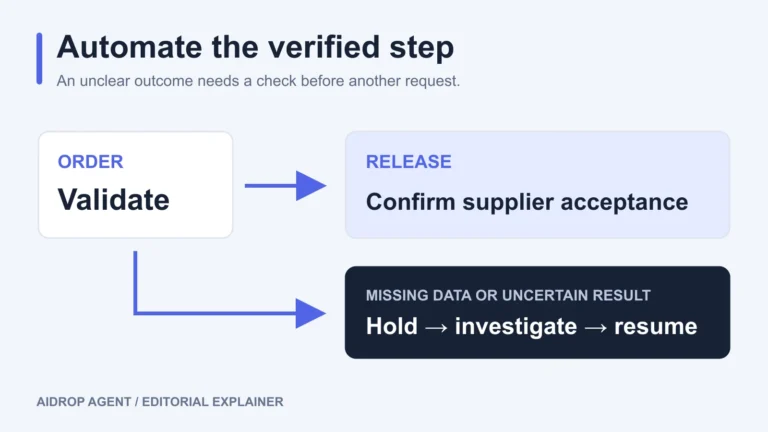
Automated Dropshipping Fulfillment: Setup, Holds, and Recovery
Set up automated dropshipping fulfillment with product mapping, release rules, supplier acknowledgments, holds and safe recovery after
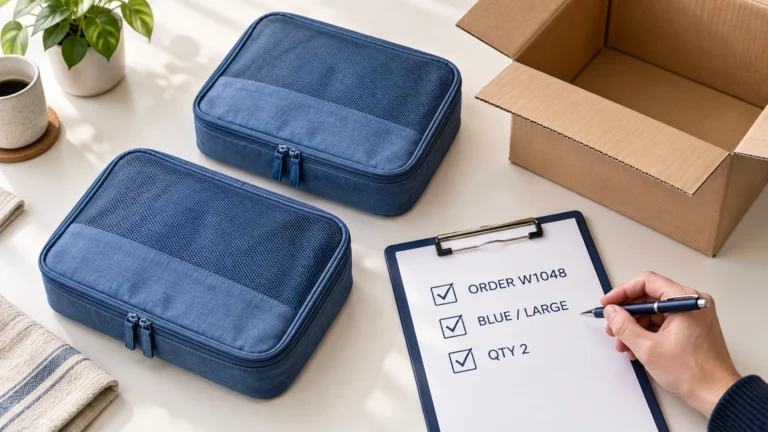
Dropshipping Order Release Checklist: From Hold to Supplier Acceptance
Release a dropshipping order only after its payment terms, risk review, exact items, delivery details, stock, supplier
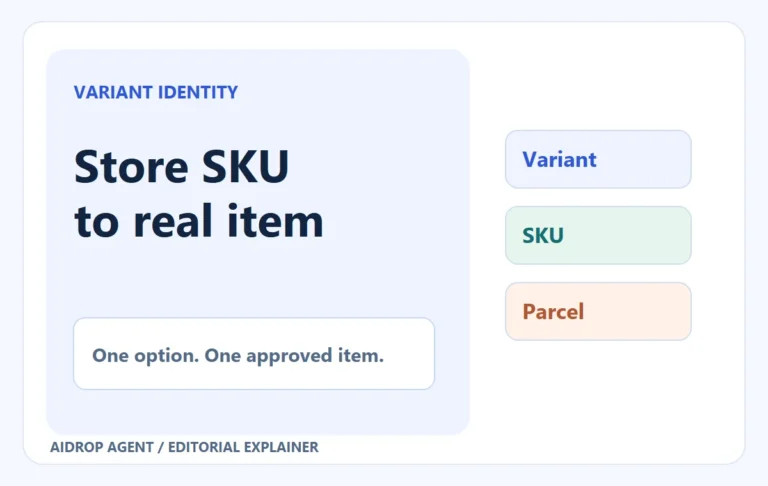
Dropshipping SKU Mapping: Make Every Store Variant Reach the Right Item
A variant-level mapping and controlled order stop the wrong color, size or pack from reaching buyers.
