
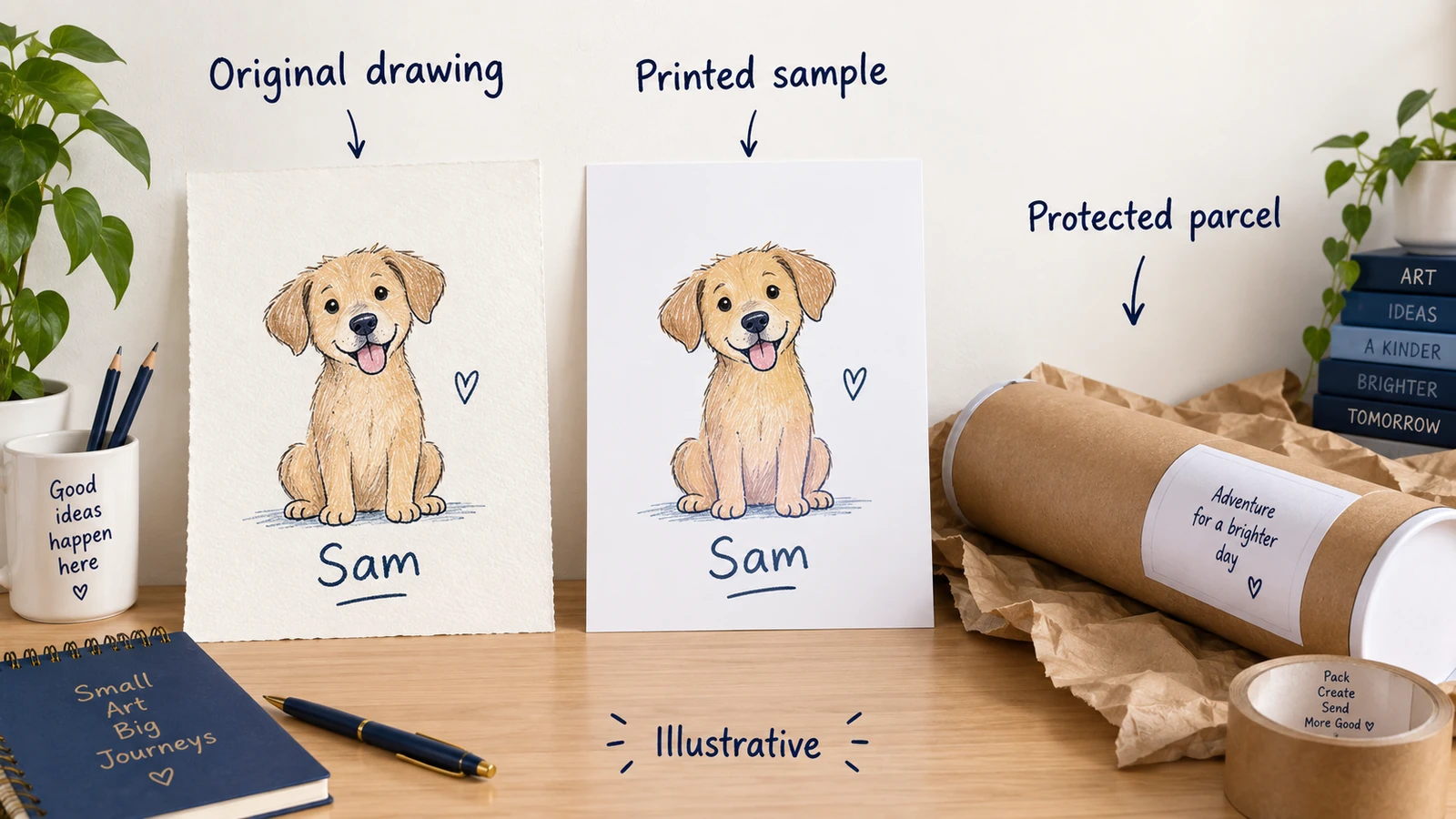
Yes, Printful can make and ship eligible original-design or buyer-personalized products sold on Etsy. You connect the shop and product, prepare the finished artwork and pay Printful’s order bill. It prints or makes the item after the order arrives, then sends it to the buyer.
Imagine a poster with your own pet drawing and the name “Sam” beneath it. Your job is to get that name into the right file, choose the paper and size, price the whole sale and help the buyer if the parcel arrives damaged. Printful handles production and shipping; its free platform plan still leaves those order costs to pay.
This can suit a first design-led offer when you want to avoid buying a bulk run. It is less suitable when your plan depends on unchanged retail resale, no manual personalization work or an arrival date you cannot support.
01
Turn your own design into an accurate listing
Etsy’s Creativity Standards allow your original design to be made by a disclosed production partner. Printful is that partner when it physically produces the item from your design. Give accurate partner and shipping-origin information; connecting a printer does not make unchanged wholesale goods eligible. The Etsy dropshipping guide explains the wider product rules.
You also need the rights to use, sell and distribute the artwork, under Printful’s content policy. A commercial license and Etsy’s requirement for your original design are separate matters. Do not treat the printer accepting a file as approval of the whole listing.
For your pet poster:
- Open your Etsy shop and a Printful account. In Printful’s Stores section, connect the intended Etsy shop.
- Choose the actual poster model, paper, sizes and customization method. Price each offered format.
- Add your artwork and placement, then prepare pictures, a title and a description that match the item.
- Send the product to Etsy as a draft. Add the applicable partner details and read its origin, delivery settings and retail prices.
- Publish the finished listing and pay Etsy’s applicable listing charge.
Printful’s product instructions also allow an Etsy-first listing that you sync manually afterward. Either way, the connected print product must match the size, material and design you offer the buyer.
02
Prepare the file, then inspect a real sample
Open the chosen product’s File guidelines and template. They give the actual print area and file requirements. Printful’s preparation guide covers product-appropriate PNG or JPEG files, sRGB color and enough detail for the print size. Its general 150–300 DPI advice depends on the product and technique; the product’s instructions take priority.
Size the file for the actual print
DPI describes detail per printed inch. As a simple file-size example, 3,000 pixels spread over 10 inches gives 300 pixels per inch; spread over 20 inches, it gives 150. Enlarging that same small image does not create new detail. Printful’s DPI guide explains the relationship. Keep “Sam” and important artwork inside the template’s safe area so printing or cutting does not remove them.
A mockup is a picture of how the design could look. A sample is the printed item you can hold. Use it to answer three practical questions:
- Can you read the name and see the drawing clearly? Look at lettering, edges, color and placement at the size you sell.
- Does the paper and finish match the offer? Check the real size and any frame assumptions in the listing.
- Did it survive the route? Look for creases, damaged edges and inadequate parcel protection.
If the bottom of “Sam” is missing, fix the file or placement. If the print is correct but creased, address the packing or delivery problem. Those require different remedies.
Use the sample option available to your account
Printful’s sample program requires a connected store and normally starts eligibility the following month; it may not be available to every account. Eligible accounts initially get one sample order a month with up to three items. Find the allowance and discount in Billing → Discounts, then use New order → Test your design.
Samples need a printed design and are not for resale. Current wall-art limits include 8 × 10-inch framed posters and 12 × 12-inch canvases; unframed posters allow all sizes. Discounts do not stack with the listed Growth discounts, coupons or gift cards. Inspect the format you plan to offer rather than assuming one small sample proves every larger poster. No sample was ordered for this article.
03
Price the whole sale and keep production funds ready
Printful’s public plans, checked again on October 11, 2026, are Free at $0/month and optional Growth at $24.99 USD/month. The free plan can support a first suitable offer. You still pay production, delivery, tax and applicable extras such as additional print placements or labels.
Etsy’s fees include a $0.20 USD listing charge and a 6.5% transaction fee on the applicable order amount, including charged shipping. Renewals and additional quantities can add listing charges. Etsy Payments processing depends on your bank account country: a US bank account uses 3% + $0.25 USD.
For an illustrative sale, assume one $30 poster with shipping included, a US seller bank account, no sales tax and no attributed advertising charge. The $12 product and $5 delivery are assumptions, not Printful quotes.
- Buyer pays: $30.00
- Product and production: −$12.00
- Delivery paid to Printful: −$5.00
- Listing charge allocated to the sale: −$0.20
- Transaction fee: $30 × 6.5%: −$1.95
- US processing: $30 × 3% + $0.25: −$1.15
- Left before other costs: $9.70
That is $30 − $12 − $5 − $0.20 − $1.95 − $1.15 = $9.70. Advertising, subscriptions, tax, replacements, your work and other applicable fees still come out of it. It is not final profit.
A 20% sale cuts this remainder to $4.27
At 20% off, the buyer pays $24. Keeping the product and shipping assumptions unchanged, transaction fees become $1.56 and processing $0.97. You have $24 − $12 − $5 − $0.20 − $1.56 − $0.97 = $4.27 before those other costs. The discount more than halves the remainder because printing and shipping did not get cheaper. Use actual quotes and account charges—including any setup, conversion or regional fees—before running a sale.
Fund the $17 bill before the payout
Money left on paper is different from money available to pay Printful today. It charges your Wallet or saved billing method separately from the buyer’s Etsy payment. Here the bill is $12 + $5 = $17. Twenty orders needing production before Etsy pays out require 20 × $17 = $340 available. An account-specific Etsy reserve can also delay access to sales funds.
04
Finish the personalized file before production
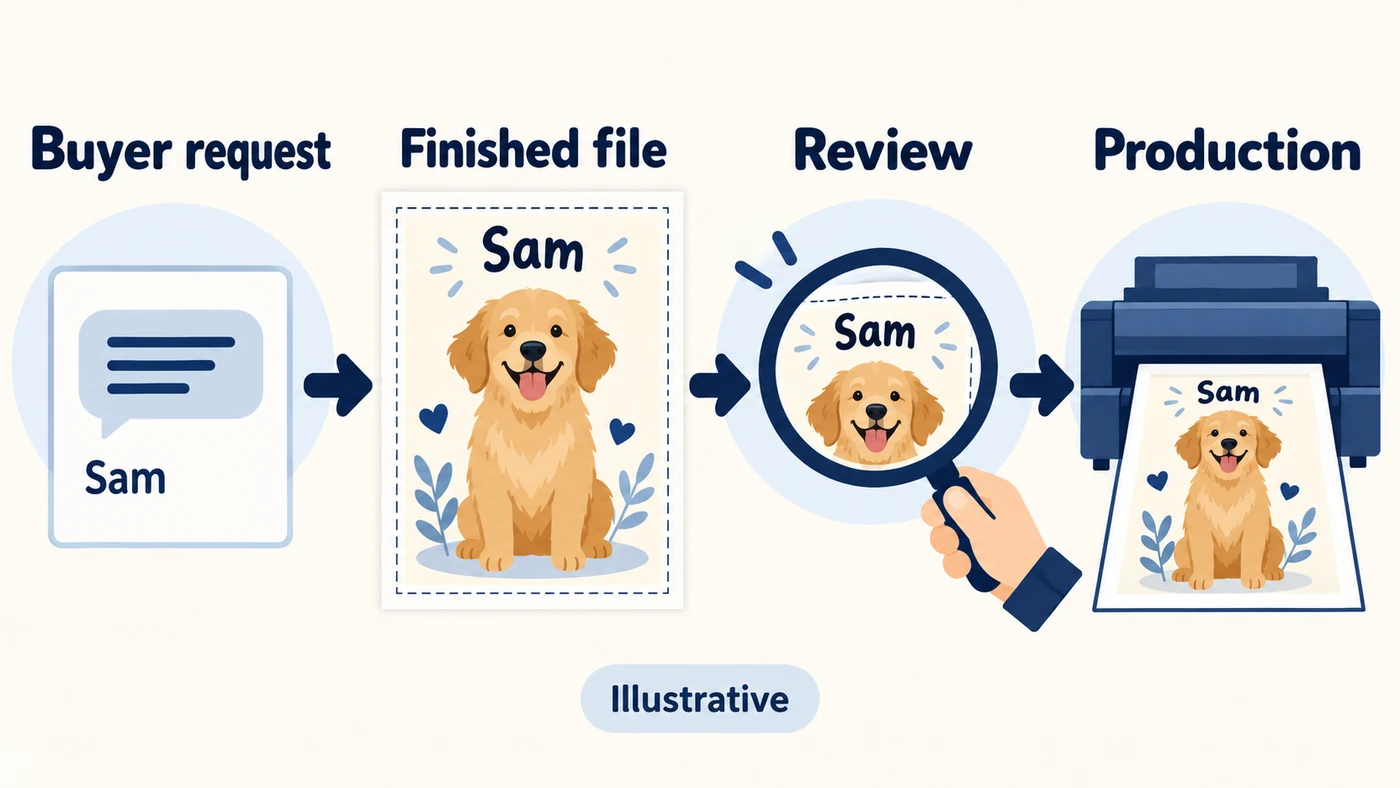
An Etsy name field collects “Sam.” It does not automatically put Sam into the artwork. Printful’s personalization instructions give you a draft-order route for doing that work.
Prepare the finished Sam file
- In Etsy Shop Manager, open the listing’s Personalisation option. Give clear buyer instructions and a character limit that fits the design.
- In Printful, open Settings → Store settings → Orders, select the Etsy store and find Sync as you go. Enable Import personalized orders as drafts and save.
- Open the imported order marked Requires personalization and read the buyer’s request.
- Choose Personalize order, then Personalize beneath the product. Add Sam to the design and inspect spelling, placement, size and address.
- Continue and complete checkout to submit the correct version for production.
Keep your blank name template separate from the finished Sam file. A placeholder on a mockup helps you show the layout; sending it to production makes the wrong poster. The version you submit must contain the buyer’s actual name, and changing the listing afterward does not replace a file already submitted for that order.
Check the finished order before release
For the Sam example, keep one short record beside the order. Fill it with the buyer’s actual request and the file you will submit:
Buyer request and file
Record the requested name, spelling and any confirmed proof. Note the finished file’s name or version. Check that the preview contains the buyer’s actual name and remove any placeholder before submission.
Product and production order
Record the actual poster model, size, quantity, address and Printful order number. Check any existing order before another submission; the review is for this paid sale, not merely the listing’s current mockup.
Submit after those details match. If the buyer changes the name, open the current order and check the available edit controls before promising a new file can still be used. This is a proposed record, not a personalized order we submitted.
Deal with a hold or change while it is still possible
If the order is on hold, read the displayed cause: file, address, stock or payment. Correct that problem; after a file repair, you may need to request hold removal. Copying the order without fixing the cause can create another held order.
For a requested change, open the actual order before promising a correction. Printful permits changes before fulfillment where the controls allow them, but some partner-facility orders lose edit access immediately after submission. Once production starts, ordinary cancellation and refund are no longer available through that option. Some address edits may remain possible before shipment; do not promise to recall a dispatched parcel.
05
Add production days to the parcel’s journey
Fulfillment means making the item before it ships. Printful currently gives an average of 2–5 business days across most techniques and facilities. Categories and partner facilities can differ. That is production time, not an arrival date.
Business days and holds change the date
The order day is excluded, and weekends and holidays do not count as business days. A hold resets the production clock when lifted. For a simple example, assume an order placed Monday, three business days of production, four business days of transit and no holidays:
- Order placed: Monday; not production day one.
- Three production days: Tuesday, Wednesday, Thursday.
- Four transit days: Friday, Monday, Tuesday, Wednesday.
Arrival falls on the following Wednesday under these assumptions. Seven business days of work and transit are not seven calendar days. Replace both assumed durations with the actual product and destination estimates, especially for an event gift.
Printful’s delivery estimate combines production and shipping. File problems, stock shortages, demand and carrier delays can extend it; current estimates may change after submission. Use them to inform the buyer, not as a guaranteed deadline.
Set Etsy’s delivery information for the real item
The listing’s estimate can differ from the order
Printful’s Etsy shipping guide describes generated flat-rate profiles. Etsy displays their static settings, while Printful’s later estimate uses recent order data. Those dates may differ. The default US origin also does not mean every order ships from the US; set the applicable origin accurately in Printful’s store settings.
Use these settings for the actual item:
- In Etsy Shop Manager → Settings → Delivery settings, use the appropriate Monday–Friday processing schedule.
- For an Etsy-first listing, open Listings → Edit listing → Processing & Delivery and assign the correct profile.
- To customize charges or times, create or duplicate a profile and assign the listing to it. Edits to the original generated profile can be overwritten.
With different-size posters in one listing, Printful’s generated profile uses the highest shipping rate among the variants. That can charge the small poster’s buyer the large poster’s rate. Inspect both prices and describe the offer clearly. These flat-rate settings are not live carrier quotes.
06
Help the buyer and pursue the right provider claim
Start with the Etsy request, submitted file and photos of the item and parcel. A misspelled file and a printer using the wrong file can look alike to the buyer, but need different fixes.
| Buyer reports | Find the cause | First response |
|---|---|---|
| Wrong name | Compare the request, submitted file and print. | Correct your file mistake, or report a production mismatch if the provider printed something different. |
| Damage or poor printing | Compare clear photos with the intended item. | Report the problem promptly and arrange the buyer’s remedy. |
| Wrong size chosen | Compare the order, listing and delivered size. | Apply the shop and buyer rules; do not assume Printful pays for the buyer’s selection. |
| Late or absent parcel | Read the current order and tracking estimate. | Update the buyer and use the applicable late or lost-order report. |
On a phone, swipe the table sideways to compare every column.
Two different 30-day reporting windows
Printful’s refund policy generally covers defective, damaged, misprinted or lost orders after review. Report quality problems with photos within 30 days of delivery. For a never-arrived parcel, the 30-day window runs from estimated delivery. These are different starting points.
Check the destination and actual claim
Buyer remorse and a buyer choosing the wrong size or color are generally outside that coverage. The policy includes a Brazil-specific seven-calendar-day right-to-regret exception. Unclaimed returned items are donated after 30 days, and some reshipments require another shipping payment. Use the rule for the actual destination and problem.
For a late parcel, Printful’s delivery guidance places its reporting step three additional business days after the estimate on the order’s tracking page. Keep helping the buyer during that process; this does not replace the delivery promise you made in the shop.
A Printful Wallet credit does not refund your Etsy buyer. Make any required customer refund through Etsy separately, while pursuing the provider claim. Canceling Printful production also does not cancel the Etsy sale.
Your buyer remedy remains a separate task
Etsy’s Seller Policy requires notification, cancellation and a full refund when you cannot complete an already-paid order. Other buyer rights depend on the product and destination; EU and UK withdrawal rules have conditions and custom-item exceptions. Printing after purchase alone does not make every item nonreturnable. Set a shop policy that fits the actual offer rather than copying Printful’s reimbursement policy.
07
Frequently asked questions
Is Printful free to use with Etsy?
Its Free plan has no monthly platform fee. Printing, shipping and applicable extras still need payment, and Etsy has its own charges. Use the example above as a worksheet, then replace every assumed product and delivery amount with your quote.
Does Etsy automatically add the buyer’s name to the print?
The name field collects the request. In the documented Printful workflow, import personalized orders as drafts, prepare the finished artwork and submit it after review. A typed name does not by itself update the production file.
Can I launch before my sample discount is available?
An account’s sample allowance is not immediate or universal. Use an available supported order method to inspect the intended item and understand its cost. Do not advertise a sample-tested result before receiving and checking one.
Can I promise that the poster arrives for a birthday?
Use the actual product and destination estimate, including production and any hold. Confirm the buying window before making an event promise. A flat-rate Etsy profile and a general production average do not guarantee a specific arrival date.
Launch one offer you can explain to a buyer
Begin with your own design, one manageable format and a few choices. For the Sam poster, prepare the finished-name file, inspect the paper and packing through a supported sample method, price the order and make sure the delivery window fits the buyer’s use. Expand after you understand those choices, not simply because more sizes are available in the catalog. This guide reports no executed production or delivery test.
Need materials or packaging for your own design? AIDrop’s sourcing service can discuss China-side suppliers, samples, product checks and packing.
Send the design or product link, material and size, destination, expected orders and the physical problem, such as paper quality or creased parcels. Confirm the scope and quote first. Your print provider handles its file and software settings, and the production arrangement still needs to meet Etsy’s rules.
Etsy Dropshipping: What You Can Sell and How to Fulfill It
Check Etsy dropshipping rules, eligible supplies, production partners, listing details and the real costs of fulfilling an
Print on Demand Dropshipping: From Design to a Fulfilled Product
Understand print-on-demand dropshipping, approve designs and samples, calculate full order costs, and manage production, delivery and customer
Print on Demand Suppliers: Compare Production, Proofs and Fulfillment
Compare Printful, Printify and Gelato by product, routing, samples, complete order cost, integration and returns before choosing
