
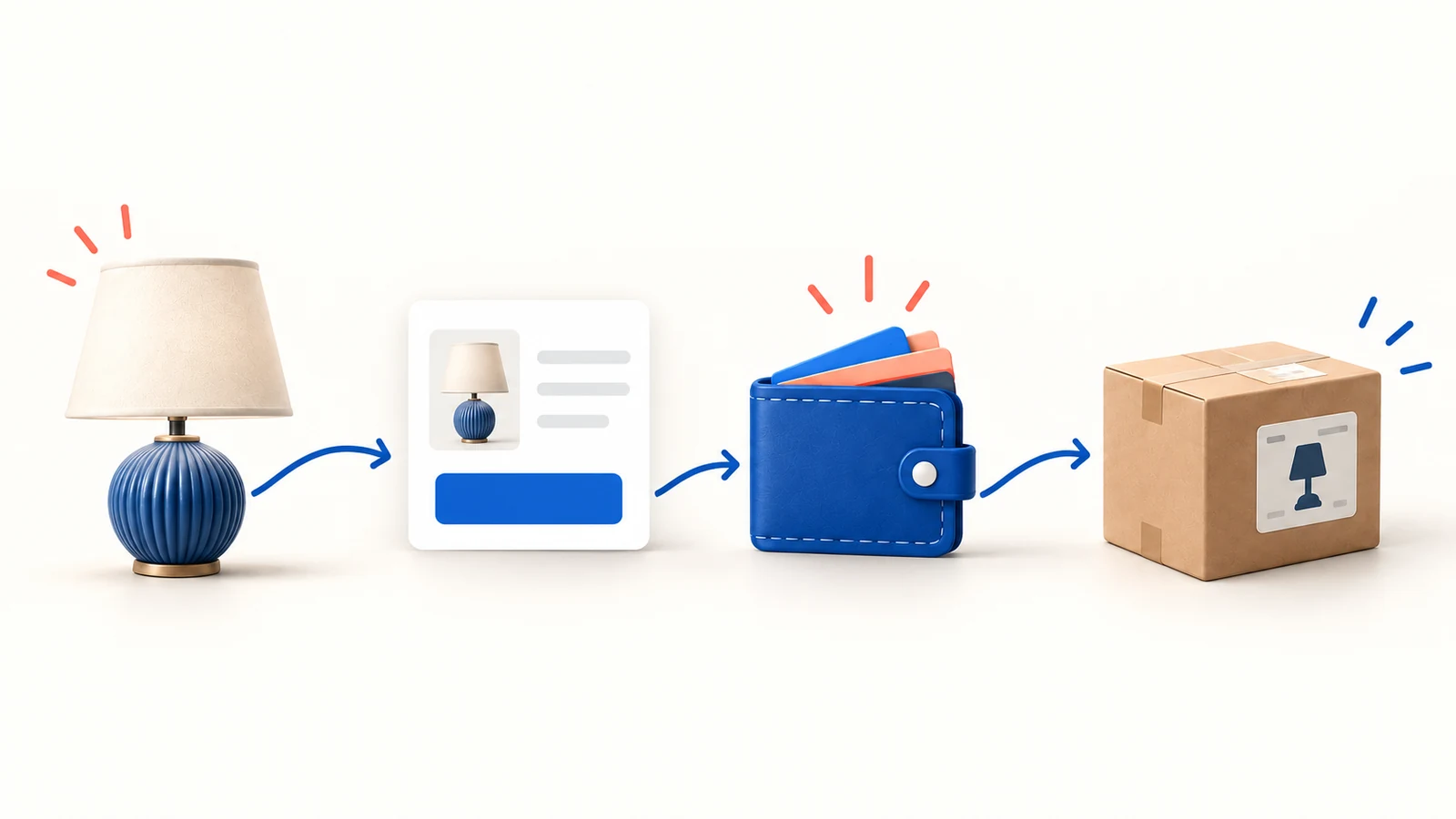
AppScenic connects a store with participating suppliers and automates product and order information. Its Free plan allows catalog browsing, not order fulfillment. To sell through the service, you need a suitable paid plan, a funded Store Wallet and product-specific shipping and return terms.
That wallet is easy to overlook. A customer can pay your store while the supplier order still waits for funds. The money shown in your store’s payment account is not automatically available to the supplier.
The pricing and setup information below was checked on October 10, 2026. We have not installed the service or tested deliveries. Use the proposed first-order check to verify your own connection.
01
What AppScenic does, and what the supplier still decides
AppScenic helps move information between your store and suppliers. The supplier still provides the product and carries out fulfillment under the applicable offer.
That means selecting AppScenic does not settle these product questions:
| Product question | What you need before listing |
|---|---|
| Where does it ship from? | Origin of the exact variant |
| Can it reach the buyer? | Destination coverage and a delivered quote |
| When is it expected? | Handling time plus the chosen carrier service |
| What happens after a fault? | Claim process, return address and remedy terms |
Check the selected supplier’s offer alongside AppScenic’s terms. A platform connection can reduce manual administration, but it cannot make two suppliers’ delivery and return arrangements identical.
For example, importing a lamp and a cushion through the same service does not establish that they leave the same warehouse or arrive in one parcel. Examine that before offering a bundle.
02
Choose the plan for the products and stores you need
The pricing page distinguishes product access and connected stores as well as listing count. Check those in that order. A small collection can still need a higher plan.
| Plan | Monthly USD price | Pushed products | Stores | Premium Products |
|---|---|---|---|---|
| Free | $0 | Catalog exploration | 1 | — |
| Standard | $39 | 100 | 1 | No |
| Pro | $79 | 5,000 | 3 | Yes |
| Elite | $99 | 20,000 | 10 | Yes |
The Free plan is for exploration and does not enable order fulfillment. These are the published monthly subscription terms checked on October 10, 2026. Merchandise and freight are separate. Verify the billing interval and any trial at checkout rather than substituting annual-plan figures.
If your 20 selected products are nonpremium and belong to one store, Standard is a candidate. If even one essential item requires Premium Products, its 100-product capacity does not solve that access problem; Pro is the first paid tier in this comparison with that permission. Four connected stores also exceed Pro’s stated three-store allowance.
Choose the lowest plan that supports the actual collection and stores. At 50 monthly orders, $39 allocated evenly is $0.78 per order; at 10 orders it is $3.90. That arithmetic helps judge the subscription, without turning the cheapest eligible plan into a product-quality recommendation.
03
Set the wallet, auto-funding and backup payment
AppScenic’s wallet setup guide uses Account → Store Wallet. Enter the billing details, choose the supported USD, EUR or GBP currency and add a payment method. Supplier funding is separate from the customer’s store payment.
The documented hold options are 6, 12, 24 and 36 hours. Choose time you can use for a real review. A 12-hour hold may help a shop checking addresses each morning, but it also delays evening orders. Compare that delay with your handling promise.
For automatic replenishment, the Auto Funding instructions give Store Wallet → Edit Wallet → enable Auto Funding → Update. Select the preferred funding method and the available threshold controls. AppScenic also documents backup payment methods for funding failures. Reopen the settings to check that they were saved.
Here is a hypothetical way to choose the cash amount, not an AppScenic requirement:
| Expected demand before your next review | Calculation |
|---|---|
| Eight orders at $24 each | $192 |
| Two more orders as a buffer | $48 |
| Accessible supplier funding for that interval | $240 |
Set the alert or replenishment point early enough that the remaining balance covers orders while a top-up succeeds. A threshold below one supplier bill can leave a sale waiting even though auto-funding is enabled. Choose values using your actual costs and the controls offered in your account.
A backup method reduces dependence on one card; it does not guarantee successful payment. After a funding event, match the wallet transaction and the original order reference. If an order remains held, use the cause-specific checks below rather than creating a second order.
04
Understand an On Hold order before retrying it
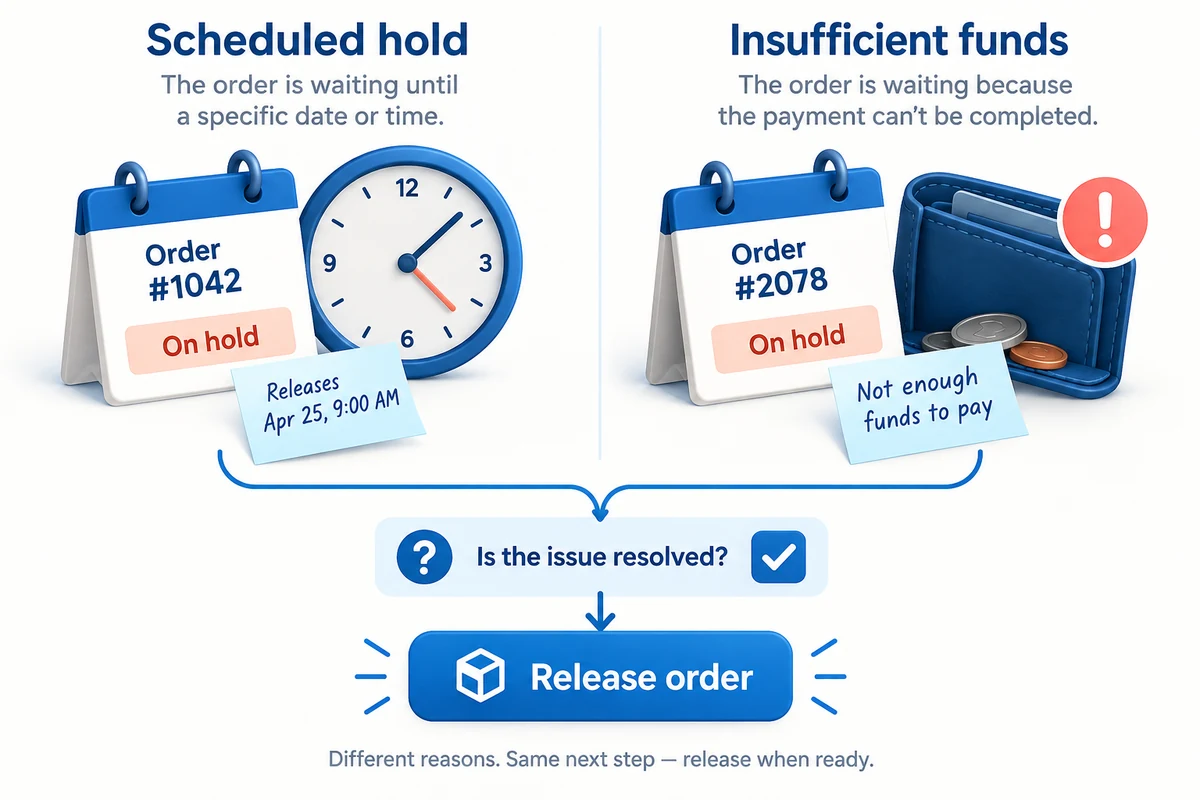
AppScenic’s On Hold explanation identifies deliberate hold time and insufficient wallet funds as reasons for that state.
The two situations require different actions:
| What you find | What to do next |
|---|---|
| The configured hold has not elapsed | Review the order and check its expected release time |
| Available wallet funds are insufficient | Resolve funding, then check the existing order’s progress |
| The state does not match either explanation | Inspect the order details and contact support with both order references |
Do not interpret supplier-side On Hold as proof that the customer has not paid. Check your store’s payment record separately.
For example, a buyer pays $45, but the supplier needs $24 for the item and delivery. If your wallet has $10, a profitable-looking sale still lacks the funds needed to proceed. Waiting for the store payout may be appropriate only if it fits your promised handling time.
Before creating a manual replacement, search for the original supplier order. A retry that creates another order can lead to two charges and two parcels.
05
Allow for the cash gap and monthly fee
Working capital is the money that bridges supplier payment and customer-payment payout. It matters even when each sale is profitable.
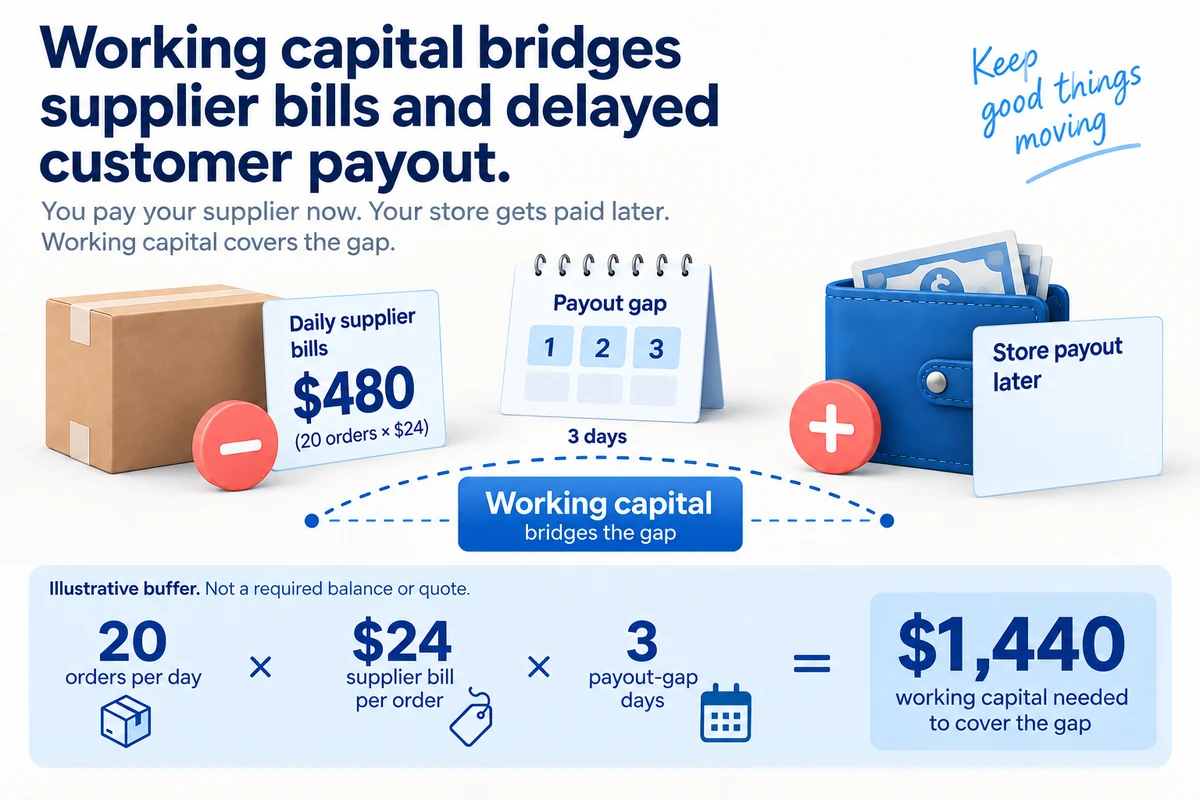
Here is a hypothetical buffer calculation:
20 orders per day × $24 supplier bill per order × 3 days before usable store payout = $1,440.
This is a planning example, not AppScenic’s required wallet balance. Your actual payout schedule, bank timing, order peaks and supplier charges determine the amount you need.
If 30 orders arrive in one day, that day’s supplier bill is $720 rather than $480. A buffer based only on the average can run short during a promotion.
Keep three amounts separate in your budget:
- Order contribution: sale revenue minus the costs of that order.
- Subscription expense: the recurring service charge.
- Accessible cash: funds available when the supplier needs payment.
Also allow for money tied up in a disputed or returned order. Refunding your customer and recovering a supplier payment may happen on different dates.
06
Check returns and cancellation separately
A product return, subscription cancellation and refund of unused wallet funds are different requests. Do not promise a customer remedy based on what happens when you close your account.
Before listing a product, save the supplier’s conditions for faults, unwanted items, return authorization and return carriage. Your customer-facing obligations may require a remedy beyond the supplier’s commercial arrangement.
AppScenic’s refund guidance says subscription payments are generally nonrefundable and requested wallet refunds exclude relevant processing fees, described as usually 1–3%. Read the current terms before committing funds.
For a hypothetical damaged lamp, your useful record includes:
| Record | Why it matters |
|---|---|
| Customer and supplier order references | Connects the claim to the correct purchase |
| Photos of damage and packaging | Helps establish the issue and transport condition |
| Authorized return address | Prevents sending the parcel to an unsuitable location |
| Agreed customer remedy | Keeps the buyer informed while supplier reimbursement is handled |
If you decide to stop using the platform, deal with open orders and claims before assuming that ending the subscription settles them. Confirm cancellation and any funds request in the relevant account records.
07
Test one checkout all the way to delivery
Import one product with a clear variant and a supported address. Place a real paid store order after checking the wallet and hold settings.
Track these four stages:
- Store: the customer payment, variant and address are correct.
- AppScenic: the order appears once, with the expected hold and charge.
- Supplier: the selected item is accepted and dispatch information becomes available.
- Buyer: the tracking link works and the received item matches the listing.
The check should include the email the buyer receives. A status that looks correct in an admin panel can still leave the customer without useful tracking.
If a charge or variant is wrong, stop expanding the range. Fix that mapping and repeat the affected part of the test. Keep the store and supplier references so you can distinguish a corrected order from the original.
Our dropshipping automation software guide compares tools against the order workflows they need to handle.
08
AppScenic questions
Can I fulfill orders on the Free plan?
The checked pricing page says No Orders for Free. Use it to inspect the offer, then choose an eligible ordering plan if you decide to sell through the service.
Why is a paid customer’s order waiting?
Check the supplier-side state, wallet funds and configured hold. Customer payment and supplier payment are separate. Do not create another order until you know what happened to the original.
Does the subscription include products or shipping?
No. Include the subscription, product and freight separately in your calculation. Verify any additional services or current plan benefits rather than assuming they are included.
Should I use a connected catalog or a sourcing agent?
Use a connected catalog when it offers the products and fulfillment arrangements you need. Consider sourcing support when you need a particular product, custom specification, inspection or packing arrangement. AIDrop Agent can review that China-side scope; send the product and destination details for a comparison. We do not manage AppScenic account support.
CJdropshipping Review: Costs, Warehouses, Quality and Fulfillment Fit
CJdropshipping is a practical option for sellers who want sourcing, store connections, packaging and fulfillment in one

CJdropshipping vs DSers: Who Sources, Pays and Ships the Order?
CJdropshipping can source and physically fulfill an order; DSers maps a store product to supported external suppliers

AutoDS Review: Evaluate the Automation You Would Actually Use
AutoDS can reduce listing and order work, but its value depends on your sales channel, tier, add-ons
