

Check the supplier’s progress before confirming a dropshipping cancellation. Stop the exact item where possible, then handle the buyer payment separately. A store refund can succeed while the parcel still ships.
This matters most in the first hours after an order. A store may say “unfulfilled” while a connected supplier already has a pick ticket. Your policy can say cancellations are possible before dispatch, but the team needs a way to know when dispatch became unavoidable. That is the narrow job of this article; the refund-policy guide owns the broader customer-facing policy.
Explore the broader topic: Dropshipping Fulfillment: From Paid Order to Delivered Parcel.
01
Build a timeline with two systems, not one status
Write down the store event and the supplier event side by side. Payment captured, fulfillment requested, supplier accepted, picking started, label created and carrier received are distinct moments. They may not all appear in your store admin. Ask the supplier or app which event ends free cancellation, which still permits a request with a fee, and which requires return or intercept after shipment.
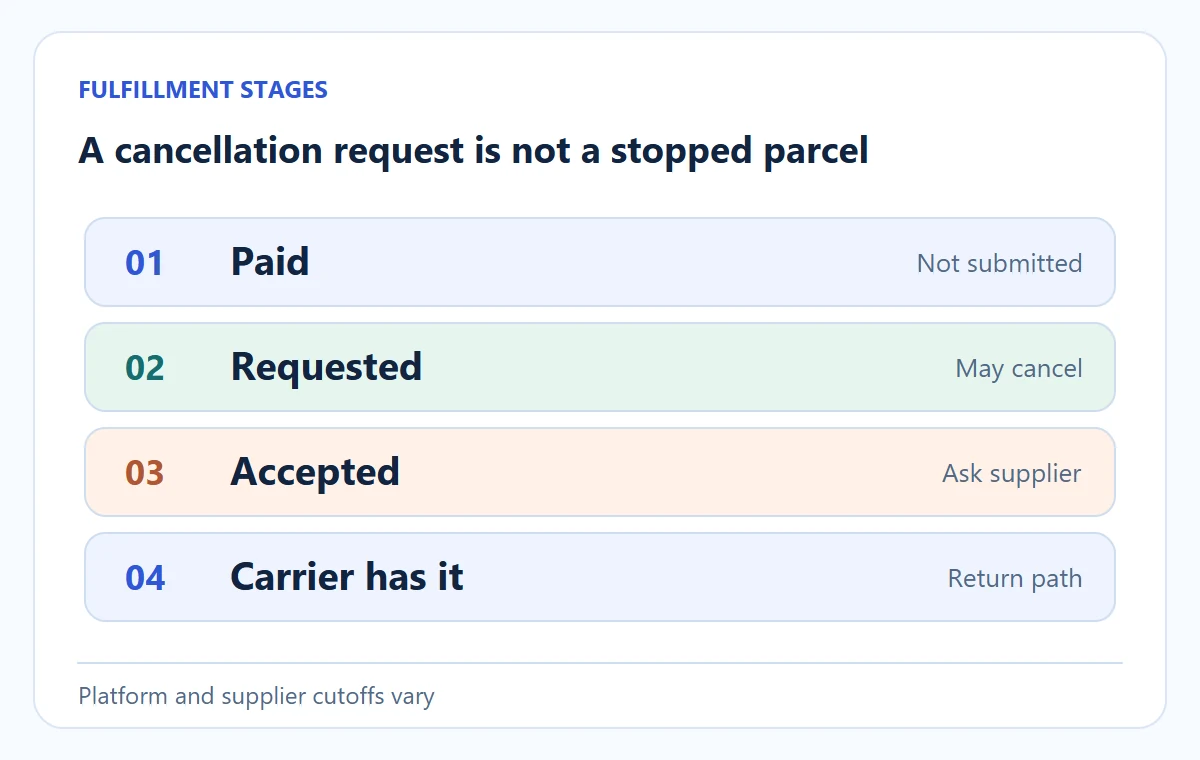
Shopify’s app-fulfillment help distinguishes a requested fulfillment from an accepted one. A requested fulfillment that has not been accepted may be cancelled in the admin.
Once the service accepts it, the merchant sends a cancellation request and waits for the service to accept or reject it. The platform also notes that apps differ in the status updates they provide. Do not translate a “cancellation requested” label into “parcel stopped.”
Use the cancellation action for the actual fulfillment stage
Follow the current app-fulfillment instructions; another app may use its own supplier portal.
Not yet accepted
Open Orders and the order. For a requested, not-yet-accepted fulfillment, use Cancel request. Check the Timeline and return to Unfulfilled; separately verify that no supplier picking or charge is still active.
Already accepted
In the accepted fulfillment’s menu, choose Request cancellation. Add the supplier/item reference and confirm. Notes here are internal, not a buyer email. Wait for the service’s accepted or rejected answer; Cancellation requested alone does not authorize a duplicate resend.
Keep a separate customer-response deadline even if the supplier is slow. Handle any buyer remedy due under your obligations independently of whether the supplier pays you back.
| What you can see | What it means operationally | Next action |
|---|---|---|
| Paid, not submitted to supplier | Store may still control release | Hold or cancel through the platform and verify no upstream order exists |
| Fulfillment requested, not accepted | Supplier has a request but may not have started | Cancel request in the supported workflow; verify status returns |
| Supplier accepted | Supplier may be processing | Send a cancellation request and wait for an explicit answer |
| Packed, labelled or carrier accepted | Physical process may be difficult or impossible to stop | Ask about intercept/return; tell buyer the actual state and remedy |
Your supplier may use different names for these events. Map its statuses to the actions above during onboarding, then keep the map in your supplier agreement and team procedure. The supplier-agreement guide addresses the broader commercial terms.
02
Answer the customer before the parcel outruns the request
Record the request and stop remaining release
When a cancellation message arrives, record the order ID, time, item and buyer request. Put a temporary hold on any remaining fulfillment if the system allows it. Check the supplier order ID and status immediately. A customer should not need to know which app you use, but they should receive an honest acknowledgement: you are checking whether the order can still be stopped and will confirm the outcome.
Do not say the parcel is stopped before the supplier confirms that outcome. A buyer refund may still be due even when dispatch cannot be stopped; the merchant must handle that remedy and record the remaining parcel cost. Keep the buyer resolution separate from any later supplier credit. The cash-flow guide explains why those dates differ.
For a multi-item order, ask whether one item can be stopped while the other continues. A supplier or platform may split fulfillment orders by location or service. If the buyer requested to cancel only the lamp, do not cancel the accessory by accident. Match line item, quantity and supplier order reference before sending the request.
A message for an uncertain stage
One possible response is:
We received your request to cancel order 1042. The fulfillment partner has already accepted the order, so we have asked them to stop it and are awaiting confirmation. We will update you by [realistic time]. If it has already shipped, we will explain the return or refund option that applies.
This is an example, not a substitute for your policy or local consumer obligations. Replace the time with one you can meet.
03
Check which item and amount can actually be reversed
An order total may combine products, shipping, tax, discount and payment fees. A customer cancelling one item from a two-item order may not be owed the same amount as half the cart total.
The original shipping charge might remain appropriate for the other item, change because the order no longer qualifies for a threshold, or need refunding under the store’s policy and applicable rules. Calculate the customer-facing amount from the actual order, not from the supplier’s credit note.
For example, an illustrative cart has a $45 lamp and a $20 shade, a $5 order discount and $8 shipping. The buyer asks to cancel only the shade before dispatch. You cannot safely say “refund $20” without deciding how the $5 discount was allocated, whether the shipping rate changes and whether tax was collected on that line.
Use the commerce platform’s supported partial-cancellation or refund workflow, inspect its preview, and record the amount shown to the buyer. This is an accounting example, not a universal refund formula.
Cancel an eligible Shopify order without creating a second refund
Use individual order cancellation after the upstream outcome is known; a required buyer remedy cannot wait for supplier credit.
Inspect the choices
Open Orders → the order → More actions → Cancel order. Check the refund method, reason, Restock inventory and buyer notification before confirming. Restock is selected by default; do not reopen an unavailable supplier variant just because the platform added its count back.
Reopen the result
Inspect Timeline and payment transactions. Later does not send a refund; give that task an owner and due time. If already refunded, avoid bulk cancellation that might refund twice. A partially fulfilled order may lack Cancel order; use the supported fulfillment/return/refund path for the affected item.
Use store credit only when appropriate for the buyer’s entitlement and agreement. These controls do not dictate the legal refund amount; reconcile the actual transaction rather than a reassuring status name.
To make the discount question visible, a purely illustrative proportional allocation gives the $20 shade 20 ÷ 65 × $5 = $1.54 of the $5 discount, so its discounted merchandise amount would be $18.46 before any tax or shipping adjustment.
Your platform’s stored discount allocation may be different, and the customer’s actual entitlement depends on the order, policy and applicable rules. Read the platform’s refund preview and payment record rather than copying $18.46 into a live refund. The calculation’s job is to prevent a support agent from guessing $20 from the product list price.
Stop the original line before releasing a corrected order
Meanwhile, the supplier may have one combined order for both items or two separate fulfillment orders. Ask which supplier line can be stopped. If cancelling the shade upstream also cancels the lamp, release a corrected order only after confirming the original supplier order is stopped; otherwise you risk a duplicate lamp. A partial customer refund and a partial supplier cancellation must refer to the same physical item and quantity.
Check production costs and the buyer’s actual rights
If the item was personalized or made to order, production may begin before shipping. Your store’s policy and the relevant law determine the customer’s rights, while the supplier agreement determines the upstream charge. Do not assume “not shipped” means the supplier incurs zero cost. Write these boundaries before listing the product, because an urgent customer request is a poor time to discover them.
04
Work a cancellation through the actual statuses
Find the stop point in one order’s timeline
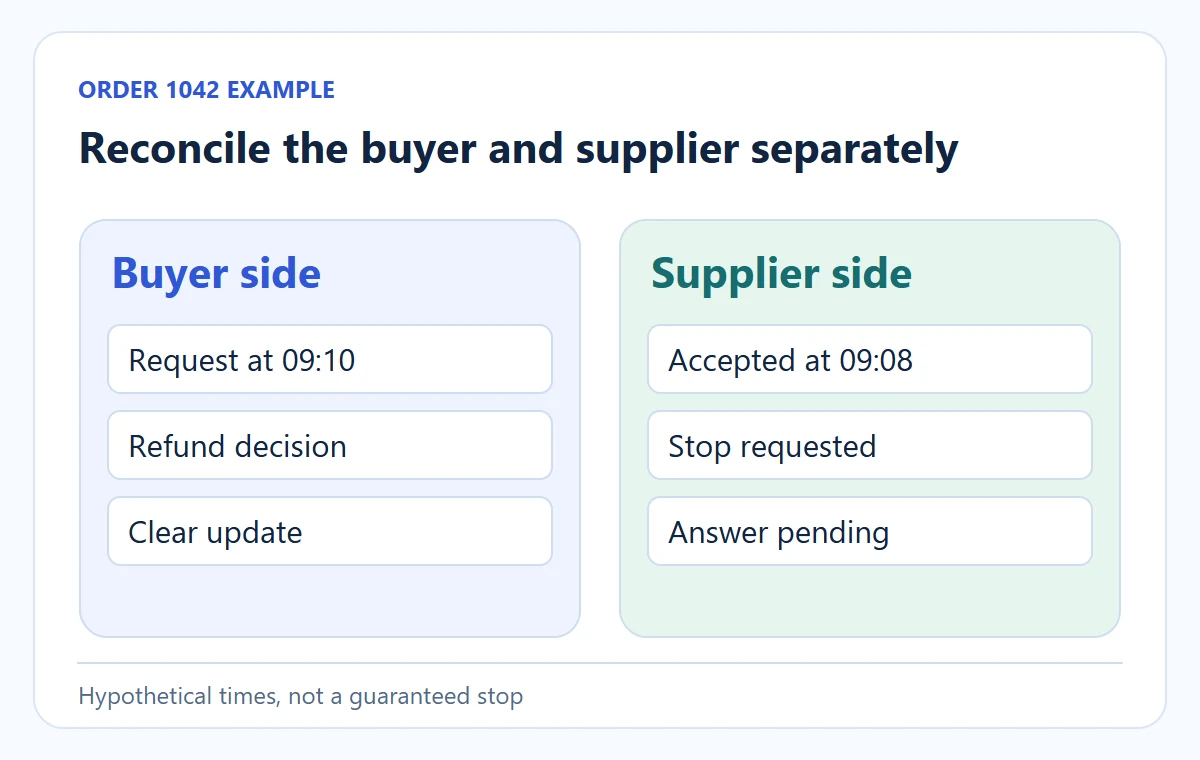
Consider a hypothetical $52 lamp order. The store captures payment at 09:00. The supplier app receives it at 09:02 and marks it accepted at 09:08. The buyer emails at 09:10. A team member sees “unfulfilled” in the store and assumes the order is safe to cancel. In fact, the accepted supplier order requires a cancellation request. The team sends one at 09:12, records the supplier ID, and waits.
Let the supplier’s answer choose the next branch
At 09:18, suppose the supplier confirms it has stopped picking. The store cancels the remaining fulfillment and processes the appropriate refund, then checks that no tracking appears later. If instead the supplier rejects the request because the parcel left at 09:15, the team tells the buyer that the parcel was not stopped and follows the relevant return or other remedy path.
Shopify’s cancelling-orders guide notes that third-party fulfillment may need to be cancelled with that service before the platform order can be cancelled.
Neither branch is solved by changing one status in the store. The supplier’s answer, customer payment and physical parcel all need reconciliation. If the supplier bills a non-refundable handling fee after acceptance, record it against the order; do not hide it in a generic “refund loss” estimate when reviewing margins.
Rehearse the accepted and rejected stop without live dispatch
Use an agreed isolated supplier test or pilot. The following is a checklist, not a claim that this store’s integration was tested.
Stop accepted
For the illustrative order 1042, save the original supplier ID and stopped outcome. Check no later carrier tracking or new supplier ID appears. Reconcile the buyer refund and supplier reversal/retained fee as separate entries.
Stop rejected
Keep the existing supplier ID and real parcel status. Buyer communication must say the stop failed and name the next remedy. Confirm no automated retry or manual resend creates a second lamp; the buyer refund can be valid even when upstream cost remains.
The test passes only when item, quantity, original supplier ID, actual parcel outcome and buyer money match the promised resolution. No customer should receive a deliberately wrong or unwanted test parcel.
Reconcile buyer money and supplier money on separate lines
For the same hypothetical $52 lamp, imagine the supplier has charged $26 for product, packing and freight. If the supplier confirms a stop and reverses the full $26, the merchant still has to issue and verify the correct customer refund; the upstream reversal does not do that automatically.
If the supplier retains a $2 accepted-order handling fee, the customer refund is still determined by the buyer’s order and obligations, while $2 is a merchant cost to record separately. If the parcel has shipped, the supplier’s $26 charge may remain and a return or intercept may create another cost. These are different ledger outcomes, not three names for “cancelled.”
| Record | Stop confirmed before picking | Stop rejected after dispatch |
|---|---|---|
| Supplier order | Final status stopped, with supplier ID and acknowledgement |
Final status shipped, carrier and tracking retained |
| Supplier charge | $26 reversal or documented $2 retained fee in this example | $26 charge remains until a later claim/credit is agreed |
| Buyer payment | Refund transaction and amount checked in the store/payment record | Buyer receives the remedy required by policy and applicable rules; do not mark refunded until it happens |
| Customer message | Confirm stopped order and refund timing actually initiated | Explain that stop failed, parcel status and the next return or other remedy |
Close on transactions and parcel evidence
Use the supplier ID and payment transaction ID as reconciliation keys. A dashboard that says “refund pending” is not proof the money was returned; a supplier email saying “cancel approved” is not proof the order stopped. Close the case only after both systems show the outcome you told the buyer to expect.
05
Prevent the duplicate and the ghost shipment
Verify the physical result, not an API acknowledgement
A cancellation request can fail silently if an integration loses sync. Check for a supplier acceptance or rejection event, not merely an API success message. Shopify’s Flow cancellation-request action explicitly notes that some fulfillment services cannot cancel work already in progress. If you cannot obtain a response, escalate to the supplier before assuming the order is stopped.
Handle the ghost parcel as its own remedy
If a cancelled item is later shipped, decide whether to intercept, offer a return label, let the buyer keep it where appropriate, or arrange another remedy. The right outcome depends on value, shipping, policy and applicable law. Record the parcel tracking and customer message. Do not simply issue a second supplier order because the first has disappeared from your store view.
Do not resend a merely requested cancellation
The reverse problem also happens: a team sends a new order after thinking the first was cancelled, but the first was only “cancellation requested.” Verify the supplier’s unique order ID and final state before resending. One buyer order should have a traceable set of upstream orders, each marked accepted, stopped or shipped. The order-release guide covers duplicate-prevention earlier in the flow.
06
Review failed cancellations as an operating metric
Find which stop point creates the failures
Count requests by stage: before supplier submission, after submission but before acceptance, after acceptance and after carrier handoff. Record how many stop requests were accepted, how long the answer took, the customer remedy and the unrecovered supplier charge. A high failure rate after acceptance may justify delaying automatic release for a brief address and fraud review; a high rate because the team notices customer messages late calls for better alerting instead.
The metric should not encourage staff to refuse legitimate requests. It shows where process design can make a fair answer faster. Review the actual affected orders with the supplier, because a dashboard can say “cancelled” while a parcel was still printed or billed.
07
Make the cutoff visible in your team procedure
Balance the stop window with promised dispatch
Define a release window only if your supplier can honor it. For example, you might hold paid orders for a short fraud and address review before submitting them. That can increase the chance of correcting a mistake, but it also lengthens dispatch. If you promise same-day release, a long default hold may contradict the promise. Test the tradeoff with actual orders and set a specific cutoff for urgent changes.
Keep a small cancellation record: buyer request time; store and supplier order IDs; latest supplier status; stop request time; supplier answer; parcel outcome; refund or return action; customer notification. Review failed cases monthly. If most failures occur after supplier acceptance within two minutes, focus on the pre-release step rather than writing a longer cancellation policy.
AIDrop Agent can help define a China-side order-release and stop-request handoff for a proposed supplier workflow. Send the planned store integration, supplier status names and target dispatch window through the review form. No agent can promise to stop a parcel that a carrier has already taken without checking that route’s actual options.
08
Frequently asked questions
Can a buyer cancel a dropshipping order after paying?
Often a cancellation can be requested, but the physical outcome depends on the supplier stage and the store’s obligations. Check whether the order is unsubmitted, requested, accepted or shipped, then confirm the remedy you can deliver.
Does refunding the buyer cancel the supplier order?
No. A refund changes the customer payment. Stop or reconcile the supplier order separately, or the parcel may still ship and the supplier may still bill you.
What if the supplier rejects the cancellation request?
Record the reason and parcel status, tell the buyer what happened, and apply the relevant return or remedy path. Do not represent a rejected request as a completed cancellation.
Can I cancel just one item from a multi-item order?
Sometimes, if the platform and supplier can stop that exact line. Match the item and quantity across both systems, then inspect how the discount, shipping charge and tax affect the buyer’s partial refund. Do not cancel the whole supplier order by accident.
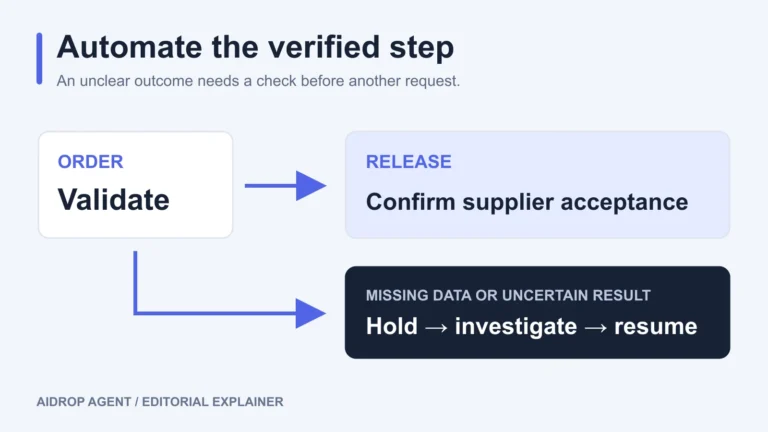
Automated Dropshipping Fulfillment: Setup, Holds, and Recovery
Set up automated dropshipping fulfillment with product mapping, release rules, supplier acknowledgments, holds and safe recovery after
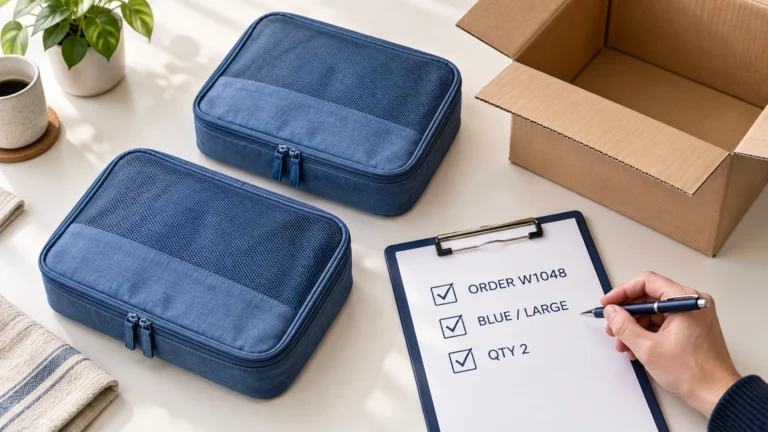
Dropshipping Order Release Checklist: From Hold to Supplier Acceptance
Release a dropshipping order only after its payment terms, risk review, exact items, delivery details, stock, supplier
Dropshipping SKU Mapping: Make Every Store Variant Reach the Right Item
A variant-level mapping and controlled order stop the wrong color, size or pack from reaching buyers.
