

Choose Dropship.io if you need help finding products and studying the shops and ads already selling them. Choose AutoDS if you need help keeping your own listings up to date and handling customer orders. Both offer product research and imports, so you may only need one to start.
Imagine you want to sell a small white desk lamp. Dropship.io can help you investigate similar lamps, competitors and ads. AutoDS can help put a supplier’s lamp in your shop, watch its price and stock on a suitable plan, and handle parts of the order process you set up. Finding an interesting lamp, buying it from a supplier and getting it to your customer are three different jobs.
Neither tool can promise that the lamp will sell or that every supplier will send it reliably. The useful question is: which job is currently slowing your shop down? That tells you more than comparing long feature lists.
01
What each tool does for your shop
| Work you need to do | Dropship.io | AutoDS |
|---|---|---|
| Find products and understand competitors | Product, shop, ad and competitor research | Product-finding tools, with additional research in optional paid features |
| Copy a product into your shop | Lists Shopify imports and imports through AutoDS | Imports listings on supported selling channels |
| Keep a listed product’s price and stock updated | Tracks research subjects such as competing shops and products | Supplier price and stock monitoring on qualifying plans |
| Buy a customer’s order and update tracking | Its research plans do not replace AutoDS’s order-processing features | Manual orders or supported automated methods, with separate requirements and charges |
On a phone, swipe the table sideways to compare every column.
Dropship.io’s pricing and features include Product Library, Sales Tracker, competitor research, ad tools and imports. It can therefore do more than show you a dashboard. An import copies product information into a shop; it does not mean a supplier has been paid to send that product.
AutoDS has research tools too. Its Product Finding Hub guide describes trending products, selected products, ad research and TikTok analytics. Some are paid extras, and finding an item in a research tool does not make every item available for automatic ordering.
If both tools can answer your current product question, try the features you already have before adding another subscription. AutoDS becomes a different proposition when you also need repeated price updates or order work.
02
Use product research to find a candidate, then find the actual supplier
Suppose several shops are advertising the white lamp. Dropship.io can help you explore the product, competitor shops and ads. Its getting-started guide explains those research tools. You might discover a different selling price, a useful product feature or a customer problem you had overlooked.
Turn a research result into a supplier question
For a proposed research exercise, search white desk lamp under Include Title Keywords in Competitor Research, and exclude floor lamp. These are teaching inputs, not a search result we observed. Open a candidate’s product page and note its exact version, displayed price and delivery terms.
Replace the calculator defaults
The documented calculator has editable goods, shipping, fee, acquisition-cost and example-order inputs. Replace those with your intended offer and quote. A prefilled CPA or order count is an assumption; potential profit is not the competitor’s bank statement.
Estimated sales leave costs unknown
Treat estimated sales as clues. They are not your own paid orders, and they do not tell you exactly what a competitor spent on ads, refunded or paid its supplier. A profit calculator also depends on the costs entered into it. A strong-looking number does not settle whether your shop can sell the same offer profitably.
Before choosing the lamp, find the actual supplier item. Is it the white version, with the right plug, dimensions and packaging? Can the supplier send it to your customer’s country, at a price that leaves room for payment fees and advertising? A similar photo can hide a different product.
Dropship.io’s competitor-research guide also describes importing through a connected, active AutoDS account where a supplier is found. Keep the product link, exact version and original price when you do this. Compare them with the item AutoDS links to your shop, so the product you researched is the product the customer will receive.
An unavailable product needs sourcing
If there is no suitable supplier quote, stop at sourcing. Buying more ad research will not make that lamp available. Our product-research guide explains how to turn a promising idea into a small, testable offer. We have not run a paid accuracy comparison of these two tools, so we cannot name an independently measured winner for research quality.
03
Keep the shop's price and stock in step with the supplier
Once the lamp is listed, the supplier might raise its price or sell out. AutoDS can check supported supplier listings and update your shop according to your settings. This is price and stock monitoring: the software repeatedly checks whether the item still costs the same and is still available.
The cheapest plan is not necessarily the one that does this. AutoDS’s signup guide says Import 200 does not include price and stock monitoring; Starter and higher tiers do. Plans also have store and variation limits. A variation is one size-and-colour combination: three sizes in three colours count as nine variations.
Its monitoring guide describes scheduled checks, rather than an instant view of every change. Drafts and AutoDS Marketplace products are excluded from that monitoring feature. It also does not automatically replace a supplier with a different one when the original runs out.
Shipping matters just as much as the product price. If AutoDS watches the lamp’s price but leaves out the supplier’s $5 shipping charge, an automatic price update can still leave your shop charging too little.
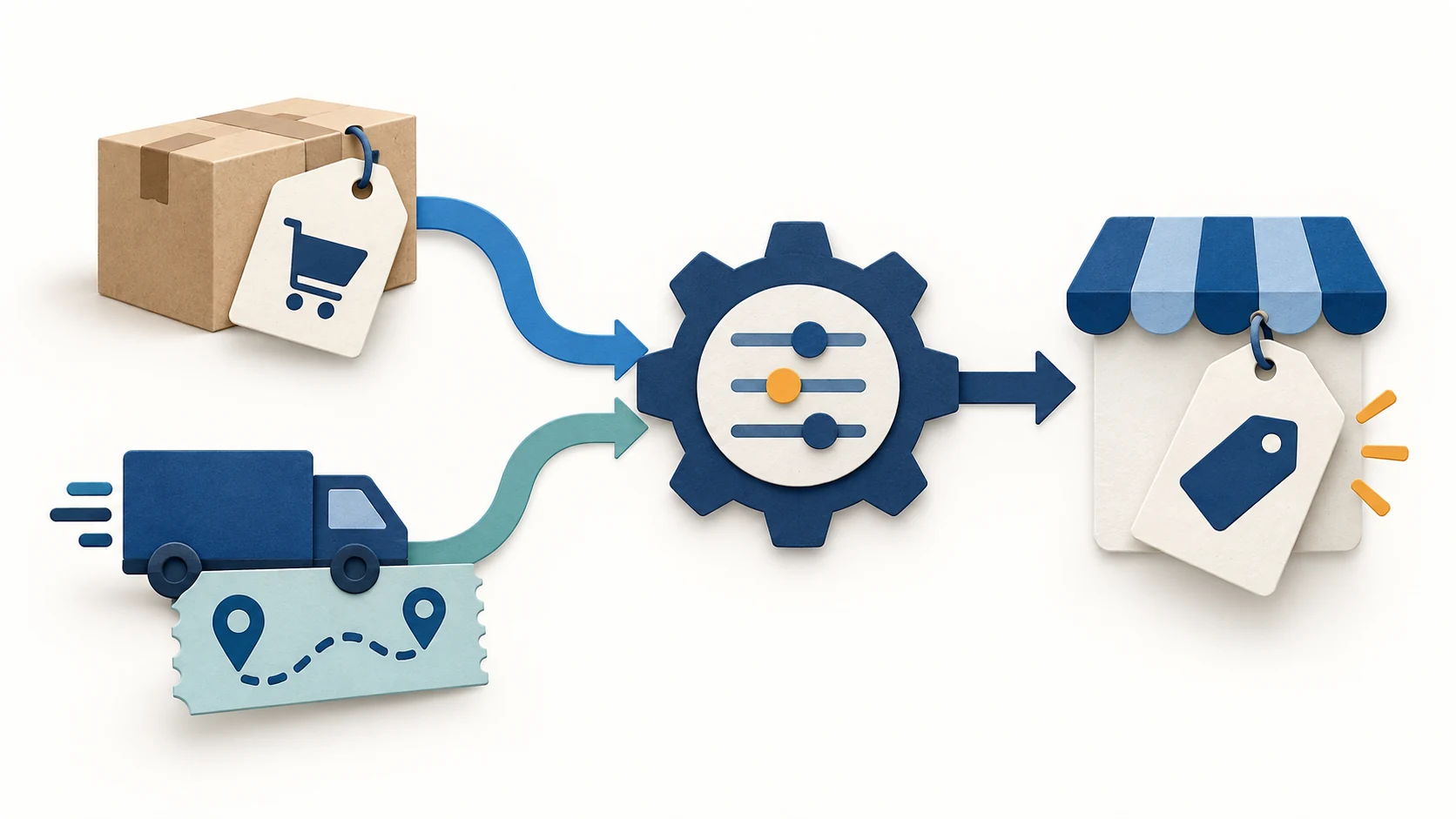
The pricing-settings guide explains the Include Shipping Price setting, the correct supplier region and entering an estimated shipping charge when a fixed amount is unavailable. For your lamp, use the price for the country you actually serve. Then look at the resulting price in your shop. A rule can calculate correctly from incomplete costs.
Check the shipping amount in the imported item
Try a fictional supplier item costing $14 plus $5 shipping. The buying cost to check is $19 for that destination. In Settings → Supplier Settings, choose the correct store and supplier, open Pricing and inspect Include Shipping Price.
Expected input: $19, not $14
On a monitoring plan, check the existing product after the next scan: does its recorded buying cost include the quoted freight, and does the shop page and cart show the price you intended? On Import 200, the current guide limits this setting to upload; it does not add monitoring to the plan.
If shipping is already included in the buying cost, do not add it again elsewhere. Keep a separate full order-cost calculation for advertising, returns and monthly bills: a software profit field is not owner take-home pay. This is a proposed check, not an account test.
04
Your customer has paid. Who buys the lamp?
This is where AutoDS’s order features matter. A customer order appearing on screen means the shop received an order. It does not yet mean the supplier has received payment or sent a parcel.
AutoDS offers different ways to handle that next step:
| Order method | What happens | What you must provide |
|---|---|---|
| Manual | You buy from the supplier and add the order and tracking details | Your supplier account, payment and time to follow the parcel |
| Auto-Order through your own buyer account | AutoDS performs supported ordering or tracking steps using that account | Correct account connection, supported supplier, Orders Processor and required credits |
| Fulfilled by AutoDS | AutoDS uses its managed buyer accounts for supported purchases | Orders Processor, enough managed balance, credits and the required order settings |
On a phone, swipe the table sideways to compare every column.
Manual ordering can be reasonable for a small shop. You pay the supplier, obtain the purchase confirmation, and enter the tracking details when available. The customer’s payment may reach your bank later, so you can need your own money to buy the product first. You also deal with the supplier’s return process and your customer’s refund separately.
Your buyer account: check supplier payment support
With Auto-Order through your own buyer account, supplier support matters. For example, the guide says AliExpress still requires manual supplier payment even under its “Full Automation” method. Under supported semi-automation, you place the order and provide the purchase details so the software can handle tracking steps. This differs from the fully manual method.
Fulfilled by AutoDS is AutoDS’s own managed purchasing method; its “FBA” abbreviation does not mean Amazon’s Fulfillment by Amazon service. Money in the managed balance pays for the goods, shipping and applicable taxes. Auto-order credits pay for supported software actions. You need both where required, plus the processor and correct settings.
Pending: find the missing purchase step
That distinction helps when a paid order stays Pending with no supplier purchase ID. Look for the missing step: is the chosen method available for this supplier, is the processor active, is there enough purchase money and are there enough credits? If you already bought manually, check before sending another purchase to avoid buying twice. The Orders page guide explains the statuses and funding notices.
The fix is different from a research problem. An unavailable lamp needs another supplier or another product. An unpaid supplier order needs its payment or order setup fixed. More competitor data does not repair either automatically. See our AutoDS Review for the fuller setup and billing discussion. Software support also does not give permission to ignore your selling platform’s or supplier’s rules.
05
Compare the subscriptions and the money needed for orders
These are public US-dollar prices checked on September 28, 2026. Choose the plan and billing route you will actually use; an existing account or another selling channel can have different terms.
| Dropship.io plan | Billed monthly | Billed annually upfront | Monthly equivalent of annual bill |
|---|---|---|---|
| Basic | $39 | $312 | $26 |
| Standard | $59 | $408 | $34 |
| Premium | $99 | $588 | $49 |
On a phone, swipe the table sideways to compare every column.
The Dropship.io pricing page lists larger research allowances on higher plans. Its product-import allowances are 100, 250 and 500 respectively. Paying annually for Basic means paying $312 upfront; it is not a $26 monthly subscription you can stop after one month.
For AutoDS, the Shopify App Store listing provides a useful comparison:
| AutoDS Shopify plan | Monthly price | Annual charge listed | Relevant difference |
|---|---|---|---|
| Import 200 | $26.90 | $248.70 | Entry import plan; no price and stock monitoring |
| Starter 500 | $39.90 | $368.70 | Price and stock monitoring for 500 products |
| Advanced 1K | $66.90 | $608.70 | Larger allowance and support for three stores |
On a phone, swipe the table sideways to compare every column.
Those Shopify prices should not be applied to every AutoDS selling channel. An annual charge is also a separate cash decision from its monthly equivalent.
Now suppose you buy Dropship.io Basic monthly and AutoDS Shopify Starter 500 monthly. Their subscriptions total $39 + $39.90 = $78.90 per month. AutoDS’s pricing page separately lists Orders Processor at $9.90 per month. Adding it makes $88.80 per month, before goods, freight, credits, other add-ons and taxes. This is an example built from separate public offers, not a combined checkout.
The credit package is not the processor
There is another $9.90 you may see: the 20-credit package. That buys prepaid credits consumed by supported actions; it is different from the monthly processor subscription. Credits do not buy the lamp. You still need money for the supplier purchase.
Check the signup route and renewal
Trial terms also depend on where you sign up. AutoDS’s website advertises a $0.99 three-day trial; the Shopify app listing shows a three-day free trial. Its signup guide says the subscription renews at the selected full price after the trial, including the full annual amount if you selected annual billing. Orders Processor is preselected at signup and billed separately, so remove it if you do not want it. Changing plans during the trial can end the trial and charge the new plan immediately.
For Dropship.io, cancel an unwanted subscription through the plan settings before the trial expires. Its refund policy says it does not refund a subscription left running after the trial. The cancellation guide shows where to cancel. Set your reminder from the actual renewal date, rather than from a review’s headline offer.
06
Start with one tool and test the job you bought it for
Choose Dropship.io first when you lack a product or need a better understanding of competing offers. Choose AutoDS first when you already have suitable products and repeated listing or order work is taking your time. Pay for both when you can explain the separate job each will do. If a small shop can handle its few listings and orders manually, another subscription can wait.
Before committing, try one product through these four steps. This is a proposed test, not an account test we have performed.
- Find a candidate. Keep the product link and the reason it interests you. Label competitor sales estimates as estimates.
- Get a supplier quote. Match the exact version, customer country, delivered cost and return terms. Stop if the product cannot be supplied sensibly.
- Create the listing. Look at the published images, version and selling price. If buying monitoring, confirm that the chosen plan and product support it and that shipping is included.
- Follow an order. Use your shop’s safe test method to inspect customer payment, the supplier purchase and tracking. Decide who will deal with a pending order or a missing parcel.
A successful import only completes part of this test. For research, you want a candidate worth a small sales test, supported by a real supplier quote. For automation, you want a correctly priced listing and an order your chosen method can actually purchase and follow. Our automation software guide explains other tool categories if your problem falls elsewhere.
Found a product, but not a suitable China-side supplier? AIDrop’s sourcing service can help assess the product, supplier options and quality checks. We can also discuss agreed packing and order preparation.
Send its link, exact version, buyer countries and expected order volume. Describe the supply or packing problem. This physical work does not imply a connection to AutoDS or Dropship.io.
07
Frequently asked questions
Can Dropship.io import products to Shopify?
Yes. Its current feature page lists imports of titles, images, descriptions, prices and variants. You need the store connection and should read the resulting listing before publishing it. Importing does not pay the supplier or ship an order.
Does AutoDS include product research?
Yes. It offers product-finding tools, with further research in optional paid features. Compare the actual research question and features before paying for both tools. The sources used here do not establish an independently tested accuracy winner.
Does AutoDS’s base price include automatic orders?
Orders Processor is a separate add-on. Your chosen method can also require credits, purchase money and a supplier account or managed balance. A base-plan payment alone does not complete that setup.
Should a beginner buy both?
Start with the next problem you need to solve. If you do not yet have a suitable product, order automation has little work to do. If products and manual orders already work, test whether the extra features save enough useful time to justify the bill before adding another subscription.
Dropshipping Automation Software: Compare Tools, Costs and Workflows
Compare dropshipping software by supplier fit, pricing, stock updates and order handling. Build a workable setup with
CJdropshipping Review: Costs, Warehouses, Quality and Fulfillment Fit
CJdropshipping is a practical option for sellers who want sourcing, store connections, packaging and fulfillment in one

CJdropshipping vs DSers: Who Sources, Pays and Ships the Order?
CJdropshipping can source and physically fulfill an order; DSers maps a store product to supported external suppliers
