
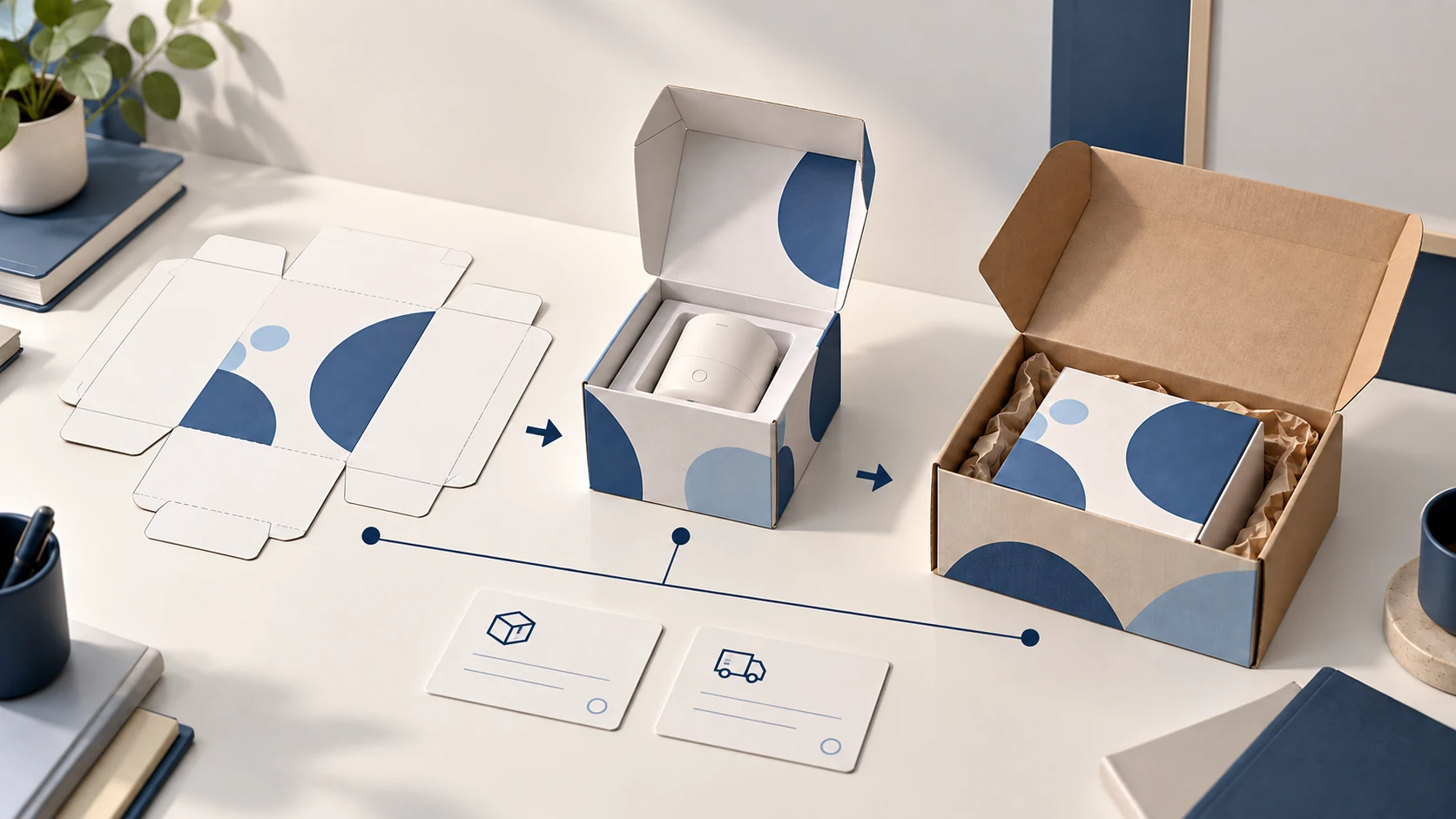
Private label packaging is ready to ship only when the approved design, physical pack and packing instruction describe the same item. Approve a sample, freeze its artwork version, inspect the first printed lot and map that version to the SKU at the packing station. If any one of those links is missing, hold the release.
The practical failure is a correct product in an obsolete box: the printer, supplier and packer each followed a different file. For format and protection choices before this stage, see our dropshipping packaging guide.
01
Decide what the pack must do before designing it
Start with one brief for the exact item and destination. Record variant, packed dimensions and weight, fragile surfaces, required customer information, language, sales channel and return route. Assign an owner to each product or compliance claim; a supplier certificate for another variant does not clear your artwork.
Keep the three packaging jobs separate:
- Product pack: the box, manual and labels that stay with the item.
- Order presentation: an insert, sleeve or tissue used for the store’s unboxing experience.
- Transit pack: the outer mailer, cushioning and shipping label that survive the route.
A branded product box may still need a protective transit carton. Ask for the fully packed exterior dimensions and weight, not the empty box. Shopify’s package and weight guidance explains why both affect shipping calculations.
02
Build the artwork on the final dieline
Get the dieline for the chosen material and construction before placing copy. Review cut, fold, glue and safe areas on that file. A proof for a similar carton does not show where text will land after folding.
Split approval by what each person can know:
- Product owner: item name, variant, count, instructions, warnings and supporting documents.
- Printer: dieline revision, material, print method and technical limits.
- Store approver: the complete customer-facing pack and destination market.
If a retail barcode is present, inspect the printed symbol, not only the screen file. GS1 identifies quiet zone, contrast, size and placement as potential scan problems. The carrier’s shipping label serves a different purpose.
03
Approve a real pack, not just a PDF
A PDF can settle copy and placement, but not fit, closure or print on the chosen material. For a new construction or significant change, request a production-representative sample with the exact item and accessories inside.
Check the sample in three ways:
- Open it: do the variant label, insert and required instructions agree?
- Handle it: does the product stay protected inside the product and transit packs?
- Record it: photograph the passed and failed details; keep the approved sample as the first-lot reference.
For a hypothetical 500 mL bottle, record whether the blue label and insert agree and whether the cap moves in the closed carton. A physical sample does not clear an unverified product claim or market-specific label; send those to the responsible specialist.
04
Freeze one version and release it to the right people
Give the approved pack a version ID. The release record needs the SKU/variant, artwork file, dieline revision, material, reference-sample photos, destination/language, approval owner and date, and printer lot or order number. The packer should be able to answer one question from it: which physical packaging stock belongs to this order?
Give the supplier and fulfillment team a single release location. “Use the latest file” fails when old attachments remain in email. A concise hypothetical record is enough:
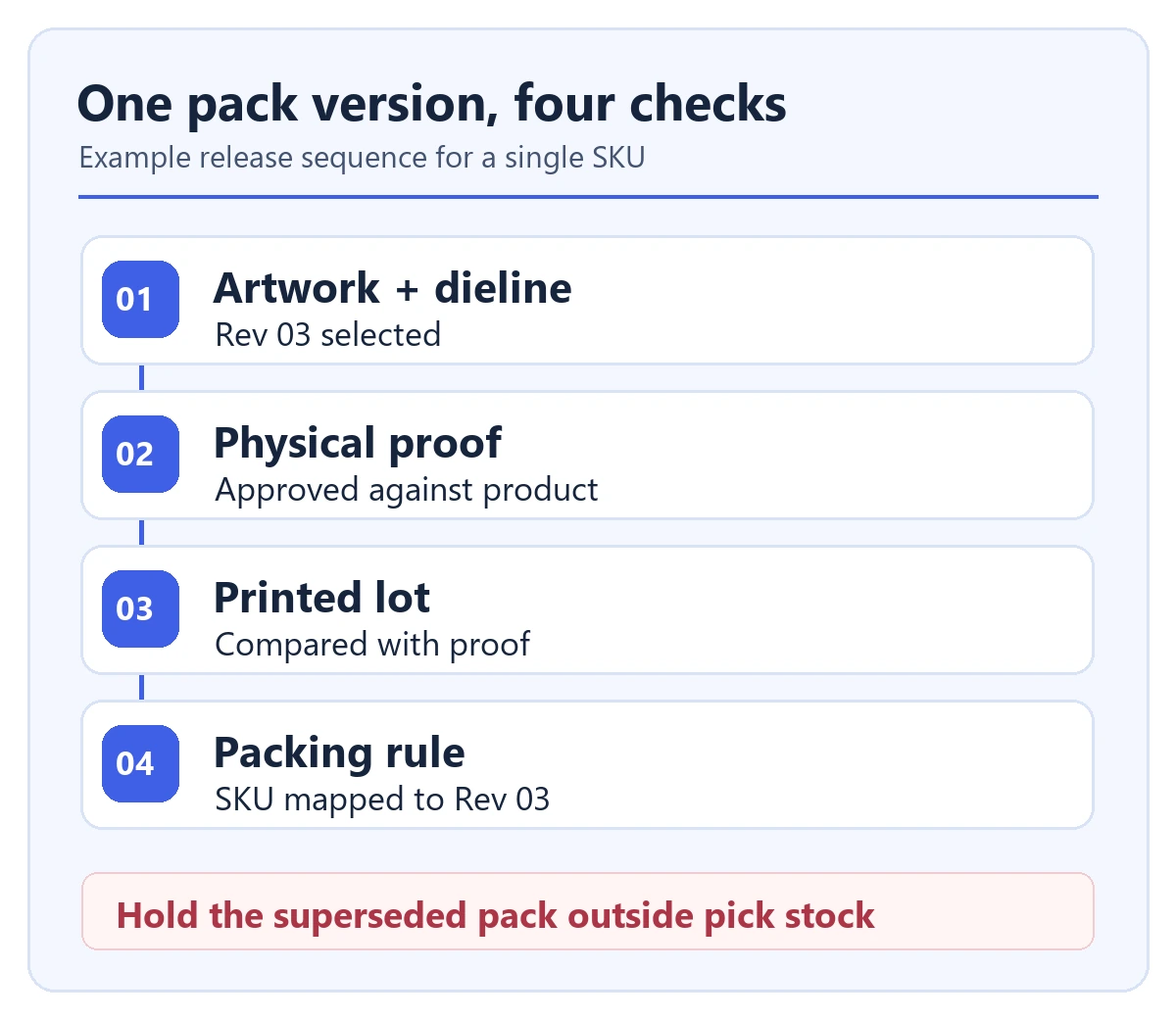
Release example — not an AIDrop job: SKU A-Blue-500 → pack PKG-03 + current care insert. Approved 23 September 2026. Remove PKG-02 from pick locations. If PKG-03 is unavailable, hold the order and ask the approver; do not substitute an old box.
Put the version on the stock label or packaging SKU, then tie that identifier to the order’s pick rule. If multiple factories supply the item, identify which factory holds which approved pack.
05
Handle the first production lot as a check, not a formality
Compare production samples with the approved reference before distributing the lot. Check the exact text and variant, placement, construction, seal and barcode scan where relevant. GS1 explains that printed-barcode quality can be measured with a compliant verifier; a digital proof cannot stand in for that result.
- Wrong variant, missing required warning or unreadable identifier: hold the affected lot and correct the cause before packing.
- Cosmetic difference: record the tolerance and the named person who accepts or rejects it.
- Recurring defect: photograph it, identify the print lot and decide whether the current lot or next run needs correction.
One top carton cannot represent a large run by itself. Set a sampling method appropriate to the run and risk, and preserve lot identity so later complaints can be traced to orders.
06
Keep warehouse packing rules in sync with the approved version
The station instruction should show the order SKU, pack version, insert, product orientation, outer transit pack and shortage rule. A packer should not need to interpret the artwork history.
Run one ordinary test order to an address where you can inspect the arrival: order data → pick location → pack rule → shipping label → carrier handoff → delivery. At the packing station, inspect the actual contents and approved version before sealing, then photograph the closed, labeled parcel. A staged pack photo cannot prove that the carrier received it.
After handoff, retain the tracking number and check for a carrier acceptance or movement scan, then inspect the delivered test parcel’s version, contents and condition. UPS explains that “Label Created” means it has shipment details; its later “Shipped/On the Way” status confirms receipt into its network. If the scan never appears or the parcel arrives wrong, hold the rollout and trace whether the pick rule, stock, packing or handoff failed.
In the hypothetical A-Blue-500 release above, a test order should point the packer to PKG-03 and the current care insert. Record the order ID, pack version, print lot, closed-parcel photo, carrier acceptance event and delivered condition. If the pick location still offers PKG-02, hold that order, isolate the old stock and correct the mapping before the next dispatch. A correct release file alone cannot prove that the first customer parcel used it.
If two versions may coexist, define the split by SKU, destination or order date. If PKG-03 replaces PKG-02, isolate the old stock and record whether it may be exhausted, relabeled or discarded. Our custom packaging guide covers the earlier format choice; this step makes that choice repeatable at fulfillment.
07
Check the cost of the approved pack in the shipped order
Compare the shipped order, not just the printer’s unit price. Ask for printed units, setup/plate charges, sample revisions, minimum order quantity, storage, assembly, expected waste and the packed-shipment freight quote.
Quote the branded and unbranded versions using the same product, destination and service. Shopify notes that package size can affect billed weight; a taller custom box can raise delivery cost even when it is light. Use the carrier’s current lane quote, not a generic “branding adds $X” estimate.
The cheapest large print run may be expensive if a claim or item size changes before those boxes are used. Estimate how many orders can ship before the next likely revision. A small insert may be a better first release if it communicates the same useful information without changing parcel size.
08
Change control: what happens after launch
A new supplier, bottle shape, accessory count, claim, destination or shipping route can invalidate an approved pack. Compare the change with the release record, identify affected SKUs and orders, then approve a revised artwork or packing instruction before switching stock.
If a customer reports a mismatch, keep the order ID, pack version and print lot together. Hold the order when the SKU cannot resolve to one approved physical pack. Fix the mapping before asking the packer to improvise.
09
Questions to settle before ordering a print run
Can I approve from a digital mockup? Approve copy and artwork on screen; use a representative physical pack to check new construction, fit, closure and final packed dimensions before a large run.
What if the printer calls a substitution “basically the same”? Compare the changed dieline or material specification with the approved sample. Recheck fit, protection, print and freight if any of those can move.
Can I use leftover old boxes? Only when the information remains correct and an approver defines exactly which orders may receive them. Hold stock carrying an outdated variant, claim, instruction or market label.
Who signs off a reprint? The printer checks the file and process; the product or compliance owner clears the information; the store approver releases the customer-facing version. Keep the dated record with fulfillment.
Dropshipping Packaging: Protect the Product Without Oversizing the Parcel
Choose dropshipping packaging for protection and branding, compare packed dimensions and costs, and approve a filled sample
Private Label Dropshipping: From Product Idea to Repeat Orders
Private label dropshipping combines selling under your own brand with a supplier or fulfillment partner shipping customer
Private Label Dropshipping Suppliers: Six Options and Their Limits
Apliiq and Printful suit branded apparel or merchandise; Selfnamed and Blanka offer ready-to-brand beauty products with separate
