

FashionGo Dropshipping has no stated subscription or transaction fee. You still pay for the item and vendor postage. A synced or paid order also needs vendor acceptance of the exact size/color before dispatch.
The service can be useful when you want to test a style without buying a size run. The risky shortcut is importing a dress, applying a markup rule and assuming the checkout price covers every order. FashionGo’s own help center says its pricing rules do not automatically add the vendor’s shipping charge to your store price. That is the number to check first.
Explore the broader topic: Clothing Dropshipping Suppliers: 5 Options for Different Stores.
01
What happens after your customer buys
The FashionGo order process describes four events: a customer orders from your store, you pay the product and shipping charge on FashionGo, the vendor confirms availability, then the vendor ships to the customer. The order can sync from a connected store, and AutoPay can reduce manual payment work. Neither a synced order nor an enabled payment setting proves that the vendor has accepted and dispatched the item.

This distinction matters for fashion variants. A buyer may have paid for a small blue dress, while the vendor has only medium when it checks the order. Before saying “shipped,” find the vendor acceptance and a real tracking event. If the item is unavailable, decide how to remedy the paid order and update the buyer.
The order-sync troubleshooting page lists possible causes, including out-of-stock items and product links that no longer match. Use those checks when an order stalls. They do not prove the system usually fails.
| Event to verify | What you should see | What can go wrong if you skip it |
|---|---|---|
| Store order | Paid order, destination and exact size/color | A product page may show a variant the vendor will not fulfill |
| FashionGo order | Correct linked product, vendor and shipping amount | Sync can fail or point to an unrecognized listing |
| Payment | Product and vendor shipping charge accepted | The merchant assumes a synced order is processing when checkout has not completed |
| Vendor confirmation | Item available and order accepted | A paid buyer is promised a dispatch that cannot happen |
| Tracking | Real carrier or parcel event | A label or status is mistaken for physical progress |
On a phone, swipe the table sideways to compare every column.
FashionGo says the dropshipping service has no subscription or transaction fee. That claim is about this service’s fees at the time checked; a connected store, card processor, advertising, product purchase, vendor postage and return handling can still cost money. Keep those lines separate in your worksheet.
02
Price one dress to the destination you sell into
Open the Product Detail shipping breakdown
FashionGo says shipping is set by each vendor and can vary by product dimensions, weight and destination. Its shipping-cost help points sellers to each Product Detail page for a fuller breakdown, including the first item, additional quantities, the contiguous 48 US states and other US destinations. A Favorite List view may show only the first-item charge for the 48 states. If you plan to sell elsewhere, that shortcut is not a complete quote.
Here is a hypothetical calculation, not a current FashionGo product price or AIDrop rate. Suppose a dress costs $22, vendor shipping to the customer’s destination costs $7 for the first piece, and the store sells it for $45 with no separate shipping charge:
| One customer order | Amount |
|---|---|
| Customer pays store | $45 |
| Store pays vendor product | −$22 |
| Store pays vendor shipping | −$7 |
| Left before processor fees, marketing, returns and tax | $16 |
On a phone, swipe the table sideways to compare every column.
The $16 remainder can shrink to $2
The result is not an earned $16 profit. If the store spent $12 to acquire this customer and $2 in payment fees, only $2 remains before return exposure and other overhead in this illustration. Change the vendor shipping to $12 for a different allowed destination and the same sale loses another $5. A markup rule applied only to the $22 dress would miss both differences.
The size run changes the risk as well as the cost. A medium sample that fits well tells you little about small or large. Ask for each variant’s measurements. Inspect another size when that difference affects your buyer promise.
Match measurements for the sizes you sell
A size chart helps only when the garment matches it. Check the return rule and return freight for the sizes you plan to sell. One successful sample does not validate the whole style.
Set a destination-specific price floor
For the $22 dress, make a price worksheet for the exact vendor, variant and destination. Suppose you want $8 left after $12 to acquire the customer, $2 in processing fees and a $3 allowance for likely support or returns. Those are teaching inputs, not FashionGo rates or a measured refund rate.
With $7 vendor shipping, the illustrative price floor is $22 + $7 + $12 + $2 + $3 + $8 = $54. If shipping to another allowed destination costs $12, the floor rises to $59. When your checkout charges the customer separately for shipping, count only the amount you actually collect.
Recalculate percentage fees at the new price
The $2 payment fee is a fixed teaching assumption. If your real processor charges a percentage, calculate that fee at the proposed $54 or $59 price and revise the price floor; these figures do not automatically preserve an $8 remainder.
The $45 retail price in the earlier example does not meet that $8 target, even on the $7 shipping route. You can raise the price, charge by destination, choose another product or knowingly accept a lower target.
Check what checkout actually collects
Test the actual checkout for each destination you intend to serve. If your sheet assumes the customer pays $5 shipping but checkout collects $0, the price rule fails. Recalculate when vendor postage or product weight changes, even if the dress’s purchase price stays the same.
Additional items can have different postage
For two pieces, do not simply double the first-piece postage. Read the vendor’s additional-item schedule. Check whether both products come from the same vendor and can travel together. Otherwise there may be separate charges and parcels.
The shipping-cost guide shows how to keep the product, parcel and destination assumptions aligned. Promise “free shipping” only when the actual cost is inside the price or checkout charge.
03
Test the store connection with a real variant
FashionGo’s Shopify connection instructions explain how to install its app. The page currently says the service ships only to US addresses and one Shopify store connects to one FashionGo login. Check those limits before importing products. US coverage does not mean every ZIP code has the same postage or vendor performance.
Connect the store, then check one real variant
The documented connection is Settings → Connect Your Store → Shopify → Connect Store, followed by the Shopify app-install step. Use the actual account and supported address scope; do not interpret one connection as permission to sell every vendor item.
Save the correct connection
Confirm the Shopify store and FashionGo login you intended to pair. Complete the documented install and return to the connection record. Check that the expected store is connected before importing the dress.
Compare the saved variant
Choose blue/small on the imported live product page. Compare its vendor variant, measurements, product price and destination shipping with your saved record. Next follow a permitted sample order through store payment, vendor payment, acceptance and the parcel; an installed app has not passed that test.
These steps come from FashionGo’s Shopify connection guidance; this article does not claim we installed the app or bought a dress. If the installed screen differs, use the current account guidance rather than inventing a matching menu.
Start with one product and a manageable set of sizes and colors. A connection test should follow one exact variant through these checkpoints:
Before import
record the vendor’s variant code, description, shipping schedule and return terms.
On the live page
select that variant on a phone. Confirm its image, measurements, price and availability match your record.
At checkout
place a sample or controlled paid order to a supported address. Keep the store order ID and the vendor shipping quote.
After payment
match the store order to one FashionGo order, vendor acceptance and a real tracking event.
Inspect the sample as a buyer would. Compare the garment’s fabric, color, size label and measurements with your product page. Check the paperwork and branding inside the parcel, then confirm tracking appears in the store order. The illustration below shows this physical check, not a real FashionGo shipment.
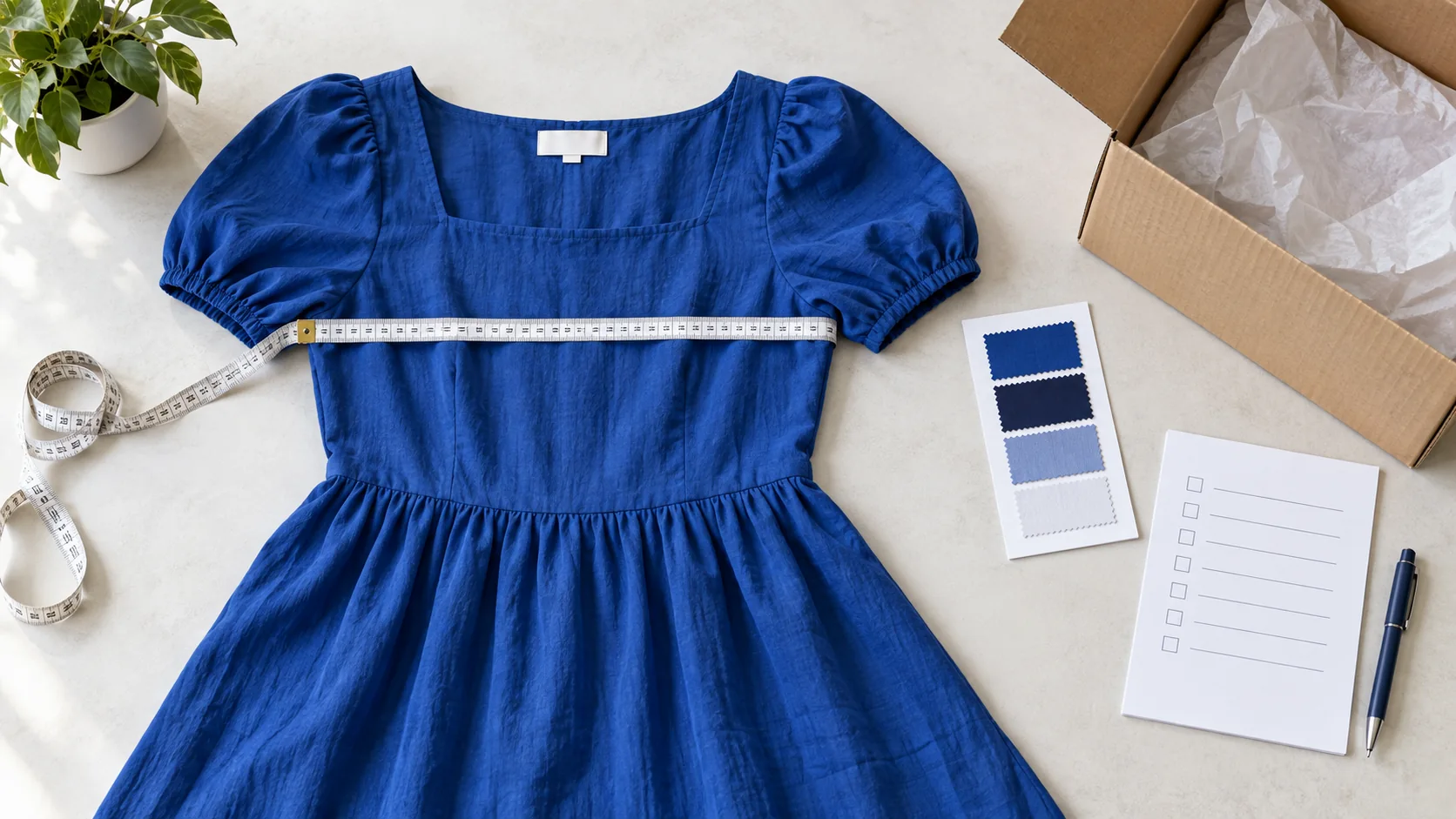
Even a working import may be a poor test if the delivered cost is thin or sizing creates likely returns. The supplier red-flags guide covers wider service checks when comparing sourcing routes.
If the paid order does not sync
If a paid store order does not appear in FashionGo, pause new orders for that listing. Record the store order ID. Search for an existing vendor order before resubmitting anything; a delayed sync or mapping issue may already have created one.
Vendor order exists
check its variant and acceptance. Do not create a duplicate that could ship two dresses and charge you twice.
No vendor order exists
repair the listing connection or variant mapping, then run a controlled retry with a record of what changed.
Buyer is waiting
give an honest update and a remedy you can fulfill. Do not mark the parcel shipped on the strength of an import screen.
Repair the connection before retrying
FashionGo’s order-sync troubleshooting guidance identifies broken links after listings are duplicated, archived, rebuilt or given handmade variants. Repair the link before accepting more orders for the affected item.
Run a variant-to-order reconciliation
Use one approved dress for the test. Your own record might say store SKU: DRESS-BLU-S, linked variant: blue/small, vendor: named supplier, plus the destination used for the quote. These are merchant record labels, not names of FashionGo interface fields.
Keep four results together:
| Check | Passing observation | Stop and investigate when |
|---|---|---|
| Variant | Live page and paid order both show blue/small | Image, measurements or vendor variant differ |
| Supplier order | Exactly one order matches the store ID and address | No order or a duplicate order appears |
| Cost | Vendor product and shipping charges match your worksheet | The route costs more than the price allows |
| Delivery | Vendor accepts, dispatches and the carrier records movement | Status stops at a label or the parcel is wrong |
On a phone, swipe the table sideways to compare every column.
Pass only when the received garment and the buyer updates also match the promise, and the order still clears your margin target. If a row fails, pause that product or destination while you fix the cause. A successful import is only the first checkpoint.
04
Decide how you will handle the first return
FashionGo’s return help says incorrect or damaged products must be reported to the vendor through its order page within seven business days of receipt. Other returnability depends on the vendor’s policy, and some product categories can be excluded. That is a platform/vendor claim route. It is not a universal limit on what your customer may ask of your store or on obligations in the market where you sell.
Open the vendor claim and keep the buyer remedy separate
Use the wrong-size dress as a mock return record. FashionGo’s current vendor-return guidance says to report incorrect or damaged goods within seven business days of receipt through Order Details → Return Product.
Save the vendor request
Record the actual receipt/report dates, store order, FashionGo order, expected blue/small variant and the received label/photos. Submit through the order’s Return Product route and retain the request reference and vendor answer. Ask for the authorized receiver, packing instructions and freight payer before returning it.
Update the buyer record
Choose the supported replacement or refund under your actual customer obligations and policy; record its completion separately from the vendor request. A request submitted is not an approved return or an issued customer refund. The vendor’s claim deadline is not a universal limit on buyer rights.
Keep the garment’s condition and applicable vendor exclusions visible; do not promise approval or free return postage before it is confirmed. After the remedy, compare the actual payment/replacement and any supplier recovery with the original order.
Agree the real return address and freight
Before selling, find the vendor’s return address, evidence requirements, freight payer, replacement option and any exception for worn or altered items. A generic “easy returns” badge is not a working process.
Three clocks to put in the order record
The moment a customer places an order, three clocks can start: your promised dispatch/delivery period, the vendor’s availability and payment process, and any claim window after receipt. Keep an order record that shows each clock. This gives you an answer when a parcel is late or a buyer reports a defect; it also tells you whether a particular vendor is worth keeping.
Compare vendor acceptance and dispatch
After the first few orders, compare vendors as well as products. Two dresses may have equal retail margins, yet one vendor confirms and dispatches consistently while another leaves paid orders waiting. Keep each confirmation time, parcel event and return outcome.
Change the offer when its costs change
If vendor postage or process changes, update the listing and customer promise. The original calculation is no longer reliable just because the product page looks the same.
05
Use a small go/no-go test
Start with one product and one destination type rather than importing a whole category. Write down the exact variant, retail price, vendor product cost, first/additional-piece shipping, seller payment timing and return terms. Place a sample order, inspect the result and run the margin worksheet again with actual figures. If you cannot complete an order or answer a return within your customer promise, revise the listing or choose a different sourcing route.
Choose from your market and delivered margin
FashionGo may suit a US-focused fashion store that can price each vendor’s shipping accurately. It is a weaker fit if buyers fall outside the stated service area, delivered cost leaves no workable margin, or the store needs checks and consolidated handling the vendor route cannot provide.
The dropshipping model guide places this marketplace in the broader supplier and fulfillment system.
Need a different sourcing and packing route?
If the problem is sourcing a specific item, inspecting a sample or coordinating China-side packaging and fulfillment, AIDrop Agent’s sourcing service can be scoped separately. Send the product specification, destination, quantity, delivered-cost calculation and the gap you need solved through the inquiry page.
That route needs its own quote. It does not imply AIDrop can reproduce FashionGo’s catalog or prices.
06
Frequently asked questions
Can I sell a FashionGo dropshipping item to a customer outside the US?
The current connection help describes US-address shipping for this service. Check the service scope and the individual vendor’s available destinations before enabling a market. Do not infer international coverage from a product appearing in your connected store.
Why did my pricing rule leave too little margin?
FashionGo says the rule does not automatically include the vendor’s shipping charge. Recheck the exact vendor, first and additional items, destination and the amount your checkout collected from the buyer. Reprice or disable the affected listing before accepting another order at an unsupported margin.
Does AutoPay mean the vendor has the item and has shipped it?
No. Payment, vendor confirmation and carrier movement are separate events. Match the paid store order to the FashionGo order, find the vendor acceptance and then a real tracking event. If availability fails, give the buyer the remedy your store can deliver rather than marking an unaccepted order shipped.

Clothing Dropshipping: Sizes, Variants, Samples and Returns
Verify apparel sizes, variants, samples, labels and returns before launch. Build a clothing dropshipping offer around accurate
Clothing Dropshipping Suppliers: 5 Options for Different Stores
Compare Trendsi, Printful, Printify, Apliiq and BrandsGateway by clothing model, fit information, stock, shipping and return costs.
Shoe Dropshipping: Sizing Evidence, Variants and Return Exposure
A shoe listing needs model-specific fit evidence, exact size-color stock and a workable exchange route. Compare one
