
Before importing a dropshipping catalog, request stable product and variant identifiers, accurate product details, parcel measurements, prices and order terms, stock definitions, update timestamps, and order-status information. You also need permission to use the supplied images and copy. A file that imports successfully can still describe the wrong variant, overstate available stock, or omit a charge that changes your margin.
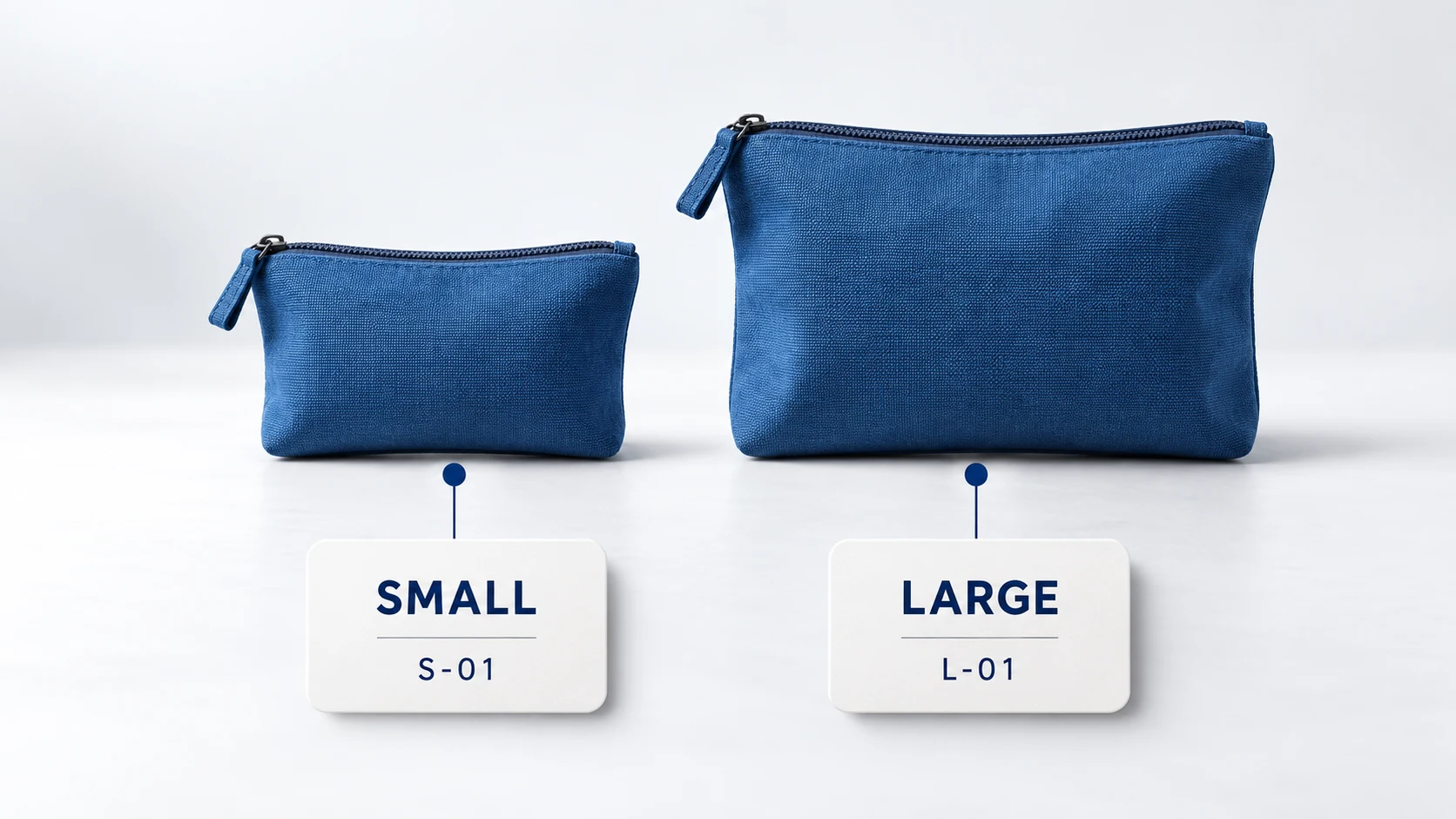
The useful question is whether the supplier’s information lets you sell and fulfill the exact item you promise. A blue storage pouch in two sizes needs two unambiguous variant records. A product photo, a price and a general “in stock” message do not provide that assurance.
This article covers the information to request and how to check it. For finding candidates and confirming the business behind their claims, use the guide to finding dropshipping suppliers.
01
Start with the exact unit a customer can buy
A product family and a sellable variant are different records. “Travel pouch” might be the family; “blue, large, one pouch” is the item a customer orders. Your store must send a reference that the supplier can match to that precise variant without interpreting a product title.
Keep your store SKU, the supplier’s variant SKU, and any platform variant ID in separate fields. They can be mapped to one another without being identical. Include the supplier name in the mapping when several suppliers use similar codes. Ask whether identifiers can change or be reused after an item is discontinued.
| Information to request | What it should establish | A problem worth catching |
|---|---|---|
| Supplier product and variant IDs | The exact family and sellable variant | Every size shares one ambiguous code |
| Option names and values | Color, size, material or other customer choice | “Large” means different dimensions in different files |
| Unit of sale and pack quantity | One item, a pair or a multipack | Your store sells one piece but purchases a case |
| Brand and applicable product identifiers | The actual branded item and identifiers supplied for it | A barcode from a similar item is copied over |
| Replacement or discontinuation status | Whether the same item remains available | A new version silently replaces the approved sample |
Never create a product identifier merely to fill a blank field. Ask the supplier what identifies the item and check the requirements of your destination sales channel. Your internal SKU and a manufacturer’s product identifier perform different jobs.
A hypothetical mapping might connect store SKU POUCH-BL-L to supplier SKU P-204-L-BL. The purchase order, supplier confirmation and shipment record should all resolve to that same blue large pouch. If a later file changes the description to “medium,” stop that variant’s update and investigate instead of accepting the new text automatically.
Build a field dictionary the supplier and store can share
A column name needs a definition, format and response to a missing value. The following is a proposed supplier-request dictionary, not a ready-to-upload Shopify file. Adapt the names to your integration while retaining the meaning. Example values describe a hypothetical pouch and do not establish specifications for a real product.
| Field group | Example record | Validation before use |
|---|---|---|
| Identity | Supplier A; variant P-204-L-BL; store SKU POUCH-BL-L | The supplier and variant pair identifies one item; preserve leading zeros in codes |
| Options and selling unit | Color: blue; size: large; unit: piece; pack quantity: 1 | Match the customer’s selection and confirm whether the price buys one item or a pack |
| Product specification | Material reference; measured dimensions with cm; included contents | Require the measurement method and relevant approved reference; do not fill unknown specifications from similar listings |
| Parcel profile | Packed weight in kg; outer length, width and height in cm | All measurements describe the same outbound package; missing dimensions remain unknown |
| Commercial basis | Unit cost 9.00; currency USD; valid-from date | Currency and unit are explicit; compare changes before updating prices |
| Availability | Location CN-01; available quantity 6; reservation basis: shared | Quantity is a nonnegative whole number for this example; location and availability definition must match the store mapping |
| Change control | Updated-at timestamp with UTC offset; record version; active/discontinued state | The record is newer than the accepted version, with a documented discontinuation action |
| Media and evidence | Image URL; depicted variant; use permission; document reference | The asset opens, depicts the relevant version and has an established use basis |
Keep product facts that change occasionally separate from quantities that change frequently. A stock update should not overwrite the description your team has verified and rewritten. Assign an owner to each destination field: the supplier may own its cost and stock information while your team owns the selling price, customer copy and publication status.
A blank value, zero and an omitted field need separate rules. Zero quantity is a supplied stock value. A blank quantity is unresolved unless the supplier explicitly defines it otherwise. An omitted description in a stock-only update should not erase your product description. These are data-contract decisions to implement in the supported import tool, not assumptions that all CSV tools share.
02
Request product facts and shipping facts separately
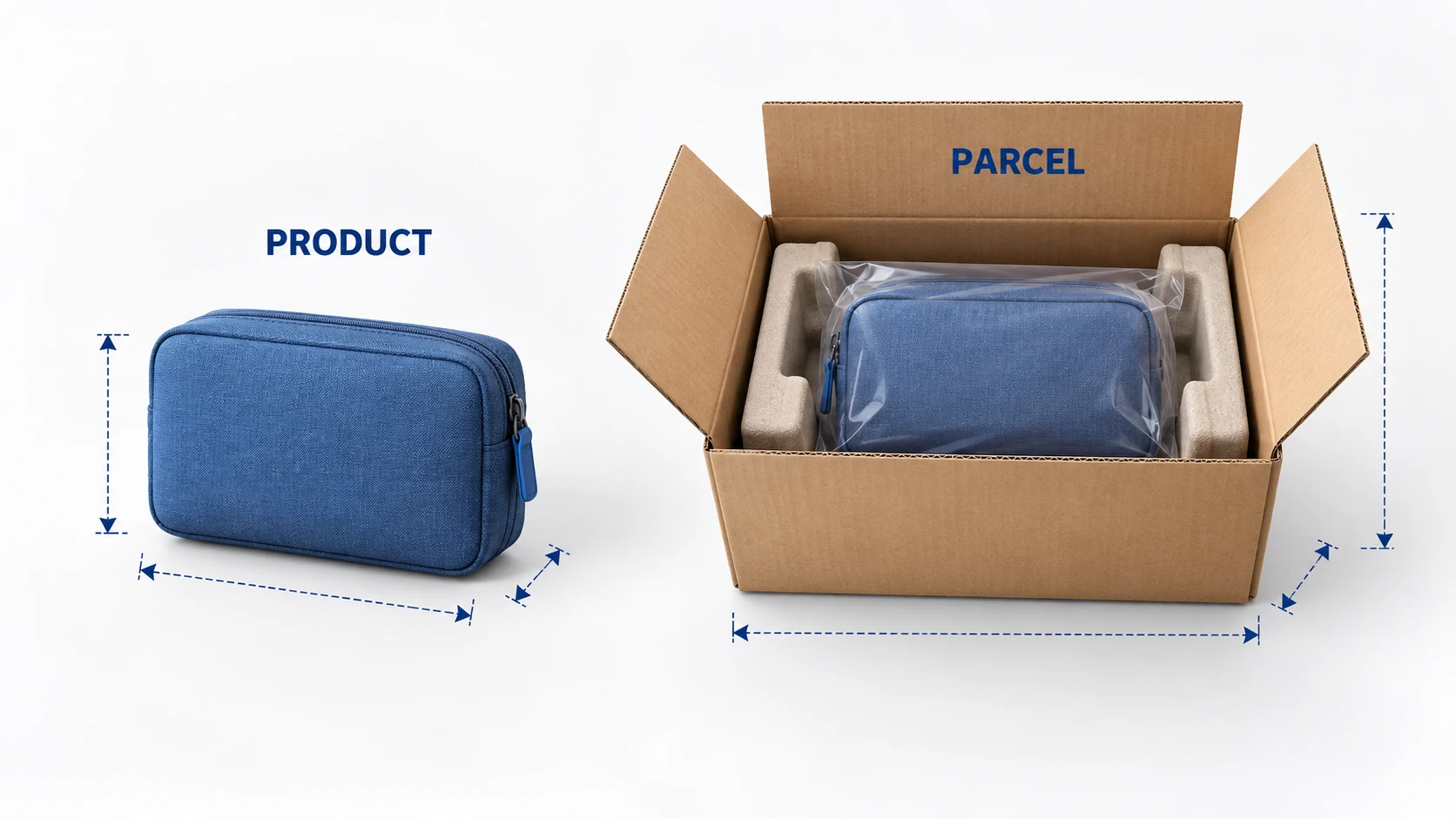
Product dimensions explain what the customer receives. Packed dimensions explain the parcel you pay to ship. Keep both, with units, rather than putting a single unlabeled weight in your catalog.
A pouch might lie flat in a listing photo but ship with an insert, protective bag and outer carton. The product’s weight alone does not describe that parcel. Ask whether a measurement covers one item, its retail packaging, or the complete outbound package. Combined orders may need a separate estimate.
For the listing, request materials, dimensions, included accessories, care or use instructions, and genuine limitations. Size charts should identify the measured points and units. Compatibility claims need a precise model or specification; “universal” is not a substitute for that information.
For fulfillment, request the ship-from location, packed weight and dimensions, packaging type, excluded destinations and any restrictions relevant to the item. Battery, liquid or other handling characteristics must come from the actual product information. Do not infer them from the product category alone.
Images need a similar check. Confirm which variant each photograph depicts, whether accessories shown are included, and whether you may publish the assets. A supplier’s ability to send a file does not establish the rights to every brand image inside it. Ask for a replacement when the image does not represent the approved item.
Keep evidence documents linked to the relevant product or version. A document for a different model should not become a general badge on every item from the supplier. The catalog helps you organize evidence; it does not establish compliance by itself.
03
Define what the inventory field means
Ask whether the feed reports physical stock, stock available to your account, or only an in-stock indicator. Those values support different selling decisions. A quantity can include units reserved for someone else, while a yes/no indicator gives no basis for advertising a specific number available.
WooCommerce’s Dropshipping documentation illustrates this distinction directly: its supplier inventory import can use a quantity-on-hand format or an in-stock indicator. You need to configure the import for the meaning the supplier actually provides.
Request a timestamp with its time zone, the normal update interval, and the rule for missing or unchanged records. Establish whether a file is a complete snapshot or a list of changes. In a changes-only feed, an absent SKU might mean “no change”; in a complete snapshot it may require a different response. Get that behavior agreed before automating it.
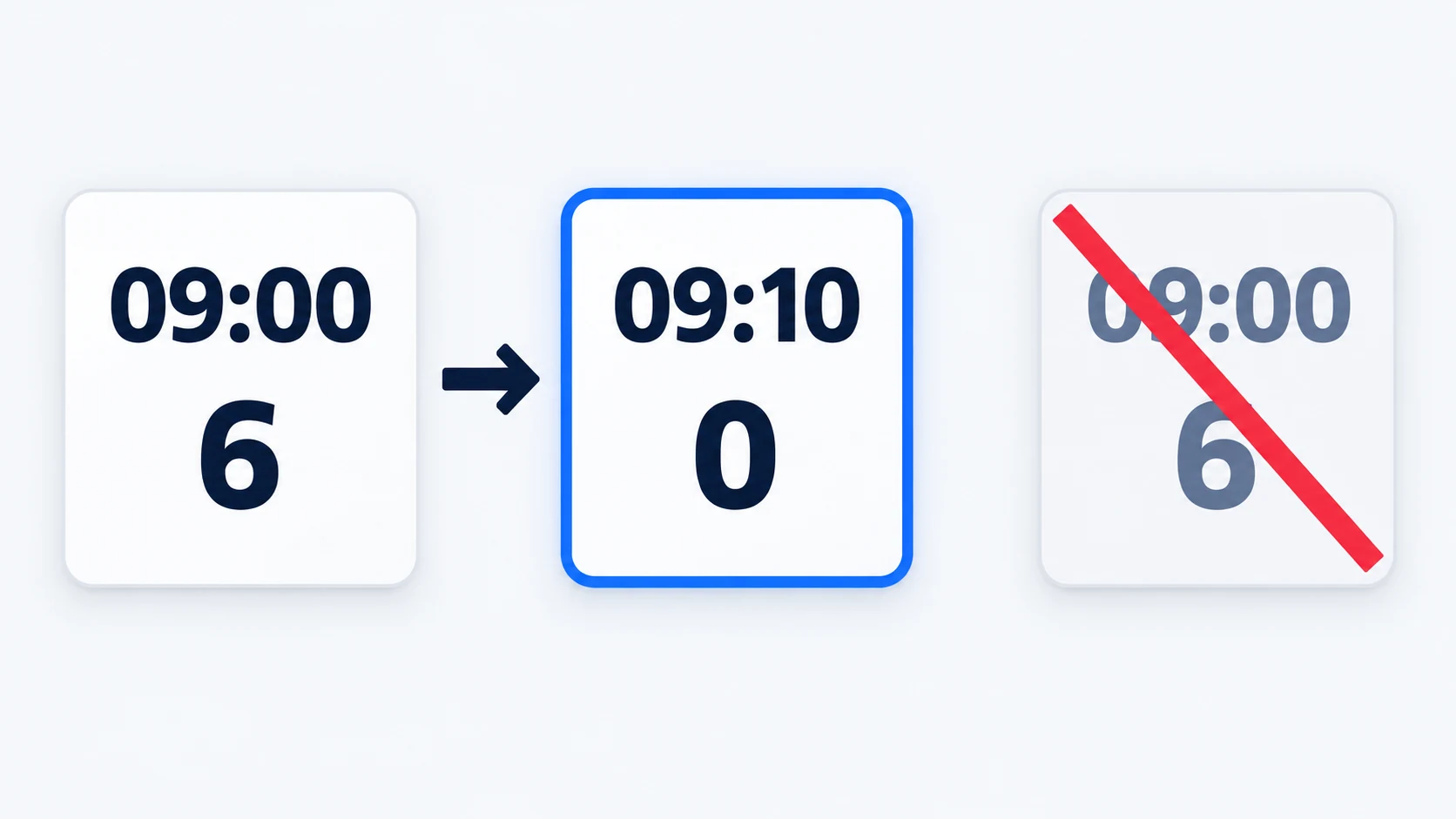
Consider an illustrative sequence: a file reports six blue large pouches at 09:00, then a later update reports zero at 09:10. If the older file is processed again at 09:15, it must not restore six units simply because it arrived last. Preserve the supplier’s update time and reject stale updates according to the agreed rules.
There is another question even when the latest quantity is correct: are those six units available to every retailer using the supplier? Shared availability can disappear before your purchase is accepted. A stock feed reduces uncertainty; it does not reserve an order unless the supplier explicitly provides that function.
Agree what your store does when a feed is late, malformed or unavailable. Depending on the item and arrangement, you might pause affected variants or use a deliberately conservative quantity. Do not silently treat a connection failure as fresh stock. The ongoing controls belong in your dropshipping inventory management process.
04
Keep commercial terms alongside the catalog
The product price is only useful when you know its currency, unit and conditions. Request whether the price applies to one item, a pack, a volume tier or a prepaid stock purchase. Record when it becomes effective and how price changes are communicated.
| Commercial field | Clarification to obtain |
|---|---|
| Product cost and currency | Exact variant, quantity tier and validity period |
| Minimum commitment | Per variant, combined purchase, packaging batch or account |
| Handling and packaging | Included services and separately charged materials |
| Shipping | Destination, service, parcel assumptions and applicable surcharges |
| Tax and import arrangements | What the quote includes and which party handles the remaining obligations |
| Cancellation and defect handling | Cutoff, evidence, possible remedy and responsibility for costs |
These fields may live in a separate price list or agreement. They do not all belong in the public product description, and not every store import format has a native column for them. Keep a controlled source record and map only the appropriate information into the store.
The distinction matters when a supplier writes “minimum 50.” Confirm whether that means a purchase of 50 units or whether individual customer orders are accepted against previously purchased stock. The separate guide to dropshipping MOQ explains those commitments.
05
Test a small import before publishing the catalog
Use a small representative set: a single-variant item, a product with multiple options, an unavailable variant, and an item with a different parcel or destination restriction. Keep the imported products unpublished until the checks are complete.
Shopify’s product CSV guidance distinguishes required columns, related-field dependencies and inventory handling. It also directs merchants with multiple locations to the inventory CSV for quantities. Follow your store’s current format rather than renaming a supplier file and assuming it is compatible.
The same distinction applies outside Shopify. The supplier’s file describes its data; your import tool defines how that data changes your store. Review the mapping before permitting bulk updates to descriptions, prices or availability that you already maintain yourself.
- Match the variants. Compare each imported option and SKU against the supplier record and approved sample information.
- Check the customer view. Read the title, options, measurements and included items as a shopper would. Open the actual images.
- Check the purchase. Confirm that the order sent to the supplier contains the correct variant and unit count.
- Test changes. Process an updated price, zero stock and a discontinued variant. Confirm the intended result.
- Test failures. Try a stale file, a missing required value and an unrecognized SKU in a safe test workflow. Ensure they produce a visible exception rather than a silent wrong update.
Do not test uncertain integrations by sending duplicate paid orders. Use the platform’s supported test method or coordinate a limited manual trial with the supplier. Keep the original data, mapping and result so you can explain what happened if a later import behaves differently.
Agree what happens when an update is incomplete
Choose whether the problem affects one record or makes the entire file untrustworthy. An unknown variant in an otherwise valid file may be isolated for review. A missing header, unknown currency convention or incomplete snapshot can affect every row, so continuing the import may produce wider errors.
| Test input | Expected handling to agree | Evidence of a successful test |
|---|---|---|
| A newer zero-stock record | Apply the agreed stop-selling action for that variant | Store quantity or availability changes, with the accepted source version recorded |
| An older positive quantity arrives later | Reject the stale update | Newer zero remains in effect and the rejected version appears in the log |
| The same update arrives twice | Produce the same final state without double adjustment | No duplicate quantity increase, stock deduction or order action |
| A blank quantity or unrecognized SKU | Isolate the record and assign review under the agreed rule | A visible exception names the variant and owner; no invented replacement value |
| A SKU is absent from a delta file | Retain its state when absence means no change | Unmentioned variants are untouched |
| A SKU is absent from a complete snapshot | Apply only the documented missing-record rule after checking file completeness | A truncated download cannot silently become a mass stock update |
For a full snapshot, ask how you recognize a complete delivery: a declared row count, version, completion marker or another supported check. A file that ends early can otherwise resemble a legitimate smaller catalog. Keep the previous accepted version available while you resolve the failure; retaining a version for investigation does not mean its old stock quantity remains safe to sell indefinitely.
Price changes need their own review rule. A cost update should identify its effective date and the orders to which it applies. If it makes an offer unviable, pause or review the affected offer according to your pricing policy. Do not automatically replace the retail price with the supplier cost because the two columns happened to share a name.
Release the connection with an acceptance record
Save the sample file, field mapping, expected results and actual store results together. Reconcile the number of input records with accepted, rejected and unchanged records. Review an unexpectedly large drop in accepted rows before opening the catalog to customers.
For a Shopify workflow, the product CSV instructions describe how matching-column values overwrite existing product data when the overwrite option is selected. The import troubleshooting guidance also covers invalid or missing values. Check the current behavior of the exact fields you intend to update; a successful trial of titles is not acceptance of inventory or variant updates.
The release record should name who can enable the scheduled import, the fields it may change, the monitoring contact and the recovery method. Run the first scheduled update while that person can inspect it. If recovery means restoring an earlier file, first account for orders and stock movements since that file was created; blindly replaying old quantities can recreate the original availability error.
06
Connect the catalog to order and shipment records
Product data gets an item into your store. Order data gets the right item to the customer. Ask what the supplier returns when it accepts an order, rejects a variant, splits a shipment or cannot fulfill the requested quantity.
Your order reference should remain connected to the supplier order reference and the shipment reference. A tracking number also needs its carrier and the items it covers. Without the item mapping, a customer receiving two parcels may see the entire order marked complete after the first label is created.
Define the status meanings. “Received,” “paid,” “packed” and “shipped” should not be interchangeable. Establish which event confirms dispatch and how corrections or replacement tracking numbers reach your store. Keep any customer address or contact information limited to what the agreed order process requires.
Give each recurring exception an owner. An unfamiliar SKU goes to the person maintaining mappings; a stock conflict goes to the supplier’s availability contact; a rejected order needs a decision before the customer promise expires. A detailed feed is useful only when someone responds to failures.
07
Send a request the supplier can answer
Ask for a sample export before requesting the entire catalog. A practical message is:
Please send a sample covering one simple product and one product with variants. Include stable variant IDs, option values, unit of sale, product and packed measurements, price currency, stock meaning, update time and discontinuation status. Please explain whether the feed is a full snapshot or changes only, how we identify stale data, and how orders and tracking references map back to these variants. Also confirm image-use permission and send the applicable order, packaging and shipping terms.
Adapt the fields to your product and system. Record the supplier’s answers, the mapping owner and the date reviewed. When a missing field changes what you can honestly promise, keep that product unpublished until the gap is resolved. Related product and supplier guides cover the decisions that sit around this data handoff.
08
Frequently asked questions
Is a CSV file enough for dropshipping?
It can be enough for a manageable workflow if its fields, update timing and error handling fit your needs. CSV describes a file format, not the freshness or completeness of its contents. An API also needs clear definitions and failure handling.
Should I copy supplier descriptions into my store?
Verify the facts and usage rights first, then write a description that answers your customers’ questions. Remove unsupported claims and check that the text, selected variant and photographs describe the same item.
What if the supplier only sends “in stock” or “out of stock”?
Use it as an availability indicator, not an exact quantity or reservation. Confirm how often it changes and how the supplier handles an order placed while stock is being consumed elsewhere.
Must every supplier use the same SKU as my store?
No. Maintain an explicit mapping between your SKU and the supplier’s exact variant identifier. The mapping must remain stable and be reviewed when products or suppliers change.
