

Dropship Beauty is a hair and beauty supplier service connected to Shopify. You can use its app on an existing store; buying one of its ready-made websites is a separate choice. At the time of this review, the app lists $19.99 a month or $199.99 a year after a 30-day trial. Hair, shipping and your Shopify plan are separate bills.
That distinction matters if you already have a salon website and simply want to add extensions. A new store build may solve a problem you do not have. Meanwhile, installing the app does not mean a customer’s paid order has been paid for with the supplier—or that printed bags are ready to use.
This review follows Dropship Beauty’s own website and its linked Shopify App Store listing, checked October 20, 2026. It examines the published offer. We have not installed the app, ordered hair or inspected its warehouse. For a broader comparison of vendors and product specifications, use our hair extensions dropshipping guide.
01
Choose the app, a store build or help with importing
Start with what you already own: a working Shopify store, an unfinished store or no store at all. Those are different buying situations.
| Your situation | Purchase to investigate |
|---|---|
| You already run a Shopify store | The app. The current offer lets you import the supplier’s catalogue without buying a replacement website. |
| You want a pre-built store | The Bundles & Wigs website offer lists Launch at $499 and Branded at $899. Read the selected package’s inclusions before checkout. |
| You mainly need help importing products | Ask about the scope of setup assistance. Its older “expert setup” help article explicitly separates product importing from website development. |
The current website package describes Launch as a branded template store with products loaded, two revision rounds and admin handover. Branded adds printed packaging materials. The advertised store timeline is ten business days from submitting your details; the packaging has a different lead time.
A template build can be useful when the missing work is getting a usable catalogue and storefront together. It does not establish demand for the products, write a distinctive offer for your audience or provide evidence that a particular hair item meets your requirements.
Ask what “setup” means on your quotation
The provider’s expert setup explanation describes importing products, setting the requested retail prices and arranging collections. It says this service does not include website development. That older help page should not be treated as the complete specification for today’s website package.
Send a specific question: “Does this quotation cover importing products into my existing store, building your template, or custom development? Which pages and revisions are included?” Save the answer with the quotation. A word such as “setup” is too broad to tell you what will be finished.
02
Budget the bills that continue after setup
The Shopify App Store listing currently shows Pro All Access at $19.99 monthly and Yearly All Access at $199.99 annually, both with a stated 30-day trial. Treat the annual amount as an annual commitment unless the actual billing terms say otherwise. An equivalent monthly calculation is not a monthly payment plan.
Here is a useful way to organize your budget:
| Cost object | What to record |
|---|---|
| App access | Selected plan, trial end, billing amount and cancellation route. |
| Shopify and other store costs | Your actual platform plan, domain, payment charges and other apps. These are not covered by the supplier’s app fee. |
| Optional store build | The specific package and any agreed extras. Keep this separate from recurring software. |
| Physical branding | Printing, quantities and replenishment, including anything already included in your selected package. |
| Each customer order | The actual goods, shipping and any other applicable fulfillment charges. |
The supplier’s app cost page publishes $6.95 standard shipping and $24 FedEx Express per order. Confirm the available service and total for the real address and basket. Charging your customer “free shipping” does not remove the supplier’s shipping charge.
A price multiplier is not a profit calculation
Suppose, purely as an example, that you sell an item for $79 and its goods cost is $40. If the published $6.95 standard shipping charge applies, the arithmetic is:
$79 − $40 − $6.95 = $32.05 left before your other costs.
This is not a quoted product or a forecast. Payment charges, advertising, discounts, app and store costs, refunds, tax obligations and other applicable expenses still need attention. A product priced at roughly twice its goods cost has not automatically produced a 50% net margin.
The app’s multiplier changes selling prices. Your dropshipping profit calculation determines what remains after the relevant costs. Use both, and keep enough accessible money to pay the supplier when customer-payment payouts have not arrived yet.
03
A customer payment is only the first payment
Imagine a buyer pays for a wig in your store at lunchtime. Shopify shows the sale, but nothing appears to move afterward. Before assuming that fulfillment is automatic, check the second payment.
The provider’s basic app instructions describe the merchant entering the app and processing the customer’s order with the merchant’s payment. The supplier receives the order for packing and shipping after that payment. Its tracking instructions describe the tracking number returning to Shopify after dispatch.
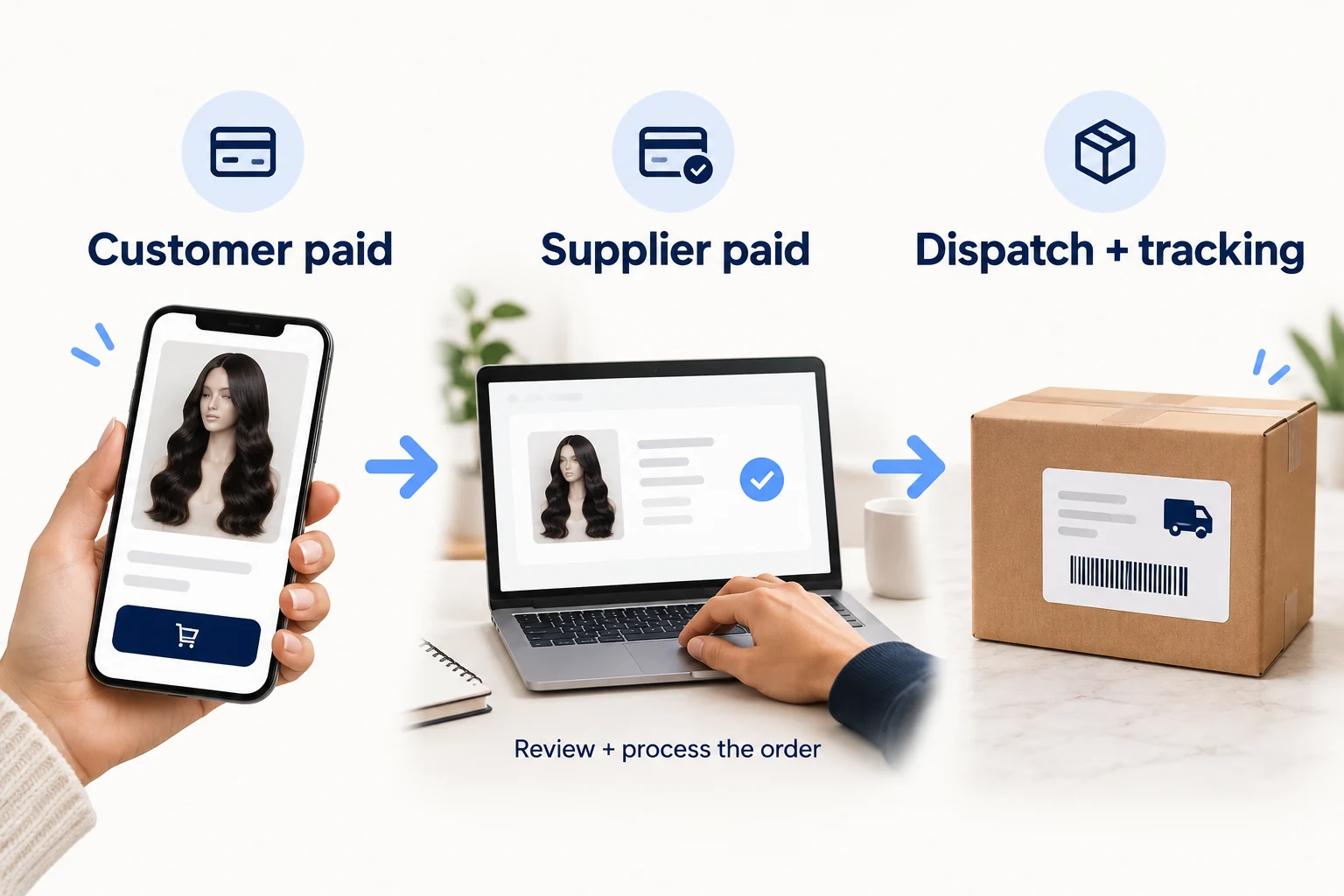
The useful confirmations are separate:
- Customer paid: the correct order exists in your store, with the purchased item, variant, quantity and delivery address.
- Supplier paid and accepted: the matching supplier order has the correct contents and a payment/processing confirmation.
- Parcel dispatched: the supplier has sent the order and supplied tracking. A label alone does not prove carrier collection.
- Buyer updated: the correct tracking reaches the store order and the buyer’s notification.
If the order is missing from the app, investigate the import or synchronization before placing a second order manually. If it is present but awaiting payment, resolve that step before promising dispatch. If payment went through but acceptance is unclear, ask support to identify the existing supplier order.
Do not mark an unpaid order as paid to force it through
An older manual-order help article describes creating a Shopify order and then processing it through the app once it is paid. Use a paid status only when it reflects a payment you actually received. It is not a troubleshooting switch for an unpaid customer order.
Likewise, canceling a pending app entry is not proof that a shipped parcel has been recalled or that a customer has been refunded. Match the action to the actual stage and keep the supplier reference connected to your store order.
04
Confirm where the order can go and what you can promise
There is a material mismatch in the published delivery information. The current FAQ says the service currently ships only within the United States. A shipping help article updated November 28, 2023 still says United States and Canada.
Do not enable Canadian delivery on the strength of the older answer. Ask support to confirm the destination you intend to serve. The country where you run your business and the country where your customer receives the parcel are different questions.
For example:
“Your current FAQ says US-only, while the November 2023 help page mentions Canada. Can you currently fulfill this product to [destination postal code]? If yes, please confirm the available service, total charge, processing time and who handles any import charges.”
That answer should come before a delivery promise on your product page. Published dispatch claims also need their conditions checked: an order received by the supplier after payment is not necessarily the same event as the time your buyer clicked checkout. Dispatch time and carrier transit time are separate waits.
Stock synchronization does not settle every pricing problem
The provider describes inventory updates for correctly imported products. Its pricing-discrepancy instructions, however, describe alerts and merchant edits or re-importing when prices need attention. Its price-update guidance also assigns retail-price changes to the merchant.
Check the actual variant, its cost and your selling price after an update. A connected stock quantity does not establish that your retail price still covers the new cost. Nor does an available listing prove that inventory has been reserved for an unpaid supplier order.
For hair quality, origin and suitability, obtain product-specific evidence. A catalogue description or an app rating cannot establish how a particular bundle behaves after washing or installation. Keep the wider product checks in the hair guide; this service review does not certify the supplier’s products.
05
Decide what arrives before your custom packaging does
“Custom branding support” can sound like printed packaging is included in an app subscription. The provider’s physical-branding explanation says Pro membership’s storage and branded packing do not include the cost of the printed materials themselves. You provide or separately purchase them, except for materials included in a specific package you buy.
Its website offer describes a separate wait of about three to four weeks for custom packaging, with plain black silk bags used in the interim. A store going live does not establish that your printed bags are on the packing bench.

Before showing a branded parcel as the standard customer experience, confirm:
- The exact tags, bags or cards included in your purchase.
- Whether artwork is approved and the materials have actually arrived for packing.
- What the supplier uses during the wait or when your materials run out.
- How you learn that stock is low and what replenishment costs.
If you send your own materials, the provider’s help describes a review before approval. Sending a box is not acceptance of its dimensions, weight or packing requirements.
Printed packaging can make a parcel recognizable. It does not make shared catalogue hair exclusive to your business, change its manufacturer or substantiate new claims about the product. Build your offer around the customer you serve and the evidence you can show.
06
Use the trial to prove one complete buying journey
A trial is useful when you leave it with a result you can inspect. Seeing hundreds of imported products is a smaller result than knowing one paid order can be fulfilled correctly.
The following is a proposed verification exercise, not a test we have performed in a Dropship Beauty account. Start with a small selection whose specifications you understand. Confirm any real-order charges and the delivery address before spending.
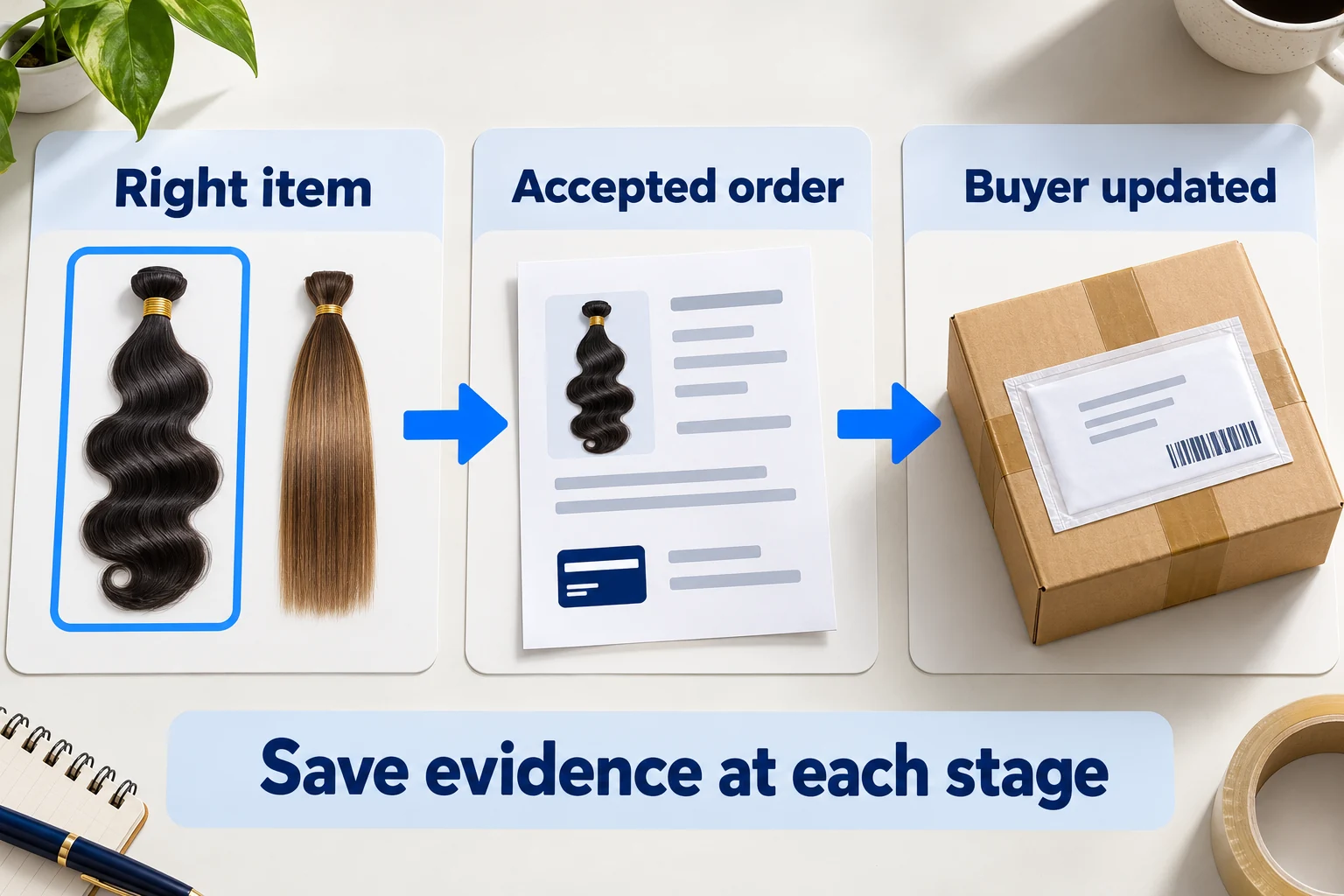
Record a result for each stage
| Stage | Evidence to save before calling it successful |
|---|---|
| Product appears in your store | Correct selected variant, contents, photographs you may use, current retail price and stock status on mobile as well as desktop. |
| A paid order reaches the app | Matching store order, contents and address, with no missing or duplicated items. |
| You pay the supplier | The matching supplier payment and acceptance reference, plus the actual total. |
| The order leaves | Tracking connected to that order and a carrier event showing receipt of the parcel. |
| Your buyer is informed | The right tracking and notification on the right customer order. |
| Something needs correction | A support reply identifies the order, issue and next action; retain the record rather than assuming a refund or replacement is approved. |
If the product imports but the paid order does not appear, you have found a connection problem before exposing many customers to it. If the order arrives but the parcel contents differ, an attractive storefront has not solved fulfillment. Keep the failed step open until its cause is understood.
Check product quality separately from the software route. One correct parcel is evidence about that order; it does not prove every texture, length or future shipment will match. Start with a range you can explain and support rather than importing the whole catalogue to make the shop look large.
07
Cancel the right thing and keep a return path
There are three different things you may want to stop: software billing, a website/branding job or a physical order. One cancellation does not automatically stop the other two.
The current refund policy describes requests within 30 days of receipt for unused, unworn goods with tags, original packaging and purchase evidence. It also says digital products and websites are non-refundable once development begins, and that canceling a subscription does not entitle the buyer to a refund of development or subscription fees.
An older product-return help answer counts its period from purchase. Because that differs from the policy’s receipt wording, get written eligibility and return instructions for the actual order. Do not silently combine whichever clauses look most generous.
Use the right question:
- Stopping the app: “Has recurring billing ended, and are any charges still due?” Save the cancellation confirmation.
- Stopping a build: “Has development started, and what does my agreed scope allow?” Keep the quotation, approval and correspondence.
- Returning goods: “Is this order eligible, what is the approved return address, and which charges are refundable?” Obtain instructions before sending it.
A faulty, damaged or incorrect item also needs prompt documentation and a specific response. The supplier’s ordinary unused-return restrictions are not a complete statement of your obligations to your own customer. Our customer-service guide covers keeping the buyer informed while the supplier investigates.
08
Frequently asked questions
Do I need to buy a Dropship Beauty website to use the app?
No. Its current offer lets existing Shopify merchants install the app and import the catalogue. A ready-made website is a separate setup purchase. Check whether your existing store actually needs replacing before buying one.
Does the free trial include free hair or free shipping?
No. The published trial concerns app access. Goods and order shipping remain separate charges. Confirm the selected plan and trial deadline before installing.
Is the annual plan paid monthly?
The listing presents $199.99 per year. Do not interpret a directory’s monthly-equivalent figure as installment billing. Read the billing approval and cancellation terms you are accepting.
Will stock and prices take care of themselves?
Inventory connection is part of the offer, but the supplier also publishes price alerts and instructions for updating retail prices. Review the affected variants and their economics when costs change; a working import is not a substitute for that check.
Can I sell to customers outside the United States?
Do not assume so. The current FAQ says US-only, despite older help mentioning Canada. Obtain confirmation for your actual destination before offering checkout there.
How do I decide whether this service is a good fit?
It is a candidate when you want its catalogue, can serve the supported customers and accept the real costs and responsibilities. The decision needs product evidence and a complete order check, not just a website demonstration. If you are comparing that route with a China-side sourcing and fulfillment arrangement, compare supplier models first. You can then ask AIDrop Agent to review the product, packaging and destination you actually need; availability and a quote require that specific scope.

Beauty Products Dropshipping: Claims, Ingredients and Supplier Records
Choose an explainable beauty range with actual supplier examples, product and label questions, a worked bottle-cost example,

Supplement Dropshipping: Choose a Supplier and Check What You Can Sell
Choose an exact supplement offer and supplier route, match the formula and label, calculate a complete paid

Hair Extension Dropshipping: Choose the Length, Texture and Order Route
Compare actual hair vendor routes, fill a precise bundle or wig request, budget app access and a
