
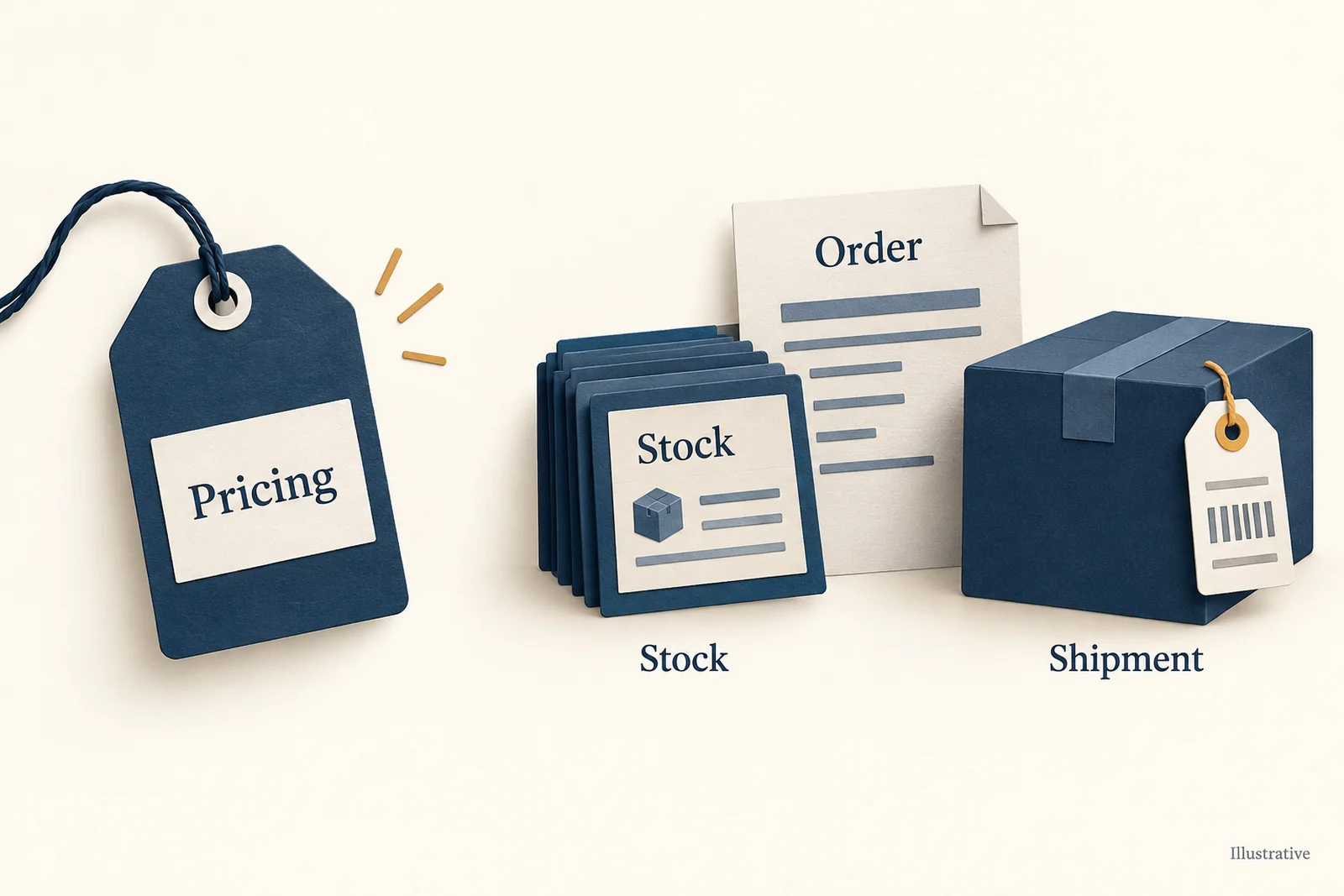
When someone buys a bag from your Amazon listing, several jobs still need doing: the right supplier gets the order, the purchase is paid for, the bag is shipped and tracking appears on Amazon. Choose software for the job you need help with, rather than assuming every automation tool does all of them.
For a supported wholesale supplier, look at Inventory Source. For several suppliers sharing orders, look at Flxpoint. If you also have warehouse stock and a larger purchasing operation, Sellercloud is another option.
AutoDS can help with supported Amazon listing and monitoring work, but its current Amazon guide says a person must update tracking on Amazon manually. If you only need prices to change automatically, Amazon’s own Automate Pricing may be enough. AutoDS’s Amazon guide.
Here, Amazon is where your customer buys. Buying Amazon retail products to supply another store is a separate sourcing question. Our Amazon dropshipping guide explains the selling model behind this software choice.
01
Choose software for the job you need done
The options below handle different parts of an order. Start with your supplier arrangement and the work you want to take off your hands; the comparison draws on the vendors’ current guides.
| Option | Worth considering when… | Work it supports | What still needs your attention |
|---|---|---|---|
| Inventory Source | You have a supported wholesale supplier | Product, stock and price updates; supplier orders and tracking with Full Automation | The supplier account and correct service |
| Flxpoint | Several suppliers or warehouses can supply your orders | Products, stock, prices, source selection, orders and tracking | Product codes, handling-time settings and bundle shipments |
| Sellercloud | You mix warehouse inventory with dropship vendors | Amazon inventory/orders and supplier purchase-order work | Vendor approval, channel setup and any connected repricing tool |
| AutoDS | You need its supported Amazon listing and monitoring tasks | Store connection, imports and related order tools | Its required buyer-details extension and manual Amazon tracking |
| Amazon Automate Pricing | Your supplier and shipping process already work, but prices need updating | Selling-price changes within your rules | Ordering and shipping the goods remain separate jobs |
On a phone, swipe the table sideways to compare every column.
Inventory Source: bring a wholesale supplier into the process
Inventory Source suits a store built around a supported wholesale supplier. Its Inventory Automation service moves product details, available quantities and prices. Full Automation adds sending orders to suppliers and returning shipment tracking. The free supplier directory is separate from those paid connections. Inventory Source’s service guide.
Reading an old feed more often does not make it fresh
The supplier sends a feed: a file or stream of information about products and stock. If that file is old, reading it more often does not reveal stock the supplier has not reported. This matters when you are selling the last few units of a bag. How stock updates work.
Its Amazon material also describes matching supplier products with Amazon listings using product identifiers. Make sure it is the exact item, and that your account may sell that brand, category and condition. Finding a matching product page does not give you sales approval. Inventory Source’s Amazon guide.
Also ask whether the supplier can receive orders through the service. A useful stock file is only part of the setup; the supplier needs a supported way to take the order and return tracking. That makes Inventory Source worth considering for a relatively simple wholesale operation whose supplier already fits the connection.
Flxpoint: choose which source should ship
Flxpoint is useful when the same store has several possible sources. Routing means deciding who gets an order: perhaps your preferred bag supplier first, then another source if the first is unavailable. Its Amazon guide covers products, quantities, prices, orders and shipment updates. Amazon connection guide, supplier-routing guide.
A SKU is your product code, such as BAG-BLK for the black bag. An ASIN identifies the product in Amazon’s catalog. Flxpoint’s guide says existing Amazon listings link by SKU, not by ASIN or UPC, a product barcode number. Your Amazon SKU needs to match the Flxpoint product code; knowing the ASIN does not fix a different code.
Check the black bag, not just a successful sync
Suppose your permitted Amazon offer uses BAG-BLK for a black bag, while the app links it to a blue source option. Those invented codes describe a mistake to check; they are not a catalog or account we tested.
Fix the product link first
Hold the affected offer or order while investigating. Compare the Amazon SKU, linked Flxpoint/master item and exact supplier option. Confirm color, model and quantity. Flxpoint’s Amazon guide uses SKU linking; matching an ASIN alone does not repair a wrong-color link.
Read the result for that item
After correcting the supported linkage and field mapping, inspect the Amazon feed result for the specific item. A submitted feed can contain item errors. Check the actual Amazon offer’s quantity and handling time, not only the app’s green status.
Release only the supported order
Compare the imported SKU, buyer quantity and shipping service with the source request and acceptance. If the black option cannot be supplied as promised, resolve that issue before release. Sending blue is not a successful black-bag test.
These are checks based on Flxpoint’s Amazon integration guide, reviewed on October 11. They do not establish product eligibility, reserve stock or demonstrate a live sync in your account.
Handling time is how long you allow before dispatch. If the supplier needs more time than your Amazon offer allows, that can create a promise you cannot meet.
Check handling time on the actual Amazon offer
Flxpoint only sends handling time when the fulfillment channel is non-DEFAULT, or when you explicitly set its mapping to send that field. Mapping tells the software which value to pass to Amazon. Otherwise, Amazon can keep the older value already in Seller Central. Look at the value on the actual offer while setting this up, not just the value saved in the app.
This extra flexibility earns its place when you regularly decide between suppliers or warehouses. It also takes setup: your product matches and shipping rules still need to be correct.
Sellercloud: manage stock and purchasing together
Sellercloud is worth a look if you have warehouse stock as well as goods sent by dropship vendors. Its Amazon connection covers inventory and orders, including FBA, where Amazon ships stock you send into its network, and merchant fulfillment, where you arrange shipping.
It also covers Multi-Channel Fulfillment, or MCF, for Amazon shipping your supplied inventory to outside-channel customers, and can connect a preferred repricing service. Repricing means changing the selling price. Sellercloud’s Amazon connection.
Its purchasing tools can turn a dropship request into a purchase order, or PO: the request you send to a vendor to buy the goods. The PO can pass through approval before being sent and be linked to your customer’s sales order. An automatically created PO still needs to become an order the vendor accepts. Sellercloud purchasing.
That wider setup may be useful when purchasing, warehouse receiving and several vendors are part of your day. If you only work with one supplier, compare the cost and setup with the narrower service you actually need.
AutoDS: include the manual tracking task in your plan
AutoDS’s current Amazon help sets out supported marketplaces and requires a Professional seller account. It also documents a browser extension needed to retrieve complete buyer details for its order process.
AutoDS leaves an Amazon tracking task to a person
The same help says Amazon tracking updates are manual. Someone on your team needs to enter the shipment details and see that they appear correctly in Seller Central. That task belongs in your buying decision, even when the product is described broadly as an automation tool. AutoDS’s Amazon setup and limits.
Keep it on the list if the supported region, supplier arrangement and manual work fit your store. Any feature that buys from a retailer still has to fit Amazon’s seller rules; having the software connected does not change those rules.
Amazon Automate Pricing: change prices without buying more order software
If stock and supplier orders already work, you might only need help changing your prices. Amazon Automate Pricing lets Professional sellers apply rules to active offers, with a minimum and optional maximum price. It is included with the US Professional plan, currently $39.99 monthly plus applicable selling fees. Automate Pricing, Amazon plan pricing.
The rules do not order a bag or pay the supplier, and they do not guarantee Amazon will choose you for the Featured Offer, its main purchase offer for a product. Use the tool for pricing, with the rest of fulfillment—preparing and shipping the goods—handled by your existing process.
A price floor must include the real sale costs
Set the minimum using what the sale really costs you. A rule can follow your price limits perfectly while selling at a loss if you left shipping, fees or likely returns out of those limits.
02
What the software will cost you
The comparison’s software prices were checked on September 28, 2026. Sellercloud’s $1,349 starting monthly equivalent was checked again on October 11: its pricing page specifies an annual subscription based on order volume and add-ons. Confirm the full commitment in your quote.
These charges pay for software or an account, not the goods, supplier shipping or full cost of an Amazon sale.
| Option | Published charge | What the price includes or leaves out |
|---|---|---|
| Inventory Source Inventory Starter | $199 monthly | Two integrations and 250,000 SKUs; inventory work |
| Inventory Source Full Starter | $299 monthly | Two integrations and 500 orders monthly; extra orders $0.30 each |
| Flxpoint Business | $799 monthly, or $699 monthly equivalent with $8,388 paid annually | Eight source/two channel connections and 3,000 monthly orders; optional onboarding and additions cost extra |
| Sellercloud | Starts at $1,349/month on an annual subscription | Quote depends on annual order volume and additions |
| AutoDS | Confirm the current Amazon plan and add-ons at checkout | Region, product limits and order-service charges affect your quote |
| Amazon Automate Pricing | Included with the US Professional plan | $39.99 monthly plus applicable US selling fees; price changes only |
On a phone, swipe the table sideways to compare every column.
Sources: Inventory Source pricing, Flxpoint pricing, Sellercloud pricing and Amazon pricing.
An integration or connector is a connection between systems. A source can be a supplier or warehouse; a channel is where you sell. One store with several suppliers can use more connections than “one store” suggests, so ask for a quote covering your actual suppliers, channels and accounts.
Inventory Source’s older sales pages still show lower starting prices. Use the current pricing page and your actual quote. Flxpoint’s $699 monthly equivalent also means paying the annual amount, rather than a month-to-month subscription.
Two hundred orders spread a $299 bill over about $1.50 each
Two hundred orders spread a $299 bill over about $1.50 each
For an illustrative budget, divide a $299 subscription by 200 monthly orders: about $1.50 per order, before supplier costs and Amazon fees. That does not prove savings. Compare it with the work it removes, the manual work left over and what problems still cost you to fix.
03
Get the account, supplier and product ready
First, make sure your account may sell the exact product, brand, condition and category. Importing an ASIN into an app moves information. Any product restriction or missing sales authorization still has to be resolved with Amazon.
Then agree with the supplier how your Amazon orders will work. Amazon’s guidance requires you to remain the seller of record—the business your customer buys from—meet its identification requirements and handle customer returns. Read the agreement and the documents that will accompany the goods before sending customer orders. Amazon’s official guidance; our Amazon dropshipping policy guide explains those duties.
Make the product connections clear too. Your Amazon product code, the app’s code and the supplier’s code must lead to the same item and variant. The black bag must not become the blue bag because two records were joined incorrectly. An ASIN tells you the Amazon catalog product, not necessarily which supplier item your software will order.
Finally, decide who changes stock and selling prices. A repricing tool and an inventory app can undo each other’s prices if both keep writing that field. Choose one writer for the price and one for stock, and arrange how your team will see a failed update.
04
Follow the first order all the way to Amazon tracking
Before letting orders run unattended, follow a small, permitted order through the whole process. The steps below are a way to learn your setup, not an order we placed.
- Start with the offer. The correct product code, available quantity and handling time should be on Amazon.
- Look at the imported order. The app should receive the right item, quantity, destination and shipping service.
- Find the supplier order. Know which supplier was chosen and find its purchase-order or source-order reference.
- Complete payment and approval. Any required funding or approval needs to happen before treating the order as sent for fulfillment.
- Get the supplier’s answer. An accepted order and a rejected order need different responses; an imported order alone tells you neither.
- Follow the actual parcel. The supplier needs to ship the goods and provide the carrier and tracking details.
- Look on Amazon. Make sure the shipment information is accepted there, and investigate any rejected update.
The parcel being sent and Amazon receiving its tracking are separate events. With AutoDS’s currently documented Amazon process, a person completes that update. Assign that job instead of waiting for the app to do it.
For Inventory Source, the Order Manager guide recommends checking and processing orders while learning the tools; automatic processing is an option you turn on. Its onboarding also asks you to confirm supplier receipt and follow tracking back to the channel. Those are useful things to learn while your order volume is still small. Order Manager guide, order onboarding.
Look for an accepted order before retrying
If the submission times out, find the supplier reference and ask whether the order was accepted before trying again. Sending another request too soon can buy two bags for one customer’s order.
What happens when only half a bundle ships?
Imagine an illustrative bundle with two items. The supplier ships one today, but the second has not shipped yet. Flxpoint’s Amazon guide says it sends the bundle’s single shipment update only after every component is fully shipped.

The first parcel can therefore be on its way while the Amazon tracking update is still waiting. Ask how the supplier will send the whole bundle and whether that plan fits the promise on your offer before selling it in that configuration. Flxpoint’s bundle limit.
For a handling-time mismatch, compare the app’s settings with the actual Amazon offer. For missing tracking, look at shipment errors and the carrier details. If the supplier rejects an order because of stock or payment, pause the affected offer while resolving the problem rather than accepting more orders on the same assumption.
05
Which setup makes sense for your store?
Choose Amazon Automate Pricing if changing prices is the only job left to automate. Supplier orders, stock and shipping need to be working already.
Choose Inventory Source if a supported wholesale supplier is the center of your store. Pay for Full Automation when you need its order and tracking work, rather than assuming the inventory service includes it.
Choose routing or purchasing for the work you have
Choose Flxpoint if picking between several suppliers or warehouses is a regular task. Choose Sellercloud if purchasing, warehouse stock and dropship vendors need to work together within a larger operation.
Keep AutoDS in consideration if its exact Amazon region and supplier arrangement suit you, and you can staff the manual tracking update. The important question is whether the whole order gets completed, including the work the app leaves to a person.
If the supplier or physical shipping process is still missing, AIDrop Agent’s fulfillment service can help with product checks in China, packing and arranging shipment.
Send a product link or ASIN, destination countries and expected monthly orders so we can review the product, packing and shipping needs. Confirm the Amazon connection and selling approval separately.
Buy the smallest setup that completes your actual work. A larger catalog is not enough if the supplier never accepts the order or the customer cannot see the shipment on Amazon.
06
Common questions
Does software make my Amazon selling arrangement compliant?
No. Your supplier agreement, product eligibility, fulfillment documents and returns still need to meet the rules. An app can move an order without proving that every part of your business is allowed.
Is AutoDS FBA the same as Amazon FBA?
No. AutoDS uses FBA to mean “Fulfilled by AutoDS,” its supplier-order service. Amazon FBA means Fulfillment by Amazon, using inventory sent into Amazon’s fulfillment network. The similar initials describe different services. AutoDS’s service explanation.
Can a product-research tool handle supplier orders too?
Product research helps you decide what to sell; advertising tools help promote it. Those jobs, by themselves, do not send a supplier order or put tracking on Amazon. Choose them for that work, alongside a separate order process if you need one.
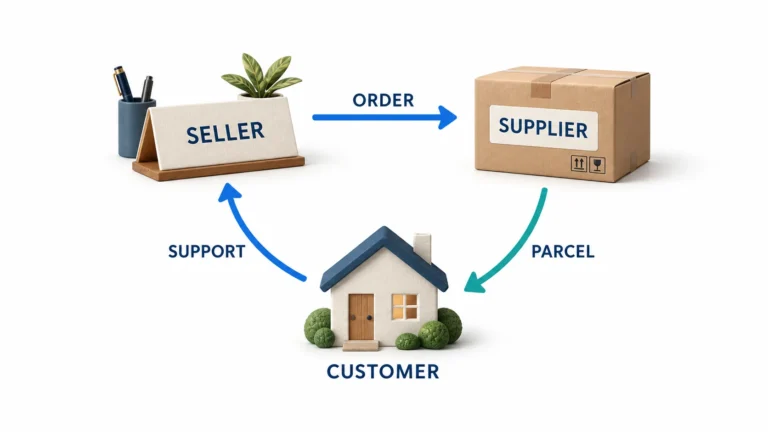
Amazon Dropshipping: Policy, Supplier Control and Order Operations
Check Amazon dropshipping policy, supplier controls, listing identity, fulfillment, returns, fees and cash needs before launching merchant-fulfilled
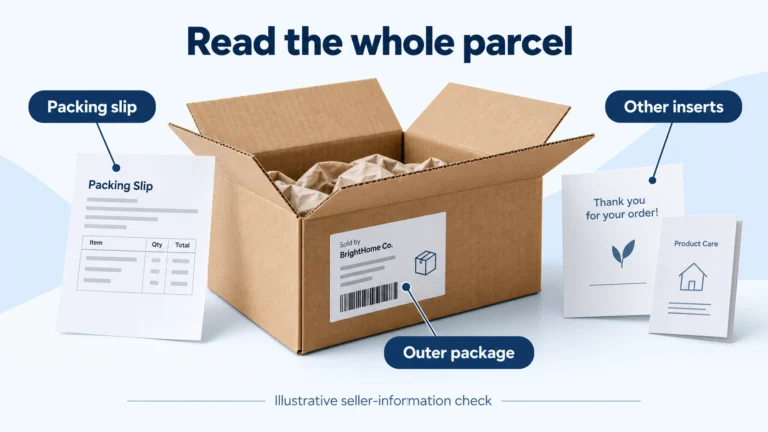
Amazon Dropshipping Policy: Rules, Examples and Pre-Listing Checks
Understand Amazon dropshipping rules for seller identity, packaging, sourcing records, returns and shipping, with practical examples and
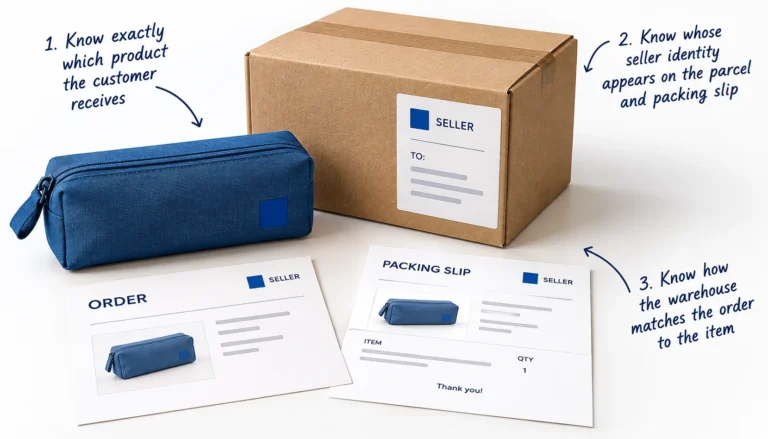
How to Start Dropshipping on Amazon: A Practical US Launch Guide
Start Amazon US dropshipping with a verified account, eligible products, a compliant supplier, accurate shipping settings and
