

AliExpress dropshipping on WooCommerce requires two connections: one between your store and the order-management tool, and another between that tool and your AliExpress buyer account. After connecting, map the exact supplier variations, confirm destination shipping and pay the AliExpress order separately from the customer’s store payment. Then verify that tracking returns to the correct WooCommerce order.
DSers is one documented route. ALD by VillaTheme and the AliExpress features in WooCommerce Dropshipping provide alternatives, but their setup and automation differ. Choose one tool for each product’s ordering flow. Installing several importers does not create a more reliable supplier connection.
The instructions below use provider documentation checked in September 2026, with DSers as the main operational example. They are not a report of a live store installation. The WooCommerce dropshipping guide covers the wider store decisions.
01
Choose the connector before importing products
| Route | Documented approach | Point to verify before choosing |
|---|---|---|
| DSers | Connect WooCommerce, authorize a sourcing account, map products and process supplier orders | The plan’s required stock/price functions and the full payment-to-tracking flow |
| ALD by VillaTheme | A WooCommerce plugin with an AliExpress Chrome extension and import/fulfillment features | Free versus paid capabilities and compatibility with your site |
| WooCommerce Dropshipping | Supplier management, order notifications, packing slips and AliExpress import tools | Which actions are imports/notifications and which actually place a supplier purchase |
The ALD plugin listing specifies WooCommerce, SSL for its extension connection and a permalink structure other than Plain. It also cautions that imported supplier information can be inaccurate or outdated. Its current documentation should control the installed edition’s workflow.
The WooCommerce Dropshipping documentation describes a separate Chrome-extension/API-key import route and supplier notifications. Sending a supplier email, importing a product and paying an AliExpress purchase are distinct actions. Choose based on the tasks you need performed, not the word “automatic” on a feature list.
Do not transfer settings from an old tutorial for another plugin. Similar names can describe different products, particularly AliDropship, AliDropship Woo and ALD. Match the author, exact plugin and edition before following instructions.
02
Connect WooCommerce and the AliExpress buyer account
DSers’ WooCommerce connection guide separates website verification, REST API authorization and webhook creation. Enter the intended store’s HTTPS domain in DSers, authenticate to WordPress, approve access and complete the store update. Check the store name and connection state afterward.
Before connecting, confirm WooCommerce is active, the site is reachable and /wp-json is not blocked. DSers specifies Post name permalinks for its connection. If you already operate a store with indexed URLs, assess redirects before changing the permalink structure; do not create broken links simply to follow an onboarding checklist.
If connection fails, identify its stage. A domain problem belongs to website verification, a blocked approval window belongs to authorization, and a rejected webhook request belongs to the final connection. Ask the host to investigate the exact blocked request and use narrowly scoped exceptions where appropriate. Avoid leaving security or caching plugins disabled after troubleshooting.
DSers also offers a WordPress plugin for shipping-confirmation emails. Its plugin guide explains that removing this plugin does not itself break the store binding. It is an optional addition, not the whole integration.
Next, authorize the AliExpress buyer account that will purchase customer orders. Keep a record of which business account is connected and who can access it. Logging into a different AliExpress account in the browser can make a successfully placed order appear to be missing when you try to pay.
03
Edit the first product before publishing it
Import one product as a controlled trial. Keep only the variations you can describe and support. Rewrite the title and description using verified dimensions, materials, quantities and included accessories. Remove irrelevant promotions and unsupported claims rather than importing the supplier page as finished storefront copy.
Inspect images for consistency with the selected variation. A listing can combine several bundles or capacities under one product page. If your page shows a charger but the chosen option is a cable only, the import has created a customer-service problem before the first sale.
Confirm permission to use the supplied images and brand references. Do not publish supplier claims about certifications or performance unless you have evidence for the exact product. Use the sample approval process to compare what arrives with what you intend to promise.
Keep your edited retail copy under clear control. Verify which fields the connector will update later so a price or stock refresh does not undo the description you just corrected.
04
Map variations as products customers can recognize
A variation map connects a customer-facing choice to the seller’s purchasable option. It must preserve more than a similar name. Match size, color, capacity, pack quantity, accessories and the dispatch option where the listing uses one.
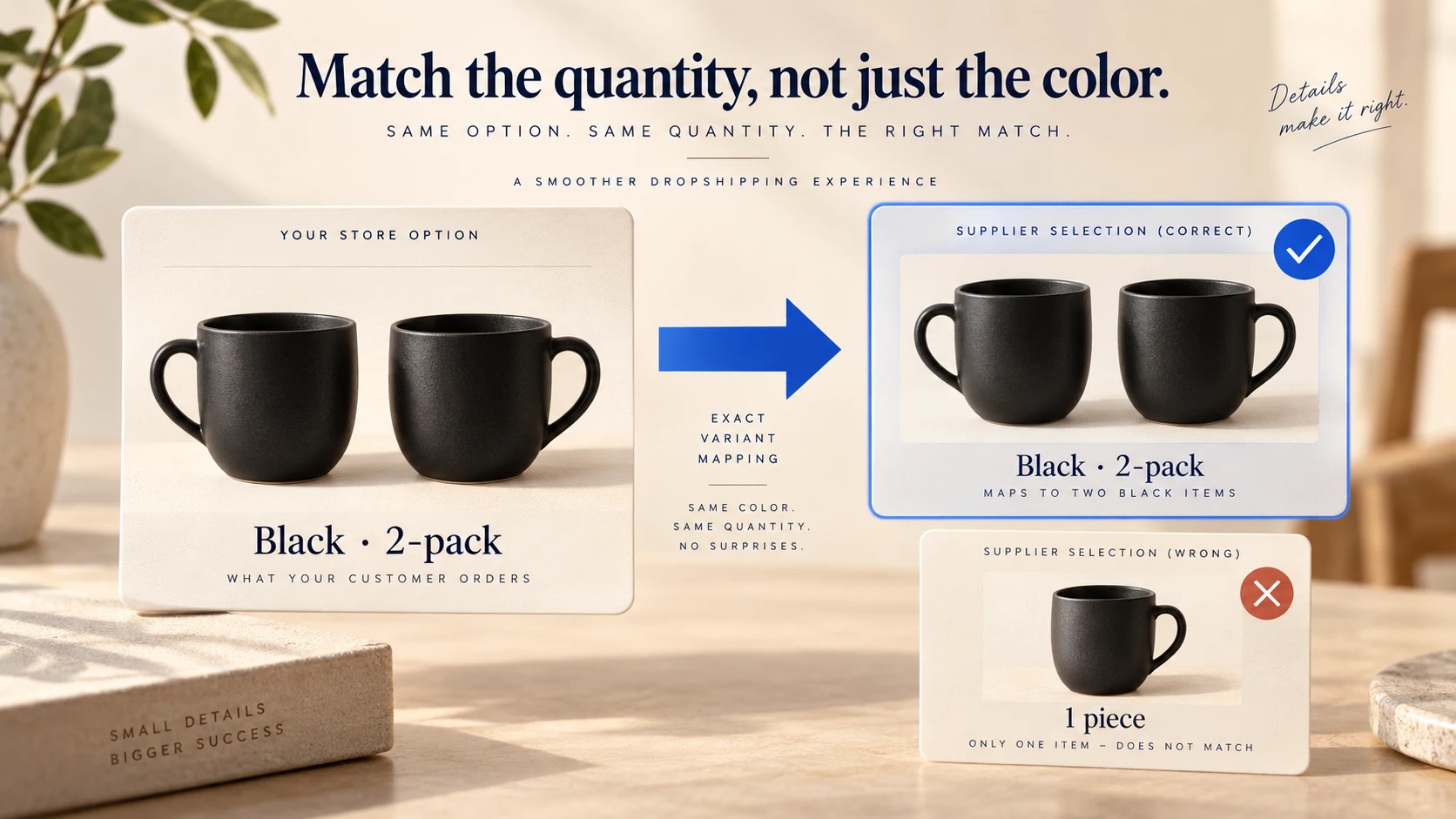
For example, a WooCommerce variation labelled “Black, 2-pack” must not point to an AliExpress option labelled only “Black” if that option contains one unit. A product image or color swatch is insufficient evidence of the quantity.
| Your store selection | Supplier selection to prove | Failure to avoid |
|---|---|---|
| Large / navy | The seller’s actual large navy item | Matching a color but leaving the default size |
| Two-piece set | The complete set, not one component | Using the cheapest option on a mixed listing |
| 500 ml | The specific capacity | Mapping by product title rather than variation |
| Local dispatch offer | The qualifying warehouse/route | Advertising one route while buying another |
Save the supplier URL and selected variation with your sample record. Recheck them when the seller changes the listing. DSers’ product-update guidance describes refreshing current SKU, shipping and cost information when the supplier’s data has changed.
A replacement supplier is a new product decision. Map and approve its variations before allowing the connector to use it for customer orders.
DSers’ supplier-remapping guide makes an important distinction: changing the mapping can affect orders not yet placed, but it does not rewrite purchases already placed with AliExpress. Review pending and placed orders separately during a supplier change.
05
Price the selected item for the customer's destination
Use the actual variation and destination when checking cost. The lowest price shown on a marketplace listing may refer to another option, and shipping can change with the postcode, quantity or service. A promotional price for your account is not necessarily a repeatable purchase cost.
For a hypothetical example, suppose you sell a bundle for $32 before tax. The selected supplier variation costs $11, shipping is $6, payment fees are $1.20 and an allowance for refunds/replacements is $1.80. The remaining $12 is available for advertising and fixed expenses; it is not net profit.
If the $11 listing turns out to be a single unit and the customer bought a pair, the product cost becomes $22 under the same assumed unit price. The remainder falls to $1 before advertising. Correct quantity mapping matters more than a small subscription saving.
Set a response to cost changes: adjust the retail price, pause the offer or review it. Do not allow a connector to place orders at an unacceptable cost simply because the customer has already paid. The inventory-management guide also explains why stock freshness and availability controls need ongoing attention.
06
Follow the money and order references separately
A customer’s WooCommerce payment does not pay AliExpress. The store order must be reviewed, placed with the seller and funded through the connected buyer account. Only then can the seller proceed under its order process.
Use the first controlled order to verify the complete chain. Check the customer’s selected variation, address and quantity before placement. After placement, retain the AliExpress order number alongside the WooCommerce order number. Then check the supplier’s payment state and shipping service.
| State | What to establish | Next action |
|---|---|---|
| Customer paid, supplier order absent | Store order is eligible and correctly mapped | Review and place the supplier order |
| Supplier order awaiting payment | Correct buyer account and order total | Complete supplier payment |
| Supplier order paid, not shipped | Seller has the right item and dispatch expectation | Monitor preparation and resolve delay |
| Shipment has tracking | Correct parcel and order association | Verify tracking reaches WooCommerce |
| Result unknown after an error | Whether a supplier order already exists | Look it up before attempting another purchase |
DSers’ automatic fulfillment explanation begins after orders have been placed and paid. Later status and tracking handling depends on your settings. Inspect what the customer receives instead of assuming that a status change in DSers creates the desired WooCommerce email.
Avoid marking an order complete manually just to clear the queue. A completed-looking store order can still be unpaid at the supplier or missing tracking.
07
Find a missing order before recreating it
If an order is missing from DSers, search by the store order number and confirm the selected store, supplier tab, status and date range. DSers’ missing-order guide describes filters, hidden items and archives that can make an order disappear from the view without deleting it.
If it is missing from AliExpress after placement, compare the account used for the order with the account currently open in your browser. DSers’ unpaid-order guidance identifies account mismatch as a common cause. Do not place the same purchase in another account before resolving that question.
If you deliberately purchased manually, preserve the connection to the existing customer order. The manual-order synchronization guide explains entering an AliExpress order number in DSers; that number must belong to the connected AliExpress account. Verify the product and address before attaching it, because a valid number can still be the wrong customer’s purchase.
These recovery steps protect both money and customer data. A second order is not a harmless test when it can cause a duplicate charge and shipment.
08
Distinguish delayed synchronization from a delayed shipment
When AliExpress shows a paid or shipped order but DSers has not updated, compare the timestamps and use the supported synchronization action. DSers’ current status-recovery guide describes API synchronization and a Chrome-extension alternative, with limits applying to the API option.
Refreshing status cannot make the seller dispatch a parcel. If no carrier handoff exists, investigate preparation or shipment with the supplier. If a tracking number changes, confirm that the latest number returns to the store and that the customer is not left following the old one.
Keep the distinction visible in support messages: order accepted, label created, carrier received and delivered are different events. The tracking guide covers those differences.
09
Approve the workflow before adding more products
Complete a sample order through the intended route, verify one stock or cost update and resolve one controlled exception. Check that edited copy survives updates, every sellable variation maps correctly and a supplier payment failure reaches the person who handles it.
Agree how you will handle cancellations, incorrect items and returns. Refunding the WooCommerce customer and seeking a supplier refund are separate actions; a local status change should not be assumed to cancel an already placed AliExpress purchase. The returns guide helps organize those responsibilities.
Add products only as quickly as you can maintain their mappings and promises. A small assortment with understood suppliers is easier to support than hundreds of imported listings whose shipping and variants have never been checked.
10
Frequently asked questions
Do I need the DSers WordPress plugin to connect WooCommerce?
DSers describes its WordPress plugin as an optional shipping-email addition. The main connection uses website verification, REST API authorization and webhook setup. Follow its current WooCommerce guide for the binding itself.
Will AliExpress receive my customer’s payment automatically?
The customer pays your store. Supplier payment is a separate transaction through your AliExpress purchasing workflow. Verify both payment states rather than treating a paid WooCommerce order as a paid supplier order.
Can I switch suppliers after an order is placed?
Changing a product map does not change an existing AliExpress purchase. Determine whether the original order can be canceled, then arrange any replacement deliberately. Unplaced orders can be remapped after the replacement variation is approved.
Is imported product data ready to publish?
No. Check the exact variation, quantity, dimensions, images and claims. Imported data can be incomplete or outdated, and your store still owns the promise made to the customer.
