
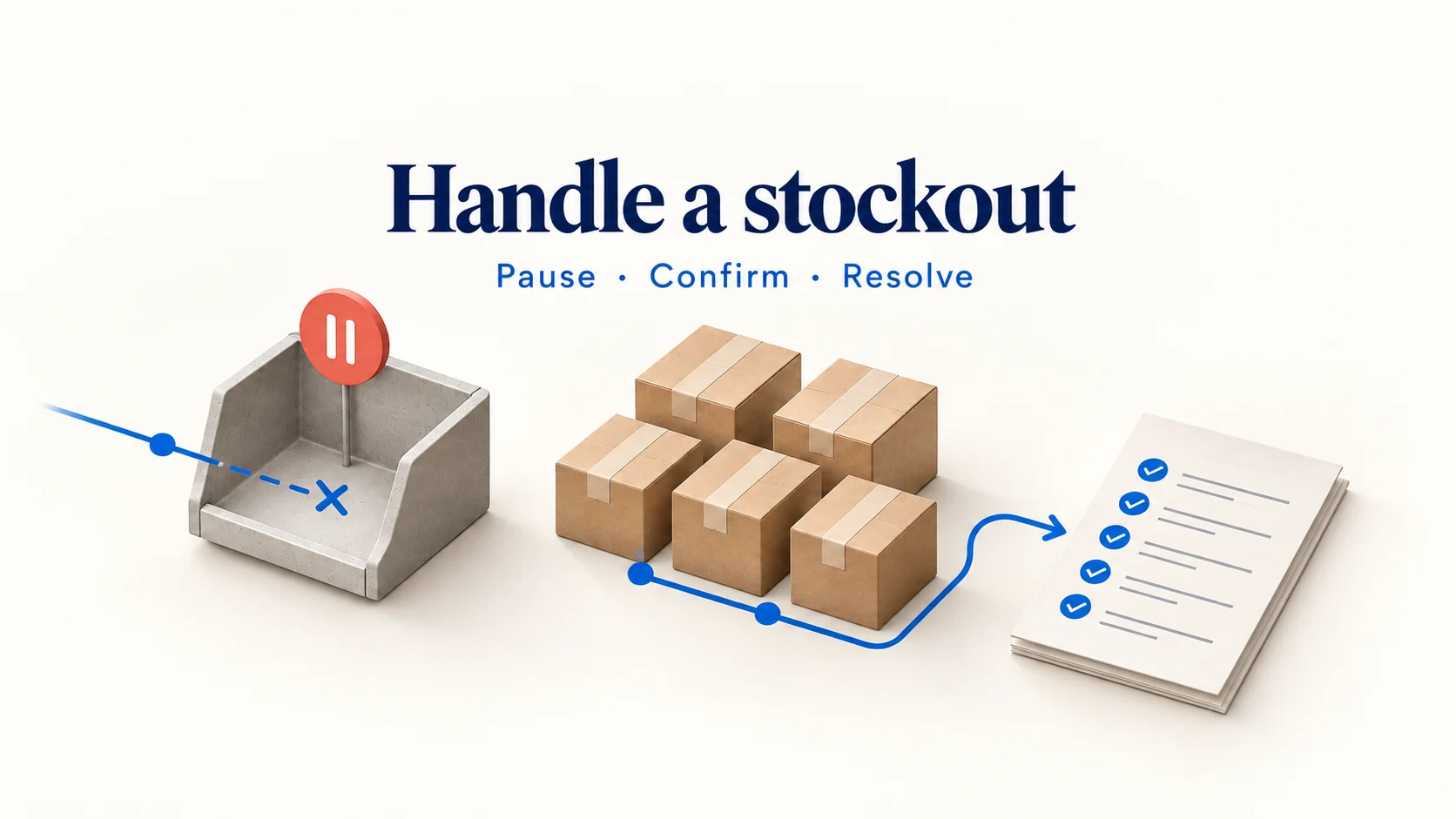
When a dropshipping product is out of stock, stop accepting new orders for the affected variant, confirm what your supplier can allocate, and resolve the orders you have already taken. Give affected customers a truthful choice based on what you can deliver. Restore sales after checking the stock update and the buying experience.
A replacement listing or a positive stock number does not, by itself, solve the problem. You still need the correct item, enough units reserved for your orders, and a dispatch plan that the customer can accept. Work through those questions before promising that everything is back to normal.
01
Stop new orders for the affected variant
Identify the exact supplier SKU, your store variant, and the locations or destinations involved. A sold-out black medium should not automatically close sales of a verified blue large. Equally, a parent product showing “in stock” should not hide an unavailable option underneath it.
Pause the route by which new orders are entering. That can mean disabling purchase of the variant, excluding it from a promotion, or stopping an automated purchasing request while you investigate. Check bundles too: a kit can remain purchasable even when one required component has run out.
In Shopify, tracked inventory normally stops selling at zero or below unless the option to continue selling is enabled. The platform’s out-of-stock selling guidance also explains how location and shipping setup can affect availability. Review the setting for the affected item; changing it just to remove a sold-out message can turn a configuration problem into an overselling problem.
Next, pull the paid orders that contain that variant. Record the order number, quantity, payment status, supplier acceptance, any existing allocation, and the dispatch promise. Separate orders already accepted for fulfillment from requests still waiting for stock. A storefront count cannot tell you which customers are affected.
Keep one person responsible for the incident. Support, purchasing and the person maintaining the store should work from the same order list. Otherwise, one person may offer a refund while another releases the parcel.
Put affected orders on a shared hold list
Create one row per affected order line, rather than one row per customer. A customer can have an unavailable item and an unaffected item in the same basket. Include the store order and line IDs, supplier purchase reference, variant, quantity, original shipping promise, allocated quantity, buyer’s decision, next action, owner and next review time. Keep payment and refund references in separate columns so that an issued refund cannot be mistaken for a cancellation request.
Use the list to distinguish work that needs different treatment:
| Order position | Immediate action | Evidence needed before the next step |
|---|---|---|
| Paid, not yet sent to the supplier | Hold the purchasing request and check allocation | Confirmed stock or the customer’s resolution |
| Supplier accepted, parcel not handed over | Request a hold and establish whether a unit is actually reserved | Supplier acknowledgment tied to that order |
| Carrier has accepted the parcel | Check whether this order is affected at all | Parcel contents and carrier acceptance, rather than the current catalog balance |
| Customer has cancelled, refund unfinished | Stop release and follow the refund to completion | Fulfillment hold plus payment-system refund reference |
| Payment not completed | Prevent an unavailable checkout from becoming a new promise | Current variant availability and payment status |
Support should record the buyer’s choice before purchasing releases an alternative. Purchasing should acknowledge the change before support calls it arranged. If an app automatically resubmits failed orders, hold that route too: retrying a rejected purchase does not create stock and may create a duplicate purchase later.
02
Find out whether stock is missing or the store is misconfigured
Ask the supplier about the exact variant and the time of the stock check. “We have this product” is too broad when colors, sizes or package versions differ. Request the quantity they can allocate to your orders, the location holding it, and whether it has cleared the checks needed for release.
Then compare the answer with your store and integration. The same sold-out message can point to different work:
| What you find | What to check next | What would justify a change |
|---|---|---|
| The supplier confirms no sellable units | Existing allocations, replenishment evidence and affected paid orders | A verified customer resolution or a new confirmed allocation |
| The supplier has units but the store shows zero | Variant mapping, update time and the location receiving the feed | Correct mapping and a fresh, accepted stock update |
| Stock appears positive but checkout cannot ship | The customer’s destination, fulfillment location and shipping configuration | A valid delivery service for that item and destination |
| The product looks available but one option fails | Variant-level stock and the selected option’s identifier | The correct option’s availability, not the parent product total |
Fix the cause that the check reveals. Do not disable inventory tracking as a general repair. If a stock update failed, leaving the next failure undetected simply postpones the same incident.
Trace one variant from supplier to checkout
Save the supplier’s latest record and the integration’s receipt time. Compare its SKU with the store variant ID, then check which fulfillment location received the quantity. Finally, test the affected destination in checkout. This sequence reveals where the information stopped matching, instead of changing several settings and losing the cause.
For example, a supplier may send ten units of the blue large pouch while the integration assigns them to blue medium. Correcting that mapping requires checking both variants: the medium has a false positive balance, and the large has a false zero. A correction that touches only the sold-out item leaves another customer able to order unavailable stock.
For stock that exists at one location but cannot serve a destination, confirm whether the restriction is intentional. A battery product’s route restriction or a warehouse’s unsupported destination should not be removed merely to make checkout succeed. Where the mapping is correct but a feed is stale, request a current record and make sure an older queued update cannot overwrite it. The supplier’s generation time and your import time answer different questions.
For ongoing supplier feeds, agree on identifiers, stock definitions and update timestamps in your supplier data requirements. Those fields make it possible to distinguish an empty shelf from an old or misdirected update.
03
Count the orders you can actually fulfill
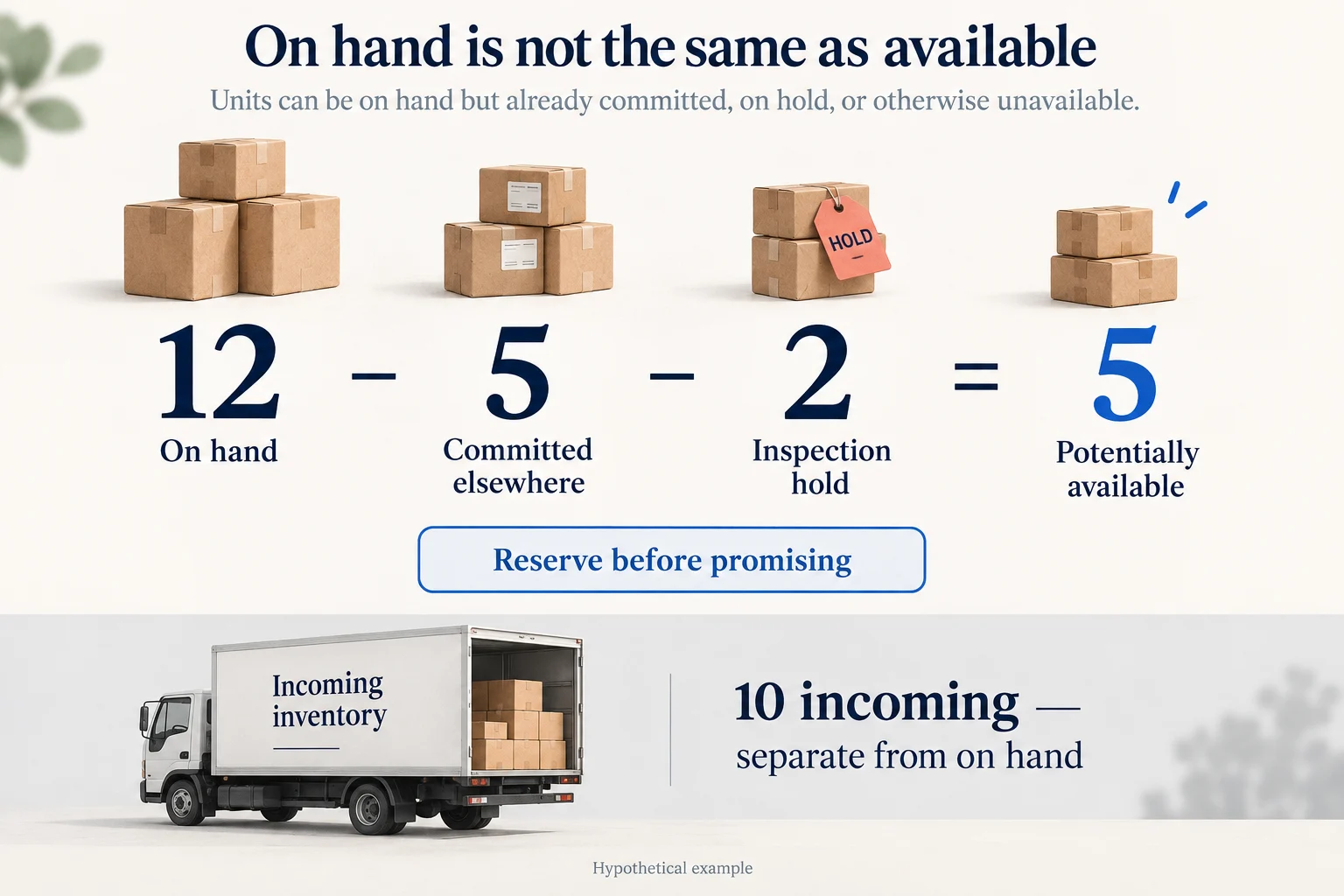
Physical stock and stock available to your business are different quantities. Some units may already belong to other orders; others may be held for inspection. Shopify’s inventory-state documentation separates on-hand, committed, unavailable and incoming inventory. Use similarly clear definitions when discussing a supplier’s stock, even if the supplier uses different software.
Consider this hypothetical supplier check. There are 12 units of the required variant physically present. Five are committed to other merchants, and two are held for inspection. Your store has eight paid one-unit orders that have not yet received an allocation.
| Supplier quantity | Units | Meaning for these eight orders |
|---|---|---|
| Physically on hand | 12 | Starting count, not the quantity you can promise |
| Committed to other merchants | 5 | Already unavailable to your orders |
| Held for inspection | 2 | Not cleared for release |
| Potentially available | 5 | 12 minus 5 minus 2; still needs reservation |
| Incoming separately | 10 | Not part of the 12 on hand or the five available |
If the supplier reserves those five available units for your eight orders, three orders still need another resolution. If the supplier has not reserved them, even the five remain uncertain. The calculation identifies a possible allocation; it does not create one.
Ask for the order references covered by the reservation and its conditions. If some of your eight orders were already included in the supplier’s committed quantity, reconcile those references before subtracting anything. Counting the same commitment twice would overstate the shortage.
Choose a consistent allocation rule and check individual deadlines before release. For example, an older order whose customer has already cancelled should not consume a unit because it sits at the top of a spreadsheet. Update cancellation and allocation status together.
04
Give affected customers a workable choice
Contact affected buyers when you know the original promise cannot be met. Explain the item involved and what is known about the delay. If there is no confirmed restock or shipping date, say so. A supplier’s hopeful replenishment estimate should not become a firm customer delivery date.
The useful choices depend on the order:
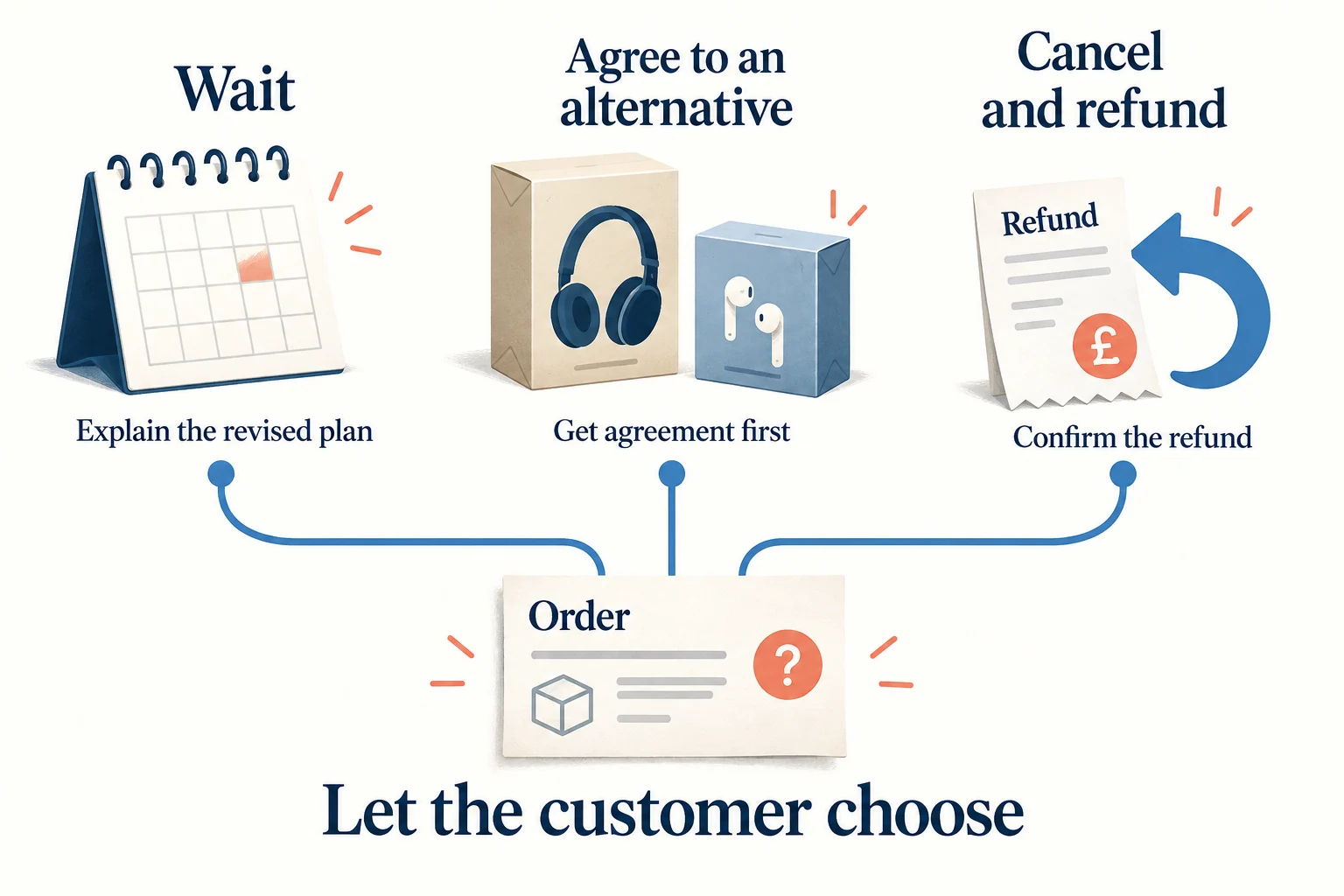
Wait for the original item. Offer this when you can explain the revised plan honestly. Distinguish a supplier’s expected restock date from the date the customer’s order could ship. Keep the customer’s response with the order.
Accept a specific alternative. Show the actual replacement, its specifications, price difference and timing. A similar photograph is insufficient. Obtain the customer’s agreement before substituting an item, and check quality and suitability before release.
Cancel and refund. Make cancellation easy to request and confirm what has been refunded. Coordinate the refund with purchasing so that a cancelled item is not dispatched later. Store credit should not be presented as the only remedy where a monetary refund is due.
For U.S. orders, the FTC’s shipping-delay guidance sets requirements for shipment promises, delay notices, consent and refunds. The details depend on the delay circumstances. Do not assume that an unanswered message always gives permission to keep waiting. Check the requirements for your selling market and the actual order; the operational examples here are not a universal legal notice.
An initial message might read: “The blue medium in order 1842 is unavailable, and we cannot meet the shipping date we gave you. We do not yet have a confirmed new shipping date. You can cancel for a refund using [contact method]. If you would prefer to discuss an alternative, reply here before we make any change.” This is an illustration: add the notice details and choices required for the order’s jurisdiction and circumstances.
For a multi-item order, establish whether the customer wants a split shipment before offering one as the solution. Explain any proposed changes to timing or charges, and check the correct refund treatment if part of the order is cancelled. Your shipping policy should support a clear conversation; it cannot make unavailable stock ship sooner.
Check whether a second supplier actually improves the order
A substitute supplier needs more than a live listing. Ask for the exact variant’s available quantity, a dated dispatch commitment, the destination’s delivery service and the total cost of fulfilling the existing order. Confirm the promised materials, dimensions, compatibility, accessories and packaging against your original offer. A photograph may show the same shell while concealing a different connector or material.
Then compare the customer’s revised outcome. In an illustrative case, supplier A expects replenishment in four days and needs another two days to prepare the parcel. Supplier B can prepare an already available item in three days. On an otherwise comparable route, B removes three days before dispatch, not six days from the total delivery time. If B’s route is slower, the apparent recovery may disappear. Recheck the whole timeline before asking the buyer to accept it.
Include any original purchase that cannot yet be recovered in the cash decision. Paying B does not cancel A’s invoice. Get a cancellation acknowledgment or record the outstanding supplier credit separately, then make sure only one supplier has an active release instruction. For a materially different replacement, approval should identify the actual change; “another item is fine” leaves too much room for misunderstanding.
Resolve partial orders without losing the original agreement
An unavailable component can make the available items unusable. A bottle without its required lid is different from two independent products in the same basket. Confirm whether the buyer can use a partial shipment, whether waiting for the complete order is acceptable, or whether cancellation is appropriate. Avoid sending the available part simply to mark something fulfilled.
Record the chosen treatment at line level, including shipping-charge adjustments and the refund calculation. If a discount originally depended on a bundle, do not silently reprice the remaining items at a higher amount. Explain the proposed result and apply the terms and customer protections that govern the order. Keep the customer’s resolution separate from your later recovery of money from the supplier.
05
Keep the product page and shopping data consistent
Update what a new buyer sees, not only the number in your inventory app. Check the selected variant on the product page, its purchase button and checkout behavior. Remove promotional wording that still promises immediate availability for an item you cannot supply.
If you use Google Merchant Center, keep the landing page, checkout, structured data and product data aligned. Google’s availability specification distinguishes unavailable offers from accepted future orders: an existing product sold for later fulfillment uses backorder, while preorder applies to a new, unreleased product. The required availability date must also appear on the landing page.
Use those states to describe the real offer. An unknown restock date does not become reliable because a feed field requires a date. If you cannot support a future shipping promise, stop taking those orders while the supplier confirms the position.
A temporary stockout does not require removing a useful product page. You can retain its product information and clearly explain availability. If you offer a notification signup, describe it as an alert; do not imply that signing up reserves stock unless your process actually does so.
Decide whether a backorder is supportable
Take future orders only when the offer can be explained honestly and the operation can keep the promise. Establish which replenishment covers existing customers, how much remains for new buyers, what could still delay its release, and who will contact buyers if the date changes. Keep a limit on accepted quantities so that a confirmed replenishment is not sold repeatedly across channels.
Suppose ten incoming units are expected and three existing customers have agreed to wait. Even if all ten arrive and pass inspection, only seven remain before accounting for any other commitments. Advertising ten units for new buyers would recreate the shortage. If the arrival quantity or release date is still uncertain, a notification signup lets customers express interest without taking payment against an unsupported schedule.
A product discontinued permanently needs a different page decision from a short stockout. Remove the purchase offer, explain that it is discontinued, and point to a suitable available alternative when one exists. Keep useful specifications or support information available where customers still need them. Do not redirect an unrelated discontinued item to a generic product simply to conceal the unavailable page.
06
Restore sales after a verified stock update
Before reopening the variant, confirm the sellable quantity and resolve allocations for existing customers. New buyers should not compete unknowingly for units already promised to paid orders.
Then check the complete purchase path. Open the product as a customer, choose the affected variant, enter a supported delivery destination and verify that stock status and shipping terms agree. Where a test order is needed, use your platform’s appropriate test method and ensure it does not create an unintended supplier purchase or shipment.
Reopening deserves three separate checks:
- Supply: the right variant is cleared and available under a confirmed allocation arrangement.
- Store: the current quantity reaches the correct location and option, with no obsolete update overwriting it.
- Orders: previous cancellations, refunds and accepted delays are recorded before fulfillment resumes.
Resume the associated promotion only after those checks. Watch the first new orders through supplier acceptance, rather than treating a green stock indicator as proof that fulfillment works. If quantities or acknowledgments disagree again, pause the affected route and investigate the new evidence.
Use a controlled reopening sequence: settle existing allocations, load the remaining sellable quantity, verify the storefront and checkout, then resume promotion. Note the stock record version and time used for reopening. Where a feed and a manual correction both write inventory, resolve which one is authoritative before either can replace the new balance.
The check should cover the previously affected variant, a neighboring unaffected variant, a bundle containing the item and the destination that failed. Verify that a cancelled order remains stopped. These checks target the actual failure paths; repeatedly opening the parent product page cannot establish that every one is repaired.
07
Fix the cause before the next stockout
Record why the incident happened in terms that lead to a repair: a stale stock file, incorrect variant mapping, unreserved shared stock, a failed update, or a promotion that exceeded the quantity the supplier had agreed to release. “Supplier problem” is too broad to guide the next action.
Where automation is involved, define what should happen when an update is too old or an order receives no reliable acceptance. A missing value should not silently become unlimited stock. Choose an age limit that fits the feed’s real update frequency, and route uncertain orders to a person instead of repeatedly sending purchase requests.
Also decide who can reopen sales and what they need to see. A corrected feed, confirmed quantity and checked order list are more useful than a message saying “fixed.” The broader dropshipping inventory management guide covers the stock definitions and recurring controls that should sit behind this incident response.
Review the effect on buyers as well as stock: which orders shipped, which waited with agreement, which were cancelled, and whether any refund is unfinished. Closing the incident means completing those customer outcomes. The operations guides connect inventory work with fulfillment and delivery decisions.
Close the incident with an order reconciliation
Return to the eight-order example. A possible outcome is five shipped orders, two cancellations with completed refunds, and one customer waiting for replenishment under a recorded agreement. Those outcomes account for all eight orders, but the waiting order remains open work. Give it an owner and a next review date rather than marking the entire incident finished because the product is selling again.
Keep a short incident record: affected variants and channels; when the shortage began and was detected; new orders accepted during that gap; confirmed allocations; each customer’s outcome; unrecovered supplier charges; and the change made to prevent recurrence. Distinguish the trigger from the failed control. A promotion may have exhausted shared stock, while an old feed allowed sales to continue after that stock had gone.
Judge the repair by that failed control. For an outdated feed, test the handling of an old timestamp and an unavailable update. For incorrect mapping, check other variants using the same import rule. For unreserved shared stock, change the purchasing or allocation agreement. This is more useful than adding a large safety quantity that merely hides an unknown balance.
08
Frequently asked questions
Can I order the same-looking product from another supplier?
Only after checking that it meets the promised specifications and can be fulfilled on acceptable terms. Confirm the variant, materials or functional requirements, packaging and timing. If the replacement changes what the customer ordered, obtain their agreement before sending it. Visual similarity alone does not establish equivalence.
Should I keep advertising while the item is sold out?
Pause or change campaigns that send customers to an unavailable purchase or an unsupported shipping promise. A clearly explained notification campaign is a different offer. Check that its landing page and any shopping feed reflect that purpose and the product’s actual availability.
What if the supplier cannot give me a restock date?
Do not invent one for the customer. Explain the uncertainty, offer the applicable cancellation and refund route, and follow the delay requirements for the order’s market. Keep new sales paused unless you have a supportable future-order offer and the systems and disclosures to handle it.
