
Multi-currency dropshipping pricing means checking what one order leaves after money changes currency. Match the buyer’s payment, your settlement and the supplier bill. A €60 sale can look healthy until conversion, fees and a yuan invoice are reconciled.
Keep the supplier currency in the same order
This is a pricing and reconciliation problem, not a promise that every Shopify or payment setup supports every currency. Store currency, customer-presentment currency, payout account, conversion fee and refund treatment depend on the store’s market and payment configuration. Shopify’s currency-conversion guidance describes the relevant transaction points. Use your own provider records for the actual amounts.
01
Name the four amounts before changing the selling price
Start with EUR 60 and a CNY 315 bill
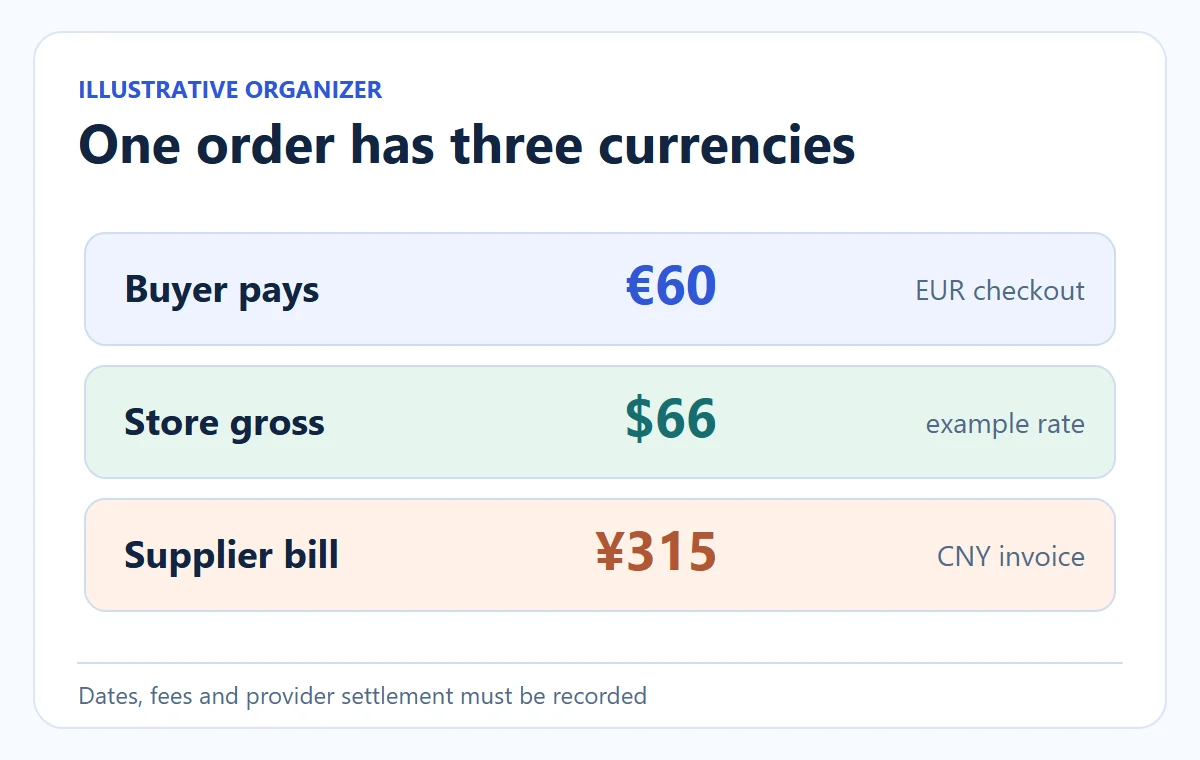
Suppose a buyer in Germany sees and pays €60 for a foldable desk organizer. Your payment provider settles the order to a USD account; your China-side supplier quotes ¥315 for product and freight. The customer never sees that supplier invoice. The supplier does not receive the €60. If you treat the two amounts as though they share a currency, your margin calculation has no meaning.
Use the rate at each payment event
In a purely illustrative example, the order converts at €1 = $1.10 and the supplier payment at $1 = ¥7.50. Gross settlement before platform-specific charges would be $66. The ¥315 supplier bill would cost $42. Assume another $2 in payment costs and a $3 exception reserve. The contribution is $66 − $42 − $2 − $3 = $19 before other operating costs. Actual FX rates, conversion fees, duties and taxes are not represented by this example.
| Money event | Example native amount | Illustrative USD equivalent | Evidence to keep |
|---|---|---|---|
| Customer payment | €60 | $66 at $1.10/€1 | Checkout currency, order and settlement record |
| Supplier product + freight | ¥315 | $42 at ¥7.50/$1 | Supplier invoice and payment confirmation |
| Payment cost + exception reserve | — | $5 | Provider charge and your stated assumption |
| Contribution before other operating costs | — | $19 | Reconciled order calculation |
Compare each market’s complete cost
The same product may be profitable in one market and weak in another because delivery route, tax treatment, payment fee and return cost differ. The landed-cost and pricing guide owns the whole price-setting method; here the missing variable is which rate actually applies to each money event.
What to save from the first order: the customer’s actual EUR charge and currency code, the processor’s gross and net USD settlement, each conversion fee, the supplier’s CNY invoice and the amount debited from the account that paid it. The illustrative $19 above is a planning contribution, not a reconciliation until those records exist. A provider may deduct its fee before payout; subtracting that fee again from the net payout would understate margin. Conversely, recording a gross payout while forgetting its fee overstates it.
Reconcile the transaction inside a payout batch
Make the order ID the join key across these records. If the provider pays out several orders together, allocate its statement lines to the individual orders before judging the organizer’s margin. If the supplier bill combines three SKUs, keep the supplier’s item lines and actual freight allocation. A spreadsheet cell labeled “exchange rate” without a transaction date or source is not enough to explain why a later order earned less.
Put the three money records on one worksheet
Use the organizer’s hypothetical €60 order. Record each actual amount and currency code before combining it: buyer EUR 60; settlement USD 66 gross; payment cost USD 2; supplier CNY 315. Do not join several payout orders merely because their amounts look similar.
Calculate from gross
USD 66 − USD 2 payment cost = USD 64 net. At the example supplier conversion of CNY 7.50 per USD, CNY 315 ÷ 7.50 = USD 42. With a separate USD 3 exception allowance, USD 64 − USD 42 − USD 3 = USD 19 contribution.
Or begin with actual net
If the transaction report already shows USD 64 after that USD 2 fee, subtract only the USD 42 supplier payment and USD 3 allowance. Subtracting USD 2 again gives USD 17 and counts the same fee twice. Check whether the reported net also includes other charges before allocating them.
Worksheet example: B2 = 64 net settlement; B3 = 42 paid supplier cost; B4 = 3 planned allowance. =IF(COUNT(B2:B4)<>3,"HOLD",B2-B3-B4) gives 19 only when all three numeric inputs exist. Confirm their USD units, date and source first. A missing invoice is not a zero-dollar invoice; the allowance is an assumption, not an expense already paid.
02
Do not mistake a displayed local price for the payout
Display currency and bank currency differ
Customers often prefer a familiar local currency, but the store must distinguish the displayed price from the payout amount. Shopify’s local-currency documentation explains that market configuration can apply exchange rates, adjustments and conversion fees in particular cases. The exact setting and provider matter. Test checkout for your market and read a real payment or a supported test transaction before assuming the product page’s conversion is the final settlement.
Keep the market’s complete money path
Write one pricing row per market and fulfillment route: storefront price, currency, tax presentation, shipping charged to buyer, net payout after payment/conversion charges, supplier item currency, freight currency, and estimated cost of a refund or replacement. If the supplier invoice is paid several days after checkout, the relevant supplier exchange rate may be different from the customer conversion rate. A static markup percentage on the supplier’s CNY catalog is not an order margin.
Check market currency without confusing it with payout
Shopify’s local-pricing guide distinguishes buyer-facing currency from settlement. Full local-pricing features require Shopify Payments and one-page checkout; a currency switcher alone does not establish the payment or payout route.
Inspect this market
Open Markets → the intended market → Currency, then record the current pricing method and the exact organizer variant. If eligible for the Managed Markets manual-rate feature, use Exchange rate (FX) → Manual → approved rate → Done. It is not available for the primary market.
Verify the real result
A fixed international product price takes precedence over the manual conversion rate. Reopen the intended country’s product page and checkout with its discount, shipping and tax settings. Then match the transaction’s currency and settlement to the worksheet; the setting does not fix the later supplier-payment rate.
Use these as configuration checks, not evidence that we changed or tested your store. If EUR is supported for the buyer but your account settles USD, record both. Do not rewrite a past USD receipt with today’s reference rate.
See what changes when the supplier currency moves
Recalculate the later supplier payment
Keep the €60 buyer charge and the ¥315 supplier invoice. Suppose the USD payout equivalent is still $66, but by supplier-payment time $1 buys ¥7.00 rather than ¥7.50. The supplier bill costs $45 instead of $42. If the other $5 of cost stays the same, contribution becomes $16, three dollars lower. The example isolates one exchange change; real payouts and fees can move too. The purpose is to show why a quoted product cost and a later paid cost need different timestamps.
Choose a contribution trigger
You do not need to change prices every hour. Set a sensible buffer and a review trigger based on real order contribution, not on the currency ticker alone. If a market or supplier change regularly pushes orders below the store’s floor, update future pricing or pause that route while you obtain a confirmed quote. Do not retroactively charge a buyer who already paid merely because an exchange rate moved.
Test the same basket at three rates
To see whether a price is resilient, run the same basket through three illustrative supplier-payment cases before launch: ¥7.50, ¥7.25 and ¥7.00 per USD, holding the CNY invoice at ¥315. The supplier cost becomes $42.00, about $43.45 and $45.00. With the example $66 gross settlement and $5 other cost, contribution becomes $19.00, about $17.55 and $16.00. These are scenarios, not currency forecasts. If the store’s minimum acceptable contribution is $18, the middle case already calls for a new future price, a better supplier quote or a different route. Write which lever you chose and when it takes effect; a rate alert alone does not change an order.
03
Give refunds their own exchange-rate record
Treat the refund as a separate conversion
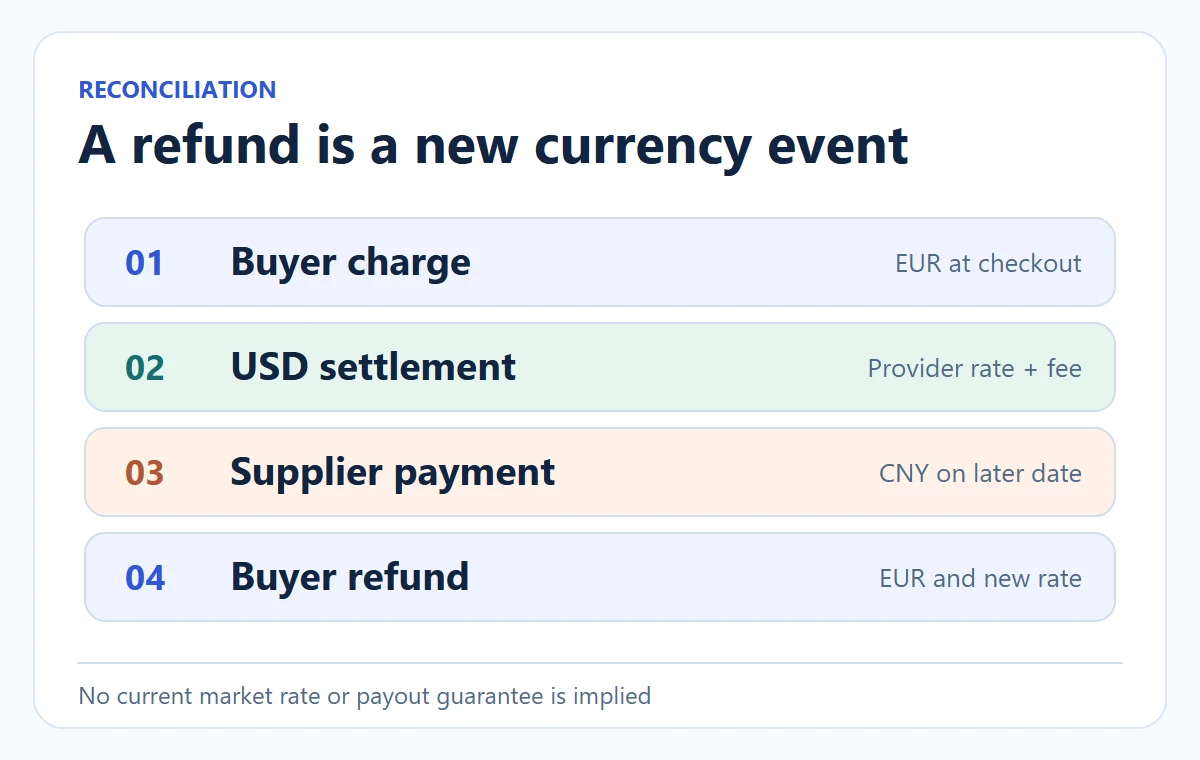
A refund is a new money event, not a perfect reversal of your earlier supplier payment. Shopify’s exchange-rate help says conversion occurs when you capture payment and when you issue a refund. Its local-currency guidance notes that the amount deducted in your payout currency can depend on the rate at refund time. Some Managed Markets arrangements have different guarantees or behavior; check your store’s actual configuration before using a general rule.
The exchange difference is not a refund profit
For illustration, if a full €60 refund is converted at $1.08 per euro, its dollar equivalent is $64.80, whereas the original gross settlement example was $66. That $1.20 difference does not mean the refund made money. You may retain payment or conversion costs, have already paid ¥315 to the supplier, or owe return shipping. Record the buyer refund, provider debit, supplier credit if any, and remaining parcel or goods separately. The refund-policy article covers customer-facing promises; this page explains why your accounting needs both dates and currencies.
Refund the actual failed line
If only one item in a multi-item order is refunded, use the platform’s actual line, discount, tax and shipping allocation. Do not estimate the refund in USD first and then tell the buyer a different EUR amount. The customer’s transaction and applicable rules govern what they receive. Supplier reimbursement is a separate negotiation and can arrive later, in a different currency.
Keep supplier credit in its original currency
Consider a second branch: the German buyer receives the organizer but one accessory is missing. A partial refund might be due in EUR even though the supplier offers a CNY credit for the missing component. Record the buyer refund in its charged currency, the provider’s corresponding USD debit, and the supplier credit in CNY when it is actually issued. Do not net the CNY promise against the EUR customer payment as though they settled on the same day. The partial-refunds guide addresses which original order line and charges belong in that buyer amount.
04
Use a market-by-market release test
Test what the buyer pays and what you receive
Before opening a new market, build a test cart with a product you can actually fulfill there. Record the customer’s local checkout amount and shipping choice, the payment provider’s expected settlement path, the exact supplier quote for that destination, and the party responsible for duties or delivery exceptions. Then run an order through the supplier handoff without assuming the store currency has been passed correctly. A paid €60 order sent upstream with a supplier instruction saying “60” but no currency is an avoidable operational failure.
Run these checks after a payment-provider change, a market price adjustment, a new supplier currency or a new route:
- Product page and checkout show the intended local amount and tax/shipping presentation.
- The order export keeps the customer amount and currency code.
- The supplier quote states its own currency and includes the intended product and destination.
- The store’s cost sheet records actual conversion and payment dates, not just a reference rate.
- A refund test or documented provider rule explains what the store will be debited if the buyer is refunded.
The outcome of the test should be a small decision sheet, not a green tick alone. For each market, record allowed or hold, the tested destination and SKU, customer currency, net payout currency, supplier currency, observed fees, contribution at the current quote, refund exposure, owner and next review date. If the German checkout displays €60 but the exported supplier instruction loses EUR, hold the integration even if checkout looks perfect. If the money path is correct but the supplier cannot dispatch to Germany, hold the route for a different reason. Those failures require different repairs.
Resolve the missing money record
If a test cannot produce these records, keep the market’s order volume limited while you resolve the gap. The cash-flow guide examines payout timing and refund buffers; multi-currency pricing adds a rate and fee layer to that timing.
If AIDrop Agent would source or fulfill a product in China for your store, send the exact SKU, destination, buyer currency, supplier quote currency and intended delivery method through the review form. We can help identify where the China-side cost and order status enter your calculation. We do not publish an assumed exchange rate or generic carrier price as an AIDrop quote.
05
Frequently asked questions
Can I just use today’s exchange rate for all past orders?
No. It is useful for a forward estimate, but an actual order should use the provider and supplier amounts recorded at the relevant transactions. Keep rates, dates and fees with the order so you can reconcile refunds and supplier charges later.
Does a local-currency checkout guarantee local-currency payout?
No. The customer’s presentment currency and your payout currency are separate settings and payment events. Verify the account and provider arrangement used by your store.
Should I add a blanket FX buffer to every product?
A buffer can be part of a pricing rule, but test it against market-specific order costs and customer prices. A flat percentage cannot repair a missing freight charge, a wrong currency code or a supplier quote that changes after purchase.
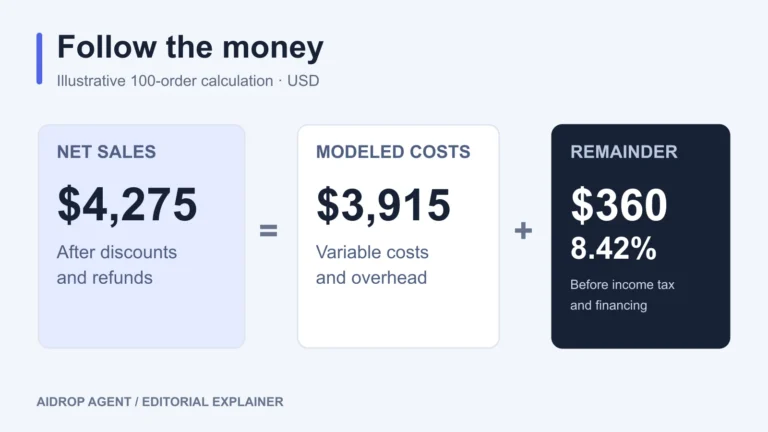
Dropshipping Profit Margin: Calculate What You Keep
Calculate dropshipping gross, contribution, and net margins. See how discounts, refunds, and ad costs change profit in

How to Price Dropshipping Products From Landed Cost and Risk
Calculate a retail price from the delivered cost of one variant, selling fees and required contribution, then
Dropshipping Cash Flow: Supplier Payments, Payouts and Refund Buffers
Plan dropshipping cash flow by date. Separate pending payments from usable cash, fund supplier bills, and test
