
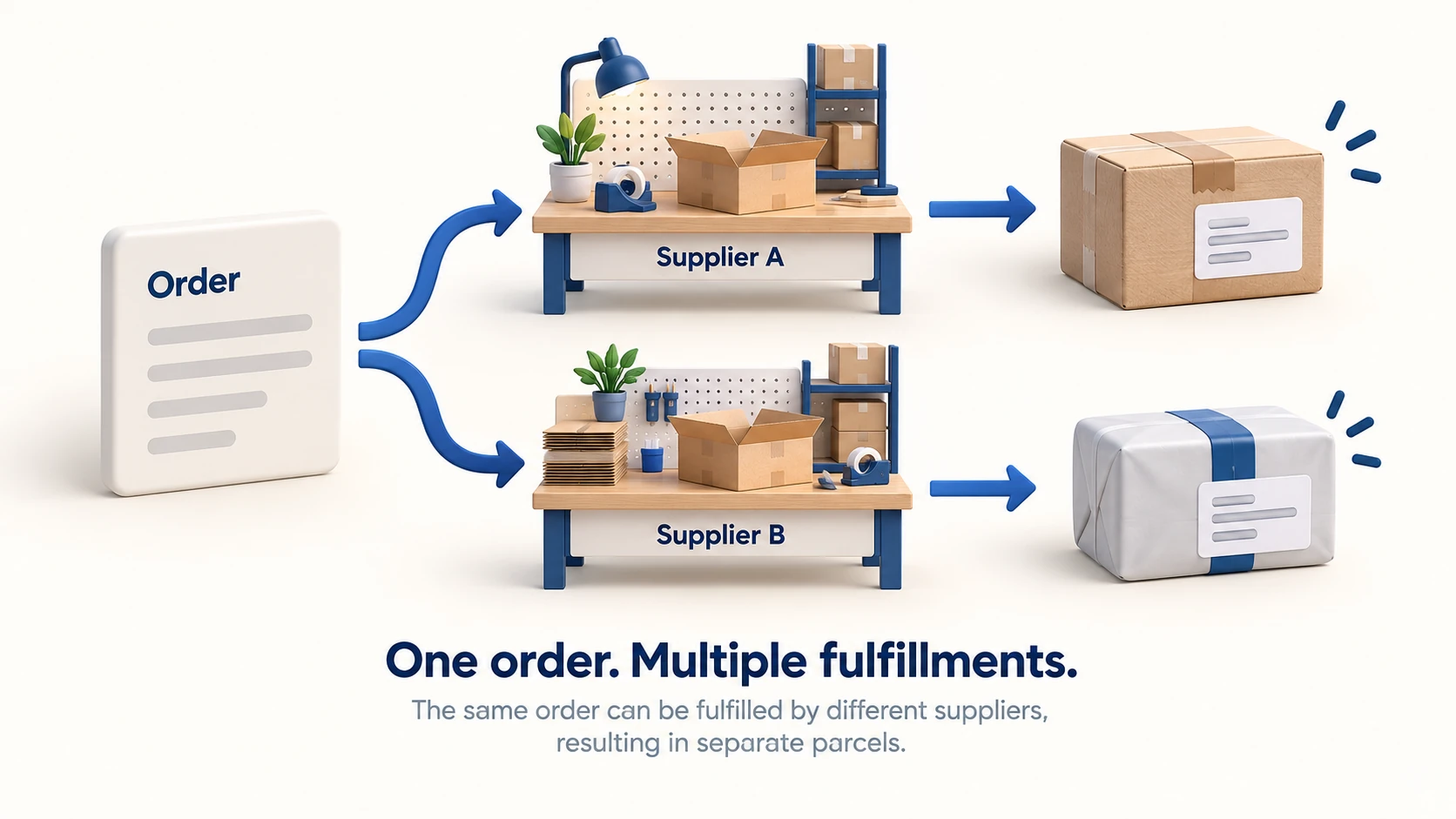
You can run a dropshipping store with multiple suppliers. The store needs a reliable record of who supplies each variant, where each order line was sent, whether it was accepted, and which parcel contains it. Customers should still receive one coherent service from your business, even when two suppliers do the physical work.
Adding a second supplier can widen the range or provide a useful alternative when stock is unavailable. It also creates more ways for an order to go wrong: duplicate requests, mismatched variants, separate shipping charges and a delivery notification that covers only half the purchase. Set up the handoffs before importing another catalog.
01
Choose direct dispatch or one consolidation point
There are two common arrangements. Each supplier can ship its part of the order directly to the customer, or suppliers can send goods to an agreed warehouse that combines eligible items before dispatch. The second arrangement requires an actual receiving and consolidation service. Installing one app for several suppliers does not establish that service.
Direct dispatch avoids an extra physical transfer. It can suit products that customers buy separately, or a mixed cart whose items do not need to arrive together. You still need to allow for separate parcels, different handling times and more than one shipping charge.
Consolidation is worth considering when the offer depends on receiving items together, when you need one packaging standard, or when an agreed inspection happens before dispatch. Compare the extra inbound transport, receiving, storage and handling with the expected benefit. Waiting for the slower supplier can delay everything in the order.
Provider rules differ. For example, Zendrop’s supplier guidance says products from different suppliers ship separately within its service. It also distinguishes fewer parcels from lower shipping fees. That is a provider-specific rule to check before building a bundle, not a rule for every dropshipping arrangement.
Ask a proposed consolidation partner what happens when one item arrives damaged or late. The answer should cover the waiting period, storage charges, permission to split the order and responsibility for customer updates. The broader fulfillment guide explains how those responsibilities fit into the complete order process.
02
Build the product-to-supplier record
Give every sellable variant a store SKU and map it to the supplier’s exact variant. Keep color, size, material, included accessories and packaging requirements with that mapping. A matching product photograph or title is not enough to establish that two suppliers offer interchangeable goods.
For a small range, a controlled spreadsheet can be a useful starting record. As the range grows, the same information needs to live in the system that routes orders. The important property is that staff and software use the same approved mapping.
| Store record | What to retain | Why it matters |
|---|---|---|
| Variant identity | Store SKU, supplier SKU, specification or sample reference | Stops a similar item being sent as an exact replacement |
| Fulfillment source | Supplier, dispatch location and service | Determines routing, cost and delivery expectations |
| Availability | Meaning of the stock quantity and last update time | Shows whether the number can support a new order |
| Commercial terms | Current product and shipping quote, currency, validity | Makes a changed price visible before purchase |
| Exception owner | Contact and agreed cancellation or claim process | Gives staff a route when automation cannot complete the order |
If two suppliers stock the same approved variant, choose a primary source and define when the backup is eligible. Compare the backup’s delivered cost and service as well as the item itself. A source that can deliver to one country may be unsuitable for another.
Keep a history when the mapping changes. An old order must remain connected to the supplier and specification used when it was released; otherwise, a return investigation can end up comparing the customer’s item with today’s replacement listing.
03
Publish stock you can actually allocate
A supplier’s stock feed tells you what that feed measures. It may show physical stock, stock available across all its customers, or a quantity already reduced for commitments. Establish the meaning before copying the number into your store.
Shopify’s inventory-state documentation separates available, committed, unavailable and incoming quantities. Those distinctions explain why a warehouse count is not automatically a sellable count. They do not prove that an external supplier’s feed uses the same definitions.
There is another duplication risk: two supply apps can expose the same upstream stock. Adding their quantities together would make one inventory pool look like two. Confirm that the sources are independent before summing availability.
Use a stock buffer only with a clear purpose. For example, a store might reserve a small quantity against delays between feed updates, then review whether the buffer is sufficient using actual oversell incidents. A buffer cannot make stale or unexplained data reliable. If the feed stops updating, decide whether to reduce availability, stop accepting orders for that variant or seek a fresh confirmation.
Document who can override the quantity and when an override expires. A manual correction that the next synchronization silently replaces can reopen the same problem. The inventory management guide covers that ongoing reconciliation in more detail.
04
Send each order line once and confirm acceptance
An order containing items from two suppliers needs two scoped requests. Each supplier should receive the items and quantities it is responsible for, along with the relevant address and service requirements. Retain both supplier references under the original customer order.
Track at least the distinction between prepared, sent, accepted and shipped. The words may differ between systems, but a request leaving your store and a supplier agreeing to fulfill it are different events. Define which event allows the next step.
Consider an illustrative order for a bag from Supplier A and a pouch from Supplier B. A accepts its request. The request to B times out, so your store cannot tell whether B accepted it. Immediately sending the pouch to a backup supplier risks two pouches being shipped.

An uncertain response needs reconciliation before a replacement request. Check B’s order record or contact its fulfillment team using the original reference. If it has the order, obtain a confirmed cancellation before rerouting where cancellation is still possible. If it has no order, retain that result and release one replacement request.
This is also how a real platform boundary can matter. Shopify’s app-fulfillment instructions distinguish an unaccepted request from an accepted one. For accepted fulfillment, cancellation needs a response from the service. A status change in your storefront should not be treated as proof that packing stopped elsewhere.
Assign unresolved orders to a person with a deadline for the next action. A queue that only retries requests can multiply an error; a queue that nobody checks leaves the customer waiting without an explanation.
05
Price and explain split deliveries
Work out the shipping expense for the actual cart, not just each product page. A customer adding a low-priced accessory from a second supplier can create another parcel whose shipping cost exceeds the accessory’s contribution.
Compare direct dispatch with consolidation using the same destination and delivery requirement. Include both supplier charges, any transfer or consolidation work, and the price the customer sees. You can absorb part of the expense, charge it separately or change the bundle; the calculation should show which choice you made.
Checkout behavior depends on the store setup. Shopify’s combined-rate guidance describes how profiles, location groups and rate types affect the displayed charge, and notes the transition to shipping options by market. Confirm which model your store currently uses. Two suppliers do not, by themselves, tell you what checkout will charge.
Tell customers about separate arrivals before payment where that affects the offer. A short message can identify that the bag and pouch ship separately and have their own tracking. Avoid a single promised delivery date unless the arrangement genuinely supports it.
If the items need one another to be useful, a late component is more serious than a separate optional accessory. Decide whether that offer should wait for consolidation or allow a customer to cancel the affected purchase. Put that decision into the fulfillment instructions rather than leaving support staff to improvise after dispatch.
06
Follow parcels without losing the whole order
Attach tracking to the items in each parcel. When the first package is delivered, the customer order may still be incomplete. Your notification should identify what arrived and what remains, with the relevant tracking link for each shipment.
Support staff need the same view. For a missing-item complaint, first distinguish an expected second parcel from an item missing inside a delivered package. The evidence and next action differ: one may need a carrier update, while the other needs the packing record and supplier investigation.
Keep returns connected to the original source too. Two suppliers can have different authorized addresses, claim requirements and recovery options. Give the customer instructions your business can support, then manage reimbursement with the supplier separately. Do not send a customer to two warehouses without first explaining what belongs at each destination and who covers the agreed costs.
The tracking guide provides a useful distinction between a label, carrier acceptance and later transport events. Apply that distinction separately to every parcel in a split order.
07
Test the awkward orders before adding more suppliers
Run a small, controlled set of orders through the intended process. Tell the suppliers which orders are tests and prevent test payments or app actions from accidentally creating duplicate real shipments.
- Buy one item from each supplier and verify both request references and tracking records.
- Buy a mixed cart and compare the customer charge with the expected shipping bills.
- Make one variant unavailable and confirm that its replacement rule does not substitute an unapproved item.
- Simulate an uncertain handoff in a safe test environment and verify that staff reconcile it before retrying.
- Request a cancellation at the agreed stages and check which response confirms it.
- Open a partial-delivery support case and confirm that staff can identify the remaining parcel.
Record the result against the order, not just as a general “integration works” note. Expand the supplier list when your team can follow an order from sale to completion and explain any unfinished part. That operating record is what makes a larger catalog manageable.
