
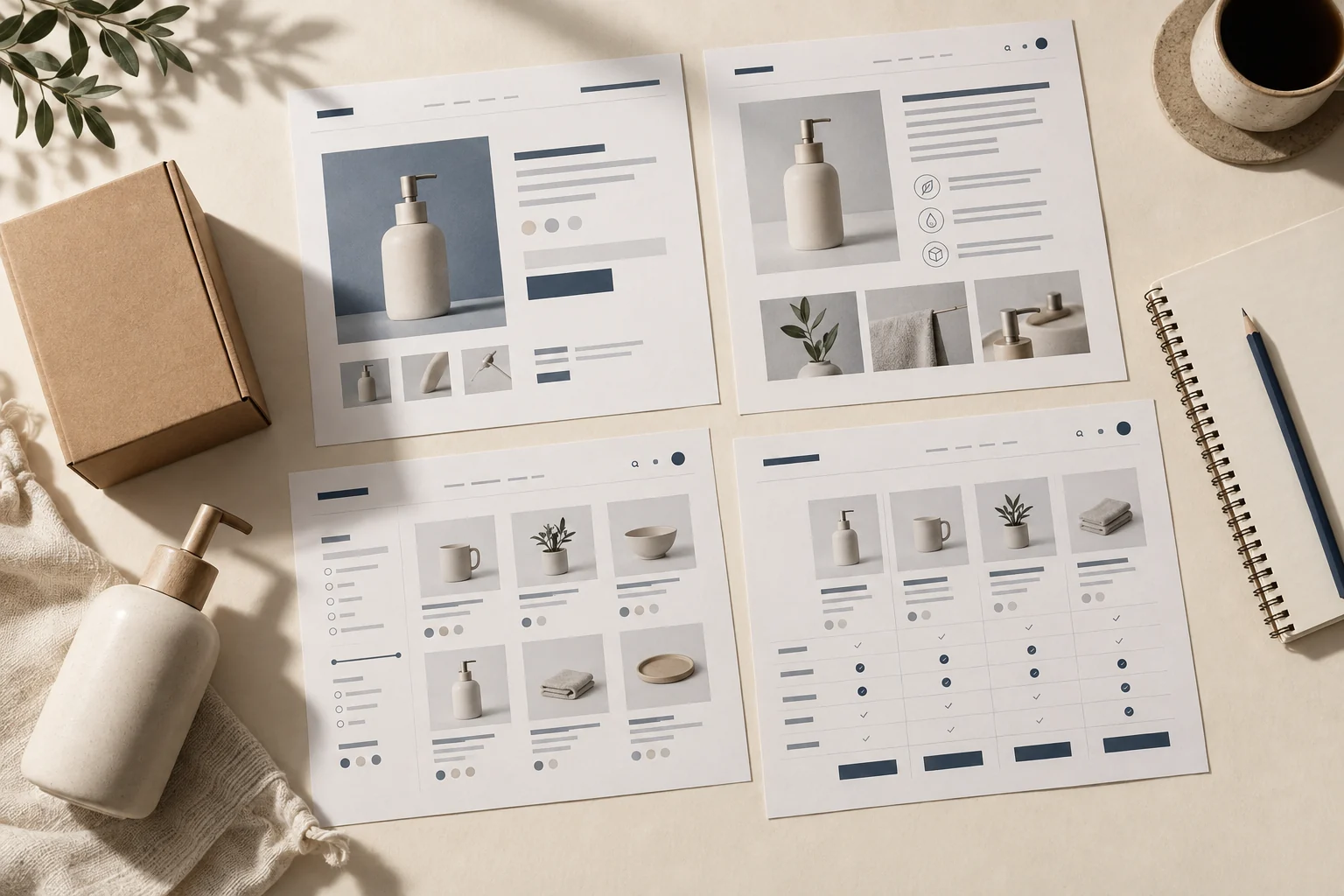
For a small dropshipping store, try Dawn first. It is free and gives a focused product range a straightforward starting point. Compare free Refresh or Sense if shoppers need more product explanation. Startup is a paid option for a small catalog; Warehouse and Empire are paid candidates for a much broader range.
Choose the theme that helps your customer find the right item, understand it and buy the correct version. A beautiful demo cannot answer those questions for your products.
We rechecked the official listings on October 11, 2026. These recommendations use advertised features, not measured speed or conversion.
The paid listings showed Startup $100, Warehouse $320 and Empire $360 USD; confirm the actual checkout price. Shopify’s Theme Store license is for one store.
01
Choose a Shopify theme for your catalog
Shopify’s Starter plan uses Spotlight only, according to its theme instructions. Check your plan before following this six-theme shortlist. The free candidates below apply when your plan supports them.
A store selling three travel accessories needs different pages from one selling hundreds of replacement parts. Start there, rather than collecting every feature you might someday use.
On a phone, swipe across the table to compare the columns.
Theme: Dawn, free
Worth trying when: You have a focused range and want a simple starting point.
Question to answer in your preview: Can a shopper understand the item and choose it without extra clutter?
Theme: Refresh, free
Worth trying when: Your product needs clear details, use information or a short explanation of what makes it useful.
Question to answer in your preview: Can you show those facts without hiding the size and purchase controls?
Theme: Sense, free
Worth trying when: A compact catalog needs fuller descriptions, demonstrations or explanatory media.
Question to answer in your preview: Does the extra detail help on a phone, or push the important choices too far down?
Theme: Startup, paid
Worth trying when: You want to try a layout built for a small or single-product catalog.
Question to answer in your preview: Do its tabs, options and video presentation solve a problem your free theme leaves?
Theme: Warehouse, paid
Worth trying when: You have a large range that customers need to search and filter.
Question to answer in your preview: Can they narrow the real catalog to the right compatible item?
Theme: Empire, paid
Worth trying when: A broad catalog needs navigation and product comparison.
Question to answer in your preview: Can shoppers compare the details that actually determine their choice?
Pick two candidates that fit the store you have now. This is a shortlist, not every theme worth considering. For the supplier and order setup behind the pages, use the Shopify dropshipping guide.
02
For a small range, make the product easy to understand
Imagine selling a compact desk lamp. Before buying, the customer wants to know its size, whether the power adapter is included and when it should arrive. A large lifestyle image is useful, but it cannot replace those answers.
Dawn: show the item clearly
Dawn puts product imagery at the center of a minimal layout. Try it when a few clear photographs and a concise explanation can do the job. Put the dimensions and included parts close enough to the product choices that a phone shopper will find them.
Refresh: explain verified product details
Refresh is worth comparing when the product needs a stronger explanation. Its listing highlights sections for details such as testimonials, ingredients and quality information. Use those sections for facts you can support. A template with room for certifications does not mean your product has a certification; a review section needs real reviews.
Sense: demonstrate without hiding choices
Sense offers fuller descriptions and explanatory media. That can help with a product whose use is difficult to show in one photograph. Check the mobile page carefully: a long sequence of videos and text should not make someone hunt for the size selector or delivery information.
Startup: trial a small-catalog layout
Startup is a paid small-catalog alternative with listed features such as product tabs, options and video. Compare it when you can name the presentation problem you want to solve. Having only one main product is a reason to try its layout, not an automatic reason to pay.
Dawn, Refresh and Sense already list useful features including filtering, sorting, mega menus and shipping information. A mega menu is simply a larger navigation menu that can show several groups of links. Check the free options before buying a paid theme for a feature they already provide.
During the preview, write down the first question your product page leaves unanswered. If the adapter information is missing from the supplier record, change the product information first. Moving an empty answer into a nicer tab will not help the buyer.
03
For a big catalog, help shoppers find the right item
A large catalog creates a different problem: the right item may exist, but the shopper cannot find it. Someone looking for a replacement part needs useful filters and consistent product details, rather than another row of attractive bestsellers.
Warehouse emphasizes large-catalog organization and filtering. Empire also targets broad catalogs and lists product comparison. Compare them with representative products from your own range, including items that look similar but fit different models.
Product comparison needs accurate information to compare. If one supplier calls a dimension “width,” another supplies only a photograph and a third uses a different unit, the theme cannot make those records agree. Confirm the attributes, use consistent names and units, and then judge how well the theme displays them.
For example, a customer shopping for a lamp accessory should be able to narrow the range by compatible model and see whether the part is included in the original lamp box. An empty compatibility field is a product-data problem. A complete field hidden below a long mobile page is a presentation problem. Those lead to different fixes.
Configure one filter and verify its result
A filter needs usable product data and a theme that displays it. Try this proposed two-part example before judging a large-catalog theme. It is not a test performed in a Shopify account.
1. Create the field
Open a product in Shopify → Metafields → Add definition. Name it Compatible model, choose Single line text, save it and enter the verified value. Shopify’s definition guide also gives a Settings route.
2. Fill consistent values
In this fictional example, part CLIP-A has Model A and CLIP-B has Model B. These labels describe verified fit; they are not a suggestion to guess compatibility from a photograph.
3. Add the storefront filter
Open Apps → Search & Discovery → Filters → Add filter. Select that metafield as Source and save, following Shopify’s filter instructions. Use a compatible theme and its display settings.
4. Check the buyer’s result
On a phone, open the collection and choose Model A: CLIP-A should remain and CLIP-B should disappear. Clear the filter: both should return. Open CLIP-A, choose its available variant and confirm the cart shows that exact SKU.
If the field is populated but the filter is missing, check theme support and filter configuration. Shopify does not display filters on a collection with more than 5,000 products; organize an appropriate smaller collection before blaming the theme. Correct results still do not prove supplier mapping or stock—check those separately.
Do the same check for availability. Showing a collection in a menu does not mean every item in it is available.
Stock counters need reliable stock data for the relevant variants; delivery statements need a real supplier and shipping arrangement. A theme can display that information, but it cannot verify it.
Try Warehouse and Empire with the same products and the same customer question. Choose the preview that makes the useful distinction easier to see. Their advertised features alone do not establish which will load faster, work with your supplier app or produce more sales on your store.
04
Try the theme before buying or switching
Shopify lets you add a paid theme as a trial, preview it and customize it in the theme editor before buying. Use your products, brand colors and actual text in that preview. You must purchase the theme before publishing it, and you cannot edit its code or use the AI code generator while it is on trial. See Shopify’s current trial and switching instructions.
If you already have a live store, duplicate the current theme before experimenting. Keep the working version available while you prepare the new one. Publishing a different theme moves the previous published theme into drafts; it does not erase that theme.
Your products, collections, menus, pages and blog posts are managed separately in Shopify admin and remain when you switch themes. Their appearance may change. A menu still exists, for example, but you need to check how the new theme shows it.
Theme-specific work needs its own review: sections, blocks, colors, fonts, wording, templates and code changes belong to the individual theme. App code or app blocks may also need attention. A block is a piece of a page, such as a product-detail panel or an app’s review display.
Write down the settings and apps the new theme must support before you buy. Include the time to rebuild and recheck them in the cost. Seeing an app block in the preview confirms that it can appear there; it does not prove that the app sends the correct variant to your supplier.
05
Walk through five screens as a customer
Use a real item, a phone-sized preview and one unavailable variant. A variant is a particular version of the item, such as the blue lamp with a US plug. Give the product its real dimensions, included parts, delivery statement and return information before the check.
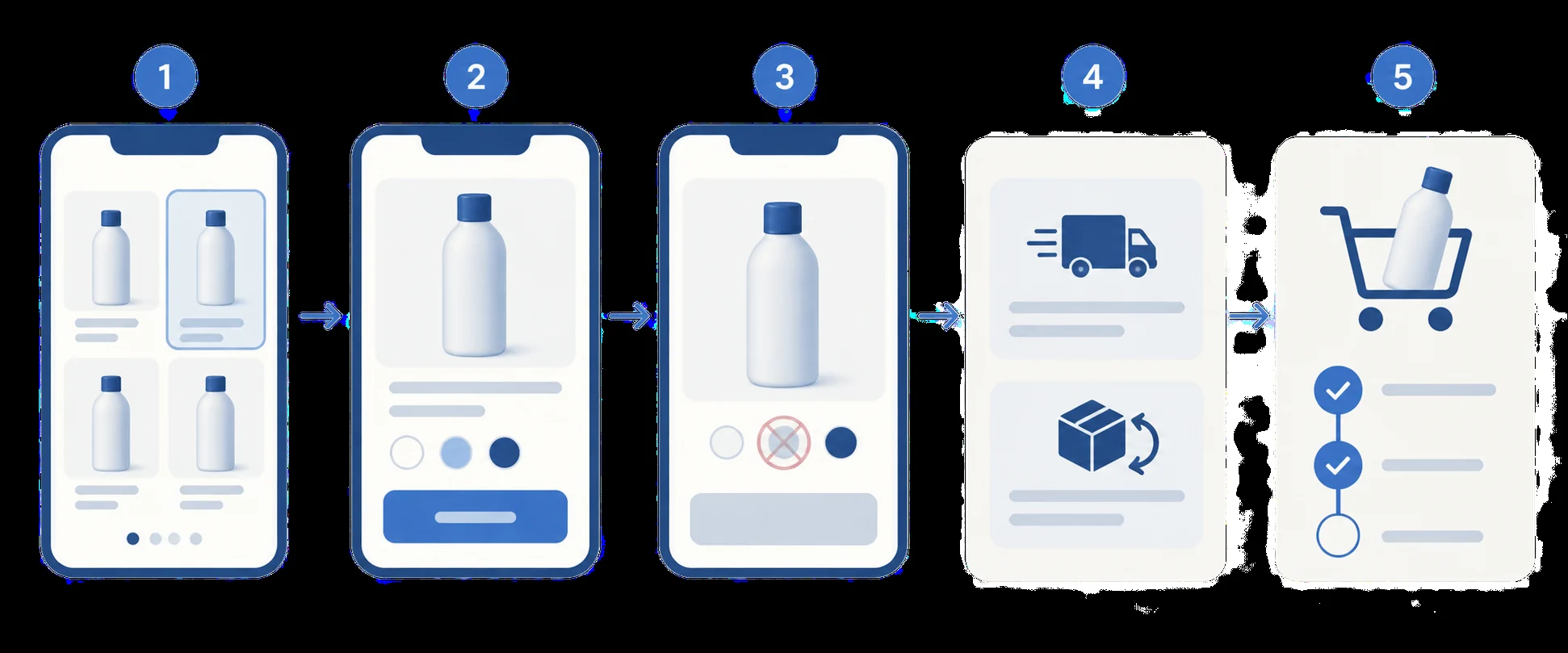
These are proposed checks for your store, not tests we have run on the six themes.
- Find the item. Start from the collection or search page. Can you find it using the attributes a customer would know? For a broad catalog, try the filters on a phone and check that the results make sense.
- Understand the item. Open the product page. Can you see the dimensions, what comes in the box and the relevant compatibility information without guessing from the main photograph?
- Choose the version. Select a size, color or plug type. Then select the unavailable variant. The page should make the shortage clear and avoid letting the customer buy it as though it were available.
- Check delivery and returns. Find the delivery statement for the offered destination and the return conditions. Check that a badge or short message does not contradict the fuller policy. Use qualified supplier information, rather than an invented arrival date.
- Check the cart. Add the available variant. Confirm that the cart shows the intended version, quantity and price. Check that the product choices remain understandable after moving away from the product page.
Next, check the app and order handoff separately. Does that exact store variant map to the correct supplier item? Are stock updates and delivery information configured as expected? Use the app’s supported safe test method to check the order process before publishing; a theme preview does not certify it.
For each screen, record pass, needs product information, needs configuration, or cannot support the requirement.
These labels keep the next step clear. Missing dimensions call for better product information. A hidden delivery panel may need a layout change. A required option the theme cannot display may justify trying another theme or a suitable app.
Fix the findings and repeat the affected checks. Repeat relevant checks after a theme or app update as well, especially where the buyer selects a variant or sees an availability message.
06
Pay for a problem you can name
Suppose you compare three previews and make the following notes. This is an illustrative decision, not a reported theme test.
Missing product data
In Warehouse, seven products are missing compatibility information. The immediate job is to obtain those details. Buying the theme will not fill the fields.
Information present, display needs work
In Empire, the comparison information is complete but appears too far down the mobile page. Try changing the section order and display settings before deciding that the theme is unsuitable.
Free theme meets the current need
In Dawn, the compact range is easy to browse, the unavailable variant is clear and the delivery note is visible. Staying with the free theme is a reasonable choice unless another requirement remains.
Write one sentence before paying: “I am buying this theme because it solves ___ for my customers.” Then compare the theme price, any apps still needed and the time to configure and maintain them. A paid feature can be useful; its presence is not a promise of better conversion or faster loading.
If the missing piece is a China-sourced product’s actual dimensions, included parts or supplier specification, AIDrop’s product-sourcing service can help compare suppliers and coordinate sample and quality checks.
Send the product link, variants, destination market and the unanswered product question through contact.
That gives the sourcing team something specific to check before you write the product page; it does not promise theme setup, app integration or a conversion result.
07
Common questions about dropshipping themes
Is a free theme enough for a new dropshipping store?
Often, yes. Start by trying Dawn for a focused range and compare Refresh or Sense when the product needs more explanation. Their current listings include useful product and navigation features. Pay when a tested requirement remains and a paid theme solves it, rather than because the store uses dropshipping.
Will a paid theme make my store faster?
The price does not establish that. Product images, apps, added code and page content affect the finished store. Compare your own configured pages and mobile behavior; do not treat a demo speed score or another seller’s result as a measurement of your store.
Do dropshipping apps work with any theme?
Check the specific app and the features you need. A visible app block, a correct supplier-variant mapping and a successful order handoff are separate checks. Test the customer-facing display and the supported order process before launch, particularly when replacing an existing theme.
Shopify Dropshipping: Build a Store That Can Take and Deliver Orders
Build a Shopify dropshipping store, connect suppliers, configure payments and shipping, and test checkout, order handoff and

How to Dropship on Shopify: A Practical End-to-End Workflow
Set up Shopify dropshipping from supplier selection to checkout, shipping, test orders and launch. Verify the complete
Shopify Dropshipping Apps: Choose the Automation You Need
Compare DSers, AutoDS, Syncee, CJ and Zendrop by imports, price updates, ordering and tracking. Check plan limits
