
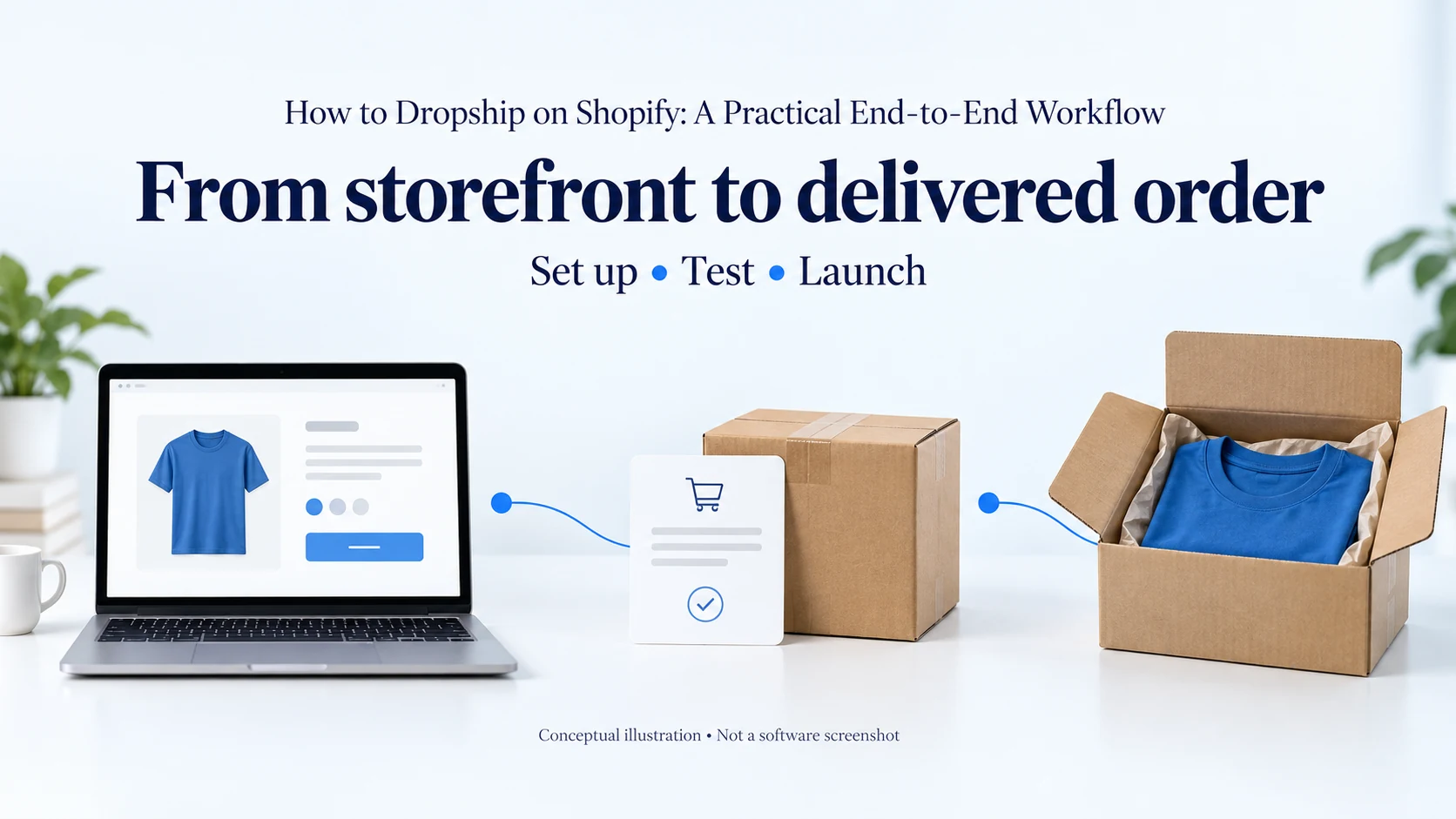
To dropship on Shopify, choose a product and market, connect a supplier, map the product variants, configure payments and shipping, and test the complete order path before opening the store. Verify both a checkout transaction and a physical supplier order. A successful payment screen does not prove that the right item will be accepted, packed and delivered.
The store is ready when the customer promise matches the order you can actually fulfill. That includes the item, total charge, delivery information and remedy process, not just the appearance of the homepage.
The Shopify dropshipping guide covers the broader platform and operating model. This article is the setup workflow: what to configure, what to test and how to respond when a step fails.
01
Start with one offer and one supported market
Write down the product, target customer, initial destination and reason to buy. Confirm that the supplier can provide the item and service needed for that offer. A store built around a delivery promise that the supplier cannot meet will need rework before it can trade reliably.
For a first test, limit the number of moving parts. One supplier route and a small range make it easier to identify whether a failure came from a variant mapping, shipping rate or supplier handoff. You can expand after those parts work together.
Gather the details that setup will require
- Prepare your actual business information, contact address, payment-provider requirements and customer support route.
- Establish the product’s saleability and applicable obligations for the intended market.
- Decide who will review orders, resolve exceptions and respond to customers.
Shopify’s general setup checklist covers store details, domains, payments, taxes and policies. Plan features and channel eligibility can vary, so check the options available to your business rather than copying another store’s settings.
Keep a short launch record with the intended product and supplier identifiers, destination, shipping service and responsible person. This is your reference when the app import, storefront and accepted supplier order are compared later.
02
Create the store and make its identity consistent
Set the store’s business details, currency and contact information carefully. Connect the domain you intend to use and check that it opens the correct storefront. Keep the store protected while products and checkout are incomplete.
Use a theme that presents the actual offer clearly on mobile. Add navigation to the product range, shipping information, returns and contact page. A small store does not need a complex menu, but customers should be able to find the information needed to place an order.
Check the customer-facing details
- Review the store name, email sender, contact page and policy pages together.
- Remove template placeholders and example addresses.
- Confirm that replies to customer emails reach someone who can handle them.
Check your domain and email configuration using the relevant provider instructions. Send an actual store notification to a test address and inspect the sender name and reply route. Looking correct inside the theme editor does not show how an email reaches a customer.
Do not invent reviews, years in business, dispatch locations or certifications to fill design blocks. Use accurate product information, clear policies and a working contact route to establish trust.
03
Connect a supplier and understand what the app does
Choose a supplier based on the product, destination, documentation and service you need. Then choose the integration that can support that supplier. An app’s catalog size is less important than whether it sends the correct order and returns usable status information.
Before installing, review permissions, charges and the provider’s order workflow. Identify which actions are automatic and which still require approval or payment in the supplier system. A product-import feature does not necessarily include supplier purchasing, cancellation or tracking updates.
Establish the release point
Decide when an order may be sent for fulfillment. For a new setup, reviewing the early orders can expose mapping and payment issues before a larger volume repeats them. If you enable automation, define the conditions it checks and the exceptions that stop it.
Record whether the supplier needs a funded balance, a saved payment method or manual payment per order. Confirm that a successful customer payment does not leave the supplier order awaiting separate action. The two transactions belong to different parts of the process.
Ask how the app handles an unsuccessful submission. An unclear response should trigger a check of the supplier’s order history before you retry. Sending the same order again without checking can create a duplicate purchase.
Identify the people behind the integration
Keep both the app support contact and supplier contact available when they are different businesses. If the app transferred the information correctly but the supplier declined the product, the supplier must resolve the availability issue. If the variant mapping is wrong, investigate the connection and product record.
The dropshipping samples guide helps plan the physical test. Use the ordinary route where possible so the test covers the integration and the goods together.
04
Import products, then verify every sellable variant
Import a limited set of products and keep them unavailable to customers until reviewed. Rewrite descriptions around verified facts, remove unsupported claims and check your rights to use the images. Confirm dimensions, materials, included accessories and any relevant care or compatibility information.
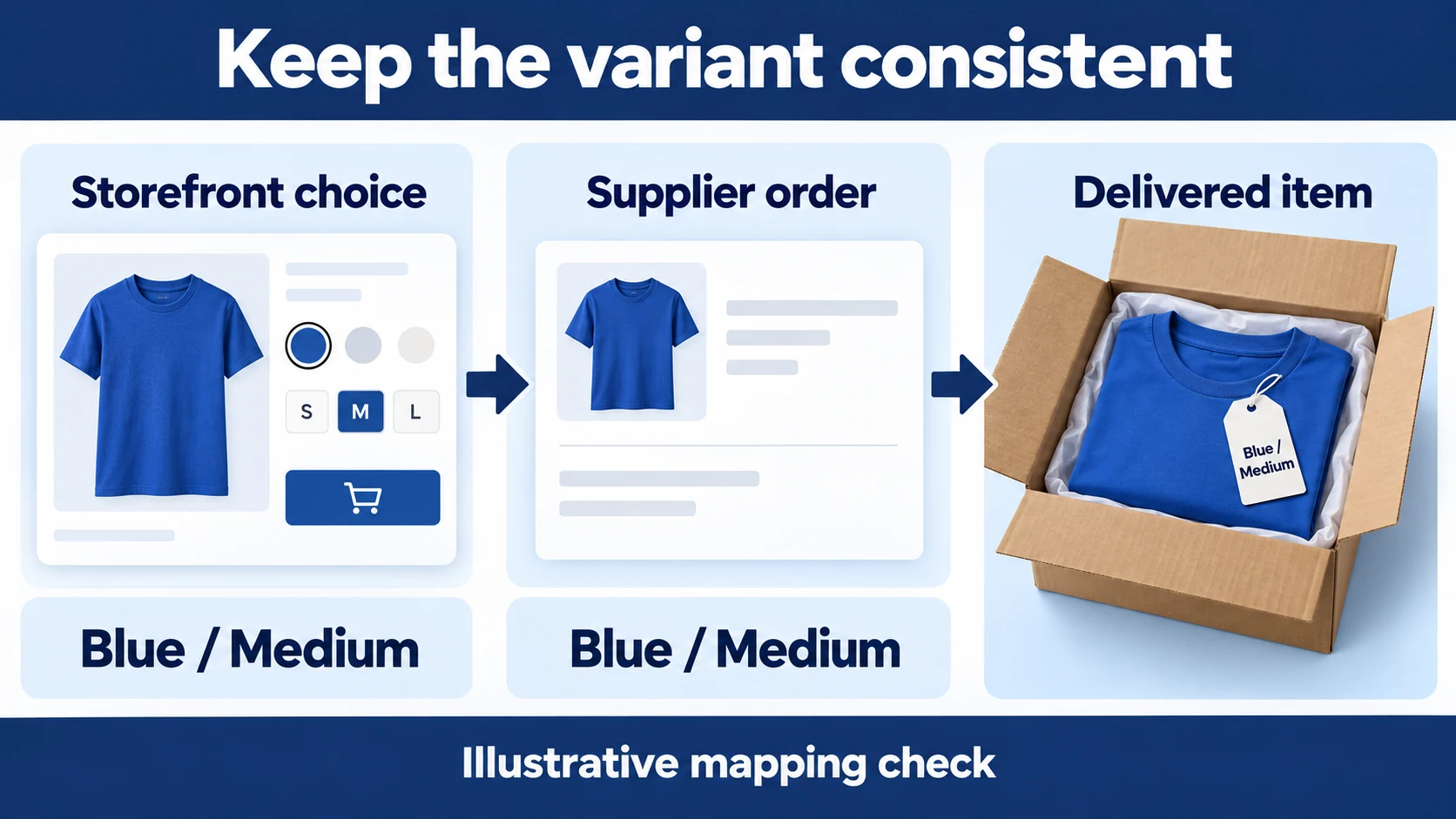
Treat each size, color or other option as an individual sellable combination. Compare the storefront option with the supplier identifier and accepted order. Do not rely only on a product title that several variants share.
In an illustrative mapping check, the storefront choice “Blue / Medium” must connect to the supplier’s Blue / Medium variant and arrive as that same item. The selected option, submitted order and physical parcel are three separate places to verify the match.
Check inventory behavior
Determine which system supplies the available quantity and how often it updates. Test what happens when a variant is unavailable. If you allow a supported backorder, its delivery promise must reflect that arrangement; otherwise the customer should not be able to buy it as ready stock.
Check that a discontinued variant does not remain purchasable because an old image and price still exist. The inventory management guide explains the stock-control questions that remain after the initial import.
Make the product page answer purchase questions
Place important product facts near the choice and purchase controls. Show which items are included, how the buyer selects the correct option and where the delivery information can be found. Test the image selector, quantity field and cart on a phone-sized screen.
Avoid installing an app for every presentation problem. First confirm what the approved theme and existing tools can do. Additional apps can introduce charges and another source of conflicting product or order behavior.
05
Price the offer and configure payments
Calculate product, shipping, handling, packaging and payment costs before setting the price. Include the costs of acquisition and customer remedies in your business model. Discounts and free shipping change what you retain, even when the product’s catalog price stays the same.
In a hypothetical $45 order, product and outbound handling might total $22, payment charges $2 and acquisition $12. That leaves $9 before overhead, tax and remedies. If you offer a $5 discount without reducing costs, the remainder becomes $4. These are illustrative inputs, not Shopify fees or a recommended margin.
Activate a supported payment provider
Use the provider available to your business and complete its required verification. Confirm settlement currency, payout details and the handling of refunds. Do not assume that a payment method available to another merchant is available to your entity or country.
Decide when payment is captured and how that relates to supplier release. Review orders that need attention before committing to an irreversible supplier action. Keep the payment state, fraud review and fulfillment state distinct in your operating notes.
Have funds available to pay suppliers while payouts are pending and to issue remedies before supplier reimbursement arrives. A store can show sales while its available cash is insufficient to fulfill the next orders.
Locate a failed payment before changing settings
If checkout fails, inspect the abandoned checkout or order timeline for the recorded error. Shopify’s payment troubleshooting guidance distinguishes missing shipping rates from payment-provider problems. A customer who cannot get past shipping has not yet reached the payment step.
Confirm that the intended primary payment provider is active and review any account-verification or hold message. If Shopify Payments is unavailable for your region, use a supported alternative. Correct the identified issue, then repeat the affected checkout test; changing several settings at once makes the result harder to interpret.
06
Configure destinations, shipping and the delivery promise
Enable only destinations you can support. Match the product’s fulfillment source and shipping service to the rates customers see. Include processing or production time in the delivery explanation where it applies; transit time alone is not the full order timeline.
Shopify currently notes a gradual move from shipping profiles to shipping options by market. Most stores still use profiles, and the available interface depends on the store’s rollout. Follow the setup present in your admin and verify the resulting checkout instead of forcing instructions for a different version.
Test combined carts
For stores using profiles, products from different profiles or location groups can produce combined shipping charges. Shopify’s combined-rate documentation explains the conditions. Do not infer that two separate parcels will always produce either one fee or two fees.
Use representative carts: one item, two items from the same source and items from different sources if your store offers them. Enter a real supported destination and inspect the rates. Compare the customer charge with what you will owe the suppliers.
Diagnose a missing shipping option
If checkout offers no shipping method, check whether the destination is enabled, the product is assigned to the intended fulfillment source and a matching rate exists. Then review any conditions such as weight or order value. Retest the same cart after correcting the cause.
If the rate is unexpectedly high, identify the profiles or sources contributing to it. Changing a visible label to “free shipping” does not remove the underlying supplier cost. Decide whether to revise the offer, rate structure or product combination.
State how split shipments are communicated. A customer who orders two products should know if they may arrive separately, and each parcel needs the correct tracking information.
07
Publish policies that match the operation
Complete the shipping, refund, privacy and contact information with your actual arrangements. Review the applicable tax and consumer obligations for the markets you will serve. A generated policy template is a starting point to check, not proof that every statement fits your business.
Confirm the return address and receiving process before placing it on the site. Explain how customers contact you about a wrong or damaged item, and assign responsibility for responding. The supplier’s claim policy and your customer-facing obligations are separate matters.
Make cancellations operationally possible
Define the point at which a cancellation can still be stopped at the supplier. Do not promise that all orders can be canceled until dispatch if the supplier begins an irreversible process earlier. Show any relevant conditions clearly before purchase.
For an app-based fulfillment service, Shopify distinguishes a request from acceptance. An accepted fulfillment requires a cancellation request and a response from the service. Follow the current app fulfillment guidance and your provider’s process; a refund action should not be assumed to stop physical fulfillment.
Keep the customer informed while checking the actual status. Record whether the supplier accepted the cancellation so another person does not later release or reorder the same item.
08
Test checkout and physical fulfillment separately
Place a checkout test to check the amount, shipping, notifications and order record. Shopify supports simulated transactions through its test gateway or Shopify Payments test mode where applicable. Its test-order guidance notes that a paid plan is needed to test a payment gateway and that live customers cannot place orders while payment providers are in test mode.
A simulated transaction does not prove supplier payment, acceptance or delivery. Verify how your app treats test orders before creating one, so it does not trigger an unintended real supplier purchase. Arrange the physical test deliberately and keep its cost and destination explicit.
For an illustrative launch test, keep two records: a checkout test showing the correct total and notifications, and a real sample order showing supplier acceptance, carrier handover and the delivered item. Passing the first record does not fill in the second.

Run a small set of meaningful cases
- One available variant: the product, charge and order details remain correct.
- A multi-item cart: shipping and parcel expectations match the fulfillment sources.
- An unavailable variant: the store blocks purchase or presents the intended supported arrangement.
- A cancellation: the supplier’s response is recorded and no unwanted parcel is released.
- A refund: the financial result and customer notification are checked separately from fulfillment.
Use controlled test orders for these checks. You do not need to buy every combination, but you do need evidence for the branches your store will use. A newly added supplier or a changed automation can require a targeted retest.
Follow one real parcel to completion
Record the supplier order identifier, acceptance, dispatch and tracking events. Inspect the arrival, correct variant, quantity, packing and contents. Compare the observed experience with the promise on the product page.
If tracking only shows a label, investigate before treating the parcel as physically handed over. If the wrong variant arrives, resolve the mapping or packing cause before launch. A theme adjustment cannot repair either of those failures.
09
Open the store with the test settings removed
- Once the checks pass, disable payment test mode, confirm the live payment configuration and remove the storefront password when you intend to launch.
- Check the public domain in a fresh session and verify the main product, policy and contact links.
Remove test products, placeholder content and unintended discounts. Confirm that only the approved items and markets are active. Review the first live orders closely enough to compare their actual behavior with the controlled tests.
Begin promotion with a measurable offer
Choose a channel suited to the customer and product, and use truthful creative that matches the page. Set a spending limit you can support and observe completed orders rather than judging only clicks or checkout starts. Customer questions often reveal missing information before they become return reasons.
Do not scale a campaign while supplier orders are accumulating unresolved. Delivery and remedy outcomes take time to appear, so early sales alone are incomplete evidence of a workable offer.
10
Review exceptions every day the store takes orders
Check paid orders that have not reached the supplier, declined requests, missing tracking, delayed parcels and unresolved customer contacts. Assign the next action to a person and record the result. An automated store still needs someone to handle states the automation cannot resolve.
For a paid but unsubmitted order, inspect the app’s order record, mapping and supplier payment status.
For a submitted but uncertain order, check the supplier identifier before retrying.
For an accepted order with no movement, contact the party able to confirm dispatch.
Change one cause, then retest the affected path
When a configuration problem appears, preserve the relevant order details and identify the cause. After a fix, test the path that failed. If a shipping change affects mixed carts, retest mixed carts; there is no need to rebuild the whole store.
Expand products, destinations and automation as you gain evidence that the current setup works. Each new supplier or product type adds another combination to verify. Keeping that growth deliberate makes the store easier to operate and the customer promise easier to keep.
11
Frequently asked questions
Do I need a dropshipping app to use Shopify?
An app is one way to transfer product and order information. A supplier may also support another agreed process. Whichever route you use, confirm how orders are submitted, paid, accepted and tracked. Manual handling still needs accurate records and enough capacity for the volume.
Can Shopify automatically fulfill every order?
Automation depends on the integration and settings. Some actions may still require supplier payment or review, and exceptions need attention. Enable only the behavior you have verified rather than assuming that importing a product completes the fulfillment setup.
Is one checkout test enough to launch?
It can check one checkout path, but it does not establish the physical supplier process or every shipping combination. Test the meaningful branches your offer uses and follow an intentional real sample order to delivery.
How much does it cost to start?
Budget for the current plan and app charges, samples, domain, product evidence where needed, promotion and cash for supplier payments and remedies. The amount depends on the chosen offer and market. Use current provider charges and your own order calculation rather than a universal startup figure.
