
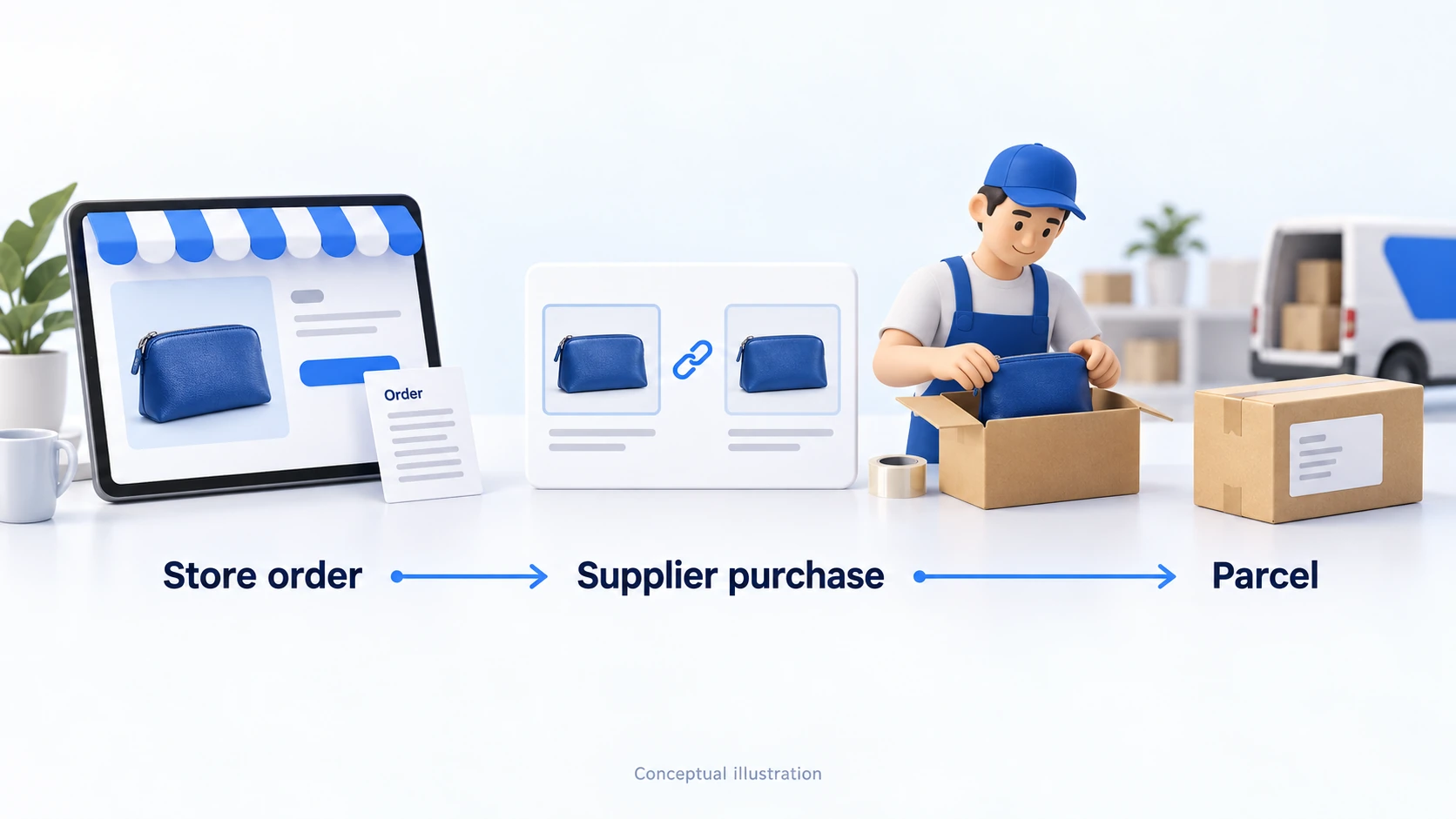
Connect your Shopify store and AliExpress purchasing account through an app such as DSers, import and check the product variants, configure prices and delivery, then place and pay for supplier orders after customers buy. Verify a complete order before expanding: a paid Shopify order does not prove the supplier has been paid or has shipped.
Shopify receives the customer’s purchase. DSers connects the store product and order to a supplier listing. The AliExpress seller prepares the item, while a carrier moves the parcel. You remain the customer’s seller throughout that sequence. This guide uses DSers as a documented example; it does not assume every app, account or subscription has identical settings.
If you are still deciding how Shopify fits your business, start with the Shopify dropshipping guide. Here, the task is narrower: make one AliExpress product and its order flow work correctly.
01
Choose one supplier offer you can actually sell
Start with a particular product, seller and delivery destination. An attractive listing thumbnail is not enough to define an offer. The selected size, color, quantity, shipping origin and delivery method can change both the price and what the buyer receives.
Open the seller’s listing with your intended destination selected. Check the exact variant rather than the lowest price shown for the product family. A low advertised price may belong to an accessory, a smaller pack or a different material. Record the listing URL and the variant attributes alongside your planned store SKU.
Ask the seller about:
- Processing time: when the item will be ready for dispatch.
- Packaging: how the item will be packed.
- Tracking: how the shipment can be followed.
- Incorrect or damaged items: how the seller handles them.
Keep those answers with the product record. Ratings and recent reviews can help identify questions to investigate; they cannot establish that your next order will meet its promise.
Order a sample to a representative destination before writing claims about the product or delivery. Compare the received item with the intended specification, check packaging and instructions, and preserve the tracking dates. One sample is a useful check, with limited coverage: it does not establish performance across all variants, sellers or countries.
Decide whether the offer survives the complete cost
Build the cost calculation from:
- The item and delivery.
- Payment costs and relevant import charges.
- App allocation and a realistic allowance for customer remedies.
Then consider customer acquisition and overhead separately. A product that looks profitable at the listing price can lose that advantage when the usable shipping method is selected.
Check whether photographs, logos and product claims can be used in your store. Imported content is still content you publish. Shopify’s dropshipping responsibilities cover product safety and customer-facing processing and shipping information; a supplier connection does not remove those responsibilities.
Choose a manageable first offer. Avoid beginning with a large collection of products whose safety requirements, specifications or shipping restrictions you cannot yet assess. You can broaden the range after the first product’s records and delivery have been checked.
02
Connect Shopify, DSers and the right AliExpress account
Prepare the Shopify store, the DSers account and the AliExpress account that will purchase supplier orders. Confirm who controls each account and how the team will handle access and payment. If you operate more than one store, label the connections clearly before importing anything.
DSers’ current Shopify connection instructions start from the Shopify App Store installation and authorization flow. Install the intended DSers app, sign in or create the appropriate DSers account, then confirm that the expected Shopify store appears in DSers. Follow the AliExpress connection flow to authorize your purchasing account.
In the current DSers instructions:
- Open Settings > Application Management > AliExpress > Add Accounts.
- Sign in to the intended buyer account and complete its authorization.
- Check the connection result before proceeding.
Screen labels may change with an update.
A product-data importer can copy listing fields without managing the supplier purchase. If you choose that route, identify how the resulting Shopify variants will connect to fulfillment. An imported product appearing in your admin does not establish that future orders will reach AliExpress.
Check three things before continuing:
- The connected Shopify domain is the store you intend to operate.
- The AliExpress account is the account in which you will review and pay supplier orders.
- The people responsible for order exceptions can access the relevant records without sharing credentials in customer messages.
An installation success message establishes the connection, not the entire business workflow. Keep the first product unpublished until you have checked the imported content and routing. If a required setting is absent, inspect your current plan and the app’s documentation before relying on it.
Do not connect another app to manage the same product’s fulfillment or inventory simply to resolve an unexplained delay. Two tools writing the same fields can make it harder to identify which system changed an order. First establish which application owns the product and which one should receive its fulfillment request.
03
Import the product and verify every variant
Add the selected AliExpress listing to the DSers import list using its supported import flow. Review the product before pushing it to Shopify. DSers describes editing the listing in its product preparation guide.
Write a title and description that explain the actual item. Remove irrelevant promotional wording, unsupported claims and supplier-specific purchasing instructions. Check the images against every option you will sell. A photograph showing several accessories must not imply that all of them are included when the selected variant contains only one item.
Give each store variant a stable identity. Record:
- Color and dimensions or size.
- Material and pack quantity.
- Any relevant compatibility requirement.
The supplier’s names do not have to match your customer-facing names, but the physical choice must match.
Check the mapping behind the customer choice
DSers distinguishes option-level mapping from individual SKU-based mapping. It can create mappings during import, but changes to options or suppliers can require review. Its mapping explanation also makes clear that mapping does not rewrite storefront descriptions or images.
For example, suppose your store sells a blue pouch in small and large sizes. The supplier calls those sizes A and B. Match the published dimensions to A and B before saving the relationship. A similar photograph or alphabetical order is not evidence that large corresponds to B.
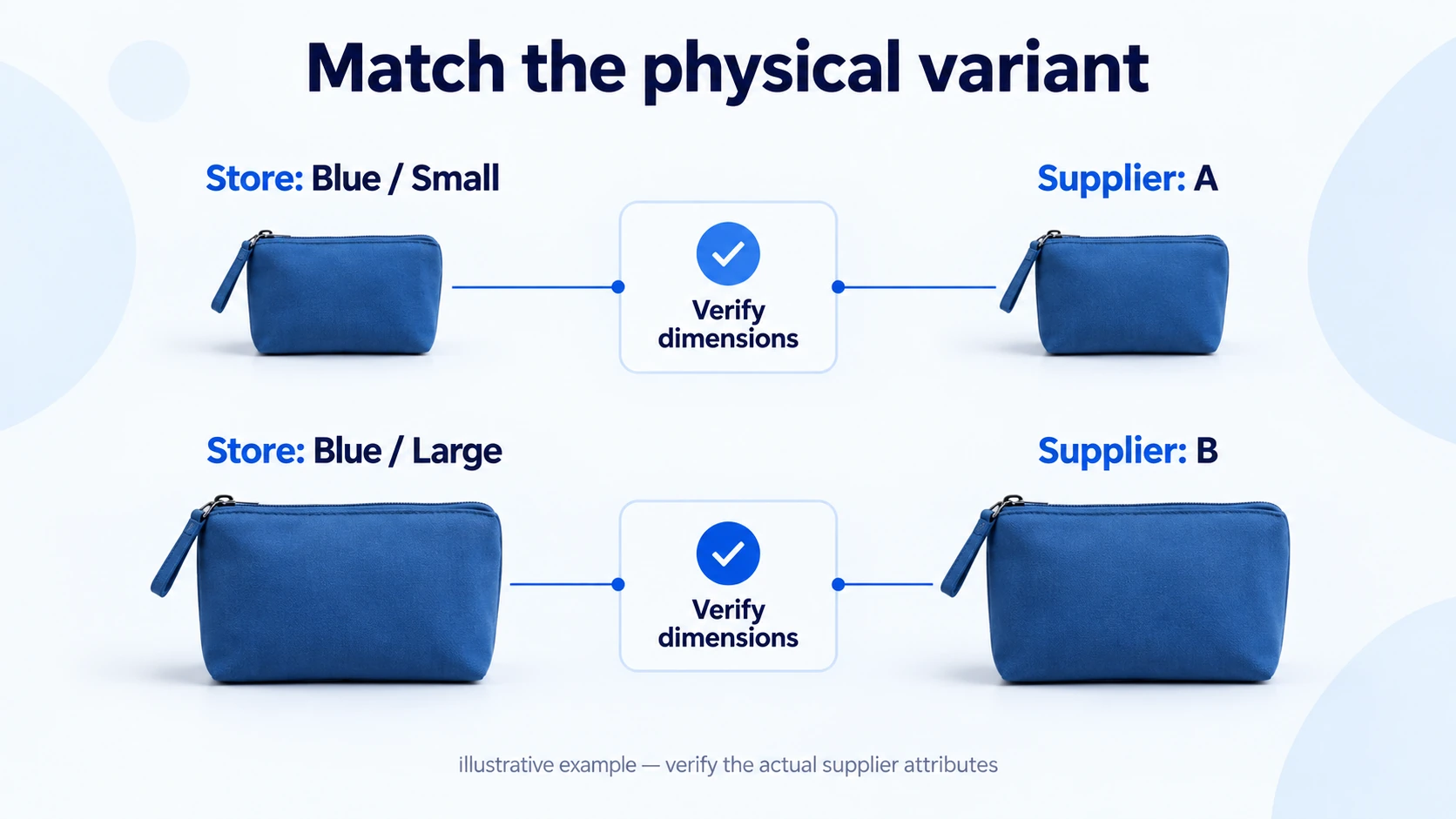
Store choice: Blue, large, one pouch. This is what the customer sees and selects. Its photograph, dimensions and included quantity should agree.
Supplier choice: The exact seller listing and variant that produce that blue, large pouch. Record the supplier option or SKU and verify the physical attributes rather than relying on the label alone.
Check all active combinations, including those you have not sold yet. Remove unsupported combinations from sale. After pushing the product, view the storefront and select each option; confirm the displayed image, price, availability and description. This catches errors that are invisible when you look only at the default variant.
04
Set prices, availability and shipping deliberately
Product import, stock updating and price updating are separate functions. Inspect their settings rather than assuming they all became active when you connected the accounts.
Price rules need a complete cost basis
DSers’ automatic price update documentation describes rules for responding to supplier price changes. It also warns that an automatic update can overwrite a manual store price. Choose the behavior deliberately, especially for a promotion or a product with a narrow margin.
A multiplier on the item price alone may ignore a more expensive delivery route. Review the amount you would actually pay for the destination and quantity. DSers offers a product and shipping cost transfer setting for Shopify’s cost field; that field is still not your entire operating cost or your customer-facing shipping policy.
Keep a price-review threshold that reflects your own economics. If a supplier increase makes an offer unworkable, pause that offer while checking alternatives. Do not silently substitute a cheaper product with different dimensions or materials to preserve the original margin.
Availability is not an instant reservation
Review what happens when a whole product disappears, one variant sells out or its mapping breaks. DSers’ current inventory update guide describes a paid feature with scheduled checks, conditions and mapping limitations. It is not a guarantee of instantaneous stock accuracy. Some default choices take no action.
Choose settings that prevent an unavailable variant from continuing to sell, then check the corresponding Shopify inventory and selling behavior. Notifications also need an owner: receiving an alert without correcting the offer leaves customers exposed to the same problem.
Supplier stock can be shared with other sellers and can change between a check and order placement. Inspect availability again when releasing a purchase. If it has disappeared, resolve the customer’s order instead of treating the previous imported quantity as reserved stock.
Verify the route customers will actually receive
Select shipping with the destination, variant and quantity in view. A method available for one country or product may be unavailable for another. Your delivery explanation should account for supplier processing as well as transport, with relevant charges disclosed before purchase.
Configure the customer-facing rate in Shopify separately from the supplier method you select in DSers. If checkout says shipping is unavailable, inspect whether the product’s fulfillment location, destination and applicable rate are covered. Shopify’s shipping-rate instructions explain the relevant setup. A usable AliExpress route alone does not create a usable Shopify checkout rate.
Test a mixed cart if you sell items from different suppliers. The customer may receive separate parcels, and you may pay separate shipping charges. Check whether your checkout price and delivery message still make sense for that order. A single checkout does not automatically create one consolidated package.
05
Run one order from checkout to supplier payment
Check the storefront purchase path, confirmation messages and the address fields needed for the destination. A test of checkout behavior is useful, but it does not prove that a supplier can deliver. A genuine sample or controlled order is needed to inspect the physical outcome.
In the documented DSers workflow, a customer order reaches the awaiting-order area. You review the details and shipping option, place the supplier order, then complete payment on AliExpress. DSers’ first-order walkthrough describes these as distinct steps.
If the store order is missing, search its order number in DSers and check the selected store, supplier tab, date filter and status. Use the documented synchronization procedure when needed. The DSers missing-order guide explains these separate causes. Resolve the missing record before buying manually outside the connected workflow.
Before placing the order:
- Compare the customer quantity and variant with the mapped supplier item.
- Verify the shipping address and selected delivery method.
- Resolve an incomplete address or a changed item before paying; do not guess what the customer intended.
Customer payment: The buyer pays your store for the retail offer. Payment processing and payout timing determine when those funds become available to your business.
Supplier payment: You pay for the supplier purchase. Creating that purchase in AliExpress can leave it awaiting payment; the customer’s Shopify payment does not settle it automatically.
Consider an illustrative $30 customer sale and a $12 supplier purchase including delivery. You need to fund the $12 purchase when it is due, even if the retail payout has not arrived. The remaining $18 is not net profit: payment charges, advertising, refunds and other costs still need to be accounted for.

Keep these records together:
- The Shopify order number and corresponding AliExpress purchase number.
- The amount paid and payment state.
- For a split order, the relationship at line-item level.
This small record becomes particularly valuable when a button returns an error or the next status takes time to appear.
If the result of placing an order is uncertain, inspect AliExpress before trying again. An error message does not prove that no purchase was created. Confirm whether an existing order is unpaid, paid, canceled or absent, then take the appropriate next step. Avoid placing a second purchase simply because DSers has not yet shown the result.
06
Read tracking without confusing a status with delivery
Once the seller creates shipping information, it must reach the connected systems. Compare the AliExpress record with DSers and Shopify if the tracking number is missing in one place. An available manual synchronization action can retrieve an existing number sooner; it cannot make a supplier dispatch a parcel.
Then inspect the carrier evidence. A number or label is different from acceptance by the carrier, and acceptance is different from delivery. Keep those distinctions in your customer message: report the event you can verify rather than translating every fulfilled status into “on its way.”
For multiple parcels, confirm which order lines belong to each tracking number. A delivered parcel containing one item does not close the remaining lines. Use the shipment tracking guide for a fuller explanation of evidence and exceptions.
Check customer notifications:
- Confirm that the carrier link is right and the information is understandable.
- If a supplier replaces a tracking number, verify the updated record in the store.
- Keep the original number when it helps explain the change or support a claim.
07
Handle cancellations, changed suppliers and missing items
Exceptions should begin with the current supplier purchase, not just the Shopify status. Before canceling, refunding, reordering or switching sellers, establish what has already been placed, paid and shipped.
A customer asks to cancel
Check whether a supplier order already exists and whether it can still be stopped. A customer refund and recovery from the supplier are separate financial actions. Confirm both outcomes rather than assuming one screen controls them all.
DSers documents how a store cancellation affects its order view. That is not proof that an already-paid AliExpress purchase has been canceled. Retain the supplier cancellation or refund evidence separately, and tell the customer what you can actually confirm.
The supplier or variant changes
Review the replacement product’s specifications, photographs, price and route. DSers’ awaiting-order remapping instructions distinguish purchases not yet placed from purchases already placed with AliExpress. Changing the default mapping does not rewrite those existing purchases.
Check the affected order group before saving a new default. If only one order needs a different supplier, use the appropriate order-level procedure instead of changing the product for every future customer. Never replace an unavailable size or material with a different item without resolving the changed offer with the customer.
A parcel is missing, damaged or incomplete
Identify the affected item and purchase, obtain useful evidence and decide the customer remedy. Keep any supplier or marketplace claim on its own timeline. Do not make the customer navigate the supplier relationship you chose to operate.
Record whether the remedy is a refund, replacement or another agreed outcome. Check that a replacement does not leave an old order eligible for accidental resubmission. Retain the original and replacement purchase numbers so support can distinguish the two deliveries.
08
Expand only after the first order is reconciled
Review the first completed order against the offer the customer saw. Confirm the physical variant, included quantity, packaging, processing time, tracking and arrival. Compare the supplier charge with the cost used in your pricing decision.
Before adding more products, verify that:
- Each active store variant maps to the intended supplier item.
- The selected destination has a usable shipping method and a credible customer promise.
- Supplier purchases are placed and paid once, with their IDs retained.
- Tracking and customer messages describe the appropriate order lines.
- The team knows how to pause an unavailable item and handle a refund or replacement.
Investigate differences before scaling the catalog. A sample arriving correctly does not resolve a broken stock rule; a technically successful integration does not resolve poor packaging. Keep those findings separate so that you fix the actual cause.
When repeated problems concern supplier availability, packaging or dispatch rather than app setup, review the sourcing arrangement. More automation will not repair an offer the supplier cannot reliably fulfill.
09
Frequently asked questions
Do I need DSers to dropship from AliExpress on Shopify?
DSers is one integration route, not the definition of dropshipping. You can consider another compatible workflow, including a manual process, but you still need to manage product identity, purchasing, shipping information and customer remedies. Verify the specific application’s current support and limitations.
Does Shopify automatically pay the AliExpress seller?
Not in the standard DSers process described here. Customer payment and supplier payment are separate. Check the supplier order’s payment state and fund it through the documented purchasing process.
Can I promise the delivery date shown on AliExpress?
Use the selected destination, variant and shipping method as part of your evidence, then account for processing and the terms of the estimate. Do not turn a listing estimate into an unconditional store guarantee. Verify the route with a sample and monitor later orders for changes.
Can I import the supplier’s entire catalog at once?
An import capability does not establish that every item is ready to sell. Review rights, claims, variants, costs, delivery and product obligations before publishing. A smaller verified range is easier to maintain when the supplier changes an option or removes a product.
Who handles the customer’s refund?
You handle the customer relationship and the remedy your store owes under its policies and applicable requirements. Recovery from the AliExpress seller or marketplace is a separate process. Record both amounts and outcomes rather than treating a pending supplier claim as a completed customer refund.
