
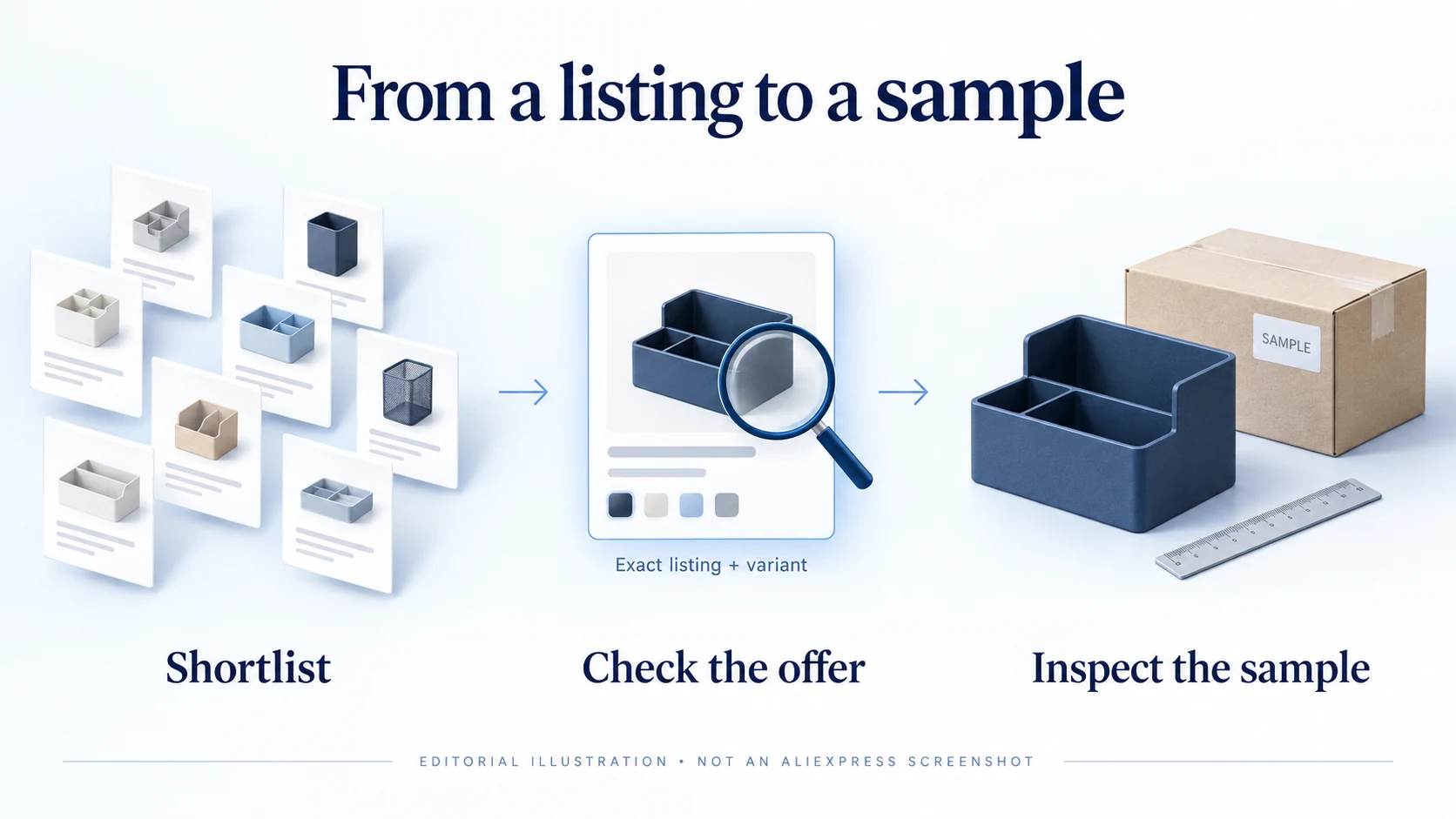
The AliExpress Dropshipping Center helps you find products and examine marketplace activity from within an AliExpress account. It is useful for narrowing a long list of possible products. Before choosing one to sell, you still need the exact variant, a supplier you have checked and a cost calculation for your destination.
To find it, sign in to AliExpress and look for the dropshipping or business tools. You can also try the AliExpress DS address. Menus and available panels can change; use the instructions in your account if they differ from a tutorial.
Access note: we have not verified the current signed-in dashboard. This guide uses the documented research functions; check your account for current features and eligibility.
01
What the Center can help you do
Modalyst’s integration documentation describes two functions: “Find Products to Sell” and “Product Analysis.” Its walkthrough includes product filters and a graph of activity over time. These documented functions provide a useful starting point, although your account may present them differently.
Use discovery to find listings worth a closer look, then analysis to examine an individual listing. Save its URL, the date and the settings used so you can find the same offer later and understand what the chart described.
For example, discovery might help you find several cable organizers for small desks. Analysis can then help you compare the activity shown for each listing. You would still need to open the offers, check their dimensions and ask sellers about the versions you want to buy.
The sample and cost calculation come later. A research panel cannot inspect the item or measure what your store will spend to win a customer. For the steps around research, ordering and customer service, see the AliExpress dropshipping guide.
02
Access it without depending on an old menu path
- Sign in to AliExpress in a desktop browser. Check that the address is on the official AliExpress domain before entering your credentials.
- Look in the account area for business or dropshipping tools. Alternatively, try the DS address while signed in.
- Read any enrollment prompt on the official page. Follow its current terms rather than a third-party tutorial’s description of them.
- Save the working address. Note the tools and labels your account actually provides.
A website or extension using the name “Dropshipping Center” may be unrelated to AliExpress. If a menu item is missing, contact AliExpress support before paying an activation service or sharing your account.
We could not establish a universal purchase threshold for activation. Ask support about your account’s eligibility rather than placing orders solely to unlock the tool.
03
If the Center is missing or a product will not load
A login loop needs a different check from a single product that will not load. Start with the symptom you can reproduce:
| What you see | Useful next check |
|---|---|
| Repeated sign-in prompt | Confirm normal AliExpress sign-in works and that the browser is allowing the site’s necessary session behavior. |
| Account home instead of research tools | Check the account’s business/dropshipping entries and ask support whether the feature is available to that account. |
| One listing cannot be analyzed | Open the listing normally, copy its actual product-page URL and check whether the item is still available for the selected market. |
| Product search works but an analysis panel does not | Continue with visible listing information; do not invent missing chart values or conclude the product has no demand. |
| An unofficial page requests payment to unlock access | Return to AliExpress and confirm what service is actually being offered before providing payment or account access. |
For a browser-specific failure, try a fresh session in a supported browser and check whether an extension is interfering. Keep the test limited; do not permanently disable security protections to force a page to load. If the failure remains, give support the exact official URL, time, message and a screenshot without private account information.
No result means the data is unavailable, not that sales are zero. You can continue comparing product pages, contacting sellers and ordering samples while the access problem is unresolved.
04
Build a shortlist for a particular customer
For our small-desk example, decide which cables the organizer needs to hold and where it will sit. Those requirements make it easier to reject unsuitable listings, even when they appear near the top of a popularity ranking.
Use the category, keyword and available filters to narrow the search. Where destination, shipping origin or price controls exist, set them to match the offer you intend to sell. Then open promising listings individually and verify the selected variant and checkout conditions.
A ship-from filter can help locate an option, but it does not establish that every size or color is stocked there. A product card’s low price can refer to a different variant or quantity. The detail page and actual selected offer are necessary for a fair comparison.
Keep a record you can compare later
For each candidate, save:
- Identity: listing URL, seller, exact variant and quantity.
- Delivery: destination, shipping origin, method and estimate.
- Cost: selected item price and shipping charge, with the date checked.
- Open questions: dimensions, included parts or other details the supplier needs to confirm.
A short list with these details is easier to act on than a large collection of product screenshots.
Image search, if available, can be useful when a product name is unclear or when you are looking for an alternative seller. Treat visual similarity as a lead. Two items can share a photograph while differing in dimensions, material, included parts or the quality of the actual supply.
05
Read each number according to its definition
Check a chart’s label and time range before using it. An order count, growth percentage and popularity score measure different things. If the panel does not define its number, leave that field unexplained in your notes rather than converting it into sales.
Modalyst specifically warns that the analysis graph does not report actual sales numbers. You can examine the direction of activity, but do not multiply the graph value by a price to estimate revenue. The documentation provides no conversion from that value to units sold.
A stated count: check the period, product, variants and market it covers before comparing it with another count.
An index or unlabeled score: use it to spot a pattern worth investigating. Keep the value in its original form, without treating it as units or revenue.
If the line rises sharply, reopen the listing. Has the price changed? Is there a promotion or a new variant? Check the observation period too: a short spike may look very different across a longer window. The chart tells you where to investigate, while those details help explain the change.
For logistics measures, check which orders or routes the figure covers. Your estimate needs to reflect the destination, chosen method and processing time of the item you will buy, supported by recent order evidence where available.
Keep the marketplace and your store separate
Activity on AliExpress comes from buyers within that marketplace. Your store will have a different presentation, price, traffic source and customer expectation. Even an accurately reported marketplace order count cannot tell you your conversion rate or acquisition cost.
Look for corroboration outside the tool: the customer’s underlying problem, competing offers and the questions buyers ask. The broader product-research workflow explains how to combine those signals without treating any single source as proof of demand.
06
Compare the exact offers before ordering samples
Consider two hypothetical listings for the same intended use. Listing A shows a $7 item price and $8 shipping to the target destination. Listing B shows a $10 item price and $3 shipping. The visible product-plus-shipping totals are $15 and $13 respectively, before any other applicable charges.
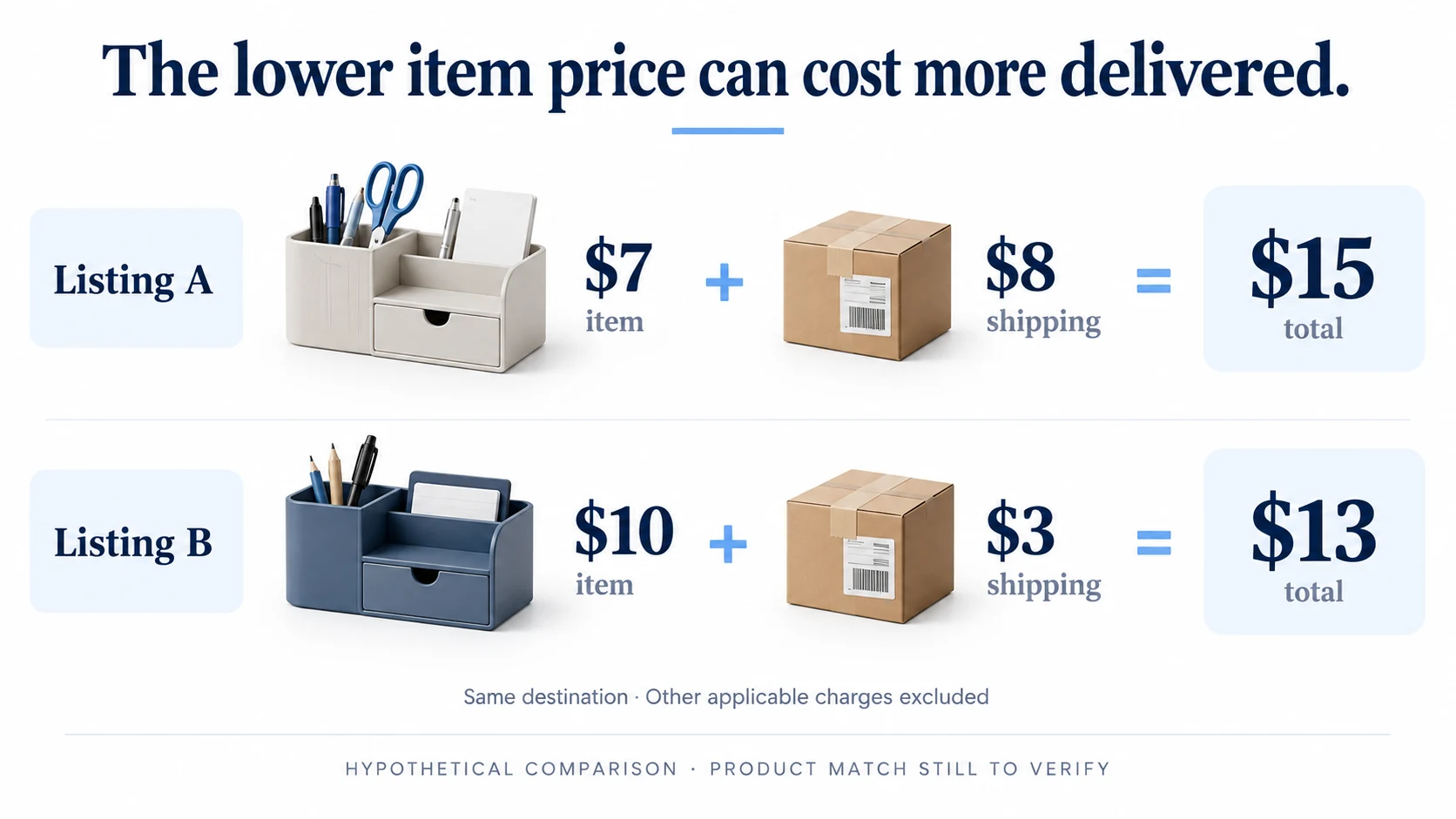
Shipping changes the price comparison: B costs $2 less for product plus shipping. Quality and suitability are still unresolved. Compare the material, size, included pieces, shipping method and seller terms before choosing the sample.
| Check | Hypothetical listing A | Hypothetical listing B |
|---|---|---|
| Item price | $7 | $10 |
| Shipping to the same destination | $8 | $3 |
| Product plus shipping | $15 | $13 |
| Exact product match | Still to verify | Still to verify |
| Sample quality and actual delivery | Not tested | Not tested |
Keep dashboard scores in a separate column, using their original labels. If the higher-scoring listing supplies the wrong size, record that mismatch. It would not meet the customer’s need regardless of its marketplace activity.
Send both sellers the same essential questions: confirm the variant, included components, processing time, packaging and response to a wrong or damaged item. Save their answers. When a reply changes the cost or specification, update the comparison rather than leaving the original card price in place.
Choose which sample to order next. The price comparison and seller replies should make that choice clearer; advertising comes after you have checked the item and prepared the offer.
07
Move from research to a controlled product test
Order the sample through the route you plan to use, or record clearly when the sample uses a different route. Compare it with the intended product description and check packaging, instructions and basic function. A useful sample can expose a misleading photo or an accessory you assumed was included.
Decide what would justify continuing
Prepare accurate copy, permitted photos, delivery information, return handling and a complete cost calculation. Set an affordable test budget and decide what you need to learn from it. Track paid orders through delivery and any refunds so you can judge the actual offer.
An order-management tool serves a different purpose from the research dashboard. It can import listings or help process purchases, but it cannot replace the sample decision. DSers’ workflow documentation describes mapping products, placing supplier orders, paying for them and synchronizing tracking. Those tasks begin after you have decided which offer to use.
Keep the original research record for comparison. A replaced variant calls for another product check; a price rise calls for an updated margin calculation; a new shipping origin calls for a revised delivery estimate. Review the affected part of the offer before accepting more orders.
08
Frequently asked questions
Is the AliExpress Dropshipping Center the same as DSers?
No. The Center is associated with AliExpress product research. DSers is a separate service used for sourcing and store-order workflows, including product mapping and order processing. Check each service’s own account, features and terms rather than treating the names as interchangeable.
Is the Center free?
It is widely documented as an AliExpress research tool without a separate research subscription. We could not verify the current offer inside a signed-in account. Check the terms shown by AliExpress, and distinguish any paid third-party app from access to the AliExpress tool itself.
Does a sales-volume score show exact daily sales?
Do not assume so. The integration documentation discussed above warns that the graph does not represent actual sales numbers. Read the definition on the current panel. Without a stated unit and period, a value cannot be converted into daily units or revenue.
Why does a tutorial show features I cannot see?
The tutorial may describe a different interface, account state or earlier version. Check what your own account provides and ask official support about missing access. An old screenshot is not evidence that a particular button must be present today.
Can I choose a supplier solely from its chart or score?
No. The chart does not verify the exact variant, sample quality, packaging, current price or delivery arrangement. Use it to prioritize investigation, then check those purchase-specific details.
What should I do when the analysis tool returns no result?
Confirm the ordinary listing opens, use its actual product URL and check the selected market. If the panel remains unavailable, record the missing data and continue with listing, supplier and sample evidence. Do not interpret the absence of a result as proof that nobody buys the product.
