
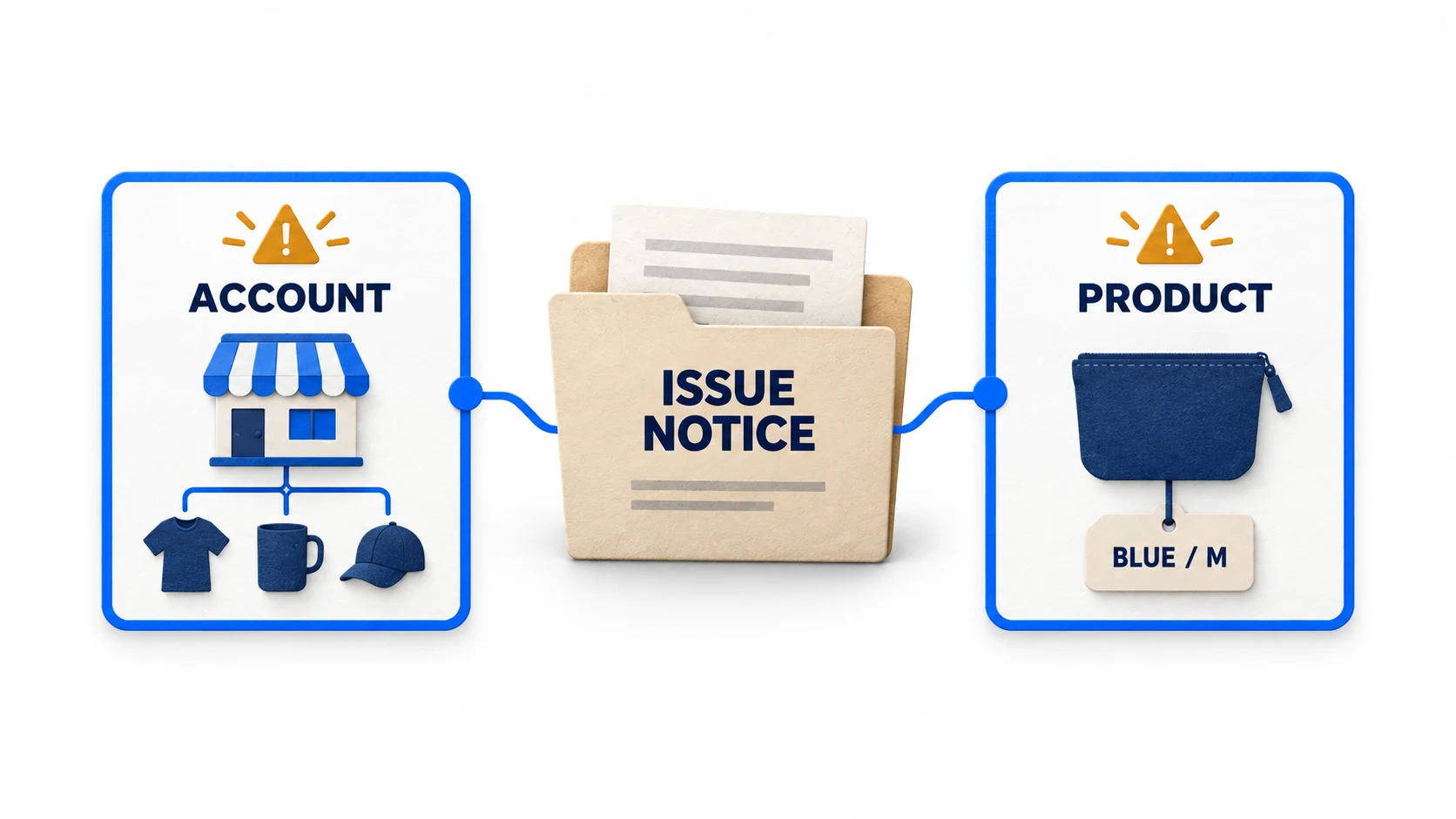
A Merchant Center suspension needs a diagnosis of the actual notice, a correction supported by evidence and the review process available for that issue. Start by separating an account-level restriction from a product-level disapproval. Rewriting a policy page, deleting a feed or opening another account is not a dependable substitute for finding what is wrong.
For dropshipping stores, investigate whether the business can deliver the offer it presents: the right product, a truthful seller identity, the stated price, a credible delivery arrangement and usable after-sales support. Those checks help uncover contradictions; they are not a formula that guarantees reinstatement.
01
Read the notice before changing the store
Save the full message from Merchant Center and any related email. Record the issue name, affected country or destination, whether it applies to the account or particular products, the date, the current status and the action offered. Preserve screenshots or exports privately for your own record; do not publish customer or identity documents as a troubleshooting demonstration.
An account-level issue can affect the catalog broadly. Investigate the business, website and relevant policy requirements, not only the first product displayed next to the warning.
A product-level issue identifies an affected offer or group of offers. Inspect the named attribute, landing page, image or product-policy concern, while checking whether the same cause appears elsewhere in the catalog.
Google’s warning and suspension guidance describes these enforcement processes. Some issues have a warning period; serious violations can lead to immediate suspension. Do not assume every merchant receives advance notice or the same opportunity to act.
A Merchant Center notice and a Google Ads notice are also separate records. If both accounts show issues, read each one and follow its own available process. Fixing a product record does not establish that every linked account restriction has been removed.
Before doing anything destructive, save the current feed configuration, affected product IDs and relevant public pages. You need enough information to compare before and after. Keep customer service operating while you investigate; existing orders still require fulfillment or a truthful resolution.
02
Understand what misrepresentation is asking you to examine
Misrepresentation concerns misleading presentation, unavailable offers, missing material conditions and untruthful business or product claims. Google’s policy explanation says assessment may draw on listings, the website, accounts and third-party information. It treats violations seriously and does not promise recovery after a cosmetic change.
Read the version of the policy linked from your notice. Free listings and Shopping ads have their own policy context; the Shopping ads policy index is a useful starting point when the notice concerns ads. Do not rely on an old checklist that omits the named issue or affected destination.
The fact that a store uses a dropshipping supplier does not identify the cause of a particular decision. More useful questions are whether an advertised item can be supplied, whether a seller implies an affiliation it does not have, and whether a buyer can understand the complete purchase conditions.
There is no reliable rule that an About page, a phone number or a longer domain history will independently resolve the case. Those details can be relevant to an honest business presentation, but they do not cancel a product that cannot be delivered or a refund promise the merchant does not honor.
Treat any diagnosis made without inspecting the notice and store as a hypothesis. Write down what would confirm it. This prevents a cycle in which each failed review leads to another unrelated visual edit.
03
Audit identity and business claims against real records
Review the public trading name, operating business, service address, email and any telephone information alongside Merchant Center settings. If the brand name differs from the legal operator, explain the relationship accurately. A warehouse, registered address and return facility can have different roles; label them instead of forcing all fields to use one misleading address.
Google’s business-trust guidance supports transparent, verifiable information. Use genuine documents when the account requests verification. Do not modify a registration document or claim that a different business type, location or owner is yours.
Check the claims surrounding the identity as well. Are you calling yourself an authorized reseller, local manufacturer or official distributor? Locate the evidence for that exact relationship. If it does not exist, remove or correct the claim wherever it appears, including product images and advertising material.
An illustrative audit might find that a site’s footer identifies the operator correctly while its About page says the business owns a local production facility. The real arrangement is third-party overseas dispatch. The correction must explain the genuine arrangement and adjust the delivery presentation; simply deleting the word “warehouse” from one sentence leaves the broader impression unresolved.
Use accurate photographs and captions. A licensed stock image can illustrate a process, but presenting it as a photograph of your own building or staff creates a different factual claim. Review image captions and headings as carefully as ordinary text.
When another party prepared the website, ask for the source of testimonials, awards and badges. Remove unsupported representations rather than manufacturing evidence for them. The purpose of the audit is to bring the store into line with the business that actually exists.
04
Follow an advertised product through the purchase
Choose affected items and representative variants from other product groups. Record the offer shown in Merchant Center, then open the landing URL without relying on a previous customer session. Check the selected item, price, currency, availability and final checkout conditions.
For a hypothetical blue medium variant, the feed might show a purchasable product at $29 while the page selects the black variant at $34 and the blue medium cannot be ordered. That is a reproducible offer problem. Record the URL, selected variant, timestamp and values before investigating which system supplied each value.
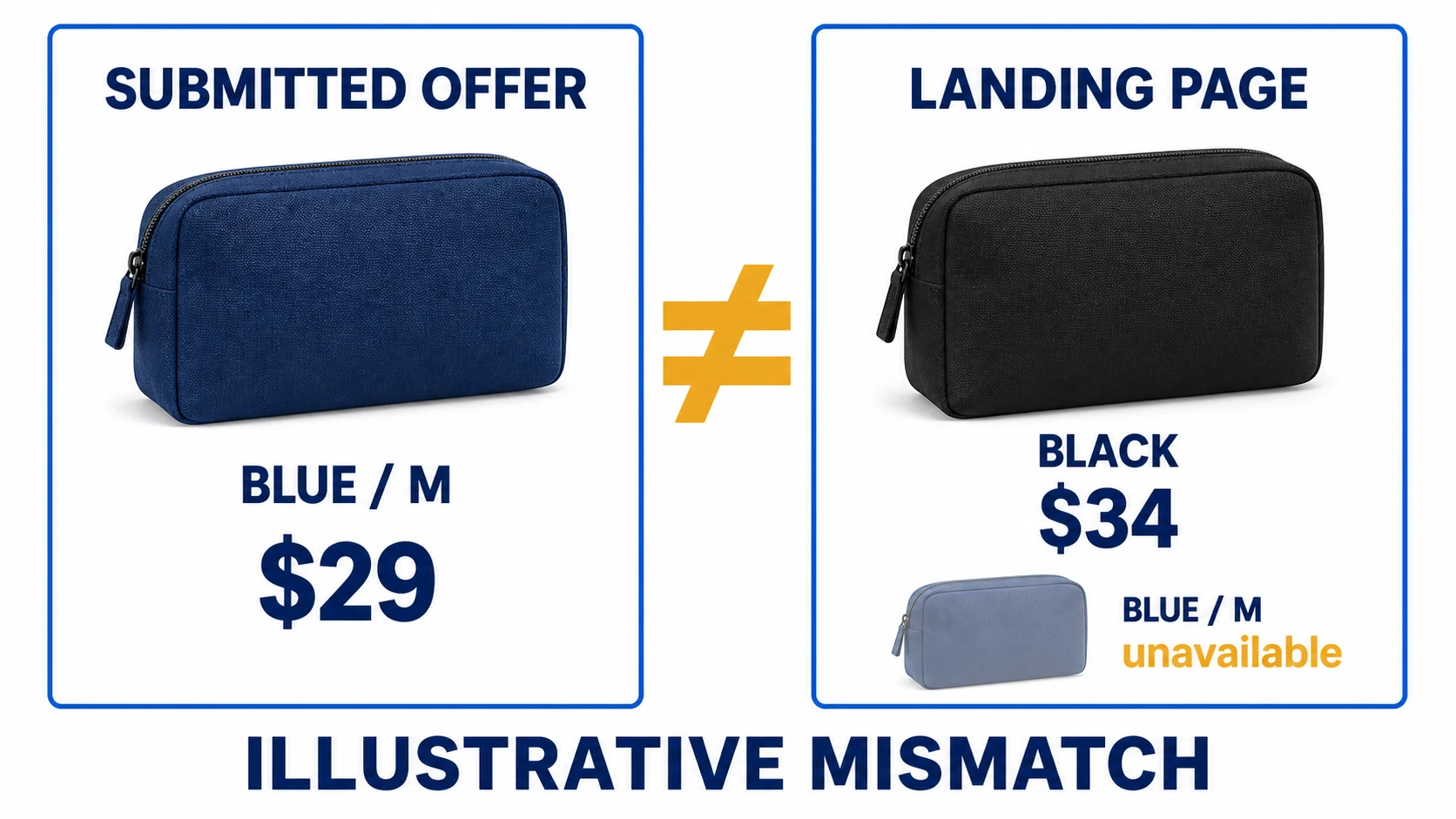
Google’s product data specification defines the relevant attributes. Correct the original record and the connector behavior when necessary. A one-off edit inside Merchant Center may be overwritten by the next automated import.
Inspect the public structured data too. Google’s structured-data instructions explain the product and offer representation. An old theme snippet can contradict the visible page even after your merchandising team fixes the displayed price.
Next, enter an address in the advertised delivery area and proceed through the purchase path. Google’s checkout requirements cover purchasability and the checkout experience. Note exactly where the customer encounters an unexpected condition, unsupported location or unavailable payment path.
Do not test only your most polished product. Include an out-of-stock item, an active sale, a product with multiple sizes and a destination with different shipping conditions where applicable. A common import rule can spread the same error across hundreds of otherwise different listings.
05
Check delivery and refunds as operating promises
Compare the shipping policy, product page, checkout and Merchant Center settings with what the supplier can actually do. Identify dispatch origins, handling time, transit time, destination restrictions and customer charges. A carrier estimate alone does not include the work before dispatch.
Google’s shipping information guidance separates handling and transit. If a supplier needs several days before handing over the parcel, include that stage when correcting the promise. Use the dropshipping shipping-times guide to document the route rather than replacing one unsupported number with another.
For returns, read the policy as a customer with an actual problem. Can the customer find the instructions? Is the return destination usable? Are the relevant costs and conditions understandable? Google’s return-policy guidance provides the account and website requirements to check.
Review operational records where you have them: unanswered inquiries, approved refunds not processed, repeated dispatch delays and orders accepted after stock ran out. A clearer policy is useful only if the business follows it. Resolve outstanding customer cases according to the applicable terms and obligations.
Do not use a supplier’s reimbursement refusal as the sole reason to deny a customer remedy. Supplier terms and customer rights are different layers. Where a market’s legal obligations affect your correction, check the actual jurisdiction and product instead of copying a global “no refunds” statement.
The audit may reveal that the advertised service is not currently feasible. In that case, change or withdraw the affected offer and handle existing orders appropriately. Keeping an impossible promise because its wording looks competitive makes the underlying issue worse.
06
Keep a correction record that another person can verify
Create one entry per substantive finding. Include the observed problem, affected scope, original evidence, root cause, correction, public verification and person responsible. This record is an operational aid; Google does not promise approval because a merchant uses a particular report format.
For example, record that an old connector rule exported discontinued variants as available. Identify which product group it affected, what changed in the rule, when the next successful sync ran and how you checked the resulting offers. This is more informative than writing “all products fixed.”
Separate a confirmed defect from an unconfirmed suspicion. “The return-policy URL returned an error during the test” is an observation. “The policy error definitely caused the account suspension” is a conclusion you may not be able to establish. Your explanation should preserve that distinction.
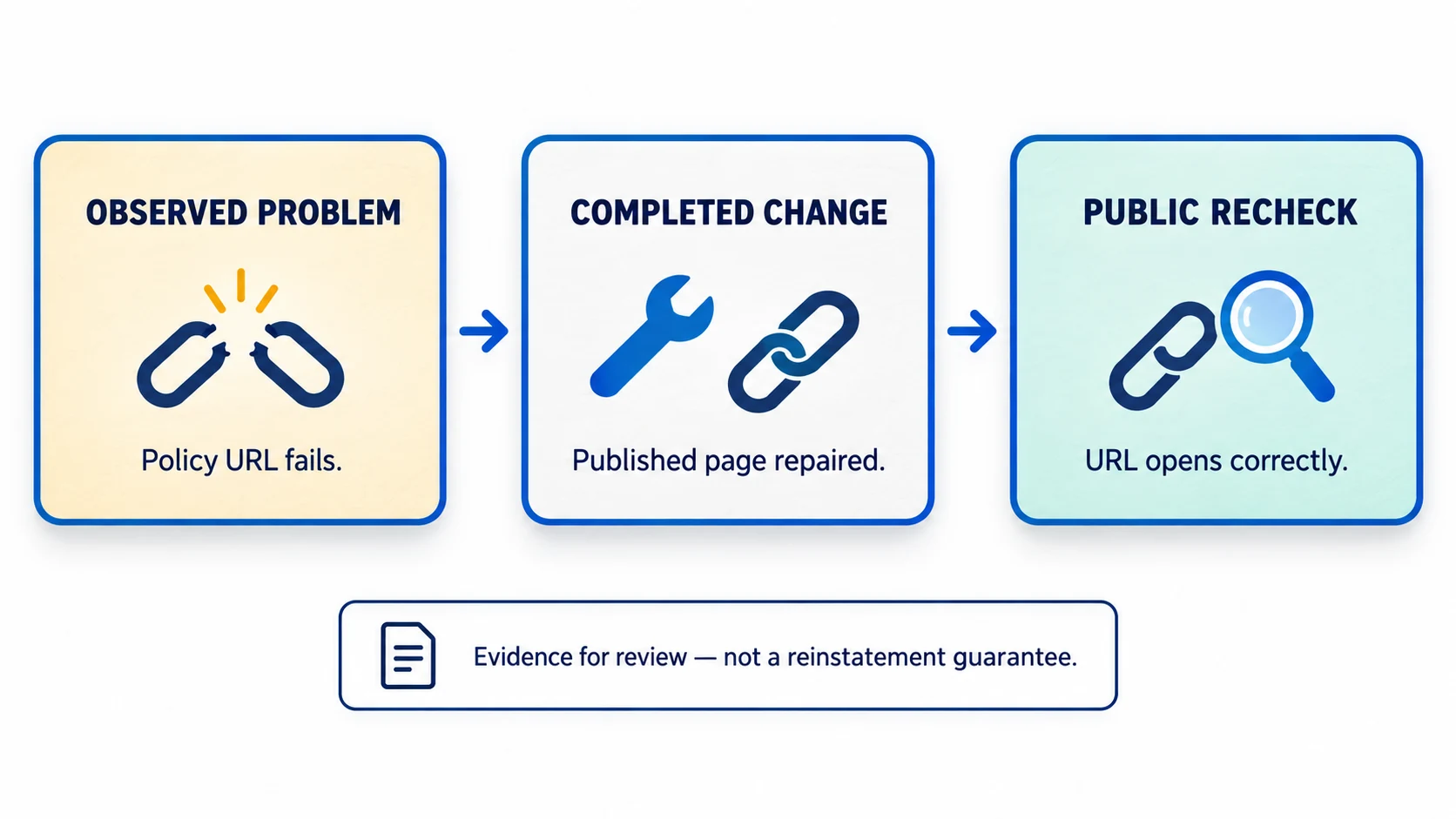
After the correction, repeat the same test with the same variant and destination. Check public pages rather than only the editor preview. If cached content remains old, resolve that before claiming that the published store has changed.
Use a small issue register with these fields:
- Finding: what the customer or reviewer could actually observe.
- Scope: the products, pages, destinations or account details affected.
- Correction: the factual or technical change completed.
- Evidence: a working URL, identified data record or requested document.
- Verification: when and how the published result was checked.
- Remaining limitation: anything still unresolved or dependent on another party.
Do not add a claim to the record merely because it sounds reassuring. “All customers satisfied” and “all shipping is on time” require evidence that a routine troubleshooting exercise rarely establishes. A specific correction with a clear boundary is stronger than an unsupported global assurance.
07
Request the appropriate review when it is available
Use the issue’s current action in Merchant Center. Google’s review instructions distinguish correcting a problem from disagreeing with a finding, and explain that additional steps such as identity verification may be required. The available path depends on the issue and account state.
If you corrected a genuine defect, describe it honestly. If you believe the finding is wrong, explain the relevant facts and provide the requested evidence. Do not claim there was never a problem when your own record shows a substantive correction.
A concise explanation can identify the issue, describe the affected scope, state the completed changes and point to verification. For instance: an obsolete shipping statement remained on selected product pages; those pages and the relevant shipping configuration now reflect the supported route; the attached record identifies the pages and checks. Use this structure only with facts from your own case.
Check that supporting URLs open publicly, attachments answer the actual question and the requested verification is complete. Keep sensitive documentation inside the authorized submission process. A public About page does not need to expose personal identity documents to every visitor.
Do not submit before the data source and public website reflect the correction. A review of the old state cannot assess an edit waiting in a draft or a sync that has not run. Also avoid changing unrelated business details while the case is being reviewed unless they are inaccurate and need correction; preserve a clear change history.
No wording guarantees reinstatement. The explanation should make genuine facts easier to assess, not attempt to persuade a reviewer through urgency, keyword repetition or invented credentials.
08
Handle a missing button, cooling-off period or failed review
If no review action is available, inspect the issue details for required verification, account status and timing. A disabled button is not evidence that creating a replacement account is the correct route. Use the support option provided for the actual account when the next step is unclear.
Google’s review guidance says a cooling-off period can follow unsuccessful attempts and may lengthen; support cannot shorten or bypass it. Follow the date displayed in the account. There is no value in repeating an unchanged request while the process is unavailable.
During that interval, work on unresolved evidence and broaden the audit only where a finding justifies it. For example, a price mismatch caused by one shared rule calls for checking all records using that rule. It does not call for randomly changing the site’s color scheme.
If a review fails, save the result and compare it with the previous notice. Identify whether the same issue remains, a different scope is affected or additional information is requested. Do not assume that the last change was irrelevant merely because it did not resolve every problem.
Avoid services that promise an undisclosed workaround, ask you to invent an identity or propose using a new domain to conceal the original issue. A legitimate correction process works with the real business and the platform’s available review route.
09
Recheck the account after a decision
Read the final status in Merchant Center, including affected products, countries and destinations. Do not use the disappearance of one email banner as evidence that every offer can appear again. Check account issues and product statuses separately.
If eligibility is restored, resume with monitoring of the changes that caused trouble: supplier stock, delivery settings, promotion dates, policy links and customer-service follow-through. The Merchant Center setup and maintenance guide covers the continuing checks beyond a suspension response.
Keep the incident record so a future supplier or theme change does not reintroduce the same defect. Assign an owner to the actual source of the problem. A connector failure needs an integration check; an impossible shipping promise needs a fulfillment decision.
10
Frequently asked questions
Should I delete every product to fix misrepresentation?
Do not treat an empty catalog as a general remedy. Remove non-compliant offers where appropriate, but investigate the account-level issue and follow its review requirements. Preserve enough records to show what changed and do not re-add offers that still violate policy.
Can I just replace the About and refund pages?
Correct them if they are inaccurate or incomplete. Also check the purchase path and whether the business follows the stated terms. Better wording cannot fix unavailable goods, unprocessed refunds or a false relationship claim.
Is there a guaranteed appeal template?
No. Explain your actual issue, changes and evidence in clear language. A template cannot establish missing facts or force Google to reverse a decision.
Does a product disapproval mean the whole store is suspended?
Not necessarily. Read the scope in the account and item details. Diagnose the affected product while checking whether a shared cause affects other offers or a separate account-level issue also exists.
How long should I wait before trying again?
Use the current status, review instructions and any expiration date in your account. A pending review and a cooling-off period are different states. Repeated submissions without a verified correction do not create new evidence.
