
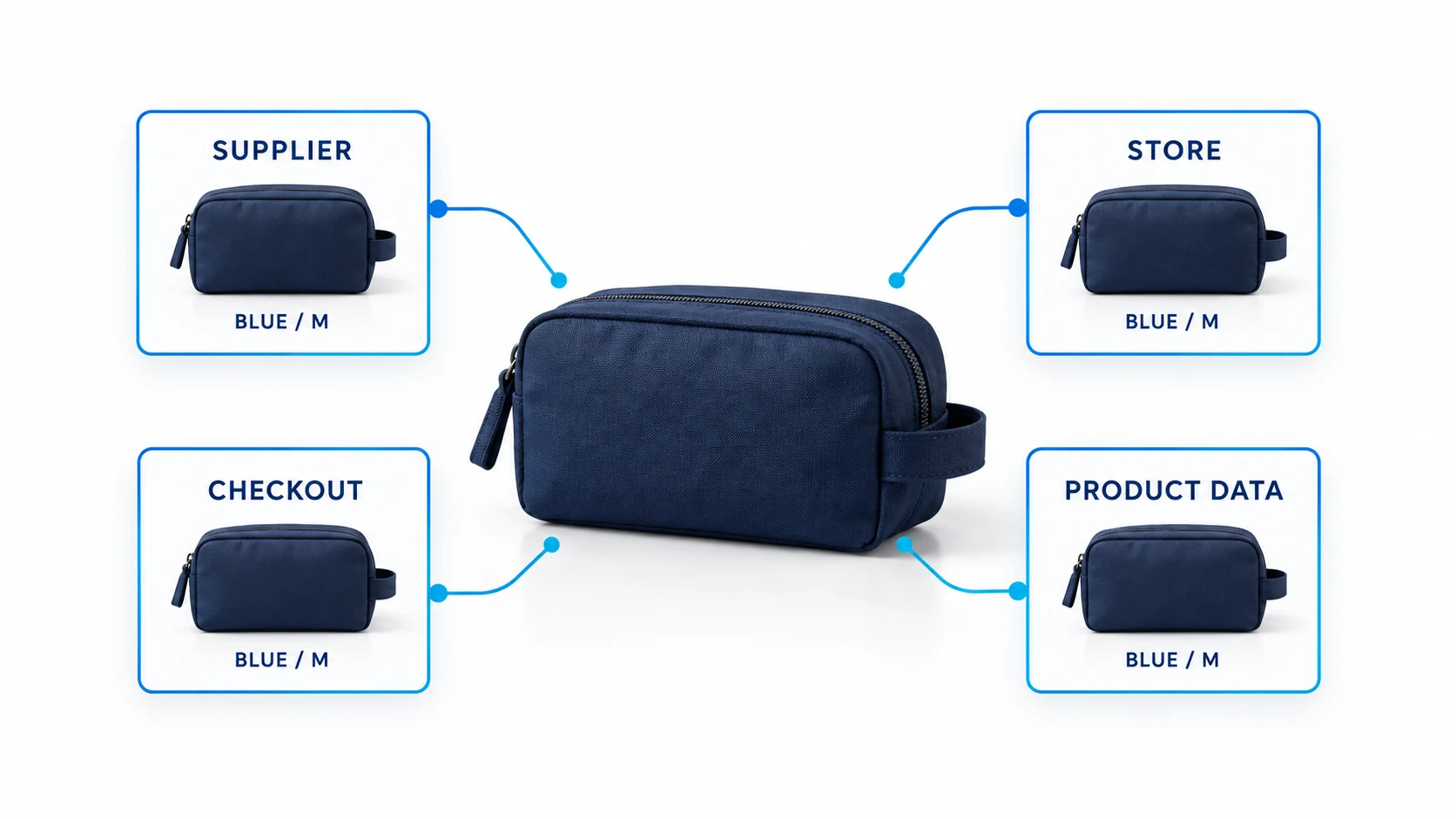
Google Merchant Center can support a dropshipping store when the store, offers and fulfillment arrangements meet the requirements for the Google programs and countries it uses. A supplier connection does not establish eligibility. You need products customers can actually buy, accurate product data, clear purchase conditions and an operating process that keeps those promises current.
The useful starting point is one complete offer: a particular variant, sold at a particular price, delivered to a particular destination. Check that offer from the supplier record through the product page, checkout and Merchant Center. Expanding an inconsistent catalog only multiplies the repair work.
01
Understand what Merchant Center does
Merchant Center manages information about your business and products for eligible Google shopping experiences. It is distinct from your storefront and from a paid advertising campaign. Product approval also does not guarantee visibility, traffic or sales: Google distinguishes a product’s data status from whether it is currently appearing. See its explanation of product status and visibility.
For a dropshipping merchant, the practical issue is control. Another business may store, produce or dispatch the goods, but your offer still needs a reliable price, an available variant and a delivery arrangement you can explain to the customer. Start with the responsibilities described in the broader store operations section if these handoffs are not yet defined.
Do not interpret the absence of a blanket prohibition on a business-model label as approval of every implementation. Check the relevant product category, country and program. Google’s Shopping ads policies include restrictions on products, practices and content that apply independently of how the order is fulfilled.
Your first decision is whether you can maintain the offer. If the supplier cannot confirm which item is available, where it ships or what happens after a failure, keep that offer out of the initial catalog until you have an answer.
02
Make the business behind the store understandable
A visitor should be able to identify who is selling, how to contact that seller and what happens after payment. Review the About page, contact details, footer, policy pages, checkout communications and Merchant Center business details together. Explain a trading name and its relationship to the operating business where needed; do not make unrelated legal and warehouse addresses look interchangeable.
Google’s trust guidance addresses business identity, transparency and online reputation. Use it to check your actual presentation. Adding a decorative badge, an invented review or a stock warehouse photo labeled as your facility makes the underlying information less dependable.
If a supplier dispatches from another country, describe the arrangement accurately where it affects the purchase. A local customer-service address does not turn an overseas dispatch into local fulfillment. Likewise, a return address is not necessarily a retail store or a place where customers may visit.
Check that the contact method works. Send a test inquiry and verify that the team can retrieve an order and respond through the advertised channel. An attractive contact page that routes messages to an unmonitored inbox will not help a buyer resolve a delivery problem.
Create a short internal identity record containing the public trading name, operating entity, service contact, customer-facing policy URLs and the person responsible for updates. This is an editorial recommendation for avoiding contradictions, not an additional Google registration form.
03
Test the purchase before importing the catalog
Google’s online store requirements include eligible products, displayed fixed prices, a secure payment method, direct purchasing on the website and disclosed purchase conditions. An affiliate page that only sends the customer to a supplier is a different arrangement from selling through your own checkout.
Run a purchase-path test on a representative product. Open its landing URL without a saved customer session, select the advertised variant, add it to the basket and enter an address in the intended market. Compare the product price, currency, shipping charge, availability and order conditions at each step. Repeat on mobile, where a sticky button or untranslated app can hide essential information.
At the product page, check the selected offer. The photograph, size, color, quantity and price must describe the item reached from the listing. A low price for one variant should not lead customers into a different, more expensive default selection.
At checkout, check whether the offer remains purchasable. Look for unsupported postcodes, surprise minimum-order requirements, compulsory business fields and currency changes. Record the exact failing address or variant so the correction can be retested.
Read Google’s checkout guidance in full when testing account access. It permits required account creation when registration is free and adds no barrier such as an app download or device change. The same requirements section also calls for customers to complete checkout as guests or verify their details with a one-time passcode. Test that guest or passcode route from a fresh session on mobile and desktop; a free registration form alone does not demonstrate that every access requirement is met. If your checkout uses another mandatory sign-in flow, resolve its fit with Google’s current guidance before relying on it.
Do not place repeated real orders solely to imitate customer activity. A controlled test of the checkout and, where appropriate, an identified operational test order should answer a defined question without fabricating business evidence.
04
Build a dependable record for each product variant
Use a stable product identity that survives ordinary price and stock changes. Record your store SKU, supplier SKU, variant attributes, product URL, image source, price source and inventory source. Give the person maintaining the data a way to trace an incorrect listing back to the original record.
Google’s product data specification defines required and conditional attributes. Common fields include an item ID, title, description, landing link, image link, availability and price; identifier and variant requirements depend on the product and destination. Follow the current specification for your offer rather than copying a sample feed unchanged.
Use genuine manufacturer identifiers where they apply. Do not invent a GTIN, borrow one from a similar product or use a setting intended for products without identifiers merely because the supplier has not supplied the information. Missing evidence should trigger a supplier question or a narrower launch scope.
The product record, visible offer and machine-readable offer describe the same sale. A matching SKU alone is not enough if the feed says a blue two-pack while the landing page selects a black single item. Store the variant URL or selection behavior needed to reproduce the exact offer.
For original product images, show the goods accurately. Confirm the rights to use supplier-provided photographs and remove unsupported claims from descriptions. A title rewritten by an import app can still misdescribe material, compatibility or included accessories; automation does not verify those facts.
If an item cannot be confidently identified, quarantine that record from the export. The task is to establish what you sell, not to fill every empty field with a plausible value.
05
Keep the feed, landing page and checkout aligned
A useful audit compares three views of one variant at the same moment: the submitted data, the visible product page and the checkout. Also inspect the structured data served by the page. A theme or app can leave an old price in markup even when the customer-facing price has changed.
Google provides structured-data setup guidance for product and offer information. Validate what the published page actually emits. Do not assume that installing a schema app makes the data correct, particularly when two apps both output Product markup.
Consider this hypothetical mismatch: the supplier discontinues a medium blue item, the storefront disables its purchase button, but the export still sends it as available. Changing the wording of the product title does not address the failure. Find the stock-update path, correct the exported availability and confirm that the specific variant is consistent after the next successful sync.
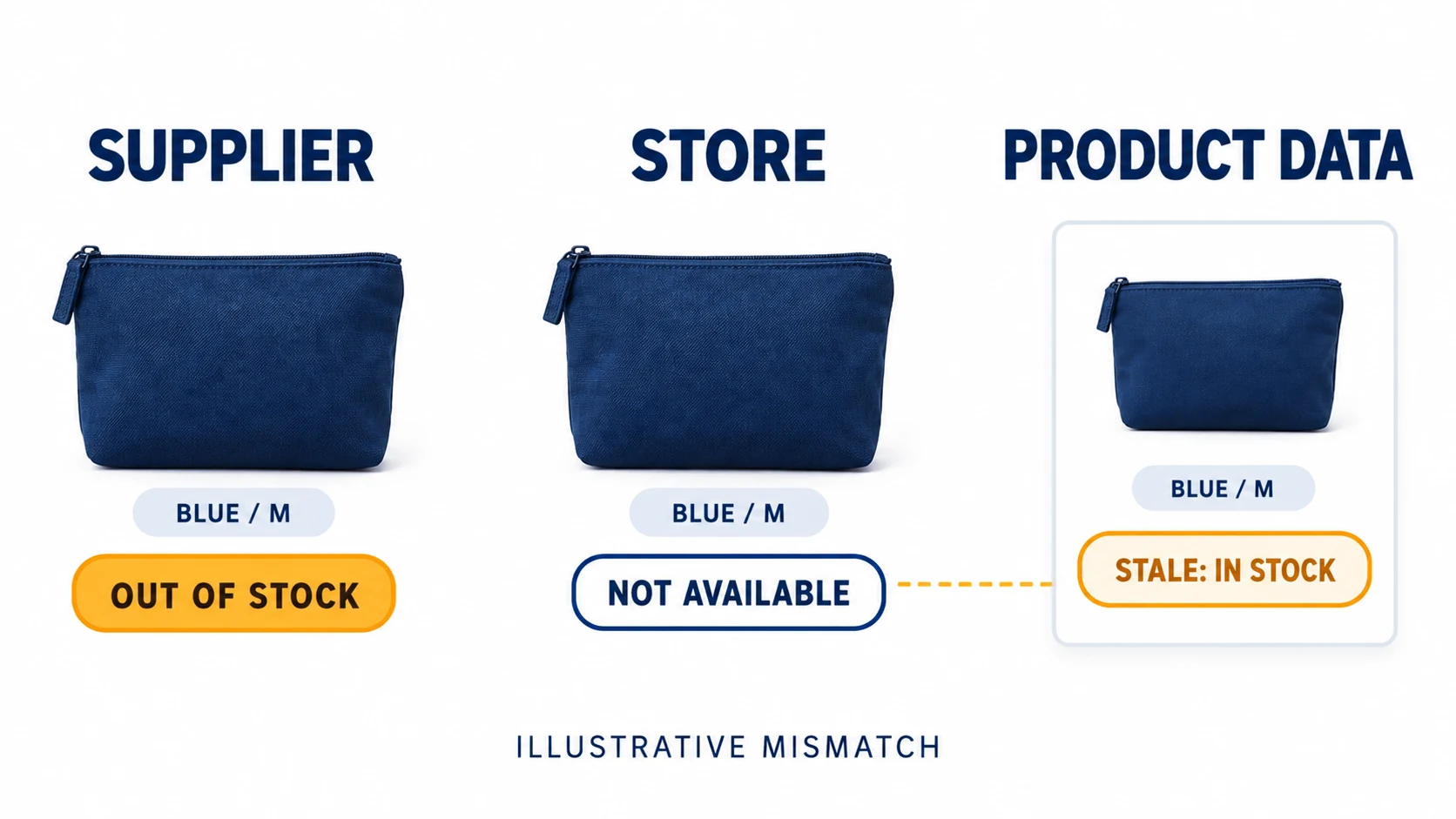
Check the update result, not just the schedule. A connector configured to run every hour may have stopped authenticating or may exclude a particular variant. Retain the last successful run, error report and a sample of changed records. Choose the monitoring frequency according to how quickly your suppliers change stock and price.
Google’s approval-maintenance tips include automatic item updates. Treat these as a useful protection against some discrepancies, while keeping your primary data source correct. They cannot supply reliable inventory that your business never obtained from the supplier.
When a promotion ends, check the normal price, sale price, effective period, landing page and checkout together. When currency conversion is involved, test the target country’s offer explicitly instead of relying on the currency visible in your own browser session.
06
Describe delivery from order placement to arrival
Dropshipping estimates often omit the time before the carrier receives the parcel. Supplier processing, production, allocation or inspection can all occur before transit begins. Customers experience the whole interval.
Google separates handling from transit in its shipping information guidance. Configure the appropriate countries, shipping cost and delivery assumptions. Check order cutoff time, the working-day calendar and differences between product groups before presenting one store-wide estimate.
For an illustrative product, suppose handling takes 2–3 business days and transit takes 5–8 business days. The combined working-day range is 7–11 before considering the particular order’s cutoff and non-working days. Advertising only the 5–8-day carrier interval would leave out a real part of the customer’s wait.
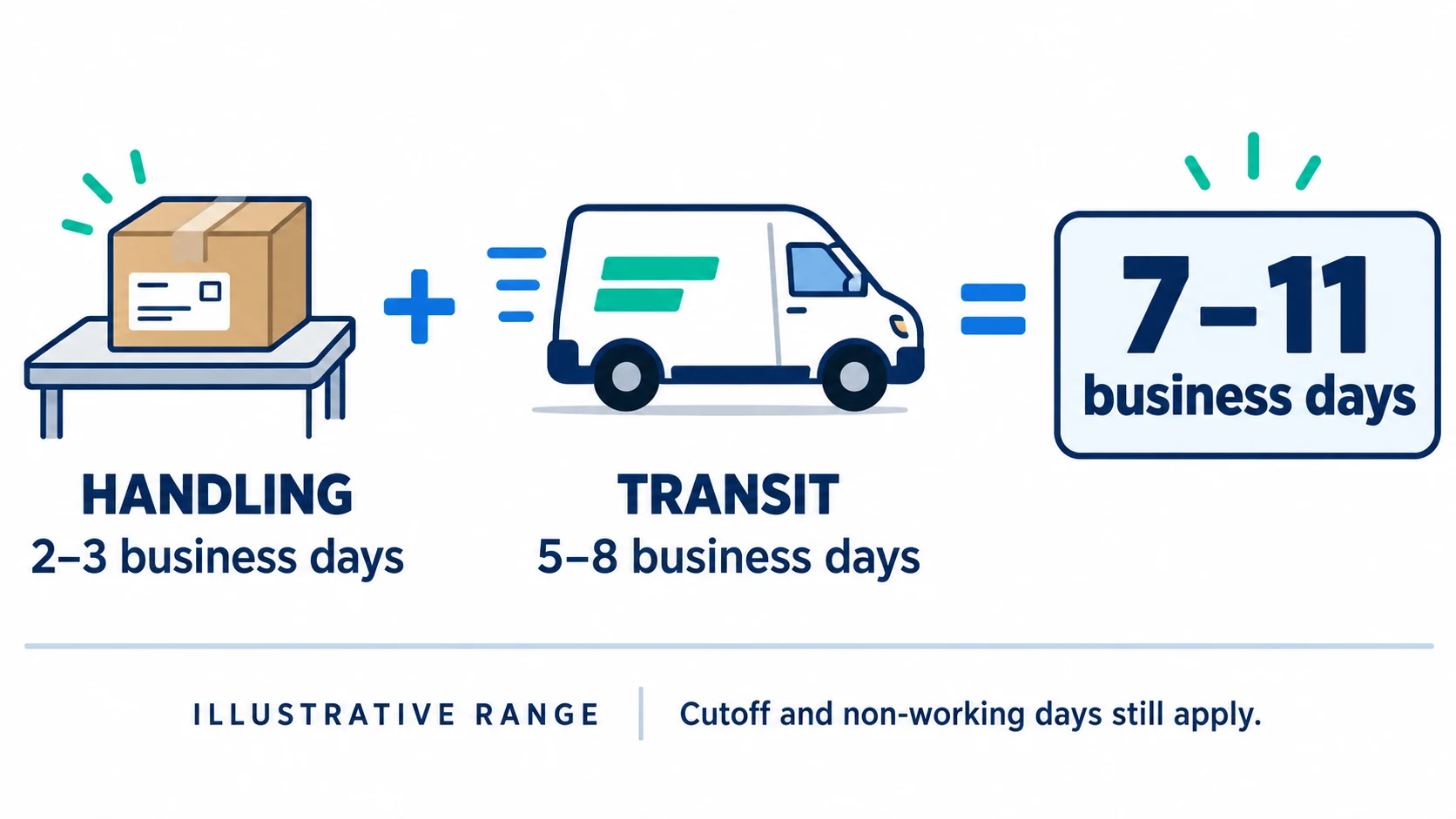
This arithmetic is a planning illustration, not an observed shipping result or a universal delivery promise. Use evidence from the actual route and product. The shipping-times guide explains how to separate handling, carrier movement and uncertainty before writing the promise.
Group products only when their delivery conditions are genuinely similar. A stocked domestic accessory and a made-to-order overseas product may need different settings. Google’s account-level shipping instructions describe configuration choices; verify which settings your integration supplies and which you maintain directly.
Also test the customer charge. A free-shipping banner, a Merchant Center setting and a checkout surcharge cannot all describe the same offer if their conditions conflict. Show exclusions where buyers need them and avoid advertising destinations you cannot actually serve.
07
Make returns workable for the buyer
Write a policy that answers who may request a return, which conditions apply, how to start, where instructions come from, who pays the relevant costs and how refunds are handled. Keep damage, wrong-item and change-of-mind cases distinguishable. Applicable consumer rights and platform obligations can exceed what the supplier reimburses.
Google’s return-policy setup guidance explains the website and account information used for Shopping ads and free listings. Check that the policy URL opens publicly and that any product-specific exceptions match the affected offers.
Your supplier’s acceptance of a parcel is a separate operational question. Obtain a receiving arrangement before promising returns to that location. A dispatch label is not proof that the same facility accepts customer returns. The return-address workflow helps define the destination and authorization steps.
Run a desk test using a plausible order. Ask the service team to locate the applicable terms, identify the next instruction and record the expected cost. If the answer depends on asking a supplier who has never agreed to receive the item, resolve that gap before publishing an easy-returns claim.
Do not copy a supplier’s refusal of discretionary returns into a blanket denial of customer rights. This guide does not define every market’s law; your customer-facing terms must be checked for the countries and products you sell.
08
Launch a controlled catalog and monitor changes
Choose an initial group you can inspect thoroughly: products with identified variants, established supplier availability and tested delivery destinations. A smaller verified launch makes it easier to distinguish an isolated data error from a rule affecting every item.
Keep a launch record with the variant tested, destination, time of test, submitted values, visible values and result. Add an owner and next action for each discrepancy. A pass on one product does not approve unrelated products, and a pass today does not protect a later change.
After publishing the data, inspect the product and account issues that Merchant Center actually reports. Read the named issue, affected scope and available action before changing the site. An image problem on one item and an account-level policy issue require different investigations.
Maintain a change log for supplier replacements, shipping-rate updates, promotions, domain changes and policy revisions. These events deserve targeted rechecks because they alter information on which a customer decides to buy. Check affected products after a theme or connector update as well.
If an issue appears, preserve the original notice and compare it with your launch record. Correct the source of the discrepancy and verify the public result before using an available review option. Never substitute a new account or false business details for fixing the underlying issue.
09
Frequently asked questions
Is dropshipping automatically banned from Merchant Center?
Evaluate the actual store and offers under the applicable Google policies. Dropshipping is a fulfillment arrangement, and using it does not provide an exemption from eligibility, accurate data or customer-promise requirements. Approval cannot be inferred from a supplier app being available.
Do I need to own a warehouse?
The checks in this guide concern an honest, workable sales and fulfillment arrangement. Do not claim ownership of a warehouse you do not own. Confirm the supplier’s ability to dispatch the offered product and describe relevant origins and delivery conditions accurately.
Can I upload my supplier’s whole catalog?
Only upload offers you can identify and maintain. Missing rights, unclear variants, unreliable stock or unsupported destinations are reasons to hold affected products while investigating. A successful import means records were transferred; it does not establish their accuracy.
Will approved products immediately generate sales?
No. Approval, visibility, demand, offer quality and campaign performance are different questions. First make the listing and purchase experience accurate, then evaluate the traffic and orders you actually receive.
What should I check after changing suppliers?
Recheck the item identity, photographs, specifications, price, stock update, dispatch origin, delivery estimate and exception arrangements. If the product or service changes, update the customer-facing offer and product data before treating the new supplier as interchangeable.
